Futuramo creates SaaS apps to provide a collaborative workspace for teams. Futuramo Time Tracker is an app used to track, analyze, and manage time, free for teams of up to 3 users, and $6 per license for each additional user.
$6
per month
JobDiva
Score8 out of 10
N/A
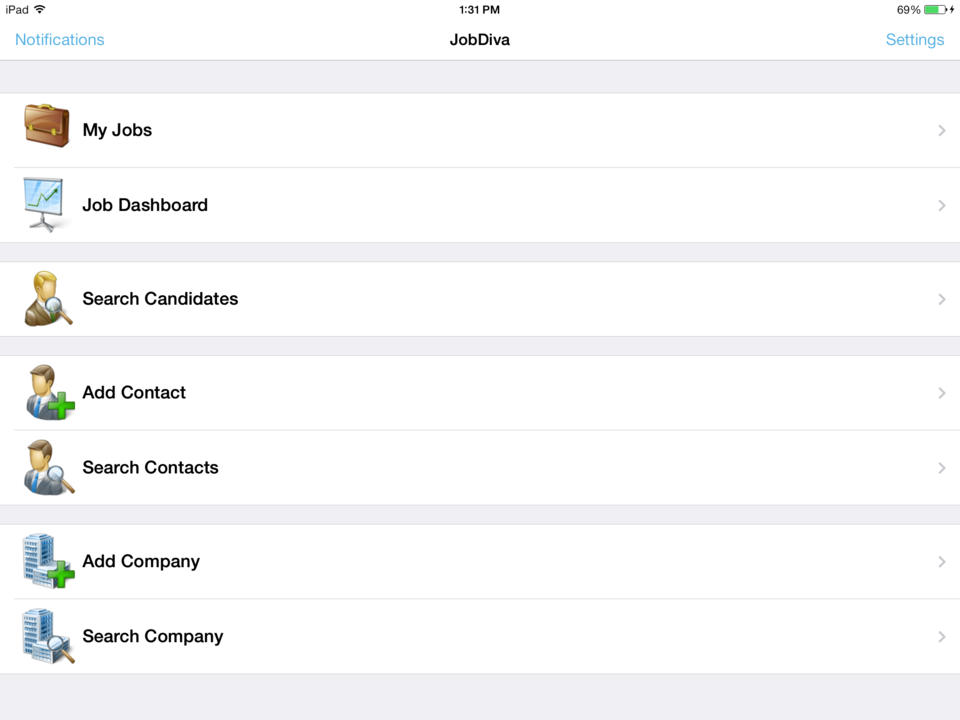
JobDiva is a global applicant tracking system (ATS) and front-to-back talent management solution. JobDiva combines a CRM, synchronization with all major job boards and VMS providers, BI analytics, a mobile app, and a resume database. JobDiva also advertises unique search filters for screening resumes.
Futuramo is best for when you're working alone on a project, or with a small team, given the glitches with the time tracker and the poor integration with Futuramo Tasks and Projects. Unless you're going to manually calculate the times spent on all tasks individually in order to know the total time spent on the project, I would not recommend using it on projects where you'd be billed per the time spent rather than a fixed amount.
A de minimis incentive was given to thank the reviewer for their time. The incentive was not used to bias or drive a particular response, nor was the incentive contingent on a positive endorsement. More Info
The functionality the platform holds is top-notch where I can house details regarding contact information, requested rates, what jobs we're submitting them to, and all the personal information (CV, certifications, degrees, etc) that we obtain from our candidates. It's extremely helpful that I am able to submit candidates externally as that is our M.O. routinely. I really like it.
A de minimis incentive was given to thank the reviewer for their time. The incentive was not used to bias or drive a particular response, nor was the incentive contingent on a positive endorsement. More Info
The biggest pro of Futurama Time tracker is that it comes bundled with other tools. These are "Projects, Tasks, Virtual Tickets, Time Tracker, and Icons." This means I can track the time spent on each task within a project.
Time Tracker is easy to use, all you need to do is go to time tracker, enter the task you want to track, choose what project and clients it's under, and then click the play/start icon.
For projects that involve collaborating with others (either external freelancers I'm managing, or my staff) I can track the time spent on each task by each user. So I know how long each person spent on their task and how it related to the estimated time. This way I know if the project will take longer or shorter than estimated.
A de minimis incentive was given to thank the reviewer for their time. The incentive was not used to bias or drive a particular response, nor was the incentive contingent on a positive endorsement. More Info
A de minimis incentive was given to thank the reviewer for their time. The incentive was not used to bias or drive a particular response, nor was the incentive contingent on a positive endorsement. More Info
I'ver been using Futuramo for almost 2 years, primarily because they reached out to me to be one of the first users/testers. I've also shared some glitches that could be improved but the timer glitch is still there. When I start the timer to track a project, instead of the timer to start counting, it remains at 00:00 which is worrying because it makes me feel like it's not actually tracking what I'm working on. I was once 18 mins unto a task and when I checked the tracker it said 00:16 I was so worried I ended the task. Interestingly when I ended the task, it showed the correct time which was 18 minutes. I'm happy the timer was working but I'm also frustrated and in near-panic.
Like TopTracker, I wish there was a way to take screenshots of what I'm doing, that way I can be sure that the rest of the team is actually working on the timed tasks.
In the Time Tracker section of Futuramo, where the tasks timed are listed, I wish it was possible to actually click on any of the tasks there to see things like mouse clicks and keyboard taps. Similar to how Hubstaff and Upwork tracker tracks "productivity" (I'm not sure what this is called).
If you track a task not originally in Futuramo Task but created in Time Tracker, connected to a project or client, when you go to Futuramo Task, it won't be listed there. And when you to go Futuramo Projects, you still wouldn't see it there. I would like to go to Futuramo Project and see all the tasks there, both those timed and those yet to start.
A de minimis incentive was given to thank the reviewer for their time. The incentive was not used to bias or drive a particular response, nor was the incentive contingent on a positive endorsement. More Info
A de minimis incentive was given to thank the reviewer for their time. The incentive was not used to bias or drive a particular response, nor was the incentive contingent on a positive endorsement. More Info
We have invested a lot of time and technically money (on the part of our people) in JobDiva. We had an independent company come in and do a gap analysis to tell us where we were using the product as we should be and where we were not. We are working on correcting things that we are not doing to "best practice" for our business.
A de minimis incentive was given to thank the reviewer for their time. The incentive was not used to bias or drive a particular response, nor was the incentive contingent on a positive endorsement. TR verified that a representative sample of customers was invited. More Info
JobDiva is one of the best applicant tracking systems - it's easy for recruiters to use and provides the ability to quickly build a search and filter millions of resumes of available candidates with the required levels of experience, skills or attributes. Jobdiva itself is a very intelligent and powerful tool to recruit and source qualified candidates.
Over all I think JobDiva works well. It has some issues from time to time, but the support staff seems to handle it quickly. The major issue is the email merges getting black listed as spam. That takes away a very important JobDiva feature. That is our major functionality complaint these days
A de minimis incentive was given to thank the reviewer for their time. The incentive was not used to bias or drive a particular response, nor was the incentive contingent on a positive endorsement. More Info
Usually, we don't come across downtime or any such issues. However, whenever required, the Support team is always up and ready to solve it as soon as possible. One of its best features is it always Notifies users of any changes related to any of its uses or new additions.
A de minimis incentive was given to thank the reviewer for their time. The incentive was not used to bias or drive a particular response, nor was the incentive contingent on a positive endorsement. TR verified that a representative sample of customers was invited. More Info
A de minimis incentive was given to thank the reviewer for their time. The incentive was not used to bias or drive a particular response, nor was the incentive contingent on a positive endorsement. TR verified that a representative sample of customers was invited. More Info
This is a SaaS platform so the implementation is easy. One thing to consider is to make sure your organization has agreed to this system. Not all will like it but atleast everyone must understand how this will impact Staffing efforts in a positive way. Once everyone is bought then the rest is smooth. The reason I mention this is because after the implementation some where reluctant to change thus not maximizing JOBDIVA to its full capacity.
A de minimis incentive was given to thank the reviewer for their time. The incentive was not used to bias or drive a particular response, nor was the incentive contingent on a positive endorsement. More Info
A de minimis incentive was given to thank the reviewer for their time. The incentive was not used to bias or drive a particular response, nor was the incentive contingent on a positive endorsement. More Info
Bullhorn seemed very focused on integration with LinkedIn but was missing on other factors. WinSearch was lacking as an ATS on all fronts, mass email would go to same people, there was no real prevention of duplicates and there was really no great way to link information and easy access later on
A de minimis incentive was given to thank the reviewer for their time. The incentive was not used to bias or drive a particular response, nor was the incentive contingent on a positive endorsement. More Info
Increased productivity: Futuramo Time Tracker makes it easy to know how long it'll actually take me to complete a task, and when put together, how long it'd take me to complete a project.
Track Billables: While calculating all the time spent on each task manually was exhausting, once that was done, I knew how long it took me and my team to complete a project and was able to bill my client for just that time.
A de minimis incentive was given to thank the reviewer for their time. The incentive was not used to bias or drive a particular response, nor was the incentive contingent on a positive endorsement. More Info
It had a positive impact of the number of candidates I was able to reach and which actually helped to increase the hiring rate at one of our clients.
The reporting system in JobDiva. It actually helped to focus more on the business objectives instead of documenting about each and every employee.
The only negative it had was that in a ew positions (asking for niche skills), when it required to submit candidates in a quick time, the other vendors were able t he win the race.