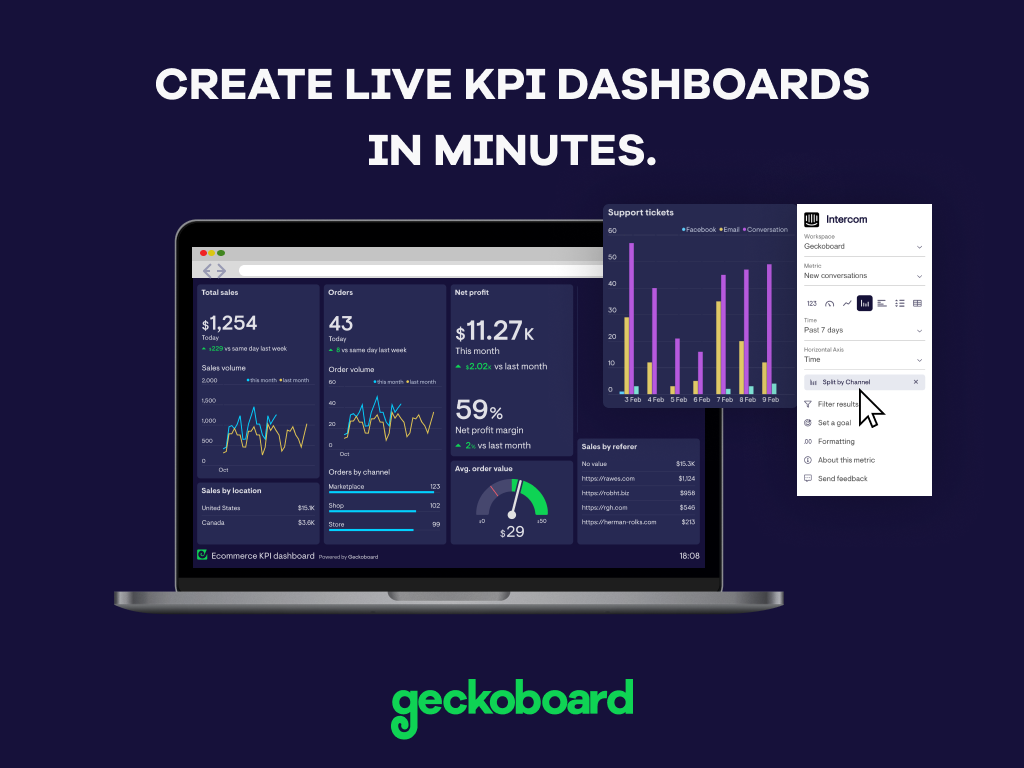
Geckoboard enables users to create real time dashboards using data from over 80 cloud services. It integrates with other products such as: AWeber, Basecamp, Campaign Monitor and HubSpot.
$35
per month
Google Analytics 360 (discontinued)
Score 8.3 out of 10
N/A
Google Analytics 360 (formerly Google Analytics Premium) was an enterprise-level analytics solution that was sunset in July of 2024.
$150,000
Up to 1 Billion hits/month
Pricing
Geckoboard
Google Analytics 360 (discontinued)
Editions & Modules
Starter
$35
per month
Team
$159
per month
Team Plus
$275
per month
Company
$599
per month
Google Analytics Premium
$150,000
Up to 1 Billion hits/month
Google Analytics
Free
Offerings
Pricing Offerings
Geckoboard
Google Analytics 360 (discontinued)
Free Trial
Yes
No
Free/Freemium Version
Yes
Yes
Premium Consulting/Integration Services
No
Yes
Entry-level Setup Fee
No setup fee
No setup fee
Additional Details
—
—
More Pricing Information
Community Pulse
Geckoboard
Google Analytics 360 (discontinued)
Features
Geckoboard
Google Analytics 360 (discontinued)
BI Standard Reporting
Comparison of BI Standard Reporting features of Product A and Product B
Geckoboard
9.3
5 Ratings
13% above category average
Google Analytics 360 (discontinued)
-
Ratings
Pixel Perfect reports
8.03 Ratings
00 Ratings
Customizable dashboards
10.05 Ratings
00 Ratings
Report Formatting Templates
10.04 Ratings
00 Ratings
Ad-hoc Reporting
Comparison of Ad-hoc Reporting features of Product A and Product B
Geckoboard
7.7
5 Ratings
4% below category average
Google Analytics 360 (discontinued)
-
Ratings
Drill-down analysis
8.04 Ratings
00 Ratings
Formatting capabilities
8.03 Ratings
00 Ratings
Integration with R or other statistical packages
7.02 Ratings
00 Ratings
Report sharing and collaboration
8.05 Ratings
00 Ratings
Report Output and Scheduling
Comparison of Report Output and Scheduling features of Product A and Product B
Geckoboard
9.0
5 Ratings
9% above category average
Google Analytics 360 (discontinued)
-
Ratings
Publish to Web
10.05 Ratings
00 Ratings
Publish to PDF
9.01 Ratings
00 Ratings
Report Versioning
9.02 Ratings
00 Ratings
Report Delivery Scheduling
8.03 Ratings
00 Ratings
Delivery to Remote Servers
9.03 Ratings
00 Ratings
Data Discovery and Visualization
Comparison of Data Discovery and Visualization features of Product A and Product B
Great value for the money. Excellent for smaller agencies with multiple projects and teams in a smaller space. We can quickly roll out mobile displays to help with a particular deployment push or monitoring a clients website engagement. It's also useful for showing live data without requiring analytics to run reports from a CRM, etc.
As I have discussed previously their insights were very useful. The second thing is since it is a Google product you will connect the data very easily from other platforms like Bigquery, Google Drive, etc. and even you can connect Google marketing platform. through this tool, you can track your live campaign how they were performing, and how it will be engaging your customer as well.
It is an excellent cloud analytics platform that is easy to install and configure and easy to deploy and use, allowing us to measure web traffic and other tools.
It is an entirely online tool; it does not take up hard disk space like other desktop tools.
Since this tool is draggable, Google is constantly adding more features.
Even beginners who do not have a custom dashboard can get information. If there is a problem somewhere on the site that needs to be investigated, Google Analytics 360 will notify you.
Generally I think there is a lot you can do within the tool, but as it is a Google product it means there is limited support - something which I think lets all of the platform stacks down
There could be more visual signifiers to identify if a feature is a normal or 360 feature. This would mean you can really get to grips with what the extra more advanced elements are
Google Analytics 360 is an upgraded version of the most widely used web/app analytics tracking tools in the market. The price is stable and predictable making it a long-term product of choice. It's easy to use and pairs so well with other Google Marketing Platform products.
With a simple interface and available templates, creating basic dashboards is easy. Obviously depending on the data you want to visualize, there may be higher learning curves. That being said, they have a huge amount of integrations and extensible frameworks. If you are using anything made in the past ten years there is an API function or integration that can get it talking to the platform. As such, it's pretty easy to hit the main data points you want and get it on a cheap display in front of your team.
The UI is very easy to navigate and use. The features are well designed and intuitive. As long as the user has a good understanding of basic digital analytics definitions and capabilities, this tool should be quite easy to use. I consider Google Analytics Premium to be the easiest of all of the enterprise solutions out there to use.
The support levels vary based on the level of plan that you have but that's to be expected. Virtually everything except the Enterprise plan has basic chat/email support. While they are responsive they are not going to be much assistance in helping you figure out API calls or implementing 3rd party integrations. That is to be expected and the support community can pretty much get you in the right direction if you look.
If you purchase Premium through a reseller like LunaMetrics, you are going to be taken care of. The additional amount of support and services that a reseller provides to make sure you have the best experience with the product is the reason why the reseller program exists to begin with. Support doesn't have to be just reactive, it can be proactive as well.
There is a ton of information online about Google Analytics, but Google Analytics Premium users will have dedicated support and training from Google or an Authorized Reseller.
If you already have the basic version of GA installed, "getting" GA Premium happens immediately through a virtual flipping of the switch - no need to re-implement. You'll want to expand your use of custom dimensions and metrics (you get 10x the amount with Premium). Ideally, you'll be using a tag management solution to talk with GA Premium, in concert with implementing a dataLayer (to note, Google's Tag Manager platform is covered under the same GA Premium SLA, and it's free). There are some welcomed "configurations" with GA Premium, such as integrating with DoubleClick products, activating data driven attribution models, and building roll-up executive reports - but all of these are easy point and click solutions. In comparison with any other enterprise analytics solution, implementing GA and GA Premium is traditionally easier and more flexible. And if you have any trouble or need an extra set of hands for implementation, GA Certified Partners like LunaMetrics can help
Unless you have very complex and edge case analytics needs, Google Analytics [360 (formerly Google Analytics Premium)] is likely going to be the best choice. From both a cost and usability stand point, Google wins. Adobe has the edge case when you need to create really custom reports, dimensions, metrics, etc. In my experience, this is rarely the case and you end up biting off more than you can chew. Stick with Google unless you are or plan on hiring an Adobe Analytics expert.
While we originally used this as an internal IS tool, we eventually have expanded it to be used by nearly every department.
Because pricing is monthly, we can grow or decrease our usage based on our current client needs.
Because it is low cost and easy to deploy, we can utilize it in place of considerable resources in analytics and reporting by delivering snapshots of data without pulling reports.