Google Chat, formerly Hangouts Chat, is a collaboration tool competing with Slack, designed to make it easy for teams to be able to get their work done in one place. From direct messages to group conversations, Chat helps teams collaborate, and with dedicated, virtual rooms to house projects over time — plus threaded conversations — Chat helps users track progress and follow up tasks. Chat currently supports 28 languages and each room can support up to 8,000 members.
N/A
Zoho Tables
Score8.2 out of 10
N/A
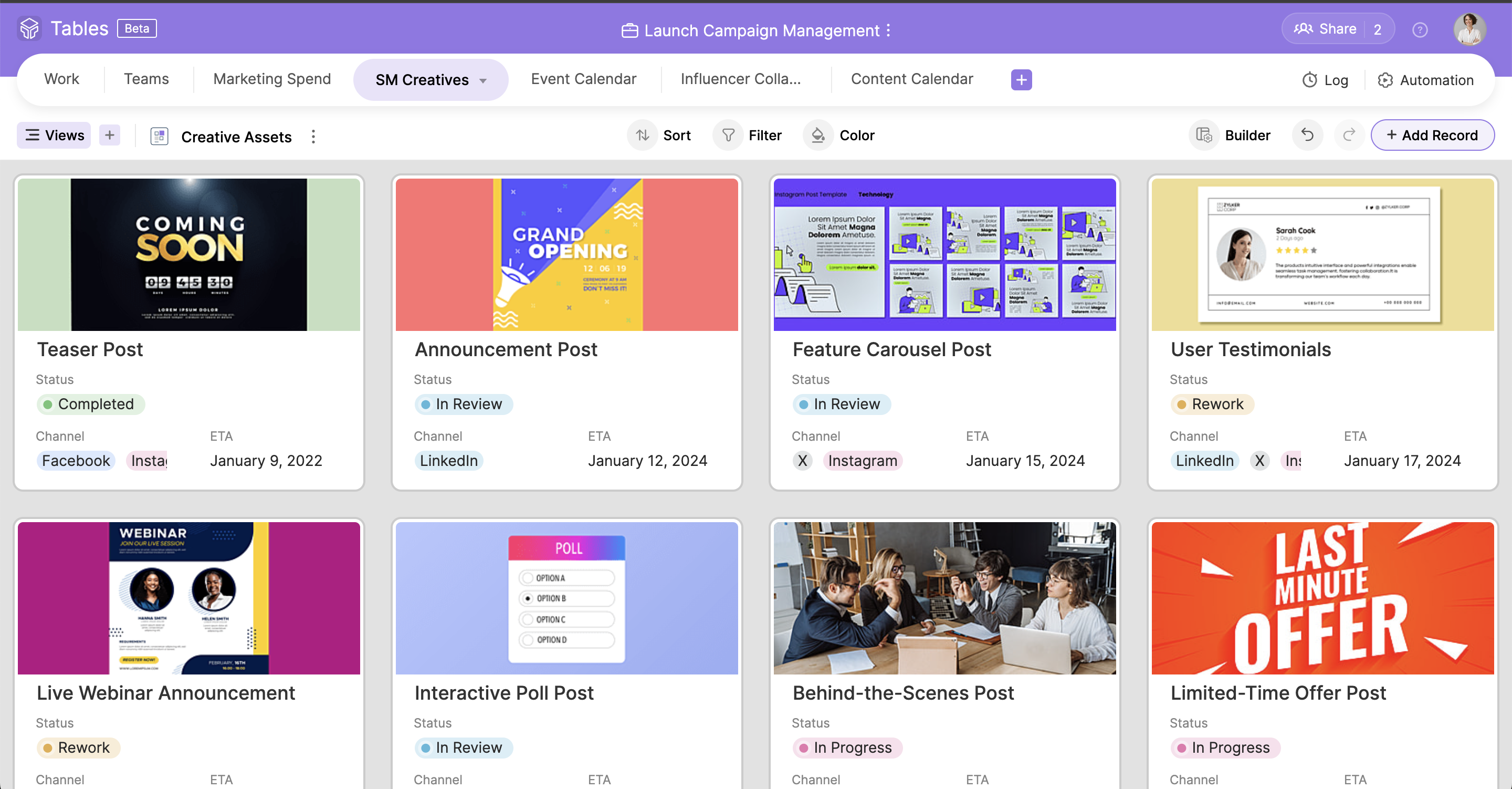
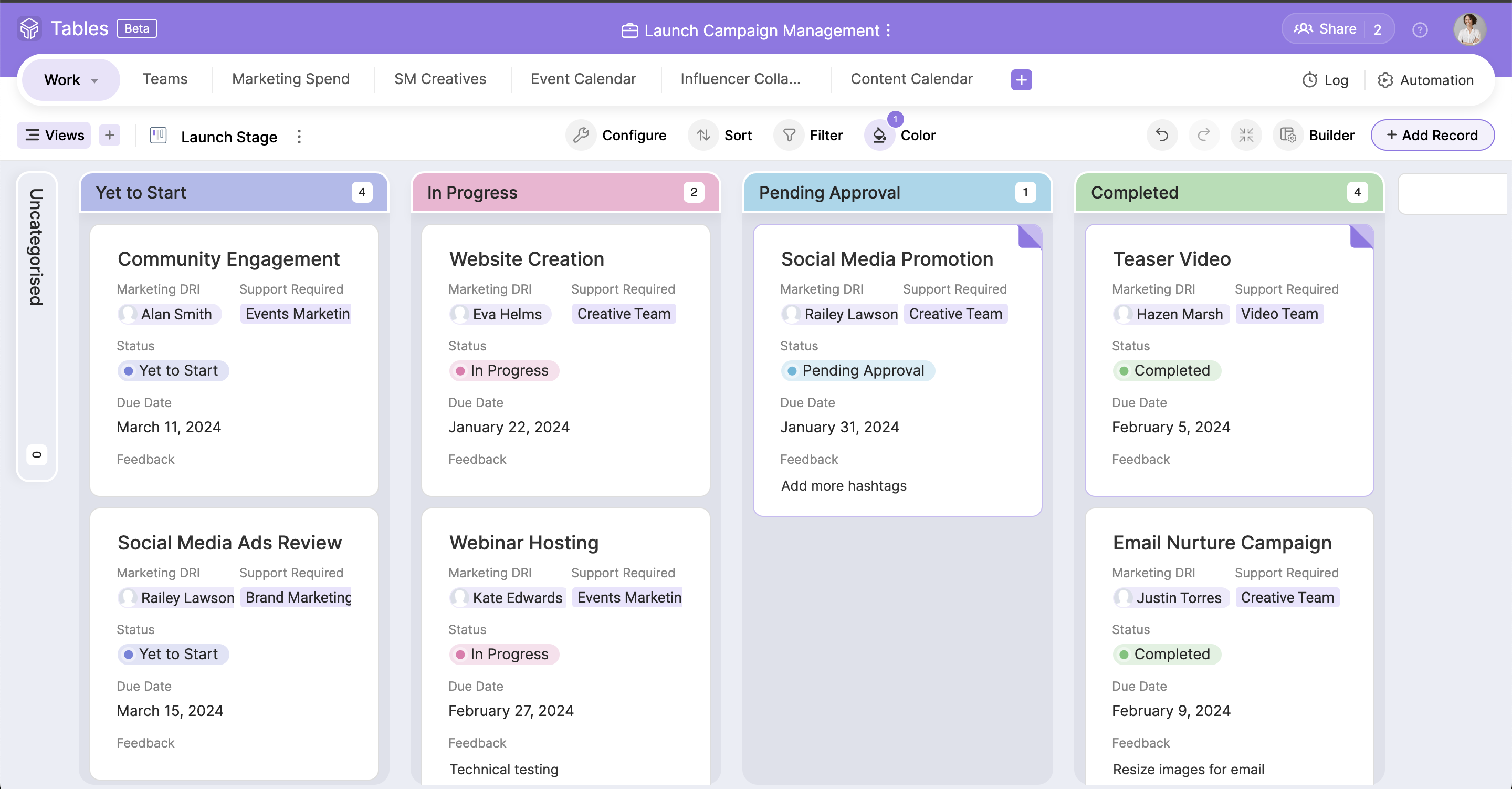
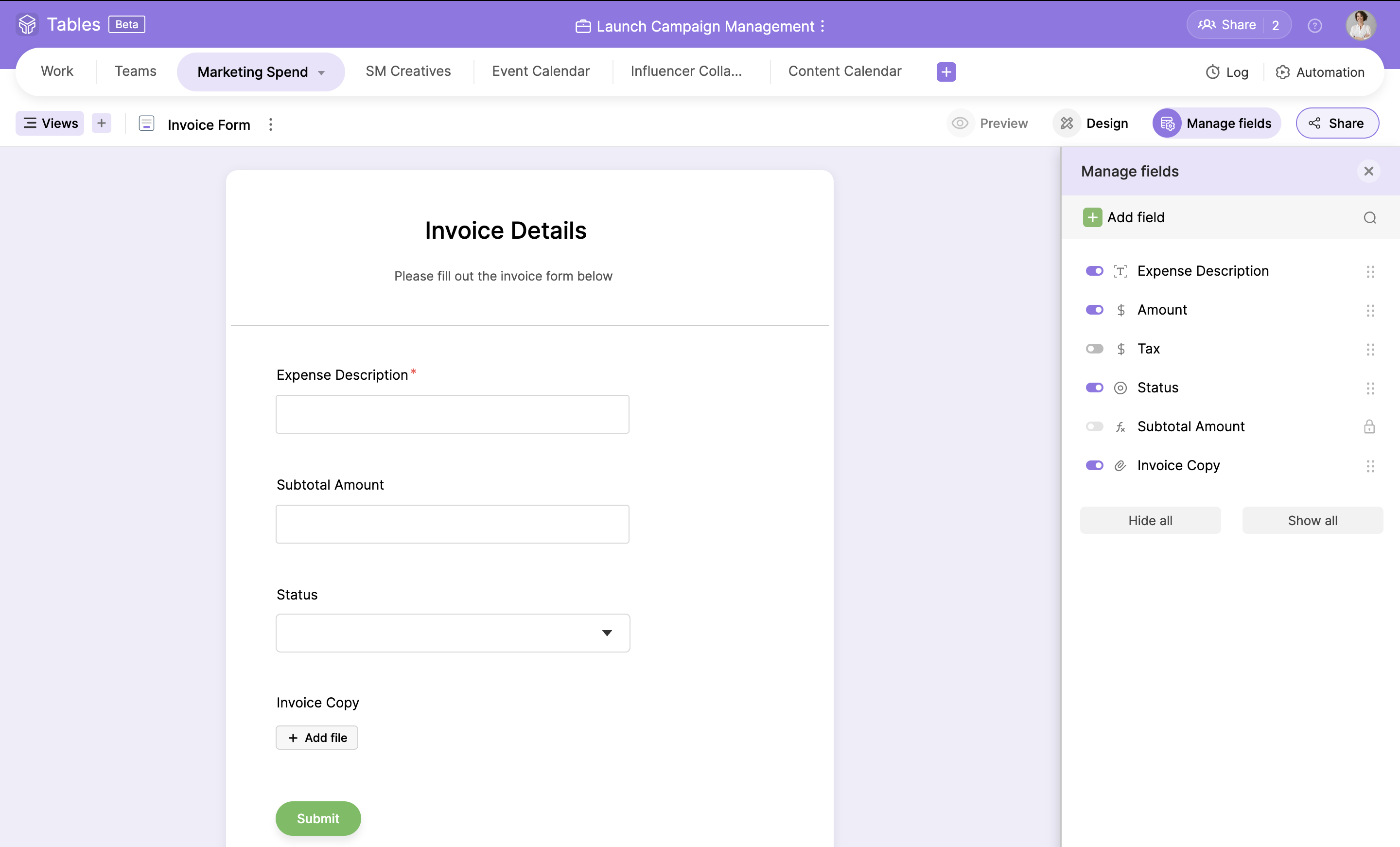
Zoho Tables is a no-code spreadsheet-and-database hybrid, combining familiar spreadsheet workflows with the advanced capabilities of a relational database. With five distinct views—Grid, Gallery, Kanban, Calendar, and Form—Zoho Tables allows users to visualize data in the way that best suits the task. It can also be used to build interactive dashboards to bring key metrics together, monitor progress, and gain valuable insights at a glance. Beyond…
It is a easy and quick way to chat and send instant message using the Google account, even send files, emojis, create groups. I have used it to communicate even with external people with a personal gmail account and is great to stay in touch with all around. I recommend it for anyone who wants to stay communicated using a google account.
A de minimis incentive was given to thank the reviewer for their time. The incentive was not used to bias or drive a particular response, nor was the incentive contingent on a positive endorsement. More Info
Zoho Tables has been great! I have outlined many of my descriptions in my previous answers. It works great for many things, and could do with just a bit more refinement in the ability to customize what it can turn into. However, the best part of Zoho Tables is the simplicity of its original "blank" state. With the right pre-made User-defined automations for primary zoho apps such as projects and CRM, this would become our commonly used tool as a central hub for all our operations.
When discussing about a specific project, I can quickly share google docs or sheets within the chat which helps my team to view the document in real time and they do not have to leave the conversation.
Scheduling a meeting with someone is very easy on Google Chat.
We have remote team members in different time zones and instead of waiting for emails we use Google Chat to quickly discuss anything.
A de minimis incentive was given to thank the reviewer for their time. The incentive was not used to bias or drive a particular response, nor was the incentive contingent on a positive endorsement. More Info
A de minimis incentive was given to thank the reviewer for their time. The incentive was not used to bias or drive a particular response, nor was the incentive contingent on a positive endorsement. More Info
Google Hangouts Chat has a room for improvement in customizing the themes background.The themes are outdated and hard to change if you don't know the right key to change it.
It could be more user friendly if there will be no hidden features. Formatting messages is very likely to use and fun.
With conversations going on about everything all the time, it's easy to get pulled into far too many discussions but sometimes its hard to mention names because it shows many result even the users are not included on the chat room.
A de minimis incentive was given to thank the reviewer for their time. The incentive was not used to bias or drive a particular response, nor was the incentive contingent on a positive endorsement. TR verified that a representative sample of customers was invited. More Info
Ability to create subgroups in a simple fashion in the Zoho Tables. That allows for drop downs. Does not change the formatting of any cells unless specifically addressed by user. But a light column is added at the start of the table with a button to dropdown each row.
Ability to fill a cell with color without reason or specific selection of field options, add an option for a simple color bucket fill.
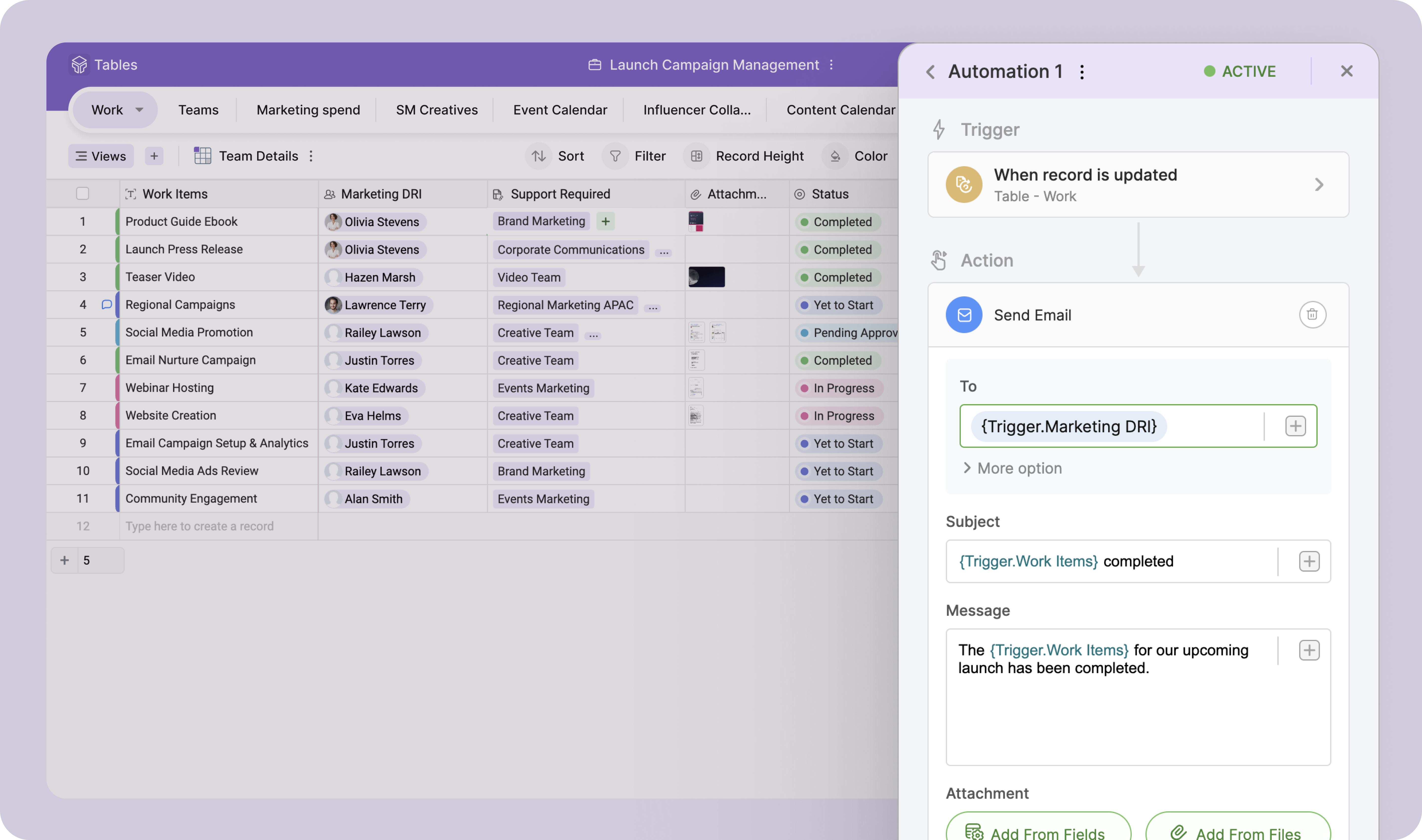
It would be great to have an efficient way of updating tasks, projects, etc all on one table easily set up by the user! (Ie. When column "Next Action" equals "Add Task to Project 1" without using deluge)
The best pre-made automations for Zoho Tables would be with all {} being user defined selections:
- Update {Selected Task Field} on {Task} when {Column}...
- When {Row} on table is created or edited: Add {Column} as a Task on {Project} in {Task List} then map {Related Table Columns} to {Project Columns}
The updates, support, general reviews on Google Chat are great everywhere. The development of the features is ongoing and this adds a great value to Google as a big company in the market. Other applications are limiting communication while Google Chat is allowing communication to grow. It is very easy to use it and teach others how to use Google Chat.
As stated from the starting we found this application is well suited for a small audience and a group of people across the organization can be communicated easily with no additional hectic of doing any setup. When you have a Gmail account ready then you can easily access google chat and continue the communication. This tool is simple,secure and robust helping the global leading partner for their internal precise communication and handling the tasks in a great way
A de minimis incentive was given to thank the reviewer for their time. The incentive was not used to bias or drive a particular response, nor was the incentive contingent on a positive endorsement. More Info
Simple to use and as a Zoho user, for over a year, I had no issues whatsoever implementing tables almost within minutes to replace Airtable and other databases that were being used as intermediaries, without the automation. Highly recommend (note: in very early stages of testing)
A de minimis incentive was given to thank the reviewer for their time. The incentive was not used to bias or drive a particular response, nor was the incentive contingent on a positive endorsement. More Info
I have not needed to contact the support folks for Google Hangouts Chat, so I can't speak to this with any accuracy. The online instructions are fairly clearly written, so it is fairly intuitive to start with. I did not feel the need to use the support people anyway.
A de minimis incentive was given to thank the reviewer for their time. The incentive was not used to bias or drive a particular response, nor was the incentive contingent on a positive endorsement. More Info
Slack has a few more features than Google Chat. Slack, for a long time, had thread chats that grouped a thread of thoughts together, making the main chat group space a lot less cluttered. A while back, Google Chat implemented a similar thing in a different but similar way, making the group less crowded. They are catching up.
A de minimis incentive was given to thank the reviewer for their time. The incentive was not used to bias or drive a particular response, nor was the incentive contingent on a positive endorsement. More Info
Zoho Projects is great for it's intended use to track and manage projects, and the CRM is also great for it's intended use. However, when you are managing operations, everything essentially "ties" together when you are needing to make next decisions. This really comes into play for meetings, and to do lists, etc. Sometimes, all of the detail does not matter when you are trying to operate efficiently. For example, during a meeting, many times we will review KPIs (comes from CRM but in Analytics), then projects, and then general topics. At all points throughout the meeting, tasks are coming up which need to be added, etc. All range vastly resulting in a lot of different places. With Zoho Tables, I am basically working on a blank canvas of cells that can pull data from where I need it too and the more user friendly the ability to set up automations and workflows to be a central hub/home base type tool, the better it would be!
A de minimis incentive was given to thank the reviewer for their time. The incentive was not used to bias or drive a particular response, nor was the incentive contingent on a positive endorsement. More Info
I have not had much ROI on this specific tool just yet. But I do foresee the ability to streamline a lot of our operations as we are beginning to scale.