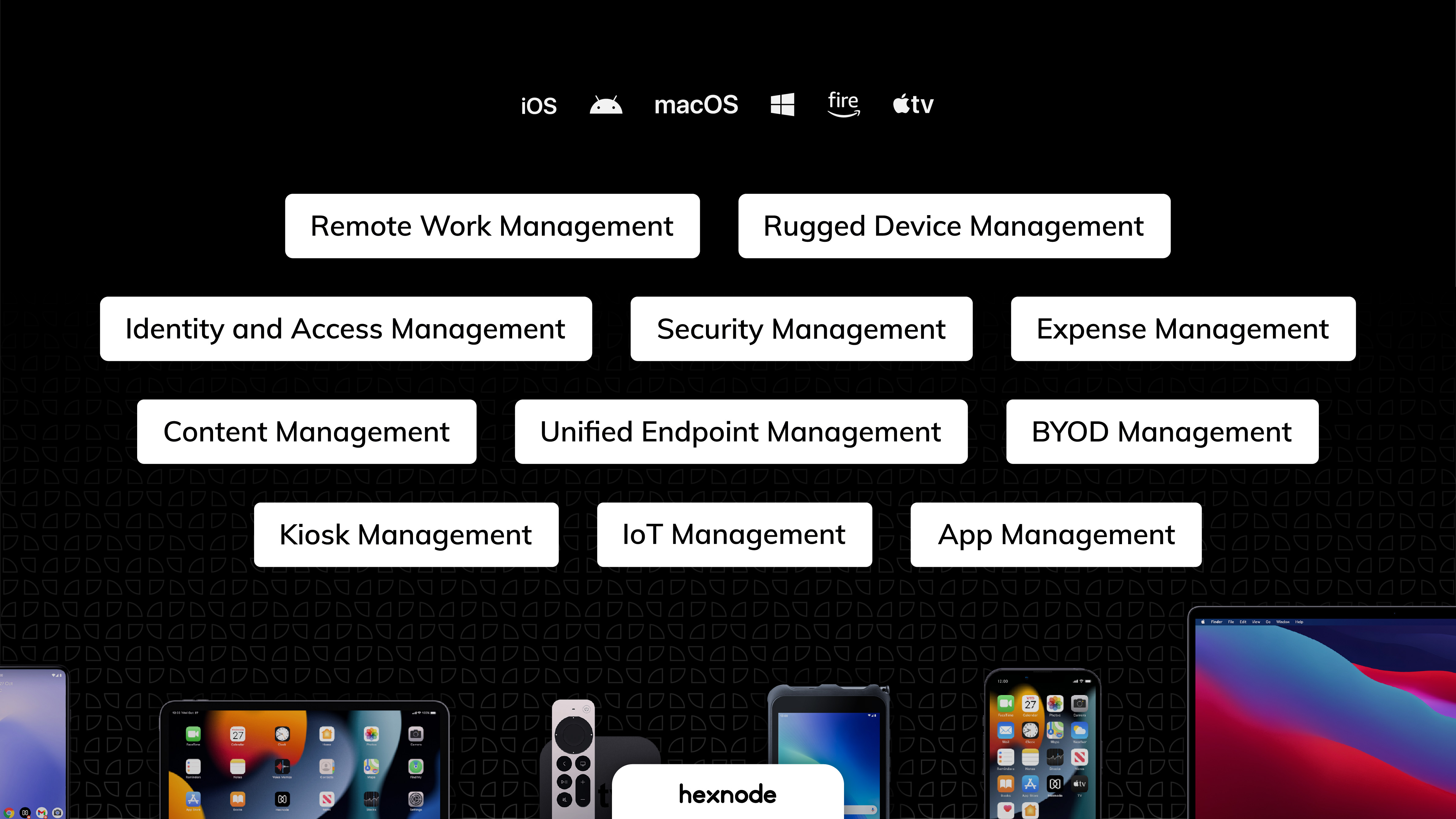
Hexnode is a Unified Endpoint Management solution that aims to simplify the way people work with the help of intelligent tools. The management platform streamlines the device lifecycle model to offer its support at every stage, from device onboarding to the end of its life. It also gives a hands-free experience with automatic enrollment using Zero-touch enrollment, Knox Mobile Enrollment, and ABM and endpoint management with the help of dynamic group allocation in the case of…
$36
per month 15 devices (minimum)
Kaseya VSA
Score8.3 out of 10
N/A
Kaseya Virtual System Administrator (VSA) is a cloud-based Remote Monitoring and Management software. VSA unifies the monitoring of system infrastructure and endpoints and is designed for use by IT teams and MSP’s. It offers a robust crowd-source automation scripts library, as well as antivirus and malware capabilities with real-time threat alerts.
N/A
Pricing
Hexnode UEM
Kaseya VSA
Editions & Modules
Pro
$2.40
per month per device
Enterprise
$3.60
per month per device
Ultimate
$5.20
per month per device
Ultra
Contact Hexnode for a Quote
No answers on this topic
Offerings
Pricing Offerings
Hexnode UEM
Kaseya VSA
Free Trial
Yes
No
Free/Freemium Version
Yes
No
Premium Consulting/Integration Services
Yes
No
Entry-level Setup Fee
No setup fee
No setup fee
Additional Details
No support costs, No maintenance charges. Per device pricing. Discount available for annual pricing.
We enjoy the ability to remotely support our end users with their tablets while they are traveling. I've had the ability to provide support to some of our remote sales users as they are working at a customers location. However, sometimes the remote view can be a bit of a lagging issue that makes things a bit difficult. Though overall this has been a great experience that helps us support our various users throughout the company.
A de minimis incentive was given to thank the reviewer for their time. The incentive was not used to bias or drive a particular response, nor was the incentive contingent on a positive endorsement. More Info
If the software functioned as it was intended, it would be probably a 7 out of 10. It lacks the majority of customization that SolarWinds N-central supplies, but also supports some customization that other solutions we have tried do not. Again, if the software didn't consistently break, the ability to implement automated scripting via PowerShell and the capacity to manage 10+ endpoints at once in different windows is great.
Android zero-touch enrollment allows bulk enrollment of corporate-owned android devices with a single click.
With the help of the dynamic device grouping function, devices may be grouped in accordance with specific pre-configured criteria.
The kiosk mode supports both single-app kiosk mode, in which the device is restricted to using a single app, and multi-app kiosk mode, in which the device is in kiosk mode but has access to a number of other programs and files.
Being able to see systems that are not within the local network allows us to be able to troubleshoot and work with the end users no matter where they are or where we are as it is cloud based.
Several functions can be "automated" so staff do not have to keep going back and scanning for updates, push Windows updates and or push sensor updates.
VSA offers a variety of system information about all of the assets that have the endpoints installed on them so we can easily see the system specs without having to actually connect to them and pull up the SysInfo on each unit.
A de minimis incentive was given to thank the reviewer for their time. The incentive was not used to bias or drive a particular response, nor was the incentive contingent on a positive endorsement. More Info
Devices running watchOS cannot be handled or enrolled.
The policies under WIFI, which allowed certain websites to be blocked using website certificates, were complicated .
The app management features provide the ability to push the installation of corporate apps on the devices. Even though it was successful on the Hexnode Portal, this feature periodically malfunctioned, and the apps were not loaded.
Support - Like all other competitors support is OK but the product is robust enough to reduce support requirements.
Customer Service - another team that is a bit poor especially when the issue involves multiple departments. Otherwise, the direct rep is very friendly and professional.
A de minimis incentive was given to thank the reviewer for their time. The incentive was not used to bias or drive a particular response, nor was the incentive contingent on a positive endorsement. More Info
A de minimis incentive was given to thank the reviewer for their time. The incentive was not used to bias or drive a particular response, nor was the incentive contingent on a positive endorsement. TR verified that a representative sample of customers was invited. More Info
A de minimis incentive was given to thank the reviewer for their time. The incentive was not used to bias or drive a particular response, nor was the incentive contingent on a positive endorsement. More Info
UX is pretty good, but various screens are a bit redundant. Managing user and managing devices is often one in the same operation, but is broken across multiple screens. Device management policies are strange because if you make a "macOS" policy, why does it have all the Windows, iOS, Android etc options? It's unlikely you'll want all of these options for all possible OSes in one policy, but that's the only way to build a policy. Manage policy changes require remote system restart which is highly disruptive to employees.
A de minimis incentive was given to thank the reviewer for their time. The incentive was not used to bias or drive a particular response, nor was the incentive contingent on a positive endorsement. More Info
I think this is a solid tool for enterprise IT, however it would be higher if Kaseya VSA addresses the areas raised around recent stability, their support team, multiple session & screen support etc. It does do it's main job and allows an easy way for IT to operate and is mostly fine.
A de minimis incentive was given to thank the reviewer for their time. The incentive was not used to bias or drive a particular response, nor was the incentive contingent on a positive endorsement. More Info
A de minimis incentive was given to thank the reviewer for their time. The incentive was not used to bias or drive a particular response, nor was the incentive contingent on a positive endorsement. TR verified that a representative sample of customers was invited. More Info
It was lots of back and forth email communication whenever I tried to solve my connection issues. I would send them detailed logs of the date, time, computer, and more of when I was experiencing connection issues. All I would get is an email back a few days later saying that they didn't find an issue in the service
A de minimis incentive was given to thank the reviewer for their time. The incentive was not used to bias or drive a particular response, nor was the incentive contingent on a positive endorsement. More Info
A de minimis incentive was given to thank the reviewer for their time. The incentive was not used to bias or drive a particular response, nor was the incentive contingent on a positive endorsement. TR verified that a representative sample of customers was invited. More Info
I am currently using both the platforms, Hexnode UEM and Esper. Esper is used for managing mobile devices and Lenovo Tablets while Hexnode UEM is being used for Microsoft tablets. The basic framework behind both of them is almost the same. Both of them have a clean and interactive UI with good functionality.
There are other products that do some of what Kaseya does, but I've not personally worked with another product that does everything Kaseya does. Sure there are plenty of remote control products, but products that do as much as Kaseya are few and far between. Hard to go wrong with the sheer scope of functionality!
A de minimis incentive was given to thank the reviewer for their time. The incentive was not used to bias or drive a particular response, nor was the incentive contingent on a positive endorsement. More Info
We already had someone try to walk away with an ipad after deploying Hexnode, and we were immediately able to force an activation lock telling them to bring it back and they did.
It has saved us a lot of time setting up ios devices as we have a limited amount of IT staff and Hexnode makes it take probably around ten minutes an ipad.
Employee experience has improved since we can reset code remotely and they no longer have to send the ipads back to the corporate office to get reset.
A de minimis incentive was given to thank the reviewer for their time. The incentive was not used to bias or drive a particular response, nor was the incentive contingent on a positive endorsement. More Info
A de minimis incentive was given to thank the reviewer for their time. The incentive was not used to bias or drive a particular response, nor was the incentive contingent on a positive endorsement. More Info