IBM Planning Analytics, powered by IBM TM1®, is an integrated planning solution designed to promote collaboration across the organization and help keep pace with the speed of modern business. With its calculation engine, this enterprise performance management solution is designed to help users move beyond the limits of spreadsheets, automating the planning process to drive faster, more accurate results. Use it to unify data sources into one single repository, enabling users to build…
$825
per month 5 users
Qlik Cloud Analytics (Qlik Sense)
Score 8.3 out of 10
N/A
Qlik Sense® is a self-service BI platform for data discovery and visualization. It supports a full range of analytics use cases—data governance, pixel-perfect reporting, and collaboration. Its Associative Engine indexes and connects relationships between data points for creating actionable insights.
If compared to Excel, it eliminates version control issues and manual consolidation, which saves time and reduces errors. On the other hand, if we compared with Hyperion, IBM Planning Analytics is more agile and user-friendly, especially with the Excel integration (PAx) and the …
For strong technical teams and flexibility IBM Planning Analytics is the way to go. For quicker adoption and less technical teams Anaplan is the best option. If consolidation, financials, and moving from legacy tools are main focus than OneStream will be a really good choice. …
It is truly hard to compare both products. I like both products and would suggest choosing one but trying both. Some things are better through IBM Planning Analytics and some things are better through the IBM Analytics engine. Ultimately I believe that IBM Planning Analytics …
IBM Planning Analytics flexibility is what makes it stand out between the others. Generally in other platforms you are restricted to predefined flows. Although it sounds good in the beginning, when you start using those systems you face some challenges when trying to adapt new …
Workday Adaptive Planning is really tough to set up and use as a fresher. So I have always faced difficulties helping new joinees to set up and use it. But with IBM Planning Analytics, it is more straightforward and easier to use with a good interface.
As it is related to MS Excel, IBM Planning Analytics is a much more robust and complete solution for the CFO or COO in mind. Oracle Hyperion stacks up nicely against IBM Planning Analytics. However, IBM's investment in AI allows Planning Analytics users more options and speed.
It includes Oracle Cloud EPM Planning, Anaplan, and Adaptive Insight before deciding to choose IBM Planning Analytics. We selected Planning Analytics because of its work with complicated and many area models, the capability to work with big amounts of data, and compatibility …
Other options, namely Anaplan, Oracle EPM Cloud, and SAP Analytics Cloud, were also considered. Anaplan's interface lacked analytical depth. For product design metrics, flexibility was not as good in Oracle EPM Cloud. The final choice was moved by the fact that it was driven …
Prior to making the decision to go with IBM Planning Analytics, we had considered such options as Anaplan, Oracle Hyperion, and SAP Analytics Cloud. Despite the collaborative solutions offered by Anaplan and the good connection with other systems by SAP, the superb set of tool …
In this case, Vena and Planful are considered as other products that can be compared with IBM Planning Analytics, but among them, IBM Planning Analytics is more optimal in terms of user interface and integration. Its preconfigure risk assessment model and its format and …
This was an older verions that was also very good, but the new IBM Planning Analytics is a far better tool that enables better scenario planning or what-if analysis.
The main difference between Qlik and power bi is related to the integration of the tool into the Microsoft world, which can be useful for big companies already equipped with several ms systems. On the other hands, Qlik is simpler, more straightforward and easier to use with a …
Qlik Sense cost of licensing is cheaper compared with other tools which always gives an upper edge in analytics industry with good functionality. More enhanced level of security with better user community group available to discuss about new updates. Understanding of Qlik Sense …
We use Microsoft Power BI too as a BI tool, in my point of view, Qlik Sense's ETL is much better than PowerBi. In another side, PowerBI learning curve is small than Qlik Sense, especially the PowerBI Desktop.
Kibana is data visualization tool in Elastic Stack to visualize and analyze Real Time Logs Capture. It captures Live Streaming data and helps to detect any anomalies, error and bugs, monitoring aspects of any service/ IOT Device.
The customization of the platform opens up plenty of other options depending on the use cases. The API layer is incredibly rich and makes integration of Qlik based visualization into web pages a simple and effective pattern. It's been very easy to use with a great community …
Qlik Sense is a fast tool to implement; you can have a functional dashboard in a few days, and the ETL processes are quite easy to build it. You can have the ROI in a short period of time.
Qlik Sense comes out as a superior product as well as more cost efficient than some of the other products we evaluated as a part of our Enterprise Business Intelligence stack. It offers unified view of our data and extensibility. Qlik Sense being the most interactive …
Qlik Sense is one of the best reporting systems. It is stronger than PBI and Tableau when speaking about complex KPIs. It is really similar to Microstrategy Analytics when you speak about obtained results, but it is easier to use, especially as it is more code-based. But is it …
Qlik Sense can easily integrate multiple data models to
visualize customer data. Tableau is easy to use—perhaps more manageable than Qlik—but
expensive. Microsoft BI was chosen because it was similar to previously used
We originally went with Qlik Sense because the desktop version used to be free for single users and was a very good proposition for us (we are a non-profit with a limited budget). However, from what I see, the functionality is comparable, and Qlik Sense stacks up well.
On the long run we will not stay with Qlik as the management chose to switch to the Microsoft suite. We think that this will not impact us as a team as both tools are worthy competitors
As soon as you want to pull data from two or more separate tables, Qlik Sense leaves the rest in the dust, since it does not require joins or complex transformations. Zoho CRM analytics are limited to the data located in the product itself. No external tables can be combined.
Other tools were not able to handle complex business requirements and performance was not too good with very huge volume data. we were required to maintain history, time-based data backups, and snapshots. Also, some of the tools were too costly compare to Qlik [Sense] solutions.
When it comes to working with large datasets out of the box, Qlik in my opinion is unrivaled amongst the competitor. However, the overall user experience and customization options available to developers require a lot of work. When compared to other options on the market, …
For a CFO or a COO to do budgeting and planning, IBM Planning Analytics would be essential. It is a tool that can take in multiple data sources and showcase them in a multidimensional way. If you are looking just for a BI or reporting tool, Planning Analytics would be considered "overkill".
Qlik Sense is a program whose purpose is to greatly improve all your operations and use of all data in an organic way. The mission will always be to increase the economic and commercial processes of the company in a short time. I recommended it for its high technology, which was Created for this area, the results are successful. We have noticed how it has increased relationships with our clients thanks to the credibility and security that we provide.
Not a lot of room for customization as we were used to in QlikView
UI and default navigation can be very clunky and not user friendly
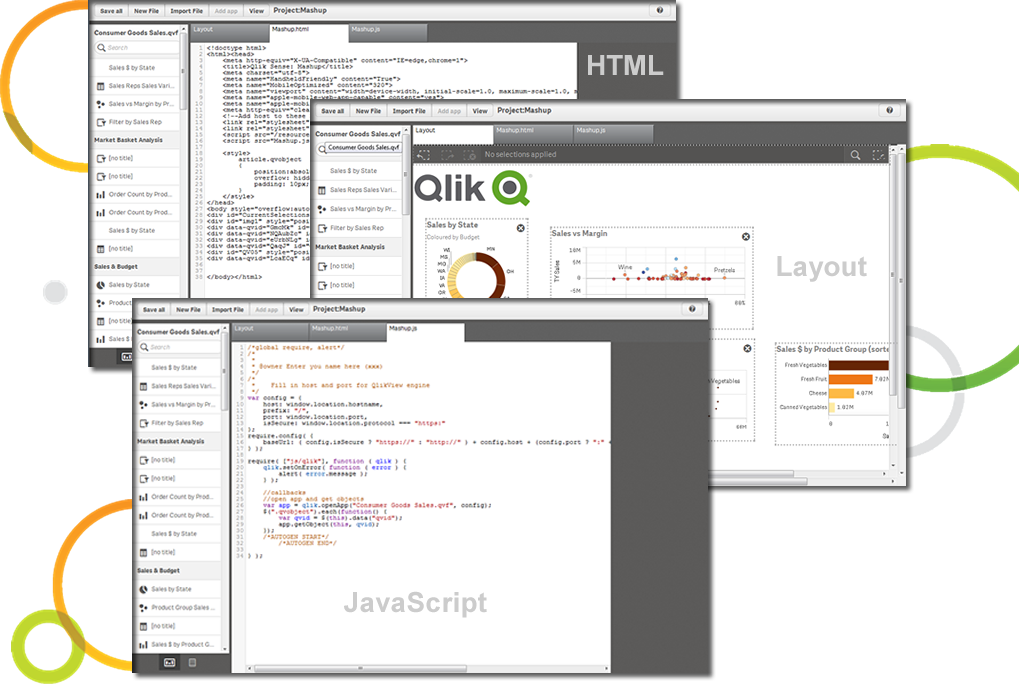
Although the backend is fantastic, the front end experience leaves a lot to be desired. As a developer you don't have a lot of options to customized your app unless you turn to Javascript, CSS and HTML. This is not a common stack you would find in most BI developers
Since IBM Cognos Express is suitable only for medium data warehouse environment, we are not sure if this tool solves the long term need as the business keeps growing rapidly. So its a 50/50 ratio to renew Express license. But having said that, the components of IBM Cognos Express are also available in other Cognos BI suites like Cognos 10.x version. So we will probably upgrade our environment to IBM Cognos 10.x which comes with more new features.
Qlik Sense is a constantly improving it's software and working with its' users to make it better. They are great at keeping their users informed of progress and care about delivering a quality product
IBM Planning Analytics is generally good in terms of functionalities. It can be used reduce time for budget planning, resource planning, demand forecasting, etc. The performance of IBM Planning Analytics is acceptable, but user interface can be improved. It would be good to see new features that allow users to customise the dashboard.
Qlik Sense has a better and easy to learn user interface compared with other analytics tool which always help us to create regular and adhoc reports within the stipulated time frame and can be easily refreshed at a scheduled time and sent to multiple stakeholders for timely update regarding the Key metrics indicator.
Although I find the IBM Planning analytics documentation quite time consuming, their support with email and call is something i can term as very considerate and patient, I have had few calls about the features and how i would want to implement them within my projects, and the teams have been super helpful to resolve my issues
Qlik is great for companies with lots of business domains and departments because it scales well, especially if data that is reported is saved in SQL and similar structures. Its ease of use and good UI enables business units to create and manage their own reports. That removes a great burden of creating and managing/modifying these pages from the IT team. Overall, it's a win-win for both IT and business units.
For strong technical teams and flexibility IBM Planning Analytics is the way to go. For quicker adoption and less technical teams Anaplan is the best option. If consolidation, financials, and moving from legacy tools are main focus than OneStream will be a really good choice. If deeply invested into SAP already than the SAP BPC will be the best fit to maintain the investment.
The customization of the platform opens up plenty of other options depending on the use cases. The API layer is incredibly rich and makes integration of Qlik based visualization into web pages a simple and effective pattern. It's been very easy to use with a great community made up of professionals. Qlik Sense has introduces artificial Intelligence into my data visualization and reporting activity.
The impact has undoubtedly been positive, it is difficult to quantify it, however in terms of effectiveness or efficiency I give it a 90%.
I don't give it 100% because to use the complete package you have to pay, and it's not that cheap and on the other hand because it has some deficiencies, such as technical support and some issues like windows that are not so friendly and easy to work with.