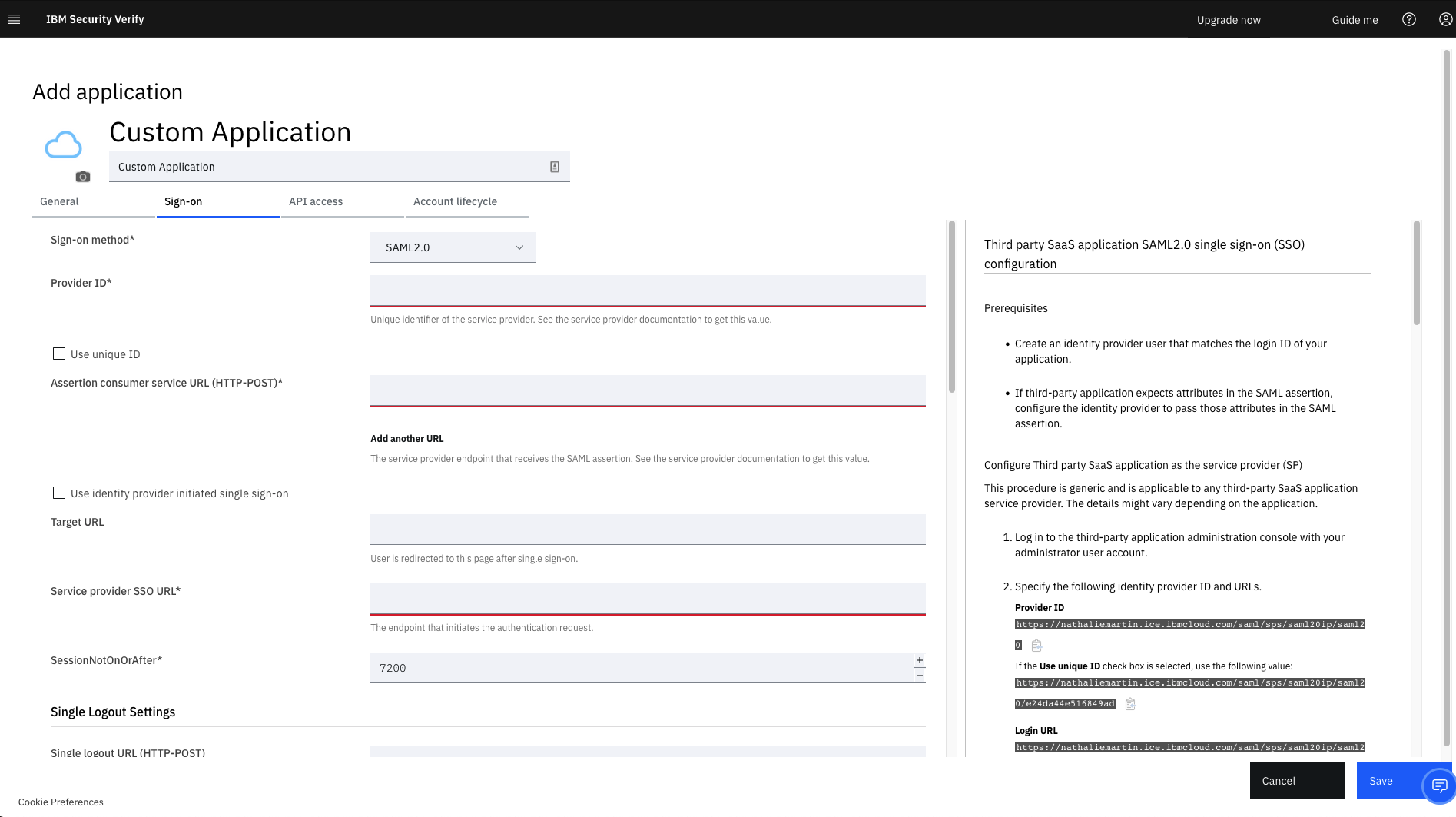
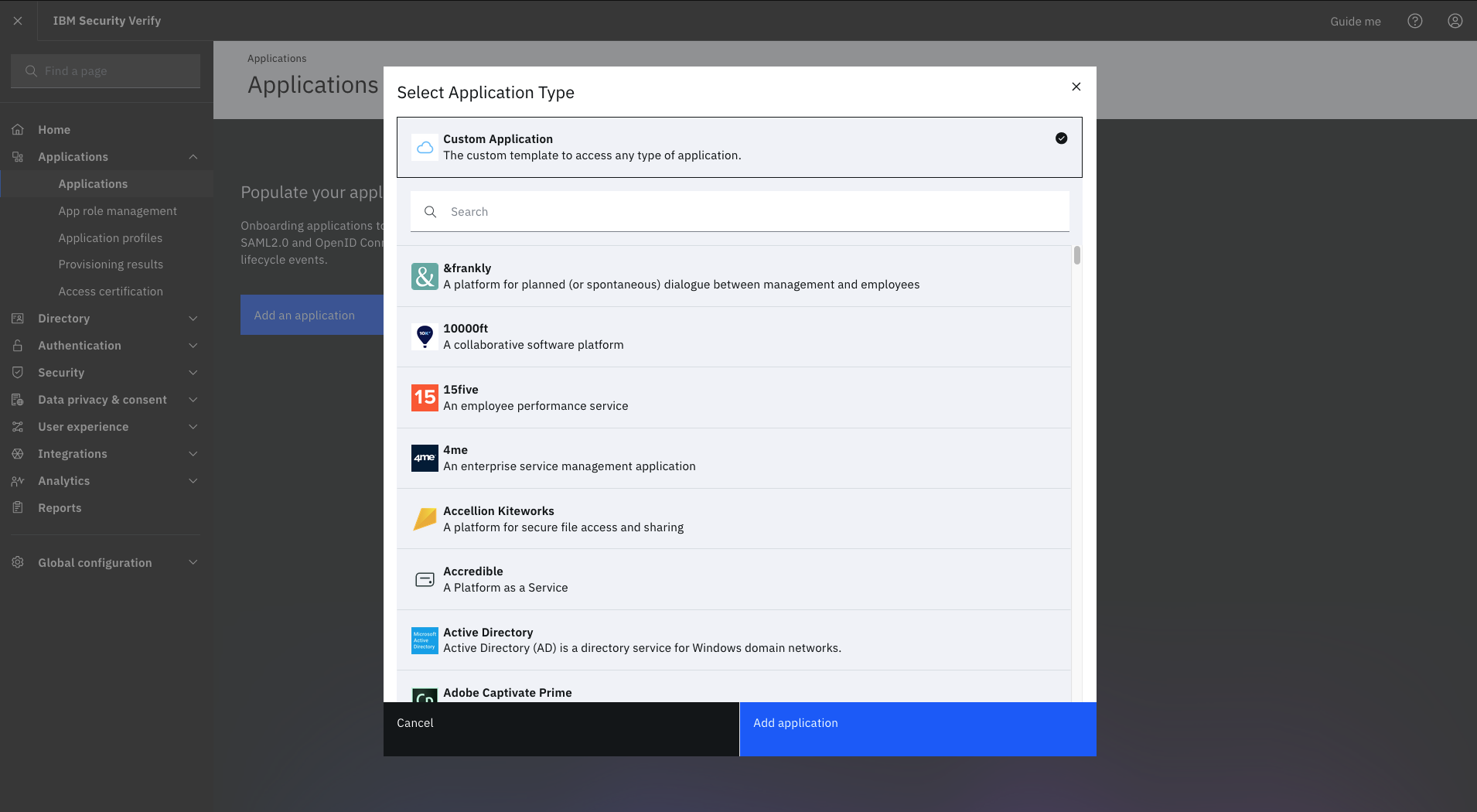
IBM Verify, formerly known as IBM Cloud Identity, is an identity-as-a-service (IDaaS) offering that aggregates dynamic user, device and environmental context to automate risk protection and continuously authenticate any user to any resource.
$1.81
per month per user
Microsoft Defender for Cloud Apps
Score 7.6 out of 10
N/A
Microsoft Defender for Cloud Apps (formerly Microsoft Cloud App Security) is a multimode cloud access security broker.
N/A
Okta
Score 8.9 out of 10
N/A
Okta is an enterprise grade identity management service, built in the cloud. IT can manage access across any application, person or device. Whether the people are employees, partners or customers or whether the applications are in the cloud, on premises or on a mobile device, Okta helps IT become more secure and maintain compliance. The Okta service provides directory services, single sign-on, authentication, provisioning, workflow, and built in reporting. ment systems.
$6
per month per user
Pricing
IBM Verify
Microsoft Defender for Cloud Apps
Okta
Editions & Modules
No answers on this topic
No answers on this topic
Starter
$6.00
per month per user
Essentials
$17.00
per month per user
Professional
Inquire for pricing
Per User Per Month
Enterprise
Inquire for pricing
Per User Per Month
Offerings
Pricing Offerings
IBM Verify
Microsoft Defender for Cloud Apps
Okta
Free Trial
Yes
No
Yes
Free/Freemium Version
No
No
No
Premium Consulting/Integration Services
Yes
No
Yes
Entry-level Setup Fee
Optional
No setup fee
No setup fee
Additional Details
Sample Pricing Breakdown (NOTE: for competitive pricing per contract, please consult with your IBM Security Account Rep)
Users: 5,000
SSO* -- USD 1.71 per user per month
MFA* -- USD 1.71 per user per month
Adaptive Access* -- USD 1.71 per user per month
Lifecycle and provisioning** -- USD 2.01 per user per month
Identity analytics** -- USD 2.13 per user per month
* Single sign-on (SSO), multifactor authentication (MFA) and adaptive access pricing based on total active monthly users per use case. Costs decrease if users are active less than once per month.
** Lifecycle and provisioning and identity analytics pricing based on total users per use case.
We conducted a comparison study between IBM Verify and Okta as well as Duo Security before making our selection. IBM Verify emerged as the perfect fit because its superior capability to integrate with our current system environment surpassed competitor security solutions. IBM …
Owing to the general findings formulated in this paper, comparing Okta and Microsoft Entra ID to IBM Verify, the latter appears to be the only tool that delivers a number of features for integrating with legacy systems. However, since IBM Verify has the upper hand in terms of …
Compared to Okta, IBM Verify is easier to implement and more user-friendly for our employees. It provides strong security using multi-factor authentication and maintains easy settings. We chose IBM Verify because it met our needs without any significant development work.
Okta has good user experience for end users and setup process however IBM verify has a stronger capability for integration, auditing. Microsoft Entra integrates well within the Microsoft tech stack, easier for users to adopt due to familiar environment. Store scalability and …
During our proof of concept and demonstrations, we were clearly able to see how much better the identity, access and authorisation features were compared to the competition. We were compelled to make a decision, not only on this, but also on the ease and simplicity of …
IBM Security Verify is a robust product which has all the features. Its advanced AI capabilities helps it make a superior product when compared to competition. The most important factor with IBM Security Verify is that it comes under the IBM umbrella which makes it more …
Okta’s ability to consolidate so many apps in one platform created a very user friendly work environment. It’s robust identity management and security features made it a standout choice for our company as we looked to simplify access management.
The software is a unified identity verification platform with robust identity governance systems and multi-factor authentication tools. Effectiveness of the product in privileged access management and real-time activity monitoring. IBM Verify is very affordable and supports single sign-on in the cloud. It has a steep learning curve.
Microsoft Defender for Cloud Apps is well suited when working with other Microsoft Applications. For example, if you are working with Microsoft Office 365 it works very well when implementing CASB features. It works when implementing monitoring or blocks on Sanctioned applications however customizing the message to users is not that great.
Should be well-suited for a SaaS business organisation as they have a lot of internal applications and need a role-based authentication system between the various teams, improving security and audit log system to account for any breaches. It integrates well with internal applications such as Salesforce and Oracle. Best when need of SSO.
The integration to Microsoft Entra ID is seamless, which allows Conditional Access to redirect the session to Microsoft Defender for Cloud App for it to take actions (Block or Monitor).
Tracker users' activity is very good when troubleshooting or running an investigate.
Detecting risky users through tight integration with Microsoft Entra ID is a very good feature.
Detecting mass downloads and blocking the download of files from non-manage company devices is a very good feature as well.
It takes some time to scan and apply the policies when there is some sensitive information.
After it applies the policies, it works, but there is a delay.
It doesn't provide any way to scan Microsoft Teams when an external exchange of images is happening. You can always do the filtering on the documents during the chat, but if there is an image, then some kind of OCR capability is required to detect it. At present, there is no way [Microsoft Cloud App Security] can go and detect those kinds of images and alert us
I do have to reset my password quite frequently. However, I don't think there is really a way to improve this, as it's a good security measure.
It makes me re-sign in a couple of times a day, sometimes if I haven't used my laptop for a couple of hours, and sometimes just randomly throughout the day.
It doesn't remember my devices, either my laptop or phone. so it always calls that out.
It works flawlessly, i have never faced any major issues with this. It has all the features such as Iam and security management. I think its a good investment and the benefits we reap from this software are worth the price.
Okta has a passion to provide secure and scalable identity solution. Their passion has come across as advocacy in a way that has deepened my knowledge of the field of authentication. I took identity for granted before but after seeing features such as external authentication I know that Okta can enable my business to reach new heights
While setup and implementation takes work and time, the flexibility and possibilities make up for that in the long run. This is not a product you can just install and run, but if you design and implement your ruleset well, it will save you a lot of work afterwards. Just make sure that the systems you want to use it for have an existing and proven connector.
The interface is pretty simple and easy to use; however, you will need to do a lot of investigative research on your own to get comfortable with it. Originally, many of the Microsoft security tools had their own seperate consoles. Overtime, they have blended into one interface which is the ideal state. In some cases it is clear Microsoft had to pick which console a certain feature or setting was going to reside in and this leads to some confusion. For example, DLP is managed through Defender for Cloud Apps but you will also need to jump into Purview. For things like reverse proxy on your M365 tenant, you will need to go into Azure and setup conditional access rules. Not a big problem and I can understand why the settings are located where they are but for someone just starting out with Defender for Cloud Apps, it will take some time to figure out.
It has never let us down since its inception and installation. User credentials and secure access have always been guaranteed. Ironclad security (through single sign-on, MFA, etc.) has ensured that our user credential details are safe as is our information/data. The correct access is given to users, based on role-based access with segregation of duty and the principle of least privilege being deployed. The IBM support has also been first class and they have proactively resolved any minor issues we have encountered.
The Okta Identity Cloud advertises 4 9's of reliability and I would go as far to say that it may even do better than that. As a true Global organization that operates in just about every region of the world, we have yet to have an issue with The Okta Identity Cloud that has impacted our business operations.
From my perspective, for the things that my group uses it for, Okta is very fast. It is as least as fast as the local password database methods that it replaces on our campus enterprise services. I do not believe that it slows anything down at all. In fact, not having to think too much about the login, because they all look the same, probably speeds things up somewhat.
The support team has always been the primary consultation base when we are faced by performance problems. From the deployment stage the team has managed to monitor the operation lifecycle and give best insights based on their observation. It works 24/7 to enhance productive service delivery to clients. The IBM Security Verify Support team has been the main player in the successful performance of this software.
I have not utilized actual support but the Sales and Product teams have been super helpful in moving our implementation forward and showing us the best practices.
We've had a few support cases over the years and every case has been handled by the Okta support team beautifully. We received clear answers to questions we had regarding setup and even were provided simple to follow guides on how to setup their product to use with custom applications.
We conducted a comparison study between IBM Verify and Okta as well as Duo Security before making our selection. IBM Verify emerged as the perfect fit because its superior capability to integrate with our current system environment surpassed competitor security solutions. IBM Verify demonstrated superior reliability through its enterprise-class scalability and fully transparent auditing mechanisms.
More flexible and more features with easy integration with cloud services like Microsoft Azure and other cloud services. Overall both gives similar features but we prefer Microsoft cloud app security due to its high threat detection rate. mostly we have been able to stop the threat in very very less time.
Okta is far superior in terms of integrations, user interface, automation, and connectivity. Additionally, Okta offers better support and availability, and a more robust solution across every capacity Entra competes in. Okta simply works, whereas Microsoft Entra has a large overhead that is difficult to use when configuring things.
The licensing terms were favourable due to their flexibility based on the size and purpose of implementation. The billing frequency is done on quarterly basis. The vendor team has enacted best user policies that gives the company the full control of this platform. It is cost-effective as compared to most security verification tools in the market.
Being a cloud native application, The Okta Identity Cloud is extremely scalable and easy to setup. By integrating into existing directories and applications via standard techniques and protocols, it is very easy to both initially setup and add additional users as required. Once all the necessary integrations are setup, it's a simple rinse and repeat process to onboard additional users (which can be automated with imports as well)
In the case of adjustments, we were often able to carry them out completely on our own and only used professional services for new requirements. Particularly in the case of access management, it is very positive that we usually needed IBM for a task in less than an hour and then developed the solution further on our own.
Cloud App Security saves us thousands of dollars finding and rectifying apps security issues
Identity Security Posture helps the organization identity stay in shape, saving thousands of dollars on security consultations
The cost of suffering a breach cannot be quantified, CAS helps minimize the chances of the attackers succeeding, with excellent historical logging for most operations
Increased user productivity - not fighting with IT all the time!
Though there could be a bit more on the 'lost/broken phone' front, the self-service eliminates time that would typically be spent waiting for IT support/admins.
An Okta account under a certain domain allows proper access from the get-go, and under certain apps (such as our HRIS), adding members is easy.
Improved security - deactivating Okta removes all account access across multiple platforms instantly for leavers.