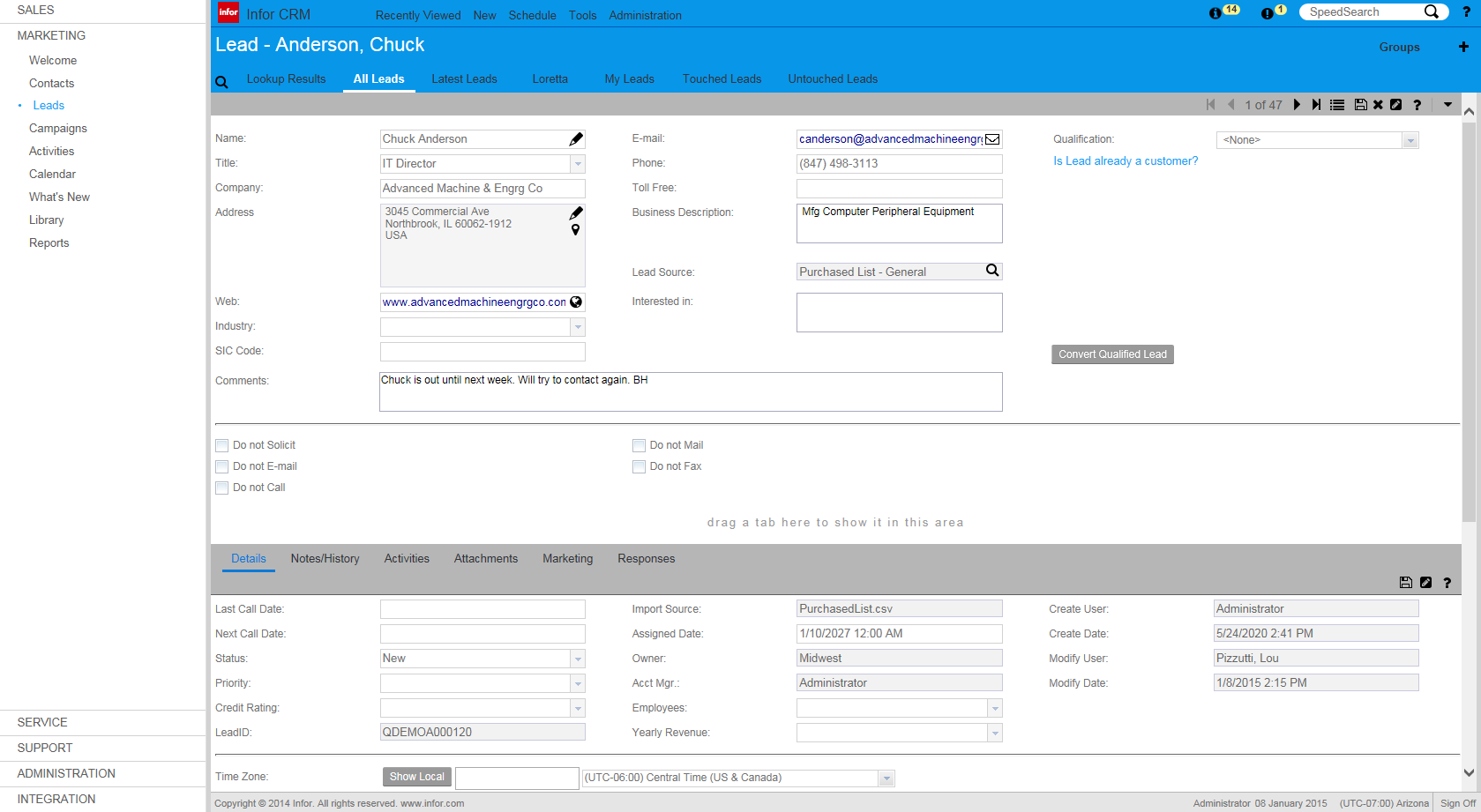
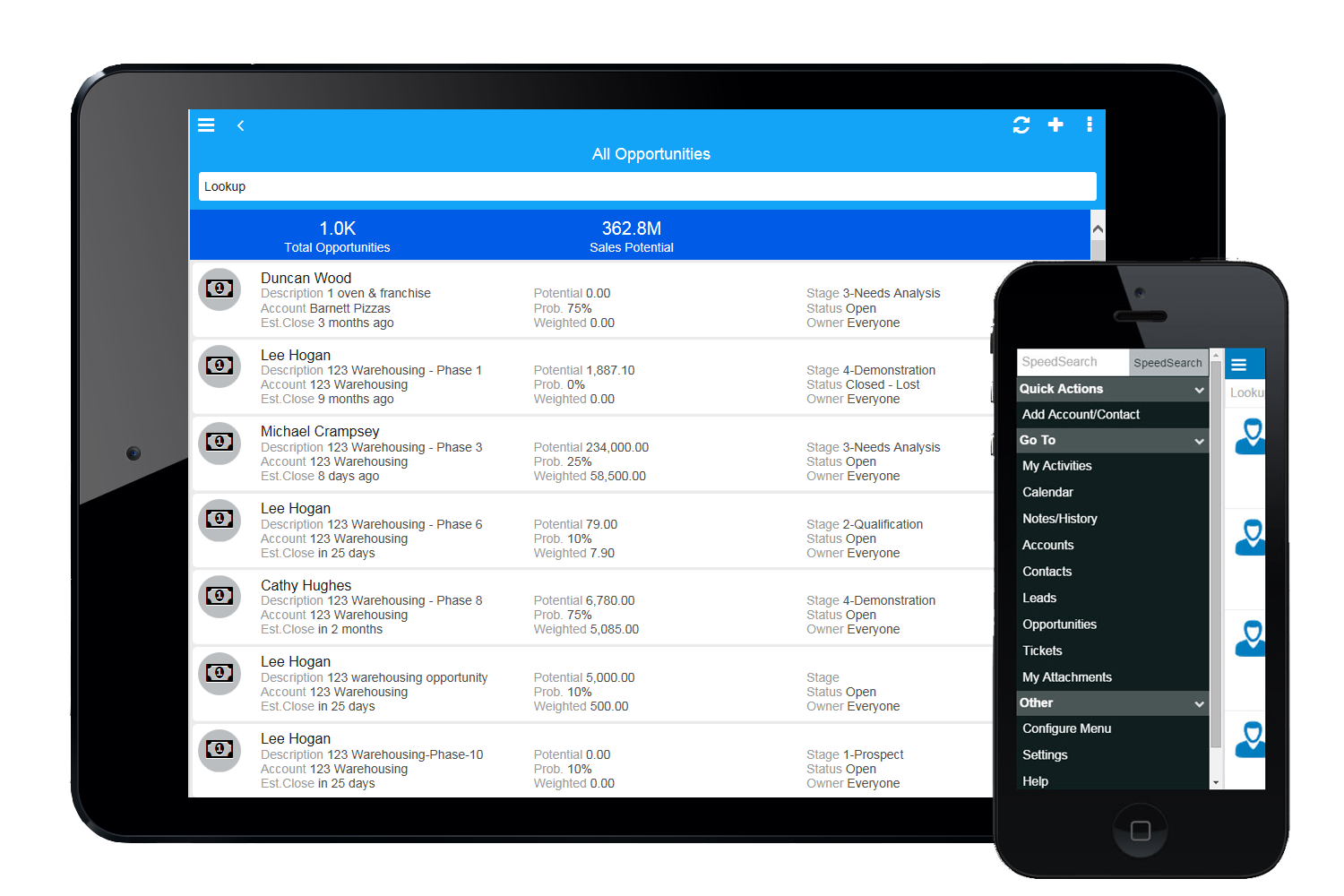
Infor CRM delivers tools for individuals, teams, and companies focused on increasing sales performance and the insights to optimize sales, marketing, and service strategy and execution. Infor CRM provides sales teams with rich customer information from interactions and transactions across the business and accommodates the modern flexible workforce with multiple access methods. Robust process automation capabilities enable efficiencies and the application of best practices across sales…
N/A
Workbooks
Score4.9 out of 10
N/A
Workbooks offers cloud-based CRM, marketing automation and business applications to the mid-market. Workbooks includes order management and fulfillment, invoicing, and supplier management. Workbooks aims to provide a single 360° view of customers, where the information is accessible anytime, anywhere.
$30
per user/per month
Pricing
Infor CRM
Workbooks
Editions & Modules
No answers on this topic
Workbooks CRM Edition
$30
per user/per month
Workbooks Business Edition
$65
per user/per month
Offerings
Pricing Offerings
Infor CRM
Workbooks
Free Trial
Yes
Yes
Free/Freemium Version
No
Yes
Premium Consulting/Integration Services
Yes
Yes
Entry-level Setup Fee
No setup fee
Optional
Additional Details
—
—
More Pricing Information
Features
Infor CRM
Workbooks
Sales Force Automation
Comparison of Sales Force Automation features of Infor CRM and Workbooks
Feature
Infor CRM
7.8
9 Ratings
0% below category average
Workbooks
7.7
9 Ratings
2% below category average
Customer data management / contact management
8.48 Ratings
8.59 Ratings
Workflow management
10.07 Ratings
8.27 Ratings
Territory management
5.46 Ratings
7.79 Ratings
Opportunity management
8.46 Ratings
8.89 Ratings
Integration with email client (e.g., Outlook or Gmail)
5.48 Ratings
6.49 Ratings
Contract management
5.74 Ratings
7.29 Ratings
Quote & order management
7.34 Ratings
7.68 Ratings
Interaction tracking
10.08 Ratings
6.48 Ratings
Channel / partner relationship management
10.08 Ratings
8.48 Ratings
Customer Service & Support
Comparison of Customer Service & Support features of Infor CRM and Workbooks
Feature
Infor CRM
8.3
4 Ratings
8% above category average
Workbooks
6.3
8 Ratings
20% below category average
Case management
10.03 Ratings
6.28 Ratings
Call center management
5.03 Ratings
6.82 Ratings
Help desk management
10.03 Ratings
5.88 Ratings
Marketing Automation
Comparison of Marketing Automation features of Infor CRM and Workbooks
Feature
Infor CRM
2.5
8 Ratings
102% below category average
Workbooks
7.3
7 Ratings
6% below category average
Lead management
3.97 Ratings
8.07 Ratings
Email marketing
1.06 Ratings
6.67 Ratings
CRM Project Management
Comparison of CRM Project Management features of Infor CRM and Workbooks
Feature
Infor CRM
4.2
7 Ratings
59% below category average
Workbooks
7.5
9 Ratings
3% below category average
Task management
7.17 Ratings
7.77 Ratings
Billing and invoicing management
3.61 Ratings
6.88 Ratings
Reporting
2.15 Ratings
7.87 Ratings
CRM Reporting & Analytics
Comparison of CRM Reporting & Analytics features of Infor CRM and Workbooks
Feature
Infor CRM
4.2
8 Ratings
58% below category average
Workbooks
8.6
8 Ratings
12% above category average
Forecasting
3.64 Ratings
8.28 Ratings
Pipeline visualization
7.05 Ratings
8.88 Ratings
Customizable reports
2.18 Ratings
8.88 Ratings
Customization
Comparison of Customization features of Infor CRM and Workbooks
Feature
Infor CRM
8.6
9 Ratings
12% above category average
Workbooks
7.7
8 Ratings
1% above category average
Custom fields
10.09 Ratings
8.48 Ratings
Custom objects
7.07 Ratings
7.67 Ratings
Scripting environment
7.24 Ratings
7.56 Ratings
API for custom integration
10.06 Ratings
7.57 Ratings
Security
Comparison of Security features of Infor CRM and Workbooks
Feature
Infor CRM
10.0
8 Ratings
17% above category average
Workbooks
7.5
8 Ratings
11% below category average
Single sign-on capability
10.06 Ratings
7.05 Ratings
Role-based user permissions
10.06 Ratings
8.07 Ratings
Social CRM
Comparison of Social CRM features of Infor CRM and Workbooks
Feature
Infor CRM
3.5
2 Ratings
73% below category average
Workbooks
6.6
3 Ratings
13% below category average
Social data
4.02 Ratings
6.03 Ratings
Social engagement
3.02 Ratings
7.31 Ratings
Integrations with 3rd-party Software
Comparison of Integrations with 3rd-party Software features of Infor CRM and Workbooks
Feature
Infor CRM
2.9
4 Ratings
89% below category average
Workbooks
6.9
6 Ratings
9% below category average
Marketing automation
3.04 Ratings
6.76 Ratings
Compensation management
2.71 Ratings
7.02 Ratings
Platform
Comparison of Platform features of Infor CRM and Workbooks
If you have a mobile workforce, it likely wouldn't be as appropriate (keep in mind we're using the desktop client, and have very limited experience with the web app). It is well suited if your business needs lots of custom processes- find a good vendor. We utilize SimpleSoft out of Ohio, and they have been excellent. Key question: think about where your business is going to be in 5-10 years, and will this CRM solution be able to grow with us?
A de minimis incentive was given to thank the reviewer for their time. The incentive was not used to bias or drive a particular response, nor was the incentive contingent on a positive endorsement. More Info
It's a really great system for small to medium organizations that are willing to spend some time thinking about how their workflow can be improved by designing processes which will allow them to streamline and automate their business. For people who are not serious about making a commitment to bettering their business, Workbooks may not be a correct fit. For instance there are a lot of features which many people think they don't need, but they haven't really spent the time to figure out what the needs of the business are. The nice thing about Workbooks is that you can turn off things you don't need, and then when the business demands, they will be there for you to utilize.
Saleslogix functionality can be managed to a very granular level for each individual using it. Within the users profile you can restrict access to modules, remove write permission, remove export privileges, etc.
Saleslogix has one of the best sync engines I have ever seen. If you allow your outside sales reps to have their own database, they can modify customer record while off line and when they do have internet access they can sync changes in both directions. This functionality works great when you have inside and outside sales staff covering the same territory.
Saleslogix can be customized using Visual Basic Code syntax. This is a positive aspect as well as a negative. Our existing Saleslogix is so customized that if we were to upgrade to 8.0 it would cost us over $20k to redo some of the customizations. Upgrades are frequently incompatible with customizations.
Sales process management from enquiry to delivery of product
This was previously on as many as 4 systems using excel and legacy applications such as the written word in log books
Automatic reporting for financial compliance: once built, the reporting process reduced the workload on a monthly basis from 2 days to 20 minutes
The FD loved it
The overall capability of the package enabled the sales force to rapidly pull our pertinent data for a sales call, plus managing time and resources better for increased efficiency
Business development and focussed marketing became so much easier, we noted that the process paid for itself many times over
InforCRM has made dramatic improvements in the web client though in some cases it has been painfully slow to get the most needed things updated. An example is the slow speed of the web client. The newest update is supposed to fix this.
The web client does not autosave, so users have to remember to hit the 'save' button at each screen. This is the biggest complaint of users going from the desktop client to the web client.
I personally would like to see data panes (account, contact, etc.) with the capability to set up a different view for each team and/or security level that would access the data.
A de minimis incentive was given to thank the reviewer for their time. The incentive was not used to bias or drive a particular response, nor was the incentive contingent on a positive endorsement. More Info
There really isn't all that much, what I would like to see is an app to use on iDevices. Our sales team all have iPads for presentations etc.
While Workbooks works rather well with HTML 5, I would still like to see an app. I know it's in the making, but haven't seen anything of this as of yet.
I am sure that would increase productivity even further (if it's of the same standard as the main environment).
Because we've already made the investment in the original on-premise version, the cost per user is relatively low. The product has grown with us and we can now choose a LAN or Web client version and host the site internally, giving us total control of our data. The iPhone and iPad versions allow the sales team quick access in the field and the voice-to-text option is quite handy. SalesLogix doesn't require that our technology stack be constantly up to date which again, keeps our cost down. They are always making enhancements to the product and we can choose to update/upgrade when those enhancements appeal to us enough to justify adding the service pack.
the product works. support has been good or great so far all has been great and we hope to get more from the product. we purchased for an initial year then renewed for a longer term, we have no regrets with this.
A de minimis incentive was given to thank the reviewer for their time. The incentive was not used to bias or drive a particular response, nor was the incentive contingent on a positive endorsement. More Info
A de minimis incentive was given to thank the reviewer for their time. The incentive was not used to bias or drive a particular response, nor was the incentive contingent on a positive endorsement. More Info
We selected INFOR CRM over Salesforce simply because it was affordable and didn't have so many 'bells & whistles' that Salesforce has that we were not using. We didn't realize that the compatibility with upgrades were going to be such an issue.
A de minimis incentive was given to thank the reviewer for their time. The incentive was not used to bias or drive a particular response, nor was the incentive contingent on a positive endorsement. More Info
We felt the high amount of customisation available from Workbooks was much more beneficial to us than the offerings from the larger CRM companies. We also liked the smaller company mentality of Workbooks as it reminded us of ourselves. Ultimately the price also paid a factor as Workbooks was more affordable for what we needed.
A de minimis incentive was given to thank the reviewer for their time. The incentive was not used to bias or drive a particular response, nor was the incentive contingent on a positive endorsement. More Info
A de minimis incentive was given to thank the reviewer for their time. The incentive was not used to bias or drive a particular response, nor was the incentive contingent on a positive endorsement. More Info
A de minimis incentive was given to thank the reviewer for their time. The incentive was not used to bias or drive a particular response, nor was the incentive contingent on a positive endorsement. More Info