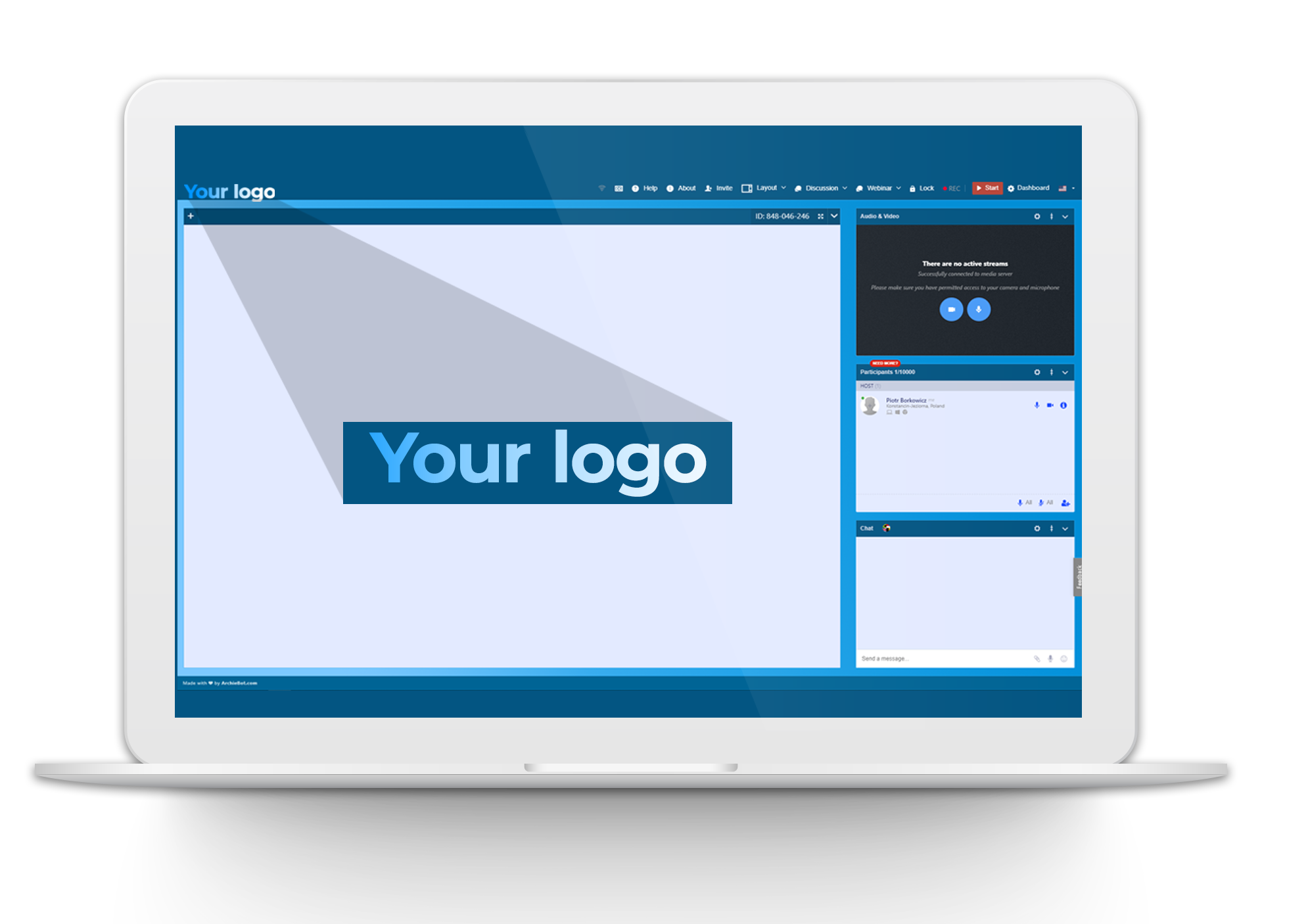
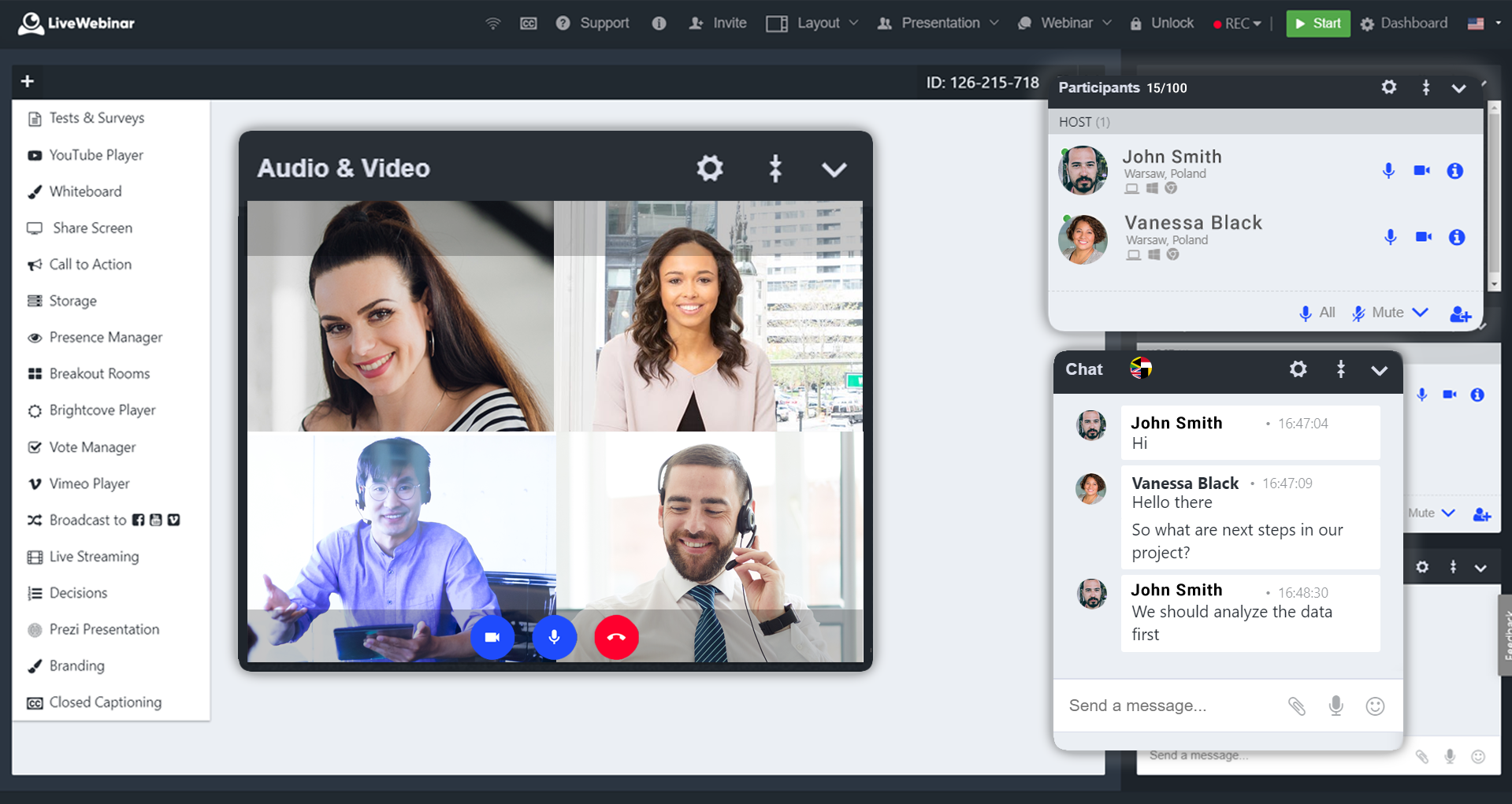
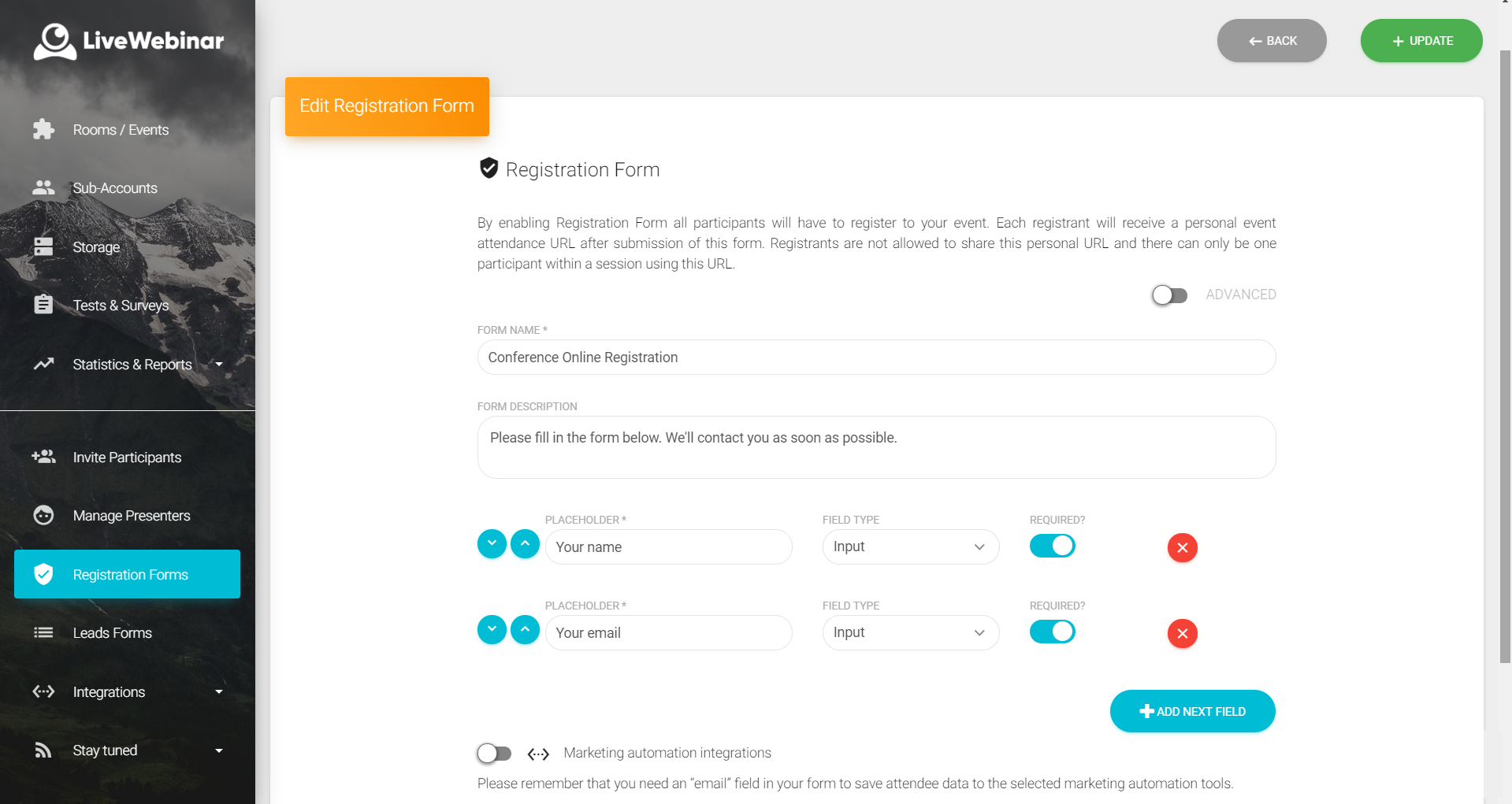
LiveWebinar is a cloud-based tool that helps users manage online webinars, meetings, training, live streaming, chats, screen sharing, social media broadcasting and high definition (HD) recording via web browsers. It is a customizable solution that allows users to change logos, room colors, and design layouts, as well as create personalized registration forms to match their business's brand identity, and control email delivery and report designs. LiveWebinar allows users to broadcast…
$17.99
per month per user
Webex App
Score8.6 out of 10
N/A
The Webex App brings together Webex Calling, Meetings, and Messaging into a single application, fostering collaboration and unlocking more productive ways to work.
LiveWebinar is best for individuals holding quick meetings or daily scheduled events. Having friction less meetings for teams which does not require prior app installation or setup makes this the perfect webinar platform for persons with techphobia. Schedule, Send, and Start the meeting. There's even built in surveys and tests which makes the meeting or event more engaging and interactive. Unfortunately for multi-day events, it is very hard to use LiveWebinar for this purpose. Let's say for virtual conferences which has defined dates and times for each session, LiveWebinar won't fit this purpose, or at least, it is very hard to execute this scenario using the platform.
A de minimis incentive was given to thank the reviewer for their time. The incentive was not used to bias or drive a particular response, nor was the incentive contingent on a positive endorsement. More Info
It's perfect for project rooms for collaborative work, file sharing, quick reporting and incident handling, and initiating conversations via chat, voice, and video. Some more formal matters are better handled by email. There's a greater chance they won't get lost, and if we want to revisit them months or even years later, we'll be able to find them more easily.
A de minimis incentive was given to thank the reviewer for their time. The incentive was not used to bias or drive a particular response, nor was the incentive contingent on a positive endorsement. More Info
The online meeting within the internal team using Webex App is always a good experience as it helps well in sharing screen, and any content for that matter.
It helps in arranging online interviews and it is also very good experience using the web version of Webex App.
It also helps in arranging online training sessions and webinars which generally involve huge number of participants generally over 200+ participants and Webex App handles it very well.
A de minimis incentive was given to thank the reviewer for their time. The incentive was not used to bias or drive a particular response, nor was the incentive contingent on a positive endorsement. More Info
A de minimis incentive was given to thank the reviewer for their time. The incentive was not used to bias or drive a particular response, nor was the incentive contingent on a positive endorsement. More Info
A de minimis incentive was given to thank the reviewer for their time. The incentive was not used to bias or drive a particular response, nor was the incentive contingent on a positive endorsement. TR verified that a representative sample of customers was invited. More Info
Absolutely love the features of Livewebinar and it's probably the most advanced Live webinar solution that I have used. Even with the absence of a native mobile app, the platform is useable on mobile or tablet screen sizes. There's no noticeable lags during the presentation and users find it easy to use and navigate during the presentations / webinars.
A de minimis incentive was given to thank the reviewer for their time. The incentive was not used to bias or drive a particular response, nor was the incentive contingent on a positive endorsement. More Info
While Webex has strong adoption on the administrative side, the LTI tool for Webex is lacking some important support for teaching and learning. Therefore, faculty do not see much value in Webex and prefer to use other tools that are easier to access and more likely to benefit their students within the LMS. Webex has not been the easiest to work with for identifying pedagogical roadmap improvements, especially compared to competitors who work closely in the education space
A de minimis incentive was given to thank the reviewer for their time. The incentive was not used to bias or drive a particular response, nor was the incentive contingent on a positive endorsement. More Info
LiveWebinar is an all in one solution for daily meetings and events. I made it a 9 as it is almost perfect in its current form. However, there were some reported issues on mobile connectivity as there is no native app of LiveWebinar for both iOS and Android. Moreover, I'm hoping that LiveWebinar could connect to my Google, Outlook, or iCal calendar to synch events regularly. I'd love to see my calendar inside LiveWebinar which makes it to the top of the feature wishlist for this platform. Further, if LiveWebinar is able to handle multiple day events or meetings with just a few clicks, that would make this platform, a 11/10 rating!
A de minimis incentive was given to thank the reviewer for their time. The incentive was not used to bias or drive a particular response, nor was the incentive contingent on a positive endorsement. More Info
Webex is quite usable, and it is, in fact very easy to use as well. You don't need a lot of documentation to learn how to use the app as it's mostly self-explanatory. The user interface is easy on the eyes, and people can see buttons without issues. Overall, WebEx's front-end design is great and I don't have much issue with it.
A de minimis incentive was given to thank the reviewer for their time. The incentive was not used to bias or drive a particular response, nor was the incentive contingent on a positive endorsement. More Info
I would say every time I open it, it is there, there are times that our users have to sign out and back in to get it to work or even do a full exit as the app will disconnect from the controlling the desk phone, but some easy steps to sign-out or fully exit the app gets the user back up and running quickly.
A de minimis incentive was given to thank the reviewer for their time. The incentive was not used to bias or drive a particular response, nor was the incentive contingent on a positive endorsement. TR verified that a representative sample of customers was invited. More Info
On standalone it works fine, it used to consume a considerable amount of system resources in the past, but with updates and upgrades, this has improved quite a lot. As far as integrations with other systems, we have not come across any critical issues with the app.
A de minimis incentive was given to thank the reviewer for their time. The incentive was not used to bias or drive a particular response, nor was the incentive contingent on a positive endorsement. TR verified that a representative sample of customers was invited. More Info
Customer support of LiveWebinar is top notch. They are available almost 24x7x365. I rarely wait for the next response and given that people are not suppose to work on holidays or weekends, their support agents are always there to lend a helping hand. The responses are spot on. It's not that I need help with platform having some issues or anything, but for general account questions, they quickly respond to each and every query I raise over to support. Definitely one of the best things with LiveWebinar.
A de minimis incentive was given to thank the reviewer for their time. The incentive was not used to bias or drive a particular response, nor was the incentive contingent on a positive endorsement. More Info
Talking about Webex App technical support is talking about the quality because they are always attentive and willing to attend to our needs, and the response is immediate; every time we have needed help to solve a problem or find out a function, they have not responded quickly, Cisco has always been characterized by being efficient and deserving 10 points.
A de minimis incentive was given to thank the reviewer for their time. The incentive was not used to bias or drive a particular response, nor was the incentive contingent on a positive endorsement. More Info
I am very satisfied with my experience with Webex App in online training. The creation of the event is very easy with the possibility of scheduling it in advance. The management of participants, organizers, and animators is complete. The invitations are automated and by simply using emails we can create all the schedules of the training session
I would rate the online training 8/10. It provided clear and well-structured content, making it easy to understand the core features of Webex. However, I believe it could have been more interactive, with practical exercises or real-life scenarios to enhance user engagement. More advanced topics or troubleshooting guides could also be helpful for deeper learning.
A de minimis incentive was given to thank the reviewer for their time. The incentive was not used to bias or drive a particular response, nor was the incentive contingent on a positive endorsement. TR verified that a representative sample of customers was invited. More Info
There was quite a bit of back and forth with TAC and Cisco Reps to get it fully up and running but we did get there. Some of which had to do with documentation was not fully understandable. But with Cisco TAC we were able to get fully up and running.
A de minimis incentive was given to thank the reviewer for their time. The incentive was not used to bias or drive a particular response, nor was the incentive contingent on a positive endorsement. TR verified that a representative sample of customers was invited. More Info
A de minimis incentive was given to thank the reviewer for their time. The incentive was not used to bias or drive a particular response, nor was the incentive contingent on a positive endorsement. More Info
Microsoft Teams is the main competitor of the Webex App. But it provides services for less cost than Webex App. And also teams are used by majority of companies in software industries due to its support for other Microsoft services.
A de minimis incentive was given to thank the reviewer for their time. The incentive was not used to bias or drive a particular response, nor was the incentive contingent on a positive endorsement. TR verified that a representative sample of customers was invited. More Info
Once everything is in place on the back end getting Webex on a user's PC is now very easy and with single sign-on, users are able to sign in without having to remember another password. Just make sure you have all the user settings in CUCM, CUC set right, and that they have the needed licenses in Webex Control Hub.
A de minimis incentive was given to thank the reviewer for their time. The incentive was not used to bias or drive a particular response, nor was the incentive contingent on a positive endorsement. TR verified that a representative sample of customers was invited. More Info
A de minimis incentive was given to thank the reviewer for their time. The incentive was not used to bias or drive a particular response, nor was the incentive contingent on a positive endorsement. More Info
Comfort in switching multiple OS platforms, when there is similar UI design.
HD video quality and HD screen share, make up presentations look more professional and standardized.
Less call/meeting drops as seen in other platforms applications.
Builds a level of trust, when we connect on Cisco's application platform with customers who are having their whole communication infrastructure shifted to Cisco Webex App.
A de minimis incentive was given to thank the reviewer for their time. The incentive was not used to bias or drive a particular response, nor was the incentive contingent on a positive endorsement. More Info