
John Vieth
Web Developer
Chose Sendblaster

| Product | Rating | Most Used By | Product Summary | Starting Price |
|---|---|---|---|---|
 Intuit Mailchimp | N/A | Mailchimp is an email marketing and marketing automation platform. Beyond just tracking how campaigns perform, Mailchimp takes it a step further by analyzing data from over half a billion emails to show why campaigns perform, driving informed decisions. | $0 per month | |
 PostUp | N/A | Email marketing and audience development solution to grow, engage and monetize audiences | N/A | |
 Sendblaster | N/A | SendBlaster is the eponymous lean, list management / newsletter-centric email marketing software from the Italian company founded in 2006, basically for creating newsletters in a WYSIWYG editor and sending them out to the multitudes, with tools facilitating this: programmable tags, personalization, link checking, embedded image support, file importing, templates, and help from partner Mailstyler (free) for newsletter optimization and styling. Bulk mailing is managed for free with Sendblaster… | N/A |
| Intuit Mailchimp | PostUp | Sendblaster | ||||||||||||||||||||||
|---|---|---|---|---|---|---|---|---|---|---|---|---|---|---|---|---|---|---|---|---|---|---|---|---|
| Editions & Modules |
| No answers on this topic | No answers on this topic | |||||||||||||||||||||
| Offerings |
| |||||||||||||||||||||||
| Entry-level Setup Fee | No setup fee | No setup fee | No setup fee | |||||||||||||||||||||
| Additional Details | — | — | — | |||||||||||||||||||||
| More Pricing Information | ||||||||||||||||||||||||
| Intuit Mailchimp | PostUp | Sendblaster | |
|---|---|---|---|
| Considered Multiple Products |  Intuit Mailchimp No answer on this topic | PostUp No answer on this topic |  Sendblaster John Vieth Web Developer Chose Sendblaster |
| Intuit Mailchimp | PostUp | Sendblaster | |||||||||||||||||||||||||||||||||||||||
|---|---|---|---|---|---|---|---|---|---|---|---|---|---|---|---|---|---|---|---|---|---|---|---|---|---|---|---|---|---|---|---|---|---|---|---|---|---|---|---|---|---|
| Email & Online Marketing |
| ||||||||||||||||||||||||||||||||||||||||
| Lead Management |
| ||||||||||||||||||||||||||||||||||||||||
| Campaign Management |
| ||||||||||||||||||||||||||||||||||||||||
| Social Media Marketing |
| ||||||||||||||||||||||||||||||||||||||||
| Reporting & Analytics |
| ||||||||||||||||||||||||||||||||||||||||
| Platform & Infrastructure |
|
| Intuit Mailchimp | PostUp | Sendblaster | |
|---|---|---|---|
| Small Businesses |  Vbout Score 9.9 out of 10 |  Mad Mimi Score 10.0 out of 10 | Mad Mimi Score 10.0 out of 10 |
| Medium-sized Companies |  PFL Direct Mail Platform Score 9.0 out of 10 |  VerticalResponse Score 10.0 out of 10 | VerticalResponse Score 10.0 out of 10 |
| Enterprises | PFL Direct Mail Platform Score 9.0 out of 10 |  Emma by Marigold Score 9.3 out of 10 | Emma by Marigold Score 9.3 out of 10 |
| All Alternatives | View all alternatives | View all alternatives | View all alternatives |
| Intuit Mailchimp | PostUp | Sendblaster | |
|---|---|---|---|
| Likelihood to Recommend | 8.6 (565 ratings) | 10.0 (1 ratings) | 9.5 (2 ratings) |
| Likelihood to Renew | 10.0 (53 ratings) | - (0 ratings) | - (0 ratings) |
| Usability | 8.5 (434 ratings) | - (0 ratings) | - (0 ratings) |
| Availability | 9.5 (6 ratings) | - (0 ratings) | - (0 ratings) |
| Performance | 8.9 (7 ratings) | - (0 ratings) | - (0 ratings) |
| Support Rating | 8.8 (19 ratings) | - (0 ratings) | - (0 ratings) |
| Implementation Rating | 7.4 (22 ratings) | - (0 ratings) | - (0 ratings) |
| Configurability | 10.0 (2 ratings) | - (0 ratings) | - (0 ratings) |
| Ease of integration | 8.0 (4 ratings) | - (0 ratings) | - (0 ratings) |
| Product Scalability | 9.5 (6 ratings) | - (0 ratings) | - (0 ratings) |
| Vendor post-sale | 10.0 (2 ratings) | - (0 ratings) | - (0 ratings) |
| Vendor pre-sale | 10.0 (2 ratings) | - (0 ratings) | - (0 ratings) |
| Intuit Mailchimp | PostUp | Sendblaster | |
|---|---|---|---|
| Likelihood to Recommend | Intuit
 Irfan Ahmad Software Engineer | Upland Software
| Sendblaster
John Vieth Web Developer |
| Pros | Intuit
 Faisal Darbar Sales & Customer Services Manager | Upland Software
| Sendblaster
 Solo Mesumbe Front-end Web Developer and CMS Editor |
| Cons | Intuit
| Upland Software
| Sendblaster
John Vieth Web Developer |
| Likelihood to Renew | Intuit
 Harrison Pershing Digital Marketing Strategist | Upland Software No answers on this topic | Sendblaster No answers on this topic |
| Usability | Intuit
 Maria Sergeeva UX and Content Designer | Upland Software No answers on this topic | Sendblaster No answers on this topic |
| Reliability and Availability | Intuit
 Ben Caplan Risk Manager, and Insurance Agent | Upland Software No answers on this topic | Sendblaster No answers on this topic |
| Performance | Intuit
Ben Caplan Risk Manager, and Insurance Agent | Upland Software No answers on this topic | Sendblaster No answers on this topic |
| Support Rating | Intuit
 Valie Robbins Owner | Upland Software No answers on this topic | Sendblaster No answers on this topic |
| Implementation Rating | Intuit
 Vicki Lesage Digital Marketing Specialist | Upland Software No answers on this topic | Sendblaster No answers on this topic |
| Alternatives Considered | Intuit
| Upland Software No answers on this topic | Sendblaster
Solo Mesumbe Front-end Web Developer and CMS Editor |
| Scalability | Intuit
Ben Caplan Risk Manager, and Insurance Agent | Upland Software No answers on this topic | Sendblaster No answers on this topic |
| Return on Investment | Intuit
 John Dykstra Small Business Owner | Upland Software
| Sendblaster
John Vieth Web Developer |
| ScreenShots | Intuit Mailchimp Screenshots      | PostUp Screenshots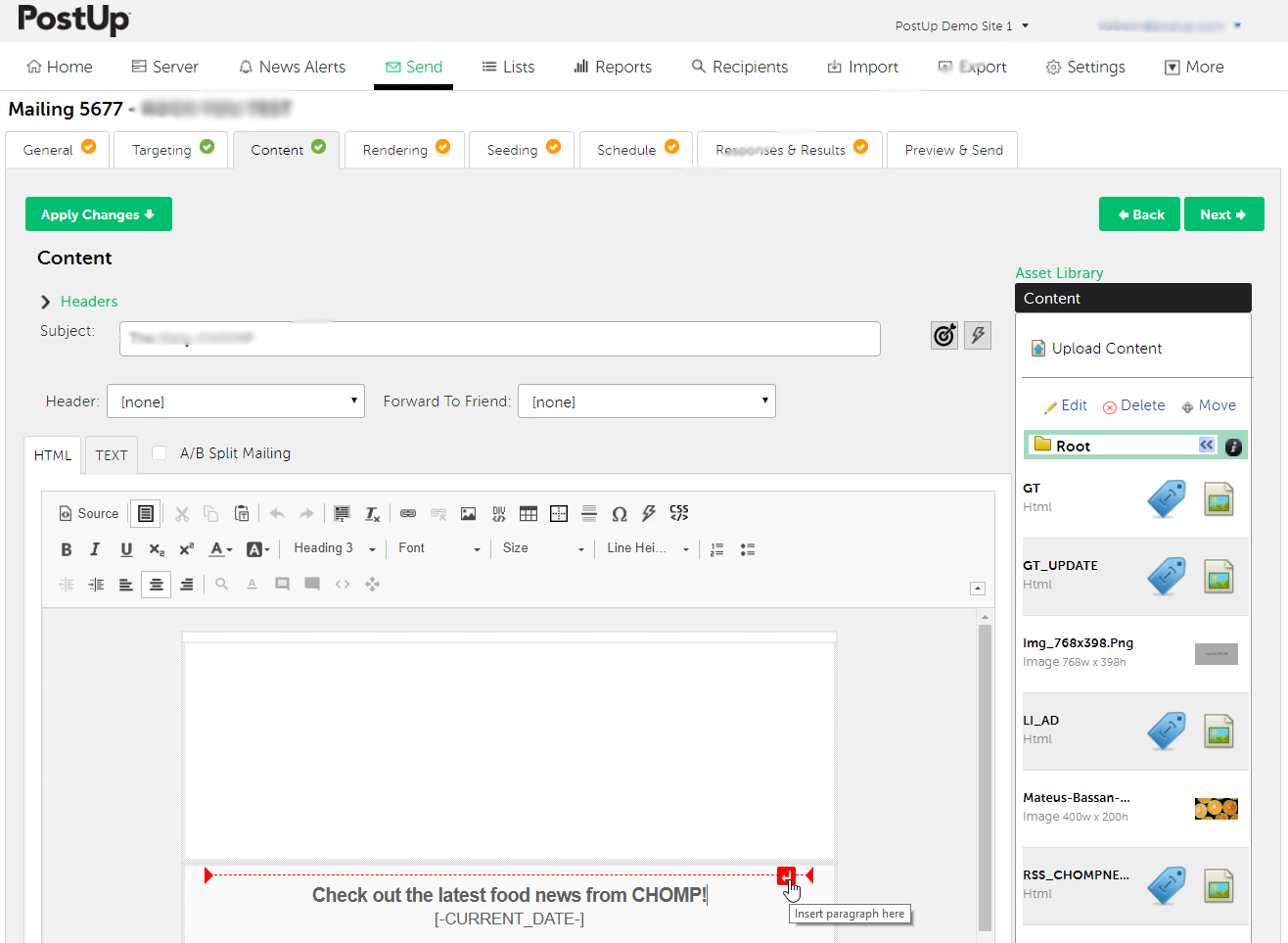 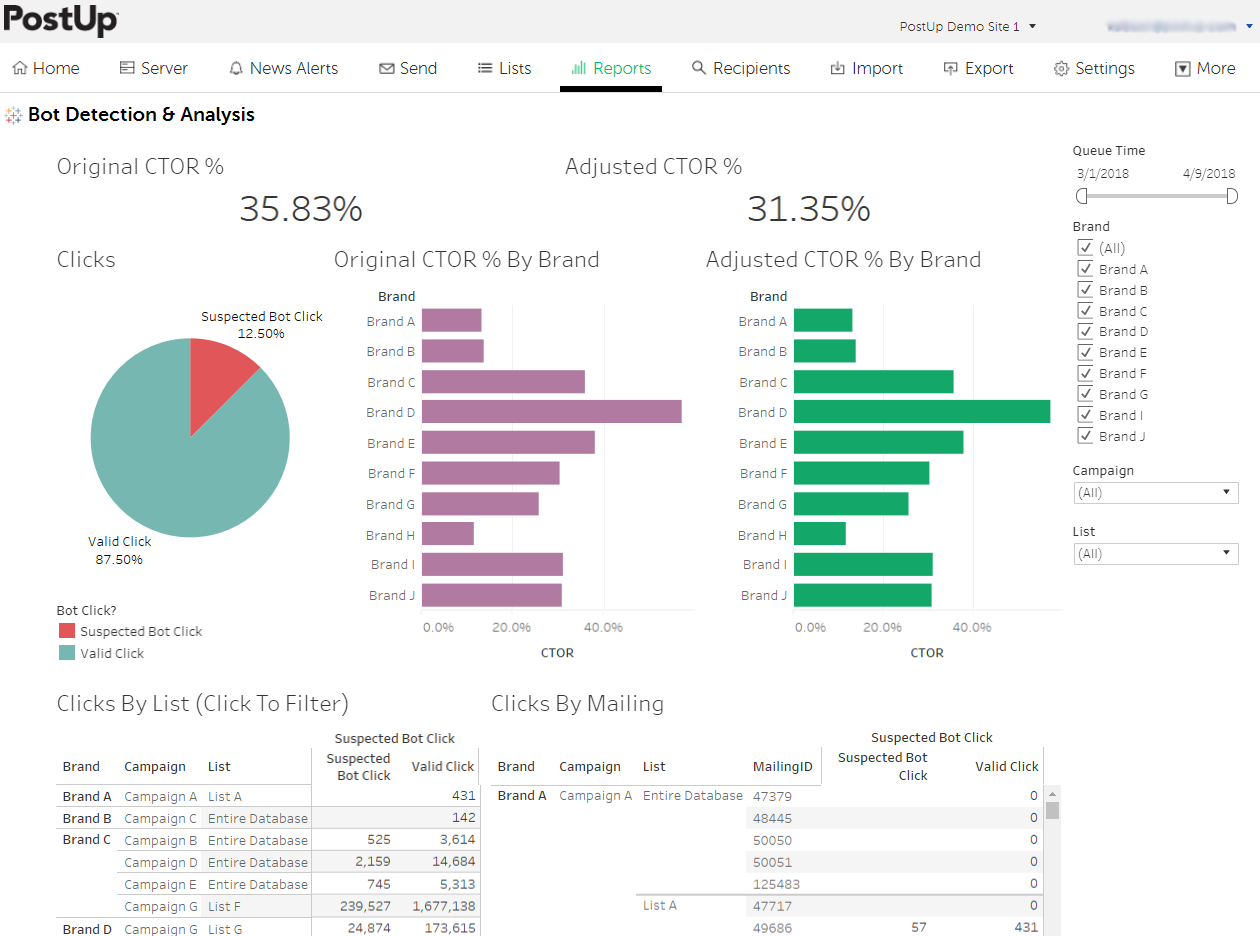 |