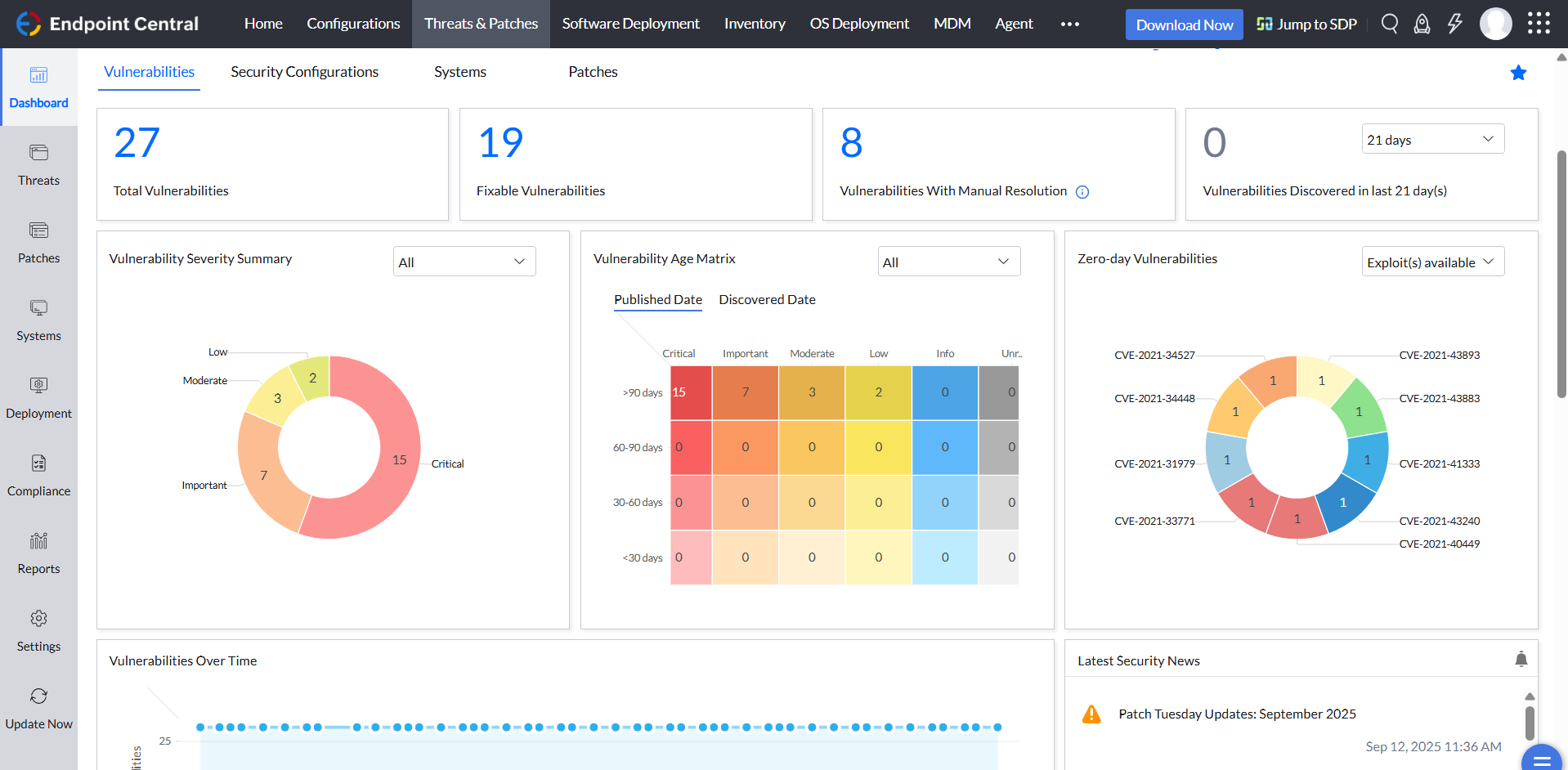
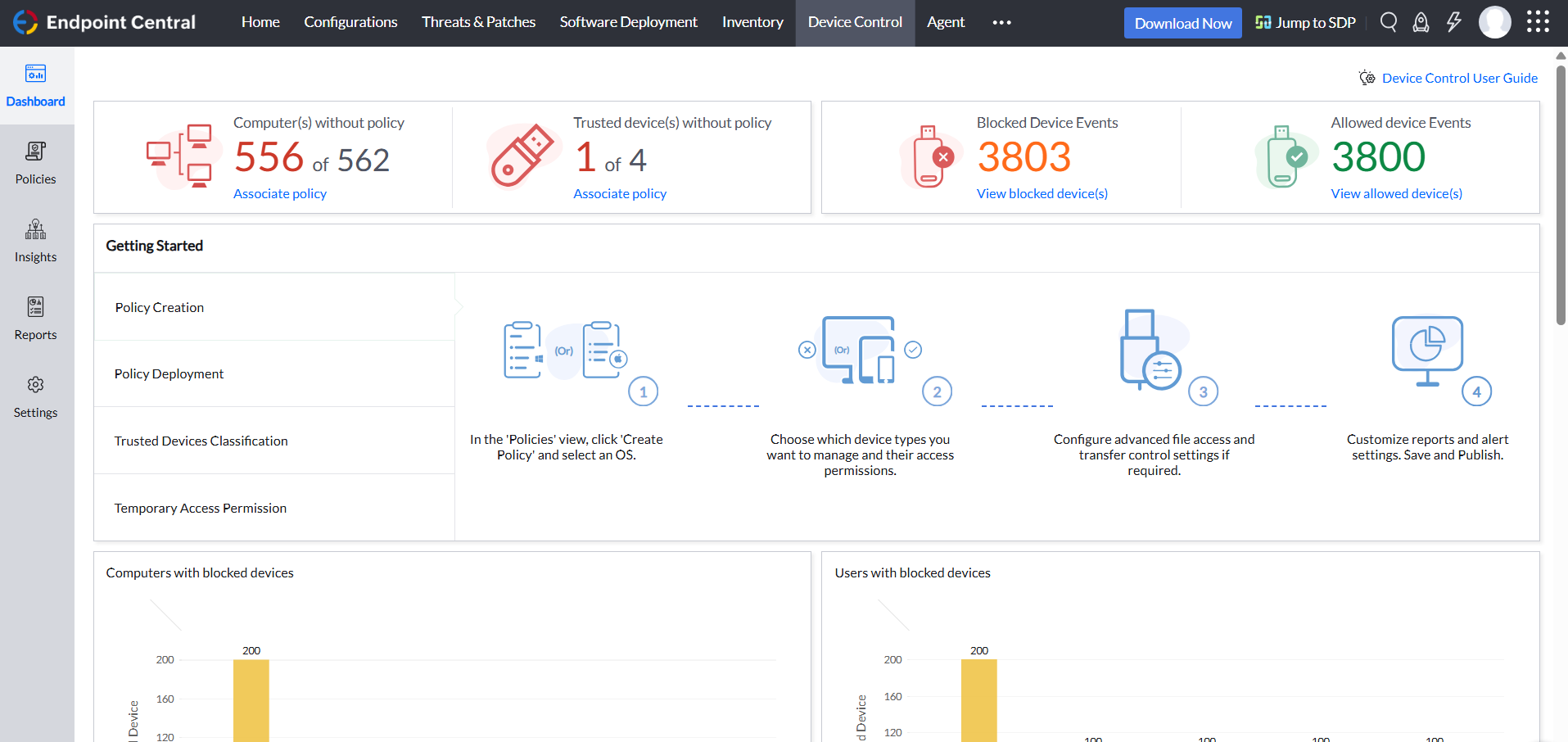
Desktop Central from ManageEngine is a client desktop management with patching, remote control, and configuration.
$795
per year per user
Microsoft Intune
Score8.2 out of 10
N/A
Microsoft Intune (formerly Microsoft Endpoint Manager), combining the capabilities of the former Microsoft System Center Configuration Manager, SCCM or ConfigMgr, is presented as a unified endpoint management option. Microsoft Intune is an endpoint management solution for mobile devices, an MDM solution that allows the user to securely manage iOS, Android, Windows, and macOS devices with a single endpoint management solution. The component Endpoint Configuration Manager (the…
$5
per user/per month
Microsoft Power Automate
Score8.5 out of 10
N/A
Microsoft Power Automate is an advanced automation platform offering a range of features, including AI-powered automation, robotic process automation (RPA), business process automation (BPA), digital process automation (DPA), and process/task mining. The platform aims to empower organizations to securely automate their operations at scale by leveraging low-code and AI technologies.
A de minimis incentive was given to thank the reviewer for their time. The incentive was not used to bias or drive a particular response, nor was the incentive contingent on a positive endorsement. More Info
Architecte Infrastructure et Sécurité in Information Technology at Port Autonome de Strasbourg (Logistics & Supply Chain, 51-200 employees)
Chose ManageEngine Endpoint Central
We preferred Endpoint Central for several reasons. The wide range of functionality, the ability to manage our entire infrastructure from a single console, and the capability to manage our smartphones. No other solution allowed us to do all this, except Microsoft Intune which is …
A de minimis incentive was given to thank the reviewer for their time. The incentive was not used to bias or drive a particular response, nor was the incentive contingent on a positive endorsement. More Info
Network Engineer in Information Technology at Demgy EIS GmbH (Airlines/Aviation, 201-500 employees)
Chose ManageEngine Endpoint Central
It holds up very well even against the microsoft native solution Microsoft Intune. The Configurations are easy to set up and apply quickly over the selected scope of Clients. You have a almost real time inventory of everything detected by the agent.
A de minimis incentive was given to thank the reviewer for their time. The incentive was not used to bias or drive a particular response, nor was the incentive contingent on a positive endorsement. More Info
Verified User
Chose ManageEngine Endpoint Central
Jamf was always easier to use and than our Intune and SCCM setups. ManageEngine gives us that usability across all our supported platforms instead of just Apple, enough that we are now considering retiring Jamf
A de minimis incentive was given to thank the reviewer for their time. The incentive was not used to bias or drive a particular response, nor was the incentive contingent on a positive endorsement. More Info
Jefe Servicio IT in Information Technology at Banco Ficohsa (Banking, 5001-10,000 employees)
Chose ManageEngine Endpoint Central
The other applications perform limited activities such as vulnerability scanning management, but not mitigation in the case of Nessus; Intune controls device access and key management, but does not patch, does not provide remote support, and does not manage access to USB and …
A de minimis incentive was given to thank the reviewer for their time. The incentive was not used to bias or drive a particular response, nor was the incentive contingent on a positive endorsement. More Info
Application Administrator in Information Technology at Fiberhost S.A. (Telecommunications, 201-500 employees)
Chose ManageEngine Endpoint Central
For me, Endpoint Central belongs to the big three (WS1, Intune, Endpoint Central), so it's better in its own third-party app repo, Vulnerabilities report, Script deployment, OS Management, and Communication between the server and the endpoint. Is no worse than WS1 in Endpoint …
A de minimis incentive was given to thank the reviewer for their time. The incentive was not used to bias or drive a particular response, nor was the incentive contingent on a positive endorsement. More Info
Verified User
Chose ManageEngine Endpoint Central
ManageEngine Endpoint Central is better than these products because of user experience and easy functionality. When I evaluated other products, I faced difficulty in exploring their features and there were too many things to do before a simple deployment unlike ManageEngine …
A de minimis incentive was given to thank the reviewer for their time. The incentive was not used to bias or drive a particular response, nor was the incentive contingent on a positive endorsement. TR verified that a representative sample of customers was invited. More Info
Technical Support Engineer in Information Technology at ITCG Solution PVT LTD (Information Technology & Services, 201-500 employees)
Chose ManageEngine Endpoint Central
We evaluated multiple endpoint management solutions before selecting ManageEngine Endpoint Central, and the main reason for choosing it was its strong patch management capabilities combined with centralized endpoint control at a competitive cost. Compared to other solutions, …
A de minimis incentive was given to thank the reviewer for their time. The incentive was not used to bias or drive a particular response, nor was the incentive contingent on a positive endorsement. More Info
Information security analyst in Information Technology at InBetta (Plastics, 1001-5000 employees)
Chose ManageEngine Endpoint Central
In addition to its lower price compared to competitors, ManageEngine Endpoint Central has extra features not available in others, such as remote access included within the tool, with access justification, recording, and auditing. It also has a self-service portal so that the …
A de minimis incentive was given to thank the reviewer for their time. The incentive was not used to bias or drive a particular response, nor was the incentive contingent on a positive endorsement. More Info
Verified User
Chose ManageEngine Endpoint Central
In general is best all round performer and tends to have multiple tools in one place compared to others.
A de minimis incentive was given to thank the reviewer for their time. The incentive was not used to bias or drive a particular response, nor was the incentive contingent on a positive endorsement. More Info
Verified User
Chose ManageEngine Endpoint Central
Kaseya's system of handling patch management was not as intuitive as Endpoint Central, however in some respects it was easier to set up. Kaseya VSA and ConnectWise are also more geared towards managed service providers that handle multiple organizations versus a single …
A de minimis incentive was given to thank the reviewer for their time. The incentive was not used to bias or drive a particular response, nor was the incentive contingent on a positive endorsement. More Info
Verified User
Chose ManageEngine Endpoint Central
I came into the company while the already had ManageEngine Endpoint Central. Frankly, I have attempted to switch our company to a different platform due to its confusing interface, lack of quality support when I have connected support, and lack of features then I have used in …
A de minimis incentive was given to thank the reviewer for their time. The incentive was not used to bias or drive a particular response, nor was the incentive contingent on a positive endorsement. More Info
Verified User
Chose ManageEngine Endpoint Central
In terms of feather and usability ManageEngine Endpoint Central far surpasses both. Although spiceworks is free, you are limited to support and new feature updates. Intune does well what it is built for, but does not provide all the features that are needed for day to day …
A de minimis incentive was given to thank the reviewer for their time. The incentive was not used to bias or drive a particular response, nor was the incentive contingent on a positive endorsement. More Info
Systems Administrator in Information Technology at City of Frederick (Government Administration, 501-1000 employees)
Chose ManageEngine Endpoint Central
Endpoint Central provides a more robust unified Endpoint Management product. Other products would need separate add-ons or third party products to manage what we would require from an asset management product.
A de minimis incentive was given to thank the reviewer for their time. The incentive was not used to bias or drive a particular response, nor was the incentive contingent on a positive endorsement. More Info
Verified User
Chose ManageEngine Endpoint Central
For the cost its better than most. Consistency and reliability are usually solid but have some hiccups. Small-Medium environments are easily manageable with EC but large rollouts would need a higher tunable and applicable product. Overall i would say its top 10% in it's price …
A de minimis incentive was given to thank the reviewer for their time. The incentive was not used to bias or drive a particular response, nor was the incentive contingent on a positive endorsement. TR verified that a representative sample of customers was invited. More Info
Lead, IT Services and Support in Information Technology at Technology Credit Union (Banking, 201-500 employees)
Chose ManageEngine Endpoint Central
ManageEngine Endpoint Central was the clear winner for us, as intune was not as user friendly and ivanti was extremely expensive and significantly less user friendly. The cost of ManageEngine Endpoint Central was the main selling point, along with the ease of use. It was almost …
A de minimis incentive was given to thank the reviewer for their time. The incentive was not used to bias or drive a particular response, nor was the incentive contingent on a positive endorsement. More Info
Verified User
Chose ManageEngine Endpoint Central
ManageEngine definitely has the most easy to navigate and useable interface of the systems we have used previously, and currently is the best product that we use day to day to support our staff.
A de minimis incentive was given to thank the reviewer for their time. The incentive was not used to bias or drive a particular response, nor was the incentive contingent on a positive endorsement. More Info
System Administrator in Information Technology at Countybank (Financial Services, 201-500 employees)
Chose ManageEngine Endpoint Central
Intune doesn't offer 3rd party patching and the reporting isn't on the same level for some of the offerings in this application. Nessus is very expensive, and we have used both at the same time to compare and they pull the same results with the ManageEngine Endpoint Central …
A de minimis incentive was given to thank the reviewer for their time. The incentive was not used to bias or drive a particular response, nor was the incentive contingent on a positive endorsement. More Info
Verified User
Chose ManageEngine Endpoint Central
It turned out to be cheaper as compared to MS intune which offered better stability and ease of operation but it also comes with added modules like browser protection, remote connectivity over https. DLP module is another thing which pushed us towards this, overall good product …
A de minimis incentive was given to thank the reviewer for their time. The incentive was not used to bias or drive a particular response, nor was the incentive contingent on a positive endorsement. More Info
IT Systems Analyst in Information Technology at WD-40 Company Limited (Chemicals, 201-500 employees)
Chose ManageEngine Endpoint Central
We did not use ManageEngine Endpoint Central over intune specifically, we run the solutions in parallel. This is ideal, as intune allows surface devices to be shipped and enrolled (no imaging, PXE or any intervention needed) The huge advantage of intune is we can ship the …
A de minimis incentive was given to thank the reviewer for their time. The incentive was not used to bias or drive a particular response, nor was the incentive contingent on a positive endorsement. More Info
Infrastructure Engineer in Information Technology at CIPFA (Accounting, 201-500 employees)
Chose ManageEngine Endpoint Central
I tend to use a combination of solutions to keep the estate running efficiently. ManageEngine Endpoint Central has more control over the timing of patching for users. Juggling users being able to work and keeping systems up to date with user satisfaction in mind is a monthly …
A de minimis incentive was given to thank the reviewer for their time. The incentive was not used to bias or drive a particular response, nor was the incentive contingent on a positive endorsement. More Info
Verified User
Chose ManageEngine Endpoint Central
The reporting on scripts is far better in ManageEngine, always showing the latest result. Unlike Intune which can run a script every day, but the "Report" only shows the result from the first time the script ran, it never refreshes. When we have had issues where the LAPS …
A de minimis incentive was given to thank the reviewer for their time. The incentive was not used to bias or drive a particular response, nor was the incentive contingent on a positive endorsement. More Info
A de minimis incentive was given to thank the reviewer for their time. The incentive was not used to bias or drive a particular response, nor was the incentive contingent on a positive endorsement. More Info
Verified User
Chose ManageEngine Endpoint Central
So much easier and intuitive than the competitors.
A de minimis incentive was given to thank the reviewer for their time. The incentive was not used to bias or drive a particular response, nor was the incentive contingent on a positive endorsement. More Info
Verified User
Chose ManageEngine Endpoint Central
Deeper Windows control, especially for legacy, domain-joined machines.
Better third-party patch management out of the box.
A de minimis incentive was given to thank the reviewer for their time. The incentive was not used to bias or drive a particular response, nor was the incentive contingent on a positive endorsement. More Info
Microsoft
Verified User
Chose Microsoft Intune
We use AD GPO to deploy software, WDS for OS deployment, and Spiceworks for inventory. This solution has significantly reduced feature set compared to SCCM but much easier to troubleshoot and configure. Currently, we are looking into ManageEngine Desktop Central and SmartDeploy …
A de minimis incentive was given to thank the reviewer for their time. The incentive was not used to bias or drive a particular response, nor was the incentive contingent on a positive endorsement. More Info
IT Department Manager in Information Technology at Acceptance Solutions Group (Financial Services, 51-200 employees)
Chose Microsoft Intune
Microsoft System Center Configuration manager was always selected because it combines several standalone solutions provided by other vendors. Has great integration with all Microsoft services including Azure. Being an enterprise standard level product, you can expect that your …
A de minimis incentive was given to thank the reviewer for their time. The incentive was not used to bias or drive a particular response, nor was the incentive contingent on a positive endorsement. More Info
Network Administrator II in Information Technology at iQor (Telecommunications, 10,001+ employees)
Chose Microsoft Intune
I am going to speak strictly on imaging here as this is what I have used System Center Configuration Manager for more than anything. I used SCCM at two companies that I worked for before my current company, and compared to the other software imaging suites that I have used, …
A de minimis incentive was given to thank the reviewer for their time. The incentive was not used to bias or drive a particular response, nor was the incentive contingent on a positive endorsement. More Info
Microsoft
Verified User
Chose Microsoft Power Automate
Microsoft Power Automate is worlds ahead of Zapier in so many ways. The looping, DOM access, and flow controls are much better. I feel that accessing different data within previous connectors used in a flow is much easier in Microsoft Power Automate as well.
A de minimis incentive was given to thank the reviewer for their time. The incentive was not used to bias or drive a particular response, nor was the incentive contingent on a positive endorsement. TR verified that a representative sample of customers was invited. More Info
Verified User
Chose Microsoft Power Automate
There are few programs that provide the same level of support of automation inside the Microsoft tenant. Most other automation software portals like IFTT (If this, then that) are concentrated on moving or reacting to data triggered in other domains or tenants. PA concentrates …
A de minimis incentive was given to thank the reviewer for their time. The incentive was not used to bias or drive a particular response, nor was the incentive contingent on a positive endorsement. More Info
For small businesses, it is also free, which, for what it offers, is really helpful. It works better than similar products, such as SCCM, both within and outside the internal network. I do not see scenarios in which it could be less appropriate.
Microsoft Intune is well suited for the larger end of the small business segment to the enterprise. The ability to configure and remotely deploy computer configurations, control mobile devices, and fine tune security controls of each device or device group is a major win for this product. Smaller and mid-sized businesses may balk at having to increase their license level to unlock the better updating features.
A de minimis incentive was given to thank the reviewer for their time. The incentive was not used to bias or drive a particular response, nor was the incentive contingent on a positive endorsement. More Info
Very useful RPA tools for automating processes with minimal coding and drag-and-drop functionality, with a wide variety of triggers, including scheduled time-based triggers and activity-based triggers, such as modifying a file/list in SharePoint to run a Power Automate flow. Very easy-to-use UI with native integration with every Microsoft product, and a very low automation failure rate for deployed workflows.
A de minimis incentive was given to thank the reviewer for their time. The incentive was not used to bias or drive a particular response, nor was the incentive contingent on a positive endorsement. More Info
We set alerts when a devices gets low on disk space. That is automatic and creates a ticket in ME SDP. We are then able to Add space to a VM Desktop, and then go thru ManageEngine Endpoint Central to extend the drives so the entire process can be done without interruption to the end user.
Using the patch scans we can easily see what patches have been installed for all manufacturers not just Microsoft, without having to physically go to the device. It also allows us to choose which patches we want to push out and automate the process so we can be hands off, freeing up out time for other things.
Remote access to devices. This allows us to remotely make changes, not just via remote control but also make registry changes and clean up space without going to the device and without interruption to the end user.
Alerts. We have set up to get email alerts when new hardware is plugged into any computers. This lets us know if someone is bringing in un-authorized equipment (thumb drives, hubs, etc) to better manage what is/is not on our network.
A de minimis incentive was given to thank the reviewer for their time. The incentive was not used to bias or drive a particular response, nor was the incentive contingent on a positive endorsement. TR verified that a representative sample of customers was invited. More Info
[Microsoft Endpoint Manager (Microsoft Intune + SCCM)] helps to speed up the deployment of patches/software throughout our environment. I can easily build a package and then deploy across all endpoints.
The ability to supercede software is also quite handy. This automates the removal of old versions and replacing them with newer versions.
The Intune Autopilot option is very useful if you want to deploy software to devices straight out of the box. You can configure them to download software when a user opens a new PC and turns it on for the first time.
A de minimis incentive was given to thank the reviewer for their time. The incentive was not used to bias or drive a particular response, nor was the incentive contingent on a positive endorsement. More Info
A de minimis incentive was given to thank the reviewer for their time. The incentive was not used to bias or drive a particular response, nor was the incentive contingent on a positive endorsement. More Info
A de minimis incentive was given to thank the reviewer for their time. The incentive was not used to bias or drive a particular response, nor was the incentive contingent on a positive endorsement. More Info
Deploying more apps besides Microsoft Edge and Microsoft Office 365 app
Microsoft needs to make it easier to deploy exe, pkg, and msi apps without having to go through the manual process of re-packaging these apps using tools from github like intuneapputil
Add a feature to push out software updates for 3rd party apps
A de minimis incentive was given to thank the reviewer for their time. The incentive was not used to bias or drive a particular response, nor was the incentive contingent on a positive endorsement. More Info
A de minimis incentive was given to thank the reviewer for their time. The incentive was not used to bias or drive a particular response, nor was the incentive contingent on a positive endorsement. TR verified that a representative sample of customers was invited. More Info
ManageEngine is considered an excellent product due to its comprehensive suite of solutions for IT management, with ManageEngine Endpoint Central specifically excelling in endpoint management. The platform stands out for its user-friendly interface, robust features, and versatility in addressing diverse IT needs. It offers organizations a centralized solution for endpoint security, patch management, software deployment, and asset management
Mascom Wireless is a Microsoft shop and SCCM has proved to be helpful in keeping our Microsoft products up to date every month without fail. We also have a Microsoft Enterprise Agreement which we renewed for three years ending 2022. The remote access utility works wonders for the organisation and have saved travel bills including subsistance allowance. We have been able to fulfill security audits both internal and external. We have been able to keep a robust inventory of our computer assets and nothing falls of the cracks
A de minimis incentive was given to thank the reviewer for their time. The incentive was not used to bias or drive a particular response, nor was the incentive contingent on a positive endorsement. More Info
The tool is very useful when used with its various native connectors, taking great advantage of the integration between the components and systems of the Office365 universe. However, its cost is still high, and automation using more advanced components containing AI resources becomes unfeasible for some companies. Due to the financial crisis that many companies are currently experiencing, investment in automation systems or tools is taking a back seat.
A de minimis incentive was given to thank the reviewer for their time. The incentive was not used to bias or drive a particular response, nor was the incentive contingent on a positive endorsement. More Info
Not using WNS to communicate with the endpoint console is a big plus. We now use Workspace One, and WNS can be really annoying at times. After deployment, it cleans itself, which is important for us because our current solution leaves the package on the computer and requires maintenance. The remotely script command is a lifesaver.
A de minimis incentive was given to thank the reviewer for their time. The incentive was not used to bias or drive a particular response, nor was the incentive contingent on a positive endorsement. More Info
The console is not intuitive and does not work well often. Due to the complexity of the product, documentation can be confusing. When properly configured, routine tasks like OS deployment, remote control, and software deployment are easy to do. Troubleshooting of System Center Configuration Manager issues is hard, as there are various logs, and their content can be hard to understand.
A de minimis incentive was given to thank the reviewer for their time. The incentive was not used to bias or drive a particular response, nor was the incentive contingent on a positive endorsement. More Info
Power Automate features a clean and intuitive user interface that allows users to create, manage, and monitor workflows easily. The UI is designed to be accessible to both technical and non-technical users, with drag-and-drop functionality for building workflows. Power Automate supports integration with a wide range of Microsoft and third-party applications. This flexibility in integration allows users to automate workflows across various systems, enhancing overall productivity and efficiency.
A de minimis incentive was given to thank the reviewer for their time. The incentive was not used to bias or drive a particular response, nor was the incentive contingent on a positive endorsement. TR verified that a representative sample of customers was invited. More Info
It's a 'heavy' system, which demands a lot of resources form the datacenter perspective. So, make sure you followed the requirements to avoid frustration in the future. From the 'client' perspective, it's fine. I've never had any issue with that.
A de minimis incentive was given to thank the reviewer for their time. The incentive was not used to bias or drive a particular response, nor was the incentive contingent on a positive endorsement. More Info
The immediate chat support is great and very helpful. However, if you need escalated support or have a deeper need that the chat tool can't help with, you will experience significant wait times and slow responses. The time zone difference becomes painful to the point of often just giving up.
We have not needed to seek support for this product in the time that we have used it thus far. It's been working really well, and have not had any major issues. Being that it's a Microsoft product, it goes without saying that there will be many support options available if needed. This includes phone, web, forums, KB articles, etc. There is even comprehensive documentation that is available on the web through Microsoft's website for use of the product.
A de minimis incentive was given to thank the reviewer for their time. The incentive was not used to bias or drive a particular response, nor was the incentive contingent on a positive endorsement. More Info
both Community support and Microsoft official support typically respond to (and resolve) reported issues in a VERY expedient manner, usually going above and beyond for education and bugfixing. I have been thoroughly impressed with the level of support I had been provided in the past.
A de minimis incentive was given to thank the reviewer for their time. The incentive was not used to bias or drive a particular response, nor was the incentive contingent on a positive endorsement. More Info
after reviewing the main features of Power Automate, the Microsoft trainer focused on some of our real life use cases implementation, from simple to more advanced.
A de minimis incentive was given to thank the reviewer for their time. The incentive was not used to bias or drive a particular response, nor was the incentive contingent on a positive endorsement. TR verified that a representative sample of customers was invited. More Info
although it was productive, it is more difficult to stay focused and in a 7 hours a day online training (including screen share issues and the fact that the trainer just can't precisely show the exact location of your mistake)
A de minimis incentive was given to thank the reviewer for their time. The incentive was not used to bias or drive a particular response, nor was the incentive contingent on a positive endorsement. TR verified that a representative sample of customers was invited. More Info
It seems that the services offered with the purchase change from what is covered to what is an additional cost. Somethings I thought we had ended up requiring an additional purchase if we wanted to continue using the feature.
A de minimis incentive was given to thank the reviewer for their time. The incentive was not used to bias or drive a particular response, nor was the incentive contingent on a positive endorsement. More Info
Work with a "test group" of users who you have a good relationship with so that when things don't work properly they understand! Work with your partner nicely without forcing things especially timelines as you are bound to make mistakes and create oversights in the project Management can also interfere with the implementation (which can cause delays) if you make too many mistakes which takes me back to having a "test group" where you have good relations
A de minimis incentive was given to thank the reviewer for their time. The incentive was not used to bias or drive a particular response, nor was the incentive contingent on a positive endorsement. More Info
Overall, our experience implementing Microsoft Power Automate has been positive, with a relatively low barrier to entry and a fast time-to-value—especially because it integrates natively with Microsoft 365, which we were already using extensively. With Respect to migration, I had a very good experience where existing workflows were reviewed and simplified. Unnecessary steps were removed. Business rules were reimplemented using Power Automate logic. We migrated Approval workflows, email-based notifications, SharePoint-centric processes, and simple integrations.
A de minimis incentive was given to thank the reviewer for their time. The incentive was not used to bias or drive a particular response, nor was the incentive contingent on a positive endorsement. More Info
I was not a part of the initial selection process, but I understand the issue was related to cost per endpoint. As a user of the other solutions I would say that the other solutions do have other strengths that ManageEngine is missing. The remote access tools are superior but at the end of the day you get what you pay for.
A de minimis incentive was given to thank the reviewer for their time. The incentive was not used to bias or drive a particular response, nor was the incentive contingent on a positive endorsement. More Info
We did not evaluate or use other products like Microsoft Endpoint Manager (Microsoft Intune + SCCM). The main reason we did not evaluate or use other products is because Microsoft Endpoint Manager (Microsoft Intune + SCCM) integrates seamlessly with Microsoft 365 and Windows PCs. Expenses would have increased as well if we had purchased another similar product.
A de minimis incentive was given to thank the reviewer for their time. The incentive was not used to bias or drive a particular response, nor was the incentive contingent on a positive endorsement. More Info
Microsoft Power Automate is worlds ahead of Zapier in so many ways. The looping, DOM access, and flow controls are much better. I feel that accessing different data within previous connectors used in a flow is much easier in Microsoft Power Automate as well. The custom connector creation process is a lot more pleasant in Microsoft Power Automate. The DateTime data type is handles MUCH better in Microsoft Power Automate, which is reason enough to use it.
A de minimis incentive was given to thank the reviewer for their time. The incentive was not used to bias or drive a particular response, nor was the incentive contingent on a positive endorsement. TR verified that a representative sample of customers was invited. More Info
A de minimis incentive was given to thank the reviewer for their time. The incentive was not used to bias or drive a particular response, nor was the incentive contingent on a positive endorsement. TR verified that a representative sample of customers was invited. More Info
Microsoft's professional services provide hands-on support throughout the implementation lifecycle of Power Automate.This includes initial setup, configuration, integration with existing systems, testing, and deployment. They ensure that workflows are correctly designed, optimized for performance, and aligned with security best practices.
A de minimis incentive was given to thank the reviewer for their time. The incentive was not used to bias or drive a particular response, nor was the incentive contingent on a positive endorsement. TR verified that a representative sample of customers was invited. More Info
A de minimis incentive was given to thank the reviewer for their time. The incentive was not used to bias or drive a particular response, nor was the incentive contingent on a positive endorsement. TR verified that a representative sample of customers was invited. More Info
In our current environment, this System Center Configuration Manager had replaced several standalone solutions for patching, imaging, remote assistance, reporting, etc. That saved a lot of time and resulted in money to manage the IT infrastructure.
Once SCCM is deployed and fully configured, all agents are deployed and it is easy to automate a lot of processes and just control them from time to time to make sure that everything is working as supposed to be.
SCCM + Windows 10: great built-in endpoint protection solution. As a result, there is no need to buy additional software for that purpose.
The imaging process is better compared to WDS because you can modify deployment packages and apply patches to a newly imaged machine. This saves tons of time for new employees deployment.
A de minimis incentive was given to thank the reviewer for their time. The incentive was not used to bias or drive a particular response, nor was the incentive contingent on a positive endorsement. More Info
You can automate a lot of process very easy like automatic mails for status updates and such. This will save a lot of time and is more accurate, faster and up-to-date than a user can be.
Task approval is centralized and automatic reminders save us a lot of time.
The ROI is good if you have a lot of use cases and things to automate
A de minimis incentive was given to thank the reviewer for their time. The incentive was not used to bias or drive a particular response, nor was the incentive contingent on a positive endorsement. TR verified that a representative sample of customers was invited. More Info