Method:crm is a QuickBooks-integrated, cloud-based CRM platform.
$25
per month per user
Pipeliner CRM
Score 8.0 out of 10
Mid-Size Companies (51-1,000 employees)
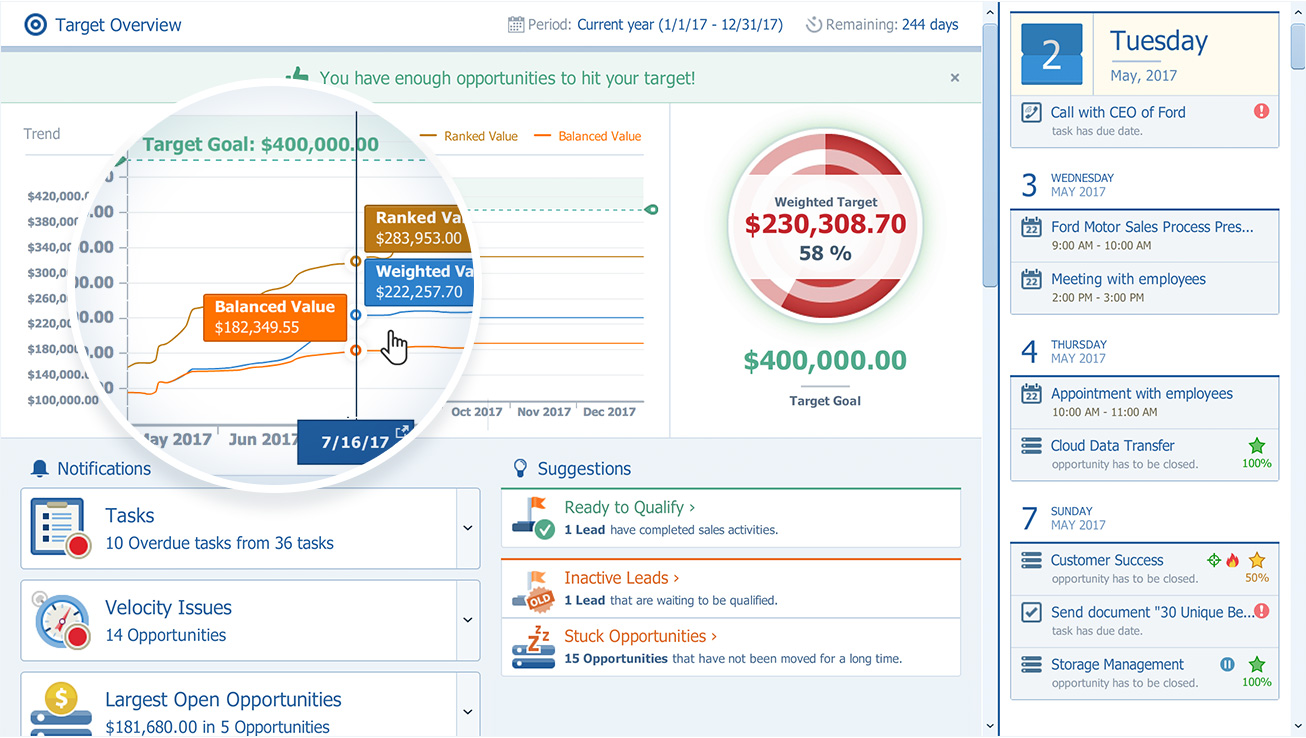
Pipeliner CRM is a sales enablement tool focusing on pipeline management, sales processes, and analytics designed to empower sales professionals. Pipeliner CRM provides a visual sales process, profiles, and charts, all of which aim to help users take the right actions with their buyers and even helps identify key contacts within an organization. Pipeliner CRM Cloud is the latest addition to a product line that already includes Pipeliner CRM Hybrid, an…
$65
Pricing
Method:CRM
Pipeliner CRM
Editions & Modules
Contact Management
$25
per month per user
CRM Pro
$44
per month per user
CRM Enterprise
$74
per month per user
CRM Multi-Entity
Custom Quote
STARTER - Basic sales management, tracking and collaboration
$65.00 per user per month
STARTER - Basic sales management, tracking and collaboration
$65 per user per month
BUSINESS - Full CRM functionality, customization and unique productivity features.
$85 per user per month
BUSINESS - Full CRM functionality, customization and unique productivity features.
$85 per user per month
ENTERPRISE - Full CRM functionality with advanced reporting, customization and services.
$115 per user per month
ENTERPRISE - Full CRM functionality with advanced reporting, customization and services.
$115 per user per month
UNLIMITED - Full CRM functionality with advanced reporting, customization and services.
$150 per user per month
UNLIMITED - Advanced CRM functionality including advanced features
$150 per user per month
Offerings
Pricing Offerings
Method:CRM
Pipeliner CRM
Free Trial
Yes
Yes
Free/Freemium Version
No
Yes
Premium Consulting/Integration Services
Yes
Yes
Entry-level Setup Fee
No setup fee
No setup fee
Additional Details
—
—
More Pricing Information
Community Pulse
Method:CRM
Pipeliner CRM
Features
Method:CRM
Pipeliner CRM
Sales Force Automation
Comparison of Sales Force Automation features of Product A and Product B
Method:CRM
8.2
22 Ratings
5% above category average
Pipeliner CRM
9.0
18 Ratings
15% above category average
Customer data management / contact management
8.622 Ratings
8.118 Ratings
Workflow management
8.620 Ratings
8.918 Ratings
Territory management
1.81 Ratings
8.916 Ratings
Opportunity management
8.620 Ratings
9.018 Ratings
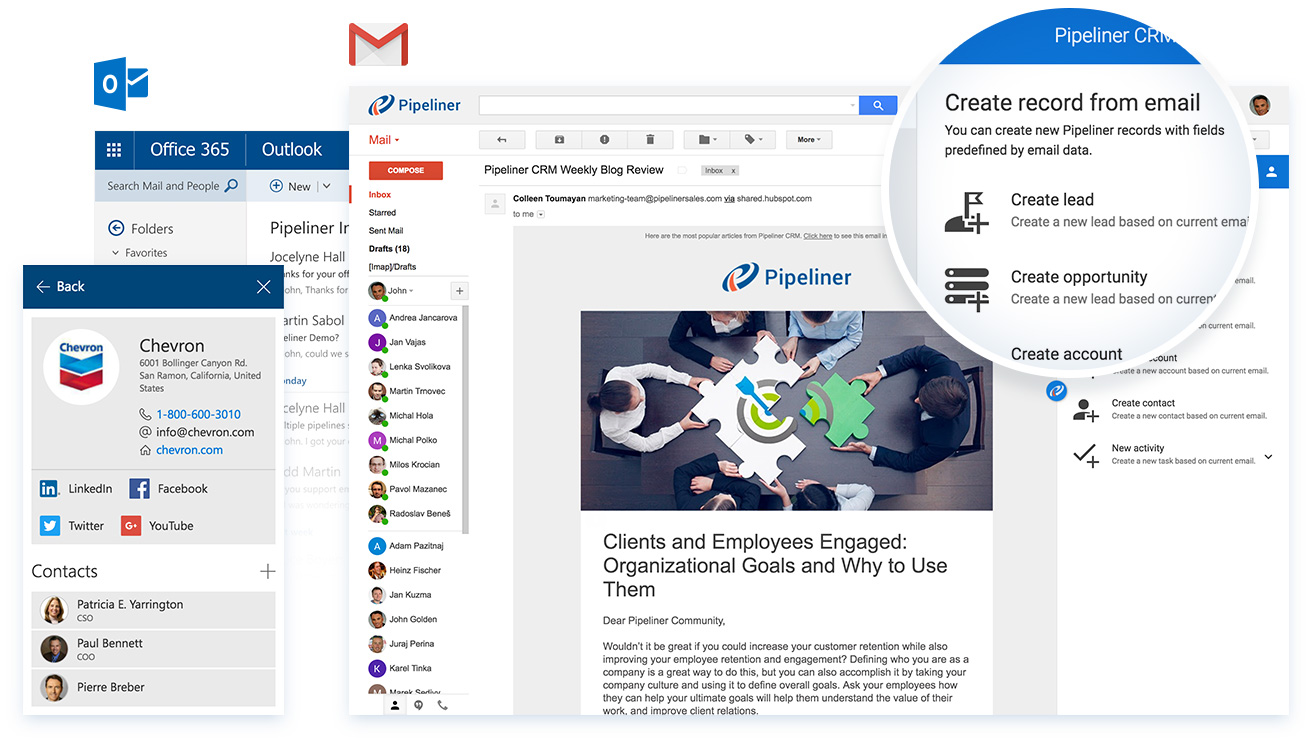
Integration with email client (e.g., Outlook or Gmail)
8.720 Ratings
9.717 Ratings
Contract management
8.711 Ratings
8.816 Ratings
Quote & order management
9.318 Ratings
9.62 Ratings
Interaction tracking
9.019 Ratings
8.917 Ratings
Channel / partner relationship management
10.012 Ratings
9.014 Ratings
Customer Service & Support
Comparison of Customer Service & Support features of Product A and Product B
Method:CRM
10.0
2 Ratings
27% above category average
Pipeliner CRM
9.3
2 Ratings
20% above category average
Case management
10.01 Ratings
9.11 Ratings
Call center management
9.92 Ratings
9.11 Ratings
Help desk management
10.01 Ratings
9.62 Ratings
Marketing Automation
Comparison of Marketing Automation features of Product A and Product B
Method:CRM
8.9
19 Ratings
14% above category average
Pipeliner CRM
8.6
19 Ratings
11% above category average
Lead management
8.817 Ratings
8.919 Ratings
Email marketing
9.014 Ratings
8.22 Ratings
CRM Project Management
Comparison of CRM Project Management features of Product A and Product B
Method:CRM
7.8
20 Ratings
2% above category average
Pipeliner CRM
8.8
19 Ratings
14% above category average
Task management
9.318 Ratings
8.319 Ratings
Billing and invoicing management
10.015 Ratings
9.11 Ratings
Reporting
4.017 Ratings
9.018 Ratings
CRM Reporting & Analytics
Comparison of CRM Reporting & Analytics features of Product A and Product B
Method:CRM
7.7
18 Ratings
1% above category average
Pipeliner CRM
8.3
19 Ratings
9% above category average
Forecasting
8.09 Ratings
9.019 Ratings
Pipeline visualization
9.017 Ratings
8.319 Ratings
Customizable reports
6.017 Ratings
7.519 Ratings
Customization
Comparison of Customization features of Product A and Product B
Method:CRM
7.8
19 Ratings
2% above category average
Pipeliner CRM
8.3
19 Ratings
8% above category average
Custom fields
7.019 Ratings
8.219 Ratings
Custom objects
7.018 Ratings
8.018 Ratings
Scripting environment
9.212 Ratings
9.11 Ratings
API for custom integration
8.014 Ratings
8.117 Ratings
Security
Comparison of Security features of Product A and Product B
Method:CRM
8.5
19 Ratings
2% above category average
Pipeliner CRM
8.2
18 Ratings
2% below category average
Single sign-on capability
8.317 Ratings
8.317 Ratings
Role-based user permissions
8.619 Ratings
8.218 Ratings
Integrations with 3rd-party Software
Comparison of Integrations with 3rd-party Software features of Product A and Product B
Method:CRM
10.0
2 Ratings
29% above category average
Pipeliner CRM
8.5
17 Ratings
13% above category average
Marketing automation
10.02 Ratings
7.917 Ratings
Compensation management
10.02 Ratings
9.11 Ratings
Platform
Comparison of Platform features of Product A and Product B
Method:CRM
8.0
15 Ratings
6% above category average
Pipeliner CRM
8.2
17 Ratings
9% above category average
Mobile access
8.015 Ratings
8.217 Ratings
Social CRM
Comparison of Social CRM features of Product A and Product B
Method[:CRM] is well suited when you have a large company that needs to keep track of customers. It also connects with Quickbooks and that has really been nice for our organization. Our company is small so this really helps us stay on track and build our data base of customers.
Pipeliner CRM is very flexible, easy to work with, data capturing is at [its] best, its integration to other major software’s and it aids in the monitoring of the core work process. One distinctive feature is it is very easy to learn without extensive training. This really helps in the [execution] of the task in our organization.
The product development team at Pipeliner CRM always seems to be a step or two ahead of what I'm experiencing. Therefore they've already addressed improvements I could have suggested. They are really in touch with their users and overall user experience.
The things Method does well - QuickBooks data integration and extreme customization - it does very, very well. If you are looking for a CRM product or any business process automation software that integrates with QuickBooks, you have to look at Method CRM
Currently the company is using the Pipeliner CRM because we believe it is a tool that puts the customer as the main focus of business processes in order to understand and anticipate their needs, and then serve them in the best way.
Method has a great overall "usability". Once we started using the software; it did not take long before we were able to start editing our own web lead forms, email templates, etc. I think there is a learning curve however the learning curve is not bad. Anyone looking for a cloud CRM should start here
I gave that rating level because it reflects both my satisfaction and expectations about PipelinerCRM.Plus, the adoption rate of this software. I mean the usability rate is very low. It just takes, for learning, a couple of hours less than three days roughly. Return on time investment is low also.
The Customer Support of this app is fantastic. If you ever have any questions they are there to answer you or fix whatever issue that you are having. The FAQ pages are also extremely helpful when you want to learn about the more in-depth qualities this program has to offer.
The support from Pipeliner CRM is superb; they have instant customer support and they are on time. They also give enough knowledge of sales and other material for the knowledge. They also have AI in the support by talking with customer support directly from the web or app and so on.
Be available to learn! There is a huge learning curve to this program. You have to be willing to take it all in. Be available to the Method expert and be patient.
We chose Method:CRM for the QuickBooks integration. It was important for us to have integrations that allowed us to view payments, organize our contacts, and manage our sales force. There were some learning curves, however, such as creating activities, leads, customers and making sure our payments were being logged appropriately. I do wish that payments would be added to the calendar automatically so that the sales rep could view and make a phone call letting them know their invoice is due.
The most important reason for selecting pipeliner CRM:-exceptional user engagement through its sales-friendly interface. With its uniform navigation and visual approach, users can learn the system quickly. Users can easily customize what they see to make the system their own. Best user interface & fast to learn.