An integrated solution, designed for small or medium-sized businesses, bringing together the productivity of Microsoft Office with advanced security capabilities to help
safeguard data from external threats and help protect against data leaks.
With Microsoft 365 Business Premium, users can empower employees to be productive
anywhere on any device. Get more done with AI built into the Office apps. Work
better together with a hub for teamwork bringing your tools and people together
in one place.…
N/A
OneDrive
Score 7.4 out of 10
N/A
OneDrive from Microsoft is a cloud storage and file syncing service.
$5
per month
Tresorit
Score 6.3 out of 10
N/A
Tresorit offers end-to-end encrypted file
sync & sharing. The vendor promises an ultra-secure place in the cloud to store,
sync and share files easily from anywhere, anytime. The vendor says Tresorit is powered by
end-to-end encryption and enhanced with a flexible permission system, therefore
it seals your files away from internal data breaches and hackers. All the data
is securely stored according to the GDPR in Europe in Microsoft Azure
datacenters.
Tresorit promises to help secure…
$13.99
per month 1TB of encrypted storage
Pricing
Microsoft 365 Business Premium
OneDrive
Tresorit
Editions & Modules
No answers on this topic
OneDrive for Business Plan 1
$5.00
Per Month (Annual Commitment)
Microsoft 365 Business Basic
$5.00
Per Month (Annual Commitment)
OneDrive for Business Plan 2
$10.00
Per Month (Annual Commitment)
Microsoft 365 Business Standard
$12.50
Per Month (Annual Commitment)
Personal
$13.99
per month 1TB of encrypted storage
Business Standard
$18
per month 1TB of encrypted storage
Business Plus
$24
per month per user (2TB of encrypted storage per user)
Professional
$33.99
per month 4TB of encrypted storage
Enterprise
Custom
Starts from 50 users
Offerings
Pricing Offerings
Microsoft 365 Business Premium
OneDrive
Tresorit
Free Trial
No
Yes
Yes
Free/Freemium Version
No
No
No
Premium Consulting/Integration Services
No
No
Yes
Entry-level Setup Fee
No setup fee
No setup fee
No setup fee
Additional Details
—
OneDrive can be purchased as a standalone tool, or as part of a Microsoft 365's business suite.
Discount for annual pricing.
More Pricing Information
Community Pulse
Microsoft 365 Business Premium
OneDrive
Tresorit
Considered Multiple Products
Microsoft 365 Business Premium
Verified User
Program Manager
Chose Microsoft 365 Business Premium
Not included in the list above is the Google G-Suite of applications and their line of Office-like productivity tools. In our evaluation of both office platforms, we chose MS Office 365 Business due to the extended platform of applications, native support for OneDrive cloud …
The only true alternative I know of would be Google Docs/Drive/etc. I have used Google products in the past and it just seems that Microsoft's are more refined and easier to use. I love the integrations within Windows and Office which make the products that much more powerful …
All of these products require a document storage system or are a document storage system. All of them get you to replicate what you are currently doing and paying for with Office 365 and OneDrive as a packaged feature. It’s just as robust and is native to your operating system …
Microsoft 365 Business Premium is well suited to any size organization and is a must-have for business purposes. It is a vital component for the majority of work software needs, as the Microsoft 365 Business Premium package has apps to handle needs that I didn't know we had. It is a great way to provide the required software programs to teams, especially those that work remotely due to the great sharing capabilities built into it. Furthermore, the nonprofit program provided our small nonprofit with vital components for our remote work, while allowing us to keep our donated funds going directly to our mission.
I'll start with what I would not use OneDrive for! I would not use it as a primary source for code repository, there are other more robust tools out there that can help you with storing and making available code repos. Where I would use OneDrive is in a platform for managing files, and with that I mean any file that can be saved offline and access a OneDrive access point, share, or mount. This could be personal, business, or data from a system that is saved in a standard file format. The OneDrive platform is great for documents collaboration as well, with the ability to allow for share and links to be provided to for easy access and collaboration. I would also recommend if you are someone who likes to use cloud services and rely less and less on offline storage. OneDrive excels in this area!
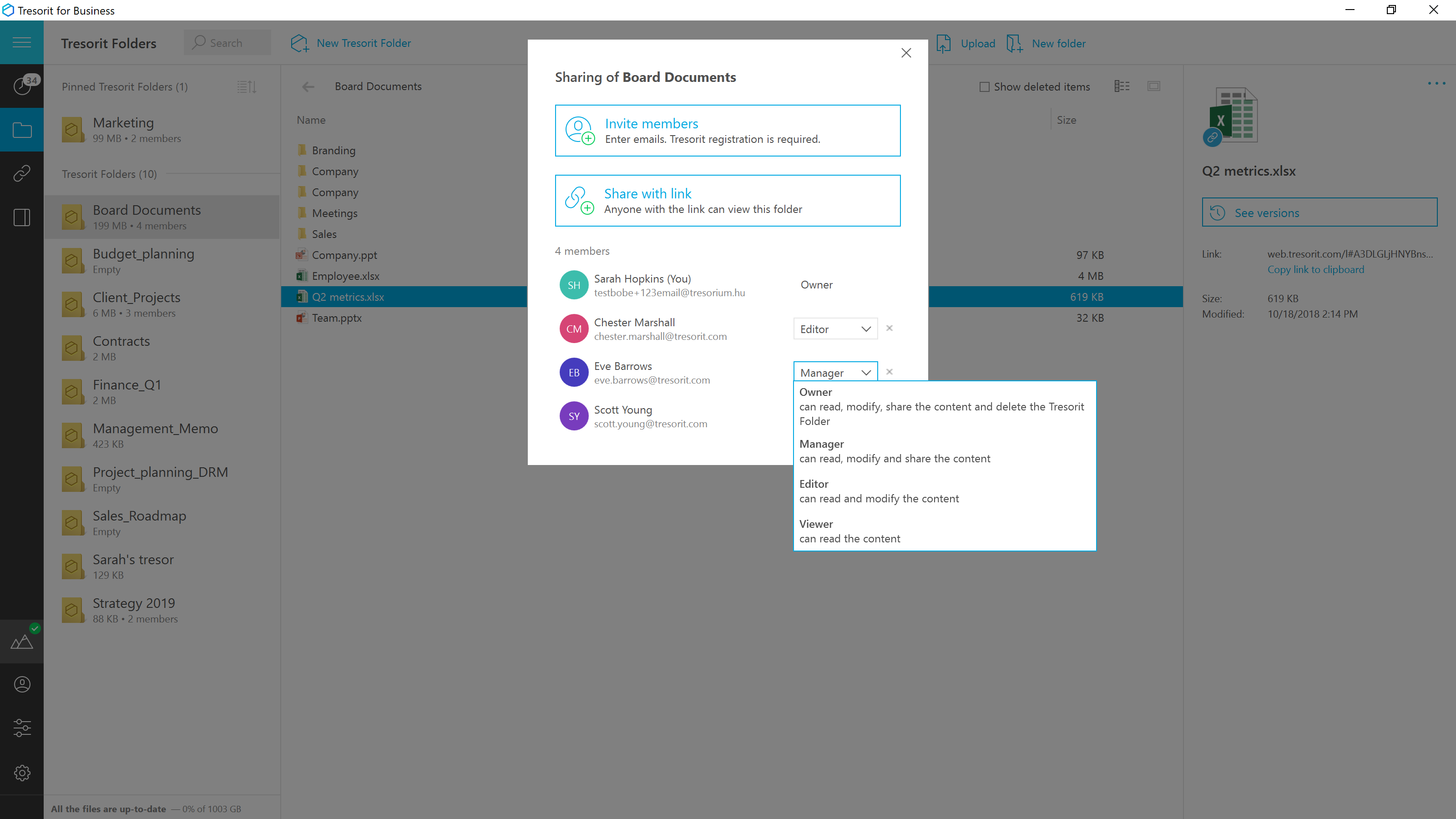
Good scenario: Wanting to have your files stored by an independent group that specializes in secure file storage. The ability to have files stored on servers that are not domestic is a big plus too. We had issues in the past with a solution that went down when the US AWS East Coast servers had an issue; Tresorit is insulated from these problems and appears to handle load balancing as well. Not good scenario: If you want to have outside parties, upload files/share files with you within your Tresorit environment. There is no way of doing this, and this is a real operational problem.
I wish OneDrive would allow you to sync multiple personal/individual accounts to your computer. At this time, you can only sync one account at a time. That means that my personal OneDrive and individual corporate OneDrive can't be synced to my computer at the same time.
OneDrive has a file size limitation of 15 GB. I know that that is a very large amount, but I have several files that are larger than 15 GB that I wish I could get to sync. I'm hoping that file size limitation changes in the future.
I like Box better. If you sign into Microsoft using a personal account, be EXTREMELY careful. All of your downloads could suddenly be available to your entire company, and that is incredibly embarrassing. Did that happen to me? Not going to say, but just always check which MS account you sign into.
The basic apps are straightforward and easy to use, especially since they have been around so long. I'm referring to the basic apps like Outlook, Excel, Word, PowerPoint, OneNote, etc. Other features such as Microsoft Teams and Sharepoint Sites, Sharepoint Lists, Sharepoint Groups, etc. all require a higher level of knowledge to both implement and use properly
Using OneDrive is very intuitive and has been improved over the years. It's just like using native file management on either your Mac or PC. It's drag and drop functionality is easy and it clearly shows when files are uploaded to the cloud or if there are errors
In the last 5 years, Microsoft has come a long way. The performance of the products has become more and more user-friendly and it seems that the feedback provided by the user community is being listened to and worked on. The processes are very fast and seamless. There are negligible errors and doesn't slow the systems down.
It has a good performance, the pages load normally, access to the files, management, reports, everything is working well. With regard to integration with other systems, we have not done so yet.
As mentioned elsewhere in the review, Microsoft has historically paid attention to community feedback and issues, but timeliness can improve, and so can the addressing of long-standing issues about which many users have said "I have this issue too!" but no official solution exists. For issues that do have a solution, however, the solution is usually not difficult to find, and the explanation of features on Microsoft's website can mitigate many problems.
It's a Microsoft product so there is a wealth of information online both from Microsoft directly and from millions of users but as a corporate user we also have access to direct Microsoft support through a variety of avenues (phone, email, etc.). This makes finding answers to issues more accessible, however, it does also mean that any new feature requests will get buried.
Exceptionally responsive. This is something we needed from our storage provider. We are continuously accessing the information, and downtime or technical issues would be and are unacceptable. We have had no downtime issues so far, and Support has been responsive to us whenever needed. Exactly what we needed from their service.
Before migrating to Microsoft 365 Business Premium, we possessed an in-house exchange server. Therefore, it was difficult for us to look at alternatives to Microsoft for a solution – we did look at the Google Suite of products, but the transition for us seemed less cumbersome to stay with Microsoft from a staff and administrative perspective. While the G Suite does offer us many outstanding products and services, we also didn’t feel that Gmail is up-to-par as a corporate solution the way Exchange/Outlook/OWA are – this alone was also a driving force for our end-users, as there was minimal transition for them to move from an on-premise solution to an off-premise solution. The additional features of SharePoint, Teams, Project, and so many other applications within Microsoft 365 also helped us make a strong case to stay with Microsoft and expand what we were using. The end-user and mobile protections of InTune have also put us at ease when issuing laptops and mobile phones to an almost fully-remote end-user base.
Box is another file-sharing application that is very similar to OneDrive. Box falls short of OneDrive in its syncing capabilities. OneDrive is very quick with syncing so you never have to be concerned that you are not using the most up-to-date materials. Box was always a bit delayed and did not always accurately sync across systems. OneDrive benefits from being backed by Microsoft, so you expect the connection across applications that it allows. OneDrive also provides consistency for use and intuitive understanding because of that Microsoft consistency. I'd prefer OneDrive over Box.
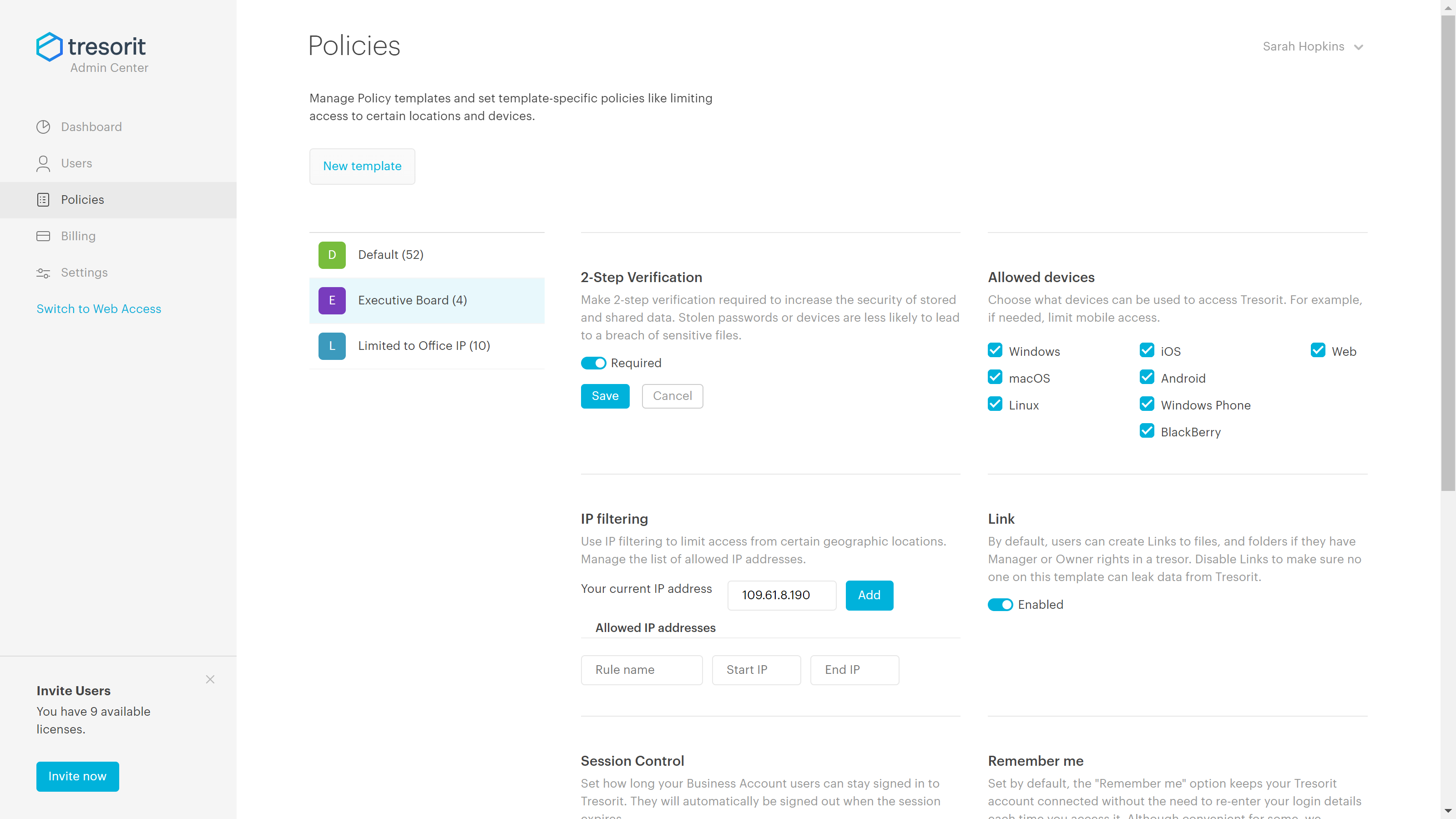
Secure and independently operated. We selected Tresorit for its secure file storage capabilities that the other services (except SpiderOak) did not provide. Tresorit is a zero-knowledge system, which gives us a lot of comforts when it comes to secure data storage. SpiderOak was a close alternative, but they have been in continuous development to provide competitive features, and still haven't provided what we needed (SpiderOak has promised features for several years at this point).
We can now keep work going from anywhere. It doesn't matter if we are on a job site or sitting in the office or working from home for a day or two we don't have to miss a beat.
It has unified how we store information so that everything isn't stored on individual computers
OneDrive allows us to save much time on creating and archiving backup copies of our data. Microsoft gives a guarantee on the possibility of recovery of files or folders even from 30 days ago. It provides a great comfort of work.