Microsoft Access is a database management system from Microsoft that combines the relational Microsoft Jet Database Engine with a graphical user interface and software-development tools.
$139.99
per PC
SAP Crystal
Score7.1 out of 10
N/A
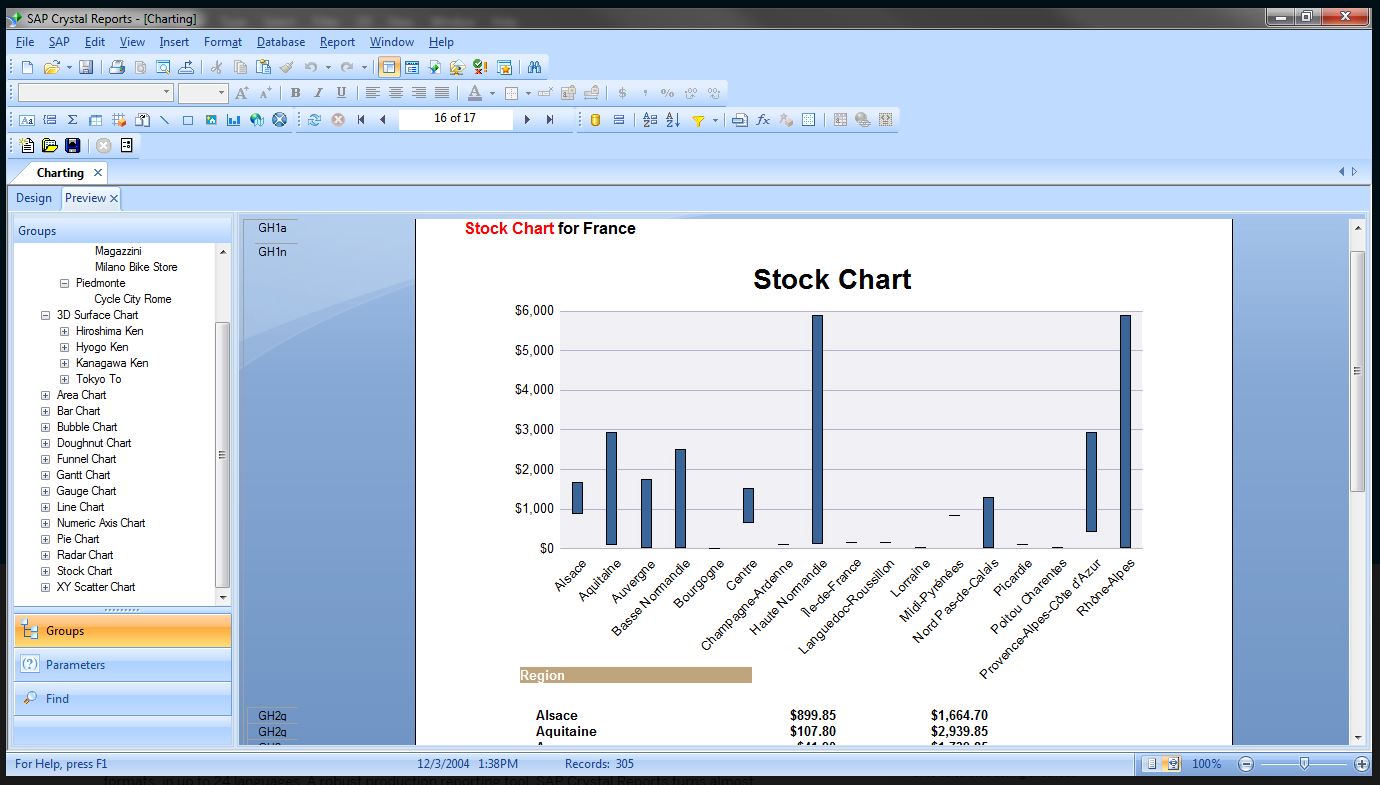
SAP Crystal is an analytics and reporting software solution for SMBs. SAP Crystal comprises Crystal Reports for pixel-perfect reporting, and SAP Crystal Server for automated distribution and self-service access to reports, dashboards and data exploration.
$295
per single user license
Pricing
Microsoft Access
SAP Crystal
Editions & Modules
Microsoft Access
$139.99
per PC
Upgrade Version to SAP Crystal Reports 2020
$295
per single user license
SAP Crystal Reports 2020 64-Bit
$495
per single user license
SAP Crystal Reports 2016 32-Bit
$495
per single user license
SAP Crystal Server 2020 1 NUL
$869
per user license + first year maintenance to be added
SAP Crystal Server 2020 5 CAL
$8,744
5 concurrent users + first year maintenance to be added
Offerings
Pricing Offerings
Microsoft Access
SAP Crystal
Free Trial
No
Yes
Free/Freemium Version
No
Yes
Premium Consulting/Integration Services
No
Yes
Entry-level Setup Fee
No setup fee
Optional
Additional Details
—
* SAP Crystal Reports 2020 Viewer allows you to view static data within a SAP Crystal Reports file.
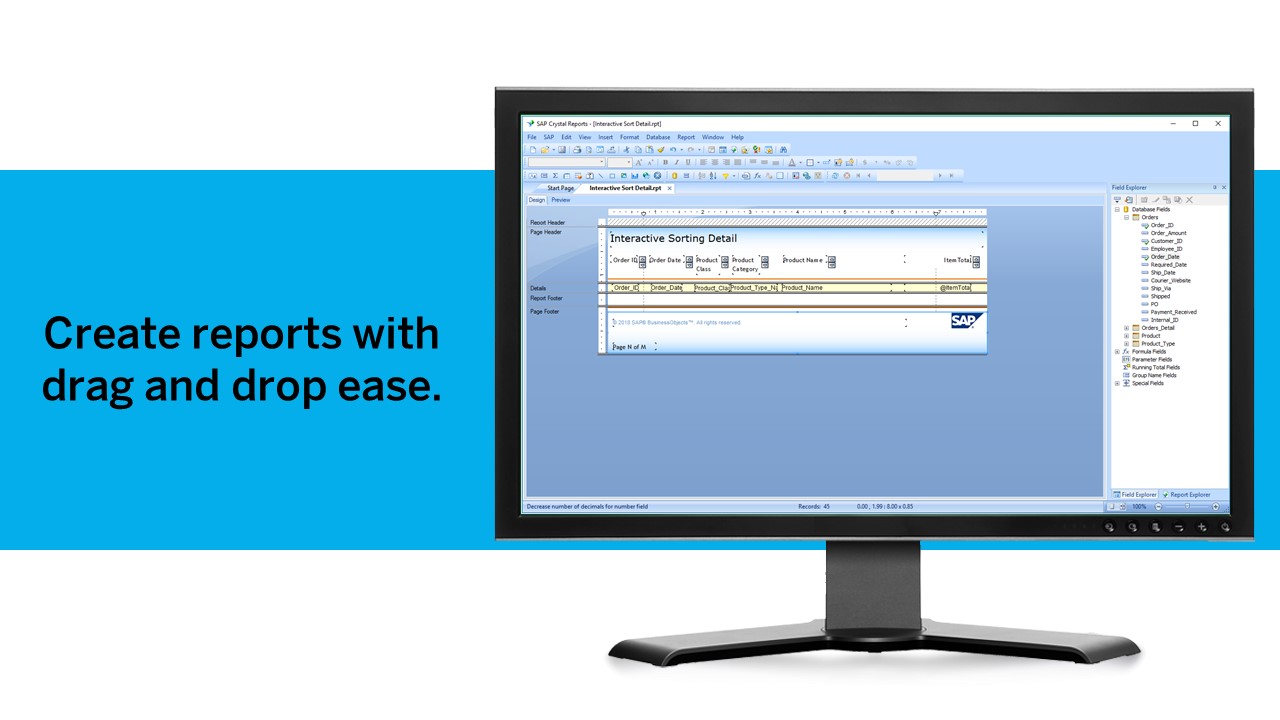
* SAP Crystal Reports 2020 - Full version allows you to create powerful, richly formatted, and dynamic reports from virtually any data source, delivered in dozens of formats, in up to 28 languages. If you already have an older version of Crystal Reports, buy a license for SAP Crystal Reports 2020 - Upgrade at a discounted, upgrade price.
* SAP Crystal Server 2020, 1 NUL includes 1 license of: SAP Crystal Reports 2020 - SAP Crystal Server 2020.
* As an add-on to SAP Crystal Server 2020 1 NUL, SAP Crystal Server 2020 5 CAL allows you to support a wider, intermittent audience of end users, up to five logged on at the same time.
Database Administrator in Information Technology at Self (Publishing, 1-10 employees)
Chose Microsoft Access
Crystal is easier for report writing, but isn't a database solution. Salesforce is lovely, but much more expensive than an old copy of Microsoft Office. For a small budget, [Microsoft] Access was really the only viable option. I only wish it was easier to write complex reports.
A de minimis incentive was given to thank the reviewer for their time. The incentive was not used to bias or drive a particular response, nor was the incentive contingent on a positive endorsement. More Info
Verified User
Chose Microsoft Access
It stacks up well to Crystal Reporting because it does give you a more generic feel of having a real business object solution. We selected Microsoft Access because it is intuitive enough for our end users and it does give them their own personal workspace to achieve their goal …
A de minimis incentive was given to thank the reviewer for their time. The incentive was not used to bias or drive a particular response, nor was the incentive contingent on a positive endorsement. More Info
Verified User
Chose Microsoft Access
Microsoft Access is a good data management tool. and it excels in that area, which is what we needed the most. It was simple to use and easy to learn. Database management can be done with multiple users in Access. And we can have reports for data summaries, or for any specific …
A de minimis incentive was given to thank the reviewer for their time. The incentive was not used to bias or drive a particular response, nor was the incentive contingent on a positive endorsement. More Info
Accreditation and Reporting Administrator in Professional Services at McKinney Police Department (Law Enforcement, 201-500 employees)
Chose SAP Crystal
I have used SQL Server Management Studio and Microsoft Access to produce some similar reports. I am not a big fan of Access but I did have good results from Management Studio. The databases I am querying against now seem to work well with Crystal Reports and I have found it to …
A de minimis incentive was given to thank the reviewer for their time. The incentive was not used to bias or drive a particular response, nor was the incentive contingent on a positive endorsement. More Info
Loan Officer / Member Service Rep in Marketing at North Eastern Services (Banking, 1-10 employees)
Chose SAP Crystal
I didn't work with Microsoft Access for too long before we switched to Crystal Reports, but I felt like Crystal Reports could do more with the design mode. I feel like I can't do a fair evaluation due to my short time with Access.
A de minimis incentive was given to thank the reviewer for their time. The incentive was not used to bias or drive a particular response, nor was the incentive contingent on a positive endorsement. TR verified that a representative sample of customers was invited. More Info
Verified User
Chose SAP Crystal
Crystal Reports is much more powerful than Microsoft Access. It also allowed us to link into existing databases without having to import customer data into Access.
Verified User
Chose SAP Crystal
We actually have all 3 in place and all 3 are used in different situations. Some are bundled with certain products so we continue to use them. Others such as BI from Microsoft are stand alone and allow for easier data visualizations than SAP Crystal does. We chose SAP Crystal …
A de minimis incentive was given to thank the reviewer for their time. The incentive was not used to bias or drive a particular response, nor was the incentive contingent on a positive endorsement. TR verified that a representative sample of customers was invited. More Info
Sr. Consultant and Sr. Corporate Trainer in Information Technology at The PC Guy Consulting, INC (Information Technology and Services, 1-10 employees)
Chose SAP Crystal
PowerBI is starting to replace Crystal Reports. PowerBI is a Microsoft tool. It also brings different types of data in to the same report. PowerBi allows for more data types than Crystal does. Crystal Reports allows you to create formulas easier than PowerBI does. I am very …
A de minimis incentive was given to thank the reviewer for their time. The incentive was not used to bias or drive a particular response, nor was the incentive contingent on a positive endorsement. More Info
Account Manager in Product Management at The TJX Companies, Inc. (Security and Investigations, 201-500 employees)
Chose SAP Crystal
Tableau was a great and user-friendly tool to use for a long time; however, it did not manage various users and their security access very well nor did it provide the level of reporting variation that was necessary at my company. SAP Crystal took some legwork, in the beginning, …
A de minimis incentive was given to thank the reviewer for their time. The incentive was not used to bias or drive a particular response, nor was the incentive contingent on a positive endorsement. TR verified that a representative sample of customers was invited. More Info
Graduate Engineering Trainee in Engineering at Larsen & Toubro (Construction, 10,001+ employees)
Chose SAP Crystal
It offers a balanced set of features and flexibility with a relatively low cost. Database connectivity makes it very useful for statistical analysis of your data. It's all about impressing the clients or higher-up people, such as the boss and it does that definitely. The …
A de minimis incentive was given to thank the reviewer for their time. The incentive was not used to bias or drive a particular response, nor was the incentive contingent on a positive endorsement. TR verified that a representative sample of customers was invited. More Info
Senior Clarity Reporting Analyst in Quality Assurance at Kettering Health Network (Hospital & Health Care, 10,001+ employees)
Chose SAP Crystal
Microsoft SQL Server is the other product I use instead of Crystal. SQL Server is great for pulling a ton of data and being able to export to Excel. Crystal is necessary for summarizing, graphing, and "at a glance" reporting where the end-user may not be familiar with the data …
A de minimis incentive was given to thank the reviewer for their time. The incentive was not used to bias or drive a particular response, nor was the incentive contingent on a positive endorsement. TR verified that a representative sample of customers was invited. More Info
System Administrator in Information Technology at North South Supply Inc (Wholesale, 11-50 employees)
Chose SAP Crystal
SSRS does allow us to design and schedule SQL-based reports, but Crystal Reports offers so much more customization, particularly in formula building and conditional formatting. Plus, Crystal reports can integrate other data formats besides SQL, in the event we need to design a …
A de minimis incentive was given to thank the reviewer for their time. The incentive was not used to bias or drive a particular response, nor was the incentive contingent on a positive endorsement. TR verified that a representative sample of customers was invited. More Info
Float at Space center eye associates (Medical Practice, 11-50 employees)
Chose SAP Crystal
If you have a CR developer on staff, or can afford to hire a CR developer, then Crystal Reports may be an option. However, you might want to think about what you’ll be sacrificing by not using an agile, business user-friendly BI solution. Additionally, if data security and …
A de minimis incentive was given to thank the reviewer for their time. The incentive was not used to bias or drive a particular response, nor was the incentive contingent on a positive endorsement. TR verified that a representative sample of customers was invited. More Info
ERP Administrator in Information Technology at Aligned Solutions Consulting, LLC (Plastics, 201-500 employees)
Chose SAP Crystal
Other than Crystal Reports the only other reporting software I have used is SSRS Report Builder. While it is very possible to do anything in SSRS Report Builder, Crystal Reports just feels like a more mature product, with more obvious features for complex report building. On …
A de minimis incentive was given to thank the reviewer for their time. The incentive was not used to bias or drive a particular response, nor was the incentive contingent on a positive endorsement. TR verified that a representative sample of customers was invited. More Info
Verified User
Chose SAP Crystal
The native SQL Server Reporting capability is extremely limited compared to what Crystal can do. Crystal also has much more robust scheduling features.
A de minimis incentive was given to thank the reviewer for their time. The incentive was not used to bias or drive a particular response, nor was the incentive contingent on a positive endorsement. TR verified that a representative sample of customers was invited. More Info
LMI Data Analyst and ERP Systems Manager in Information Technology at LMI Systems, Inc. (Telecommunications, 201-500 employees)
Chose SAP Crystal
Windward Reporting Engine felt similar to Crystal, but not as clean or refined as Crystal Reports. It has been over a year since I have used them and they have has releases since then, but Crystal is a finished product with the capacity to do whatever a report writer needs. You …
A de minimis incentive was given to thank the reviewer for their time. The incentive was not used to bias or drive a particular response, nor was the incentive contingent on a positive endorsement. More Info
Database Administrator in Information Technology at The Blake School (Primary/Secondary Education, 201-500 employees)
Chose SAP Crystal
We didn't really compare it to a specific alternative, since it is a packaged component of our database system, but I have also used Access and other report-creator-esque products, and Crystal Reports is the most customizable. Access can make pretty reports, but it is much …
A de minimis incentive was given to thank the reviewer for their time. The incentive was not used to bias or drive a particular response, nor was the incentive contingent on a positive endorsement. More Info
A de minimis incentive was given to thank the reviewer for their time. The incentive was not used to bias or drive a particular response, nor was the incentive contingent on a positive endorsement. TR verified that a representative sample of customers was invited. More Info
A de minimis incentive was given to thank the reviewer for their time. The incentive was not used to bias or drive a particular response, nor was the incentive contingent on a positive endorsement. TR verified that a representative sample of customers was invited. More Info
Verified User
Chose SAP Crystal
I have only used SAP Crystal Reports. However, I do implement it with Tigerpaw Software. I feel as though SAP Crystal Reports is a lot more organized than Tigerpaw software. I stated before in my review that Crystal Reports is very clean, and it's laid out in a way that it is …
A de minimis incentive was given to thank the reviewer for their time. The incentive was not used to bias or drive a particular response, nor was the incentive contingent on a positive endorsement. TR verified that a representative sample of customers was invited. More Info
Software Development Manager in Information Technology at Rock IT Limited (Financial Services, 1-10 employees)
Chose SAP Crystal
Crystal Reports has been established longer and has a larger user base with more comprehensive support materials. It supports a wide range of data sources and different scenarios. We have had little need to switch to a different reporting tool since we adopted it.
A de minimis incentive was given to thank the reviewer for their time. The incentive was not used to bias or drive a particular response, nor was the incentive contingent on a positive endorsement. TR verified that a representative sample of customers was invited. More Info
Verified User
Chose SAP Crystal
MS Access is somewhat slow and harder to work with. I really like MS SQL Report Server and have been in a position to work with it quite a bit along with Crystal Reports. However, changes within our company made it impossible to use SQL Report Server and now I solely use …
A de minimis incentive was given to thank the reviewer for their time. The incentive was not used to bias or drive a particular response, nor was the incentive contingent on a positive endorsement. TR verified that a representative sample of customers was invited. More Info
Full Stack Engineer in Engineering at MathCraft, Inc. (Computer Software, 1-10 employees)
Chose SAP Crystal
SAP Crystal Reports design interface or design studio is much better than Jaspersoft Reports design studio. The ODBC connection and drag drop feature of column names to include on the report makes the user interface much friendly. I can view my final SQL including joins and …
A de minimis incentive was given to thank the reviewer for their time. The incentive was not used to bias or drive a particular response, nor was the incentive contingent on a positive endorsement. More Info
As a Material Purchasing/Planning/inventory tracking application, Microsoft Access serves its purpose well. It's presentation is clean, data entry is simple and the ability to customize search fields is welcome. It does, however, come with some caveats; namely, when setting search filters and the need arises to back up a step or two, with Microsoft Access you have to reset, or "clear all", adding extra steps/time to a query.
A de minimis incentive was given to thank the reviewer for their time. The incentive was not used to bias or drive a particular response, nor was the incentive contingent on a positive endorsement. More Info
Generation of templated reports is the strong suit of SAP Crystal. Allows users to change formats in templates bases on requirement with minimal effort. Automated report delivery requires the user to be aware of sql which cannot be expected from all users. Should support more document export formats and improve the UI for SAP B1 Users
A de minimis incentive was given to thank the reviewer for their time. The incentive was not used to bias or drive a particular response, nor was the incentive contingent on a positive endorsement. More Info
A de minimis incentive was given to thank the reviewer for their time. The incentive was not used to bias or drive a particular response, nor was the incentive contingent on a positive endorsement. More Info
Crystal Reports allows us to create a consistent template for all of our reports.
Crystal Reports and Server allows us to house a repository for all of our reports to make them easy to find and update when necessary.
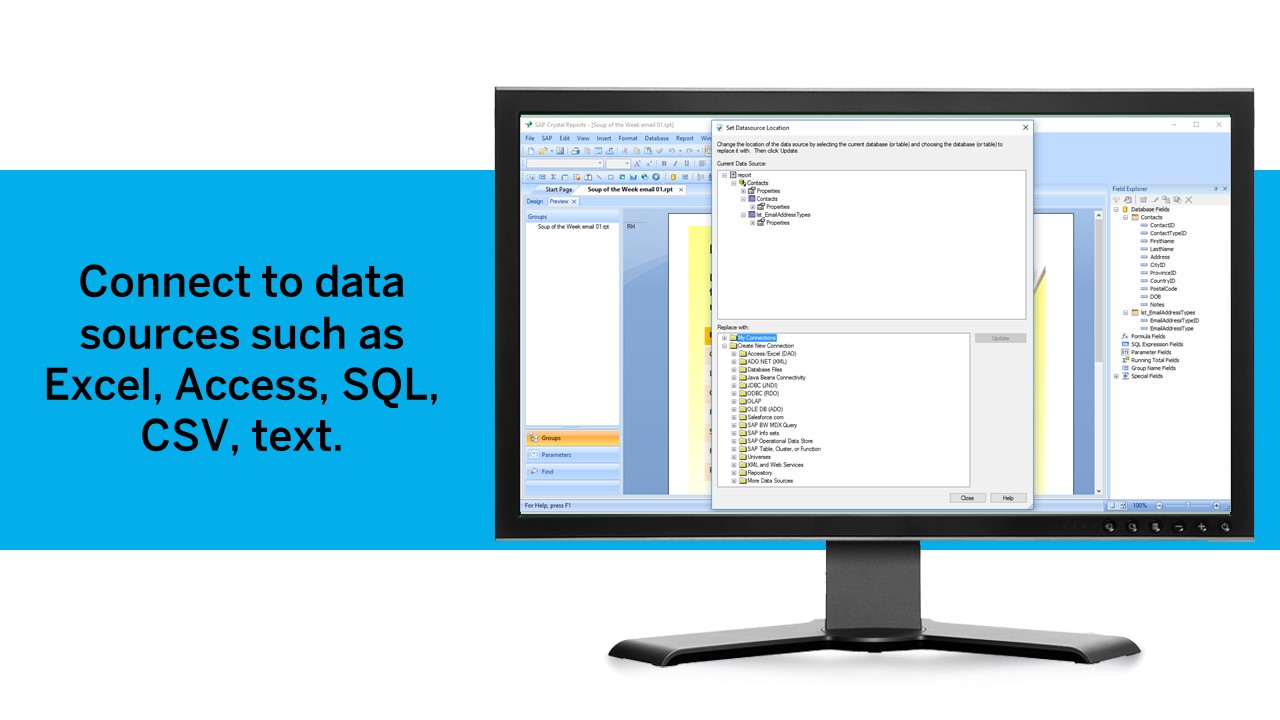
Crystal Reports can connect to a wide variety of data sources.
Crystal Reports can be a little daunting when first implementing. There are a lot of nuances in learning how to truly master this software and it can be frustrating at times.
A de minimis incentive was given to thank the reviewer for their time. The incentive was not used to bias or drive a particular response, nor was the incentive contingent on a positive endorsement. TR verified that a representative sample of customers was invited. More Info
Microsoft Access has not really changed at all for several years. It might be nice to see some upgrades and changes.
The help info is often not helpful. Need more tutorials for Microsoft Access to show how to do specific things.
Be careful naming objects such as tables, forms, etc. Names that are too long can get cut off in dialog boxes to choose a table, form, report, etc. So, I wish they would have resizable dialog boxes to allow you to see objects with long names.
I wish it could show me objects that are not in use in the database for current queries, tables, reports, forms, and macros. That way unused objects can be deleted without worrying about losing a report or query because you deleted the underlying object.
A de minimis incentive was given to thank the reviewer for their time. The incentive was not used to bias or drive a particular response, nor was the incentive contingent on a positive endorsement. More Info
A de minimis incentive was given to thank the reviewer for their time. The incentive was not used to bias or drive a particular response, nor was the incentive contingent on a positive endorsement. TR verified that a representative sample of customers was invited. More Info
I and the rest of my team will renew our Microsoft Access in the future because we use and maintain many different applications and databases created using Microsoft Access so we will need to maintain them in the future. Additionally, it is a standard at our place of work so it is at $0 cost to us to use. Another reason for renewing Microsoft Access is that we just don' t have the resources needed to extend into a network of users so we need to remain a single-desktop application at this time.
We have been using this product for so many years and it has truly become a cornerstone to our business processes when it comes to developing and distributing information via reports. We currently have over 500 reports developed to date over about 30 systems and that will continue to grow as user needs change.
Microsoft Access is easy to use. It is compatible with spreadsheets. It is a very good data management tool. There is scope to save a large amount of data in one place. For using this database, one does not need much training, can be shared among multiple users. This database has to sort and filtering features which seem to be very useful.
A de minimis incentive was given to thank the reviewer for their time. The incentive was not used to bias or drive a particular response, nor was the incentive contingent on a positive endorsement. More Info
Crystal is very robust, but not always easy to use. It create wonderful looking reports, and so deserves a high rating. However, I have to take a couple of points off for the simple fact that I cannot hand it to a user and expect them to be able to do development with it.
A de minimis incentive was given to thank the reviewer for their time. The incentive was not used to bias or drive a particular response, nor was the incentive contingent on a positive endorsement. TR verified that a representative sample of customers was invited. More Info
A de minimis incentive was given to thank the reviewer for their time. The incentive was not used to bias or drive a particular response, nor was the incentive contingent on a positive endorsement. More Info
While I have never contacted Microsoft directly for product support, for some reason there's a real prejudice against MS Access among most IT support professionals. They are usually discouraging when it comes to using MS Access. Most of this is due to their lack of understanding of MS Access and how it can improve one's productivity. If Microsoft invested more resources towards enhancing and promoting the use of MS Access then maybe things would be different.
A de minimis incentive was given to thank the reviewer for their time. The incentive was not used to bias or drive a particular response, nor was the incentive contingent on a positive endorsement. TR verified that a representative sample of customers was invited. More Info
The support community can be difficult to navigate. I've also run into issues with my login. The SAP system has a bizarre mechanism for validating users that requires users to have what is called an S-ID. A basic ID may not give you access to all the features in the portal. The limitation may include not being able to perform a simple task like downloading patches and updates. This isn't a big deal for single user license but for teams it can be a pain.
A de minimis incentive was given to thank the reviewer for their time. The incentive was not used to bias or drive a particular response, nor was the incentive contingent on a positive endorsement. TR verified that a representative sample of customers was invited. More Info
A de minimis incentive was given to thank the reviewer for their time. The incentive was not used to bias or drive a particular response, nor was the incentive contingent on a positive endorsement. TR verified that a representative sample of customers was invited. More Info
Just like any other implementation: When designing the differing reports, get end users' input, make sure to design the reports so that they display the information that the company requires, in the best and clearest way possible.
Test, test, test, revise when needed, and, particularly, do sufficient training so users are comfortable using Crystal Reports!
A de minimis incentive was given to thank the reviewer for their time. The incentive was not used to bias or drive a particular response, nor was the incentive contingent on a positive endorsement. TR verified that a representative sample of customers was invited. More Info
Excel is a fantastic - robust application that can do so much so easily. Its easy to train and understand. However - excel does not provide a reporting function and that is typically where we will suggest a move to [Microsoft] Access. [Microsoft] Access requires a little more knowledge of data manipulation.
A de minimis incentive was given to thank the reviewer for their time. The incentive was not used to bias or drive a particular response, nor was the incentive contingent on a positive endorsement. More Info
Crystal reports is useful in case we want to import data from data base . We can write queries in it but Google Charts require to be implemented in our application using code so crystal reports is better than Google Charts.
A de minimis incentive was given to thank the reviewer for their time. The incentive was not used to bias or drive a particular response, nor was the incentive contingent on a positive endorsement. TR verified that a representative sample of customers was invited. More Info
A de minimis incentive was given to thank the reviewer for their time. The incentive was not used to bias or drive a particular response, nor was the incentive contingent on a positive endorsement. More Info
It is a decent buy for specific departments in terms of reporting capabilities but updates and cost (frequent) demands are higher with the benefits offered.
So long as the requirements are not ever changing, with scheduling functionality, it's a handsome tool.
A de minimis incentive was given to thank the reviewer for their time. The incentive was not used to bias or drive a particular response, nor was the incentive contingent on a positive endorsement. TR verified that a representative sample of customers was invited. More Info