Microsoft Exchange is a secure email / messaging gateway with file archiving and encryption / data loss capability, available as a hosted service (Exchange Online) or installed (Exchange Server).
N/A
RealVNC Connect
Score8.9 out of 10
N/A
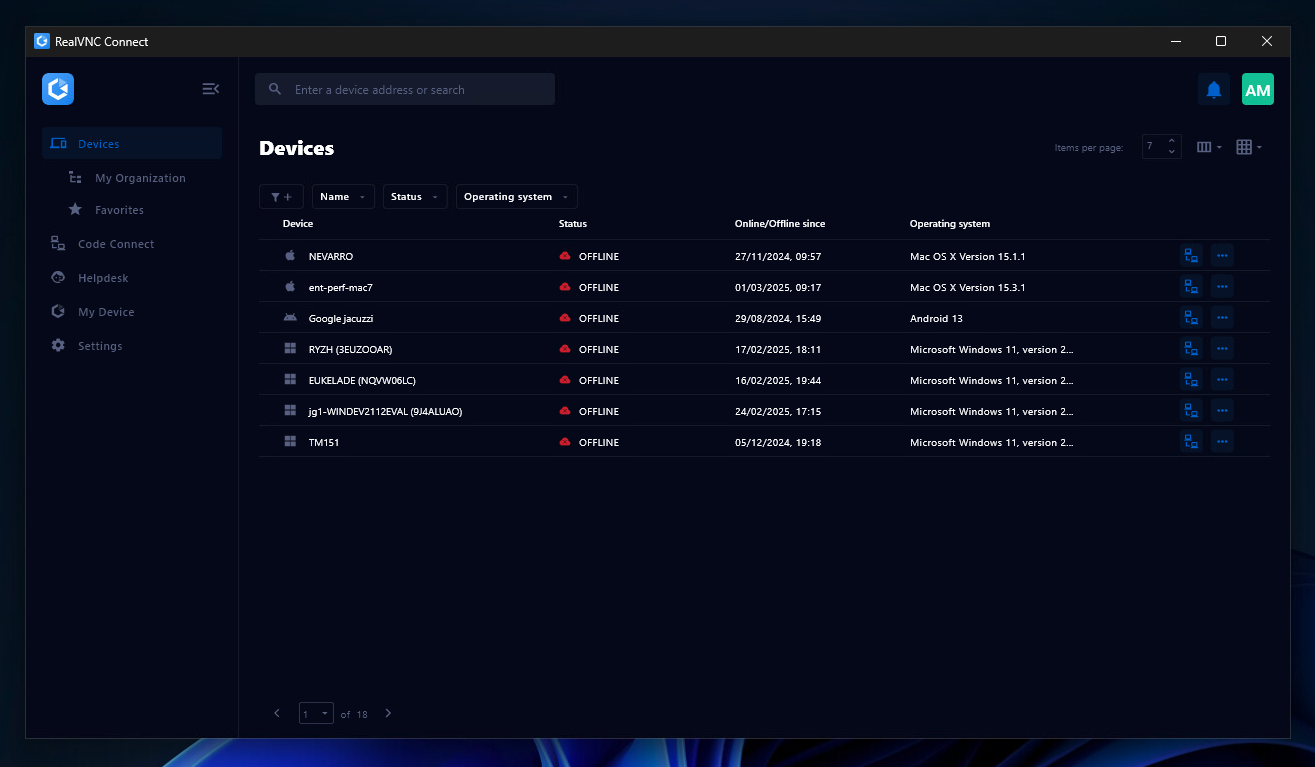
RealVNC® Connect is a secure remote access solution from RealVNC. It can be used to connect to a remote device anywhere in the world to view its desktop in real-time and take control as though sitting in front of it.
$99
per year (one concurrent session)
Pricing
Microsoft Exchange
RealVNC Connect
Editions & Modules
No answers on this topic
Essentials
$8.25
per month (billed annually) per concurrent session
Plus
$16.50
per month (billed annually) per concurrent session (add up to 3)
Premium
$29.75
per month (billed annually) per concurrent session (add up to 5)
Enterprise
Custom Pricing
per year
Enterprise
Custom Pricing
Offerings
Pricing Offerings
Microsoft Exchange
RealVNC Connect
Free Trial
No
Yes
Free/Freemium Version
No
Yes
Premium Consulting/Integration Services
No
No
Entry-level Setup Fee
No setup fee
No setup fee
Additional Details
—
Plans work on a Per Concurrent Session basis. Each plan gives access to a bundled number of devices, but limits apply to the amount of devices that can be connected at any given time.
The Premium plan includes On-Demand Assist, a useful tool for providing just-in-time remote support to end-users without them needing RealVNC Connect installed on their device.
Creating and receiving emails is simple. Managing contacts is a nice feature, especially connecting to Active Directory. Calendar management is also helpful and sharing access to others' calendars for scheduling meetings is useful. And reserving resources such as rooms or equipment is also useful. Personal and shared mailboxes are good features, as well. Tasks are a little lacking, but other than that, the features are thorough.
A de minimis incentive was given to thank the reviewer for their time. The incentive was not used to bias or drive a particular response, nor was the incentive contingent on a positive endorsement. More Info
It is very easy to use if the remote device is already set up to receive connections, so if you are setting up devices before deploying them, it is a great tool to have. It is well-suited to use when shadowing users or using it as a teaching tool. There are other products that are better if you are trying to help someone on a one-use basis.
A de minimis incentive was given to thank the reviewer for their time. The incentive was not used to bias or drive a particular response, nor was the incentive contingent on a positive endorsement. More Info
As we have a large user base of 11,000 users we use MailTips to avoid people getting confused with people with similar names in the organization.
The integration between Teams Meeting and Resource booking is generally very good. The Scheduling Assistance makes it easy to scan calendars and find free periods to provisionally scheduled events.
Marking yourself as Out of the Office and busy is easy, as is sharing your calendar within the team/organization or individuals.
Voicemail integration and the ability to receive missed chats in your inbox are highly used and useful.
A de minimis incentive was given to thank the reviewer for their time. The incentive was not used to bias or drive a particular response, nor was the incentive contingent on a positive endorsement. More Info
VNC Connect does an excellent job in remotely connecting to a computer through either your local area network or even another computer on the internet. As long as the VNC Connect services is installed and the client is running in the background.
VNC Connect provides password protection to prevent unauthorized users from attempting to remotely access your computer. There's an option to have a separate password to remotely view vs view & access a computer. You can even add an additional level of security by turning on the feature to require Windows login credentials.
VNC Connect provides an additional set of controls after a remote connection has been established with another computer. You can have special keystrokes like Ctrl+Alt+Del sent as a command sequence to the other computer as well as access more than a single screen when in use at the remote computer location.
A de minimis incentive was given to thank the reviewer for their time. The incentive was not used to bias or drive a particular response, nor was the incentive contingent on a positive endorsement. More Info
The two main factors for the better reliability & Uptime of internally hosted Exchange Server depends on Exchange Server configuration and the level of investment the organization is willing to provide for hosting the Exchange Server On-Premise Environment. As the data is stored in the organization’s hardware, any disaster may lead to the loss of email and servers.
Losing data might affect business continuity and rebuilding it can be costly.
Security remains a major concern.
Security of data loss is main concern. To ensure that, organization needs to configure networks, systems and Exchange platform against possible threats.
A de minimis incentive was given to thank the reviewer for their time. The incentive was not used to bias or drive a particular response, nor was the incentive contingent on a positive endorsement. More Info
A de minimis incentive was given to thank the reviewer for their time. The incentive was not used to bias or drive a particular response, nor was the incentive contingent on a positive endorsement. More Info
Email and calendars in a business setting are requirements. And Microsoft continues to be the standard of business applications. Microsoft 365 makes Microsoft Exchange easy to use. Everything is in the cloud. Let Microsoft take care of the hardware, the software, and the security. You just enable your business users with the functionality they need.
A de minimis incentive was given to thank the reviewer for their time. The incentive was not used to bias or drive a particular response, nor was the incentive contingent on a positive endorsement. More Info
VNC is a solid product for the price. It simply works and its reliable across different platforms. Some products state they work well in the Mac environment but don't deliver. This one does what it says. Connections are reliable, but of course, this depends on internet connections. The product works well over wireless connections as well. It delivers on what a remote tool should deliver on. My technicians are happy with the product and customers appreciate the ease of use when letting us connect to their systems. Some also appreciate the remote support while they are multi-task.
A de minimis incentive was given to thank the reviewer for their time. The incentive was not used to bias or drive a particular response, nor was the incentive contingent on a positive endorsement. More Info
Microsoft Exchange has come a long way over the years and has nowhere near the technical overhead required for support as it did back in 2003/2007 and prior. The integrations with Teams, Defender, Sharepoint, Copilot and many other products make it a solid and well-rounded tool used for many day-to-day tasks.
A de minimis incentive was given to thank the reviewer for their time. The incentive was not used to bias or drive a particular response, nor was the incentive contingent on a positive endorsement. TR verified that a representative sample of customers was invited. More Info
It's a niche product and in that niche they try to cater to as many use cases as they can. Other as a TCO aspect i don't see many use cases where you can't use this product as the one tool for all remote session use cases in your company
A de minimis incentive was given to thank the reviewer for their time. The incentive was not used to bias or drive a particular response, nor was the incentive contingent on a positive endorsement. More Info
A de minimis incentive was given to thank the reviewer for their time. The incentive was not used to bias or drive a particular response, nor was the incentive contingent on a positive endorsement. More Info
A de minimis incentive was given to thank the reviewer for their time. The incentive was not used to bias or drive a particular response, nor was the incentive contingent on a positive endorsement. More Info
We have a good enterprise agreement with Microsoft which affords us quick phone support. I have found the support staff knowledgeable and prompt with a solution when required. At times it may be difficult to schedule a call back, this is mainly due to our need for calls early in the morning which happens to be during a shift change at Microsoft support.
A de minimis incentive was given to thank the reviewer for their time. The incentive was not used to bias or drive a particular response, nor was the incentive contingent on a positive endorsement. More Info
VNC Connect is a reliable product that has been around for a long time. It is reasonably priced and works well in the Mac & PC environment. When you have a small team that supports many users we need tools that we can rely upon and that will get the job done on the first try. Many customers appreciate the quick assistance and can multi-task while our team works on their computer issues remotely. From a customer service point of view, this tool gives us transparency and efficient effectiveness.
A de minimis incentive was given to thank the reviewer for their time. The incentive was not used to bias or drive a particular response, nor was the incentive contingent on a positive endorsement. More Info
The training is very informative, quick and to the point. All of the details one would need are present so the user doesn't have to go searching for additional information just to use the application. The layout of the training was also neat and concise, some of the other training sessions for other companies I've done in the past were confusing and not well thought out, this one is much more superior
Implementation/conversion can be quite complex and, unless you have certified Exchange administrators in-house, you should strongly consider a 3rd party consultant for this implementation.
A de minimis incentive was given to thank the reviewer for their time. The incentive was not used to bias or drive a particular response, nor was the incentive contingent on a positive endorsement. More Info
A de minimis incentive was given to thank the reviewer for their time. The incentive was not used to bias or drive a particular response, nor was the incentive contingent on a positive endorsement. More Info
Microsoft Exchange Product The best cloud-based enterprise-grade archiving platform with a host of features that enable files to be securely archived and retrieved with advanced search options. This tool is very easy to use and has a User-friendly interface. It is a highly reliable platform that allows all employees to automatically store their data without any limitations. It offers a cost-effective solution with customized policy management. We are happy that the customer support team is always fast and concerned, and the product's uninterrupted service experience. It is very good that it stores data in real-time without losing it, even in the event of a disaster. The cost-effective solution and integration with other tools are seamless.
A de minimis incentive was given to thank the reviewer for their time. The incentive was not used to bias or drive a particular response, nor was the incentive contingent on a positive endorsement. More Info
VNC is light and sleek with the quick setup, was impressed with the quick setup despite poor Internet connection outdoor. TeamViewer is good, but the pricing is not as good as VNC. Both do the basic job, but VNC still outperform TeamViewer in terms of performance and ease of use.
A de minimis incentive was given to thank the reviewer for their time. The incentive was not used to bias or drive a particular response, nor was the incentive contingent on a positive endorsement. More Info
A de minimis incentive was given to thank the reviewer for their time. The incentive was not used to bias or drive a particular response, nor was the incentive contingent on a positive endorsement. More Info
It has been an important factor in allowing seamless communication with clients and scheduling business meetings, which in turn works in the company's favor.
Haven't noticed any negative impact Exchange has had on our ROI. The support team is also responsive and helpful.
A de minimis incentive was given to thank the reviewer for their time. The incentive was not used to bias or drive a particular response, nor was the incentive contingent on a positive endorsement. More Info
I have just used the software for about 1 month and so far so god. I am saving time whenever I can access my client's computers from my desk as opposed to having to leave my office to go to their offices. Saves me time and the client money.
A de minimis incentive was given to thank the reviewer for their time. The incentive was not used to bias or drive a particular response, nor was the incentive contingent on a positive endorsement. More Info