monday CRM provides control over the entire sales funnel and helps users close deals faster by automating manual work and streamlining sales activities from A-Z.
$45
per month 3 seats (minimum)
Salesforce Starter
Score9 out of 10
Small Businesses (1-50 employees)
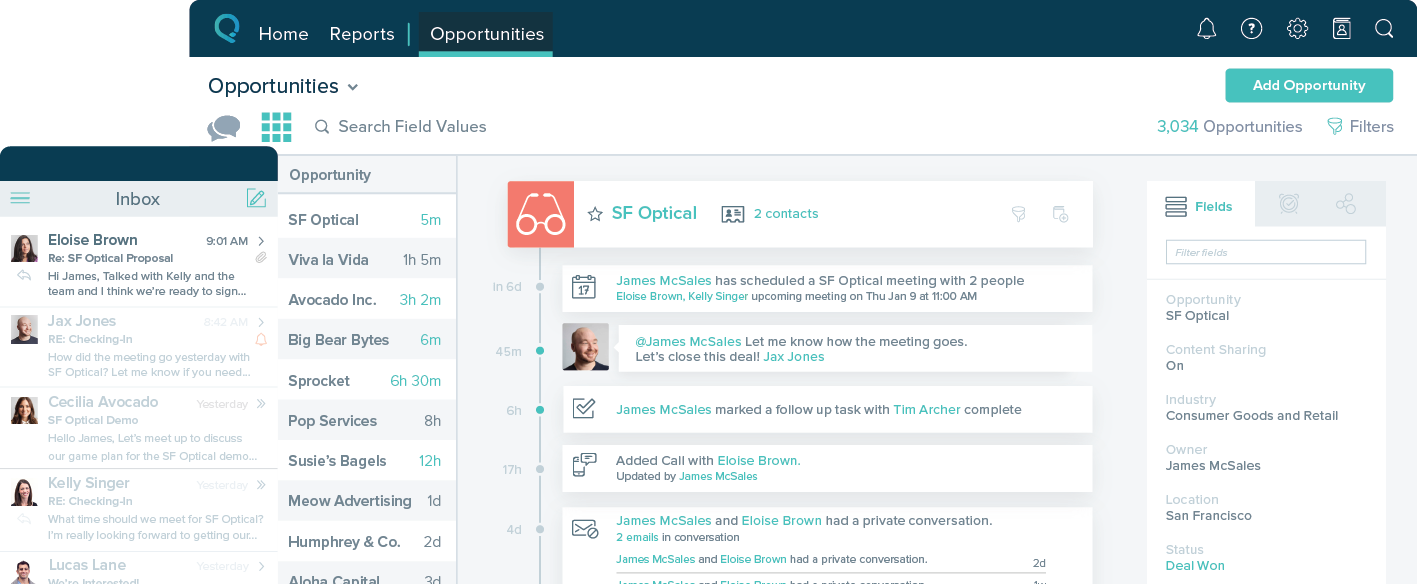
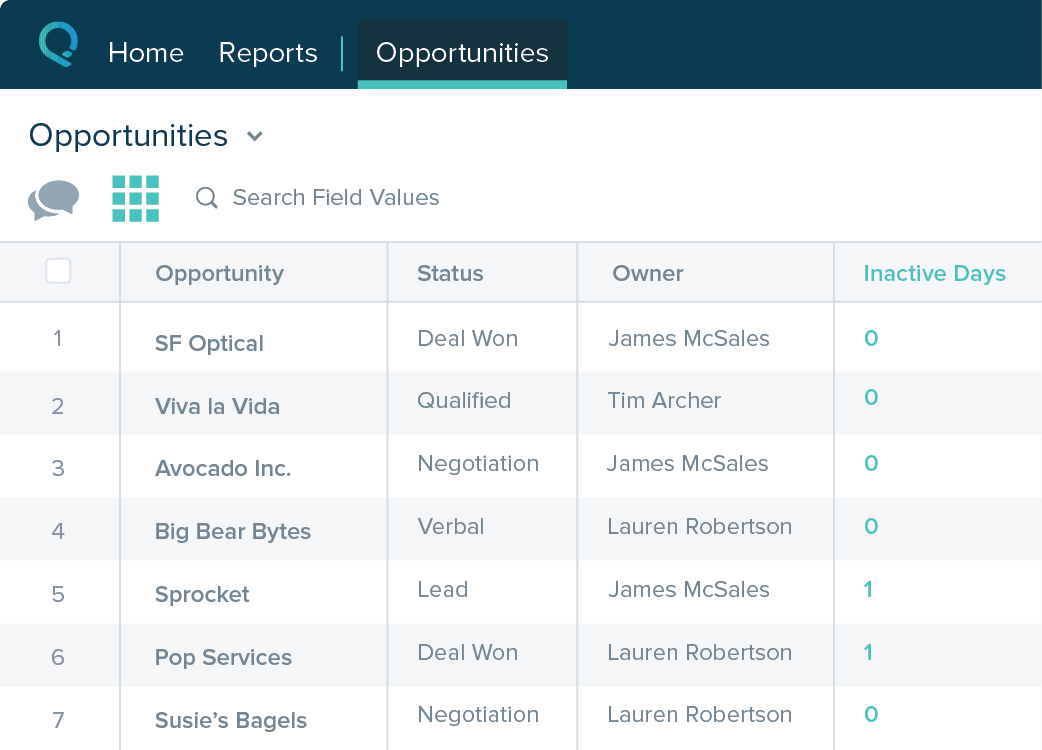
Salesforce Starter (formerly Salesforce Essentials) is a small business CRM that replaces the former SalesforceIQ product. It is priced at $35 per user, on a monthly basis, or at $25 per month for if billed annually ($300) and can be tried free for 14 days on a trial.
Founder & CGO in Sales at ALMA Negócios (Management Consulting, 1-10 employees)
Chose monday CRM
I would say that it is simply a more interactive tool, that gives you all the features you need to get started, and then lets your evolve your tool with other methods and features as times goes by and your team gets a more mature understanding of the process and ways to improve …
A de minimis incentive was given to thank the reviewer for their time. The incentive was not used to bias or drive a particular response, nor was the incentive contingent on a positive endorsement. More Info
A de minimis incentive was given to thank the reviewer for their time. The incentive was not used to bias or drive a particular response, nor was the incentive contingent on a positive endorsement. More Info
Our Integrated/brand marketing and Lifecycle marketing teams find monday CRM to be particularly useful for project management. Integrated marketing uses monday to build out our yearly promotional calendar, which keeps the entire company informed on all the launch and sale details for the year, across both retail and digital channels. The Lifecycle marketing team uses monday CRM to track individual campaign projects, mainly consisting of email asset creation. There are times when monday is not the preferred CRM platform, such as data and analytics tracking, project performance tracking, or scenarios when immediate feedback is required.
A de minimis incentive was given to thank the reviewer for their time. The incentive was not used to bias or drive a particular response, nor was the incentive contingent on a positive endorsement. TR verified that a representative sample of customers was invited. More Info
If you own a business that has complex selling processes or requires integrations with 3rd party tools/systems, you should look at Professional, Enterprise, or Unlimited editions. Salesforce operates very well across pretty much every industry, but not all sales, marketing, and operational processes are created equal. If your marketing process requires a long list of sendable contacts then I would recommend adding on Pardot or Hubspot. Always start small and scale up, to avoid boxing yourself in down the road.
A de minimis incentive was given to thank the reviewer for their time. The incentive was not used to bias or drive a particular response, nor was the incentive contingent on a positive endorsement. More Info
A de minimis incentive was given to thank the reviewer for their time. The incentive was not used to bias or drive a particular response, nor was the incentive contingent on a positive endorsement. More Info
A de minimis incentive was given to thank the reviewer for their time. The incentive was not used to bias or drive a particular response, nor was the incentive contingent on a positive endorsement. More Info
It takes a while to get used to the UX if you are used to Hubspot or another CRM
We are still testing mass email functionality, it's a little less intuitive vs Hubspot
The quote/invoice forms are not pre-built into the CRM the way they are in Hubspot, so you have to manually set those up. Some might see that as a positive thing because it's more flexible with your respective tech stack, but it required more research on our end to make sure we set it up to flow efficiently.
A de minimis incentive was given to thank the reviewer for their time. The incentive was not used to bias or drive a particular response, nor was the incentive contingent on a positive endorsement. More Info
Table views can be sorted by column. Filters can be applied, but only to one column. Multi-column filtering like Excel allows would be extremely useful and a big improvement.
The ability to quick copy data in a table view would also be helpful, like (ctrl ') in excel.
A de minimis incentive was given to thank the reviewer for their time. The incentive was not used to bias or drive a particular response, nor was the incentive contingent on a positive endorsement. More Info
A de minimis incentive was given to thank the reviewer for their time. The incentive was not used to bias or drive a particular response, nor was the incentive contingent on a positive endorsement. More Info
It's a really easy to use and improve tool, that helps you to quickly master its functions and then helps you to improve the features usage as quickly as you learned the basis. Any doubts you have are easily solved by the contents and tutorials it provides, and if it doesn't solve it, the team is always quick to reply and help you.
A de minimis incentive was given to thank the reviewer for their time. The incentive was not used to bias or drive a particular response, nor was the incentive contingent on a positive endorsement. More Info
The system is very user-friendly on a desktop but lacks mobile friendliness. The Customer relationship manager disappears after the deal is signed. We struggled to get the system in a usable format, which was not cost-effective. The CRM system on desktop was great but way more complicated than it should be.
A de minimis incentive was given to thank the reviewer for their time. The incentive was not used to bias or drive a particular response, nor was the incentive contingent on a positive endorsement. More Info
When I have requested customer service from monday.com account the person who I spoke with was really helpful but the set up to get a hold of someone in customer service was a little complicated and time-consuming. I had to get a ticket in an email and then wait for a specific person to call me back at a certain time, that's why I gave a six.
A de minimis incentive was given to thank the reviewer for their time. The incentive was not used to bias or drive a particular response, nor was the incentive contingent on a positive endorsement. More Info
Monday is significantly better. Not only is it more aesthetically pleasing it is just better overall. I feel as if Monday has a better system in regard to keeping track of all the files we have. Moreover, I also feel like the fact that it allows me to tag my other coworkers enables me to have better communication in the office.
A de minimis incentive was given to thank the reviewer for their time. The incentive was not used to bias or drive a particular response, nor was the incentive contingent on a positive endorsement. More Info
A de minimis incentive was given to thank the reviewer for their time. The incentive was not used to bias or drive a particular response, nor was the incentive contingent on a positive endorsement. More Info
A de minimis incentive was given to thank the reviewer for their time. The incentive was not used to bias or drive a particular response, nor was the incentive contingent on a positive endorsement. TR verified that a representative sample of customers was invited. More Info
A de minimis incentive was given to thank the reviewer for their time. The incentive was not used to bias or drive a particular response, nor was the incentive contingent on a positive endorsement. More Info