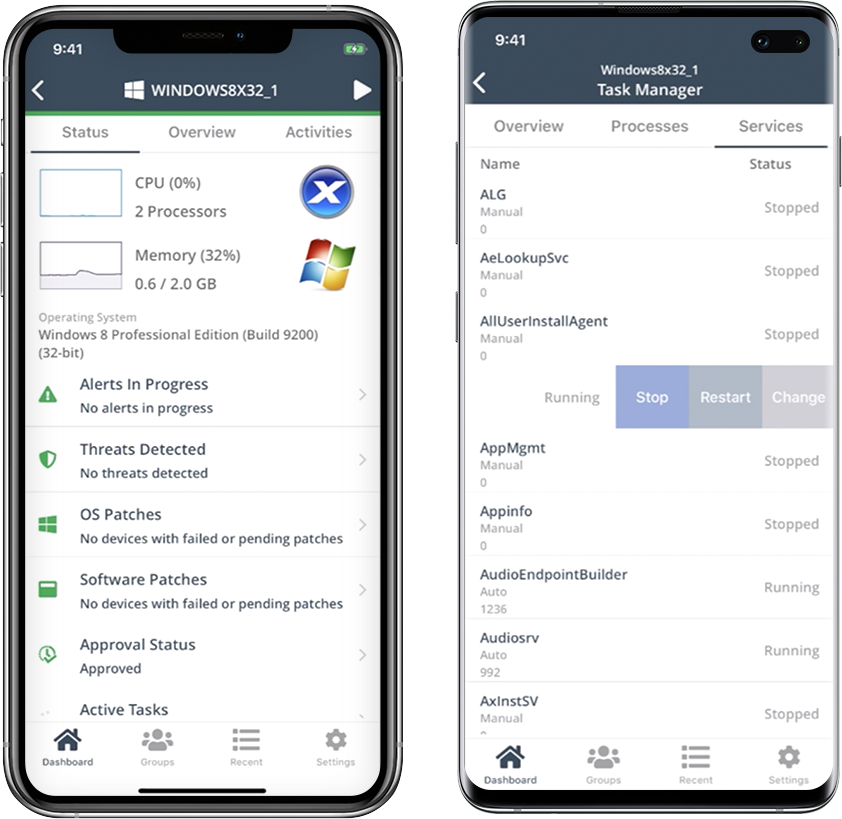
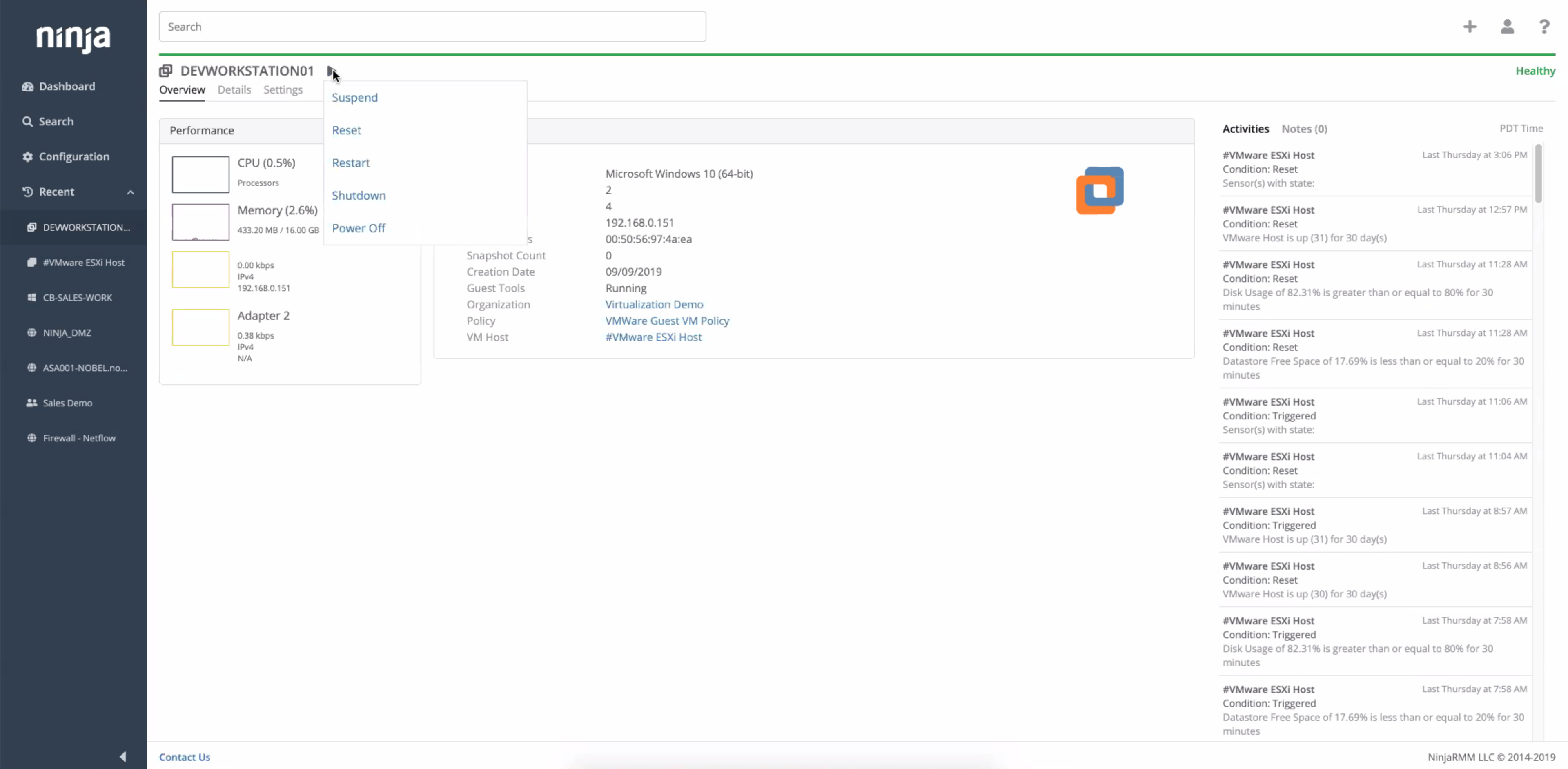
The NinjaOne Unified IT Operations Platform delivers endpoint management, autonomous patching, backup, and remote access. NinjaOne aims to give organizations' employees a great technology experience to work faster, smarter, and easier while IT teams modernize and improve efficiency.
N/A
Screencastify
Score8.3 out of 10
N/A
Screencastify is a suite of video-creation tools for the classroom, from the company of the same name Chicago. It is used in K-12 classrooms around the world, for teachers and students, to create instructional videos, record presentations, and give better feedback, and to support remote learning.
$15
per month per user
Pricing
NinjaOne
Screencastify
Editions & Modules
No answers on this topic
Starter
$15
per month per user
Pro
$20
per month per user
Offerings
Pricing Offerings
NinjaOne
Screencastify
Free Trial
Yes
Yes
Free/Freemium Version
No
Yes
Premium Consulting/Integration Services
No
No
Entry-level Setup Fee
No setup fee
No setup fee
Additional Details
NinjaOne is a subscription typically billed annually and sold through channel partners. Monthly billing is nonstandard but billed on a case by case basis.
Well suited for support and management of a large fleet of endpoints, particularly across multiple regions and locations. Its well suited for MSPs for this reason. Its also effective for managing patching and updates for server infrastructure, where some other products are unable to manage. Its useful being able to access these features across multiple networks and domains. There is an option to monitor network equipment such as switches, but it didn't provide any information that wasn't already provided in the switches cloud portal.
A de minimis incentive was given to thank the reviewer for their time. The incentive was not used to bias or drive a particular response, nor was the incentive contingent on a positive endorsement. More Info
Screencastify is great for beginning video creators or teachers who need a tool to quickly record a screen. For those with a budget, the paid features offers basic editing and the ability to embed questions, which can make for a more polished and meaningful video. Screencastify is not for users who want to create a more polished video with an introduction or other media that needs to be included, such as background music or other images. My go to - if it's quick and easy, use Screencastify. If I want to make in-depth edits, use another solution.
A de minimis incentive was given to thank the reviewer for their time. The incentive was not used to bias or drive a particular response, nor was the incentive contingent on a positive endorsement. More Info
Remote connections: the NinjaRemote client is spectacular and very easy to use and navigate. It quickly connects to customer systems so my engineers are able to work. As a bonus, they also offer a really good mobile app to connect to client systems.
Antivirus: Bitdefender Endpoint Protection is built directly into the NinjaOne portal. This makes deploying and maintaining AV very easy.
OS Patching: NinjaOne makes it very easy to handle patching across multiple clients and locations. It is very easy to use and doesn't take long to set up.
Support: NinjaOne support is always very prompt and helpful.
Documentation: the NinjaOne Dojo is a one-stop shop for all of your FAQs, guides, and forum needs. You can find almost anything here to help you deploy and maintain NinjaOne.
Automation Library: NinjaOne comes preloaded with a large number of ready-to-go automations. They also provide you with a scripting module to create your own.
A de minimis incentive was given to thank the reviewer for their time. The incentive was not used to bias or drive a particular response, nor was the incentive contingent on a positive endorsement. TR verified that a representative sample of customers was invited. More Info
A de minimis incentive was given to thank the reviewer for their time. The incentive was not used to bias or drive a particular response, nor was the incentive contingent on a positive endorsement. More Info
A de minimis incentive was given to thank the reviewer for their time. The incentive was not used to bias or drive a particular response, nor was the incentive contingent on a positive endorsement. More Info
A de minimis incentive was given to thank the reviewer for their time. The incentive was not used to bias or drive a particular response, nor was the incentive contingent on a positive endorsement. More Info
We already did. After evaluating many platforms, we found the cybersecurity of the company, its development direction, and the performance of the platform to be far superior at its price point.
A de minimis incentive was given to thank the reviewer for their time. The incentive was not used to bias or drive a particular response, nor was the incentive contingent on a positive endorsement. More Info
NinjaOne is easy to use, intuitive, and provides great value for our organization specifically with inventory tracking and patch management. There is also a wealth of control from an RMM perspective that we have over our fleet of hardware as well as customer websites. The communications with our account representative is outstanding as well. I'd highly recommend for organizations to engage with NinjaOne, and this is from a user who's used other RMM's and related software offerings at different MSP's. Go NinjaOne!
A de minimis incentive was given to thank the reviewer for their time. The incentive was not used to bias or drive a particular response, nor was the incentive contingent on a positive endorsement. More Info
A de minimis incentive was given to thank the reviewer for their time. The incentive was not used to bias or drive a particular response, nor was the incentive contingent on a positive endorsement. More Info
A de minimis incentive was given to thank the reviewer for their time. The incentive was not used to bias or drive a particular response, nor was the incentive contingent on a positive endorsement. More Info
Ninja support has always been top notch. They have always been responsive and efficient both in troubleshooting issues or talking to me at a high-level about on-going improvements or needed changes. Both sales and Technical support has been good and I've been very pleased with the Customer service we have received from Ninja
A de minimis incentive was given to thank the reviewer for their time. The incentive was not used to bias or drive a particular response, nor was the incentive contingent on a positive endorsement. More Info
Easy to learn and all of the functions and features were easy to learn. Once I started learning all of the features and functions, it made my everyday tasks much easier and more productive. The user interface is very easy to use. If I did have any questions, the Ninja Dojo was a big help.
A de minimis incentive was given to thank the reviewer for their time. The incentive was not used to bias or drive a particular response, nor was the incentive contingent on a positive endorsement. More Info
It was nice and self paced learning. The sections were easy to understand and the functionality was very worthwhile. The online training was very easy to learn and intuitive. I did not feel the need to ask for any clarification or assistance with any of the sections. I am still learning a lot of the functions but fined it very easy to use.
A de minimis incentive was given to thank the reviewer for their time. The incentive was not used to bias or drive a particular response, nor was the incentive contingent on a positive endorsement. More Info
A de minimis incentive was given to thank the reviewer for their time. The incentive was not used to bias or drive a particular response, nor was the incentive contingent on a positive endorsement. More Info
NinjaOne has the most rounded set of features however I believe all of the programs have there own plus and minus points. We use a mixture of programs however NinjaOne is the most heavily used.
A de minimis incentive was given to thank the reviewer for their time. The incentive was not used to bias or drive a particular response, nor was the incentive contingent on a positive endorsement. More Info
Loom and Screencastify are the most direct comparison. They both are Chrome extensions that have a low learning curve for beginner users. Loom offers a pro license free to educators, which allows for unlimited numbers of recordings and a 45-minute cap on recording length, perfect for lessons. Screencastify's pro features are paid for but are also more in-depth. Their editing is more robust, allowing users to trim in the middle, not just the edges. Users also get unlimited recordings and no cap on video length, and some storage depending on the tier purchased. Screencastify also offers volume discounts, which can help reduce the cost significantly. Educators can also create assignments in Screencastify, which is unique to this product. Camtasia is a full-fledged editor and screen recorder, so a full comparison isn't fair, since the products have two different intended uses. Camtasia offers robust features to make a polished final video
A de minimis incentive was given to thank the reviewer for their time. The incentive was not used to bias or drive a particular response, nor was the incentive contingent on a positive endorsement. More Info
A de minimis incentive was given to thank the reviewer for their time. The incentive was not used to bias or drive a particular response, nor was the incentive contingent on a positive endorsement. More Info
A de minimis incentive was given to thank the reviewer for their time. The incentive was not used to bias or drive a particular response, nor was the incentive contingent on a positive endorsement. More Info
A de minimis incentive was given to thank the reviewer for their time. The incentive was not used to bias or drive a particular response, nor was the incentive contingent on a positive endorsement. More Info