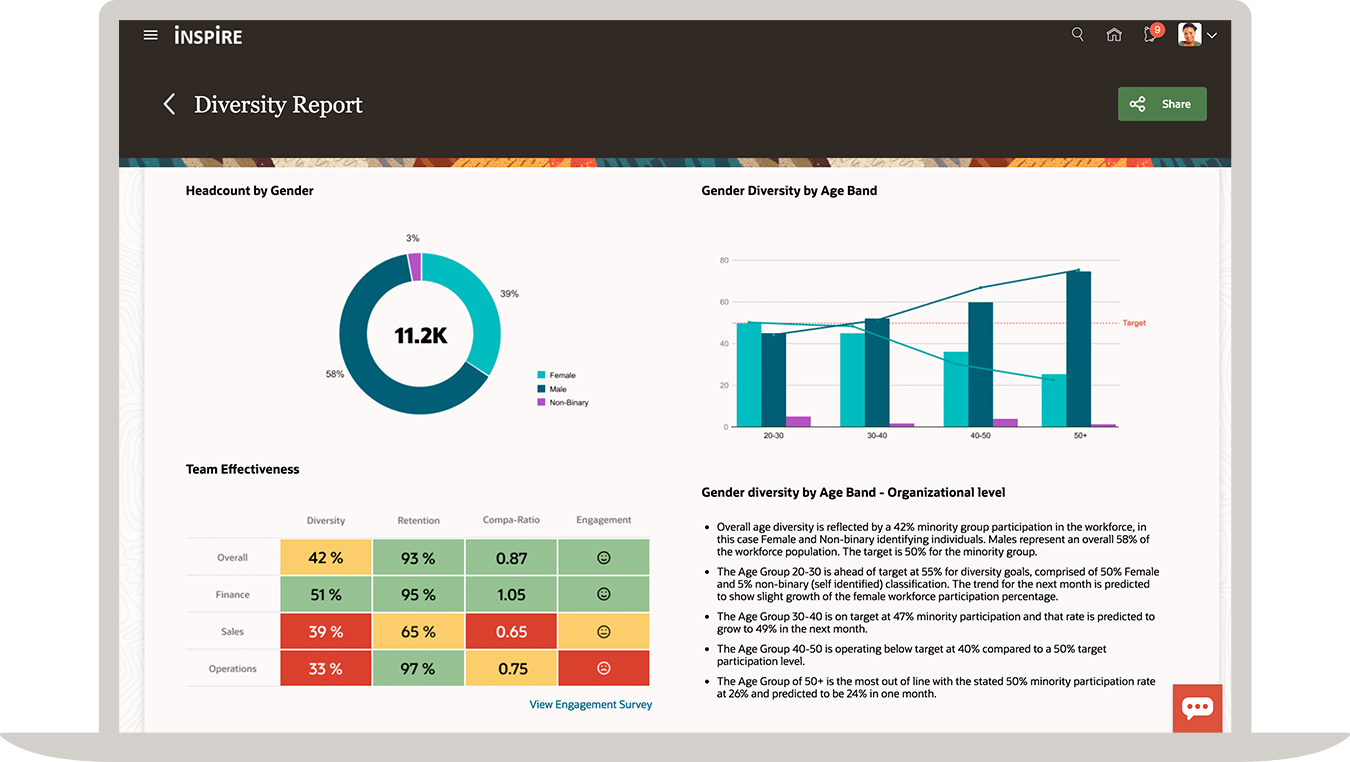
Oracle Fusion Cloud HCM, or Oracle Taleo, is a cloud HCM solution with Talent Management solutions. Its talent management solution includes Recruiting, Onboarding, Learning, Career Development, Opportunity Marketplace, Performance Management, Compensation, Succession Planning, etc.
$4
Per Employee Per Month
Rippling HCM
Score8.9 out of 10
N/A
Rippling HR is a human resources platform for managing employee records, onboarding, benefits, time and attendance, compliance, and other core people operations in one system. It serves as the HR layer of the broader Rippling platform, giving companies a central place to manage the employee lifecycle while connecting HR data to payroll, IT, and finance workflows when needed.
$8
per month per user
Pricing
Oracle Fusion Cloud HCM
Rippling HCM
Editions & Modules
Help Desk
$4.00
Per Employee Per Month
Talent Management
$10.00
Per Employee Per Month
Global HR
$15.00
Per Employee Per Month
Recommended
$8.00
starting price per user, per month
Offerings
Pricing Offerings
Oracle Fusion Cloud HCM
Rippling HCM
Free Trial
No
No
Free/Freemium Version
No
No
Premium Consulting/Integration Services
Yes
Yes
Entry-level Setup Fee
Required
No setup fee
Additional Details
Contact Oracle HCM for detailed pricing information at +1.800.392.2999
For additional pricing details visit the Rippling pricing page.
Senior Account Executive in Finance and Accounting at Square (Internet, 1001-5000 employees)
Chose Oracle Fusion Cloud HCM
Oracle is providing better services than Rippling. It has gelled up the whole organization by making the entire department operate at a very optimal level. Initially, when we started using Oracle Cloud HCM, it was just on a regional level. Gradually it was rolled out all across …
A de minimis incentive was given to thank the reviewer for their time. The incentive was not used to bias or drive a particular response, nor was the incentive contingent on a positive endorsement. TR verified that a representative sample of customers was invited. More Info
Rippling
Verified User
Chose Rippling HCM
While each of the tools demonstrated notable expertise in certain areas, it was the complete suite of features which fit the wide spectrum of requirement across organization that helped make the evaluation complete with the application / product which was able to not just meet …
A de minimis incentive was given to thank the reviewer for their time. The incentive was not used to bias or drive a particular response, nor was the incentive contingent on a positive endorsement. More Info
A de minimis incentive was given to thank the reviewer for their time. The incentive was not used to bias or drive a particular response, nor was the incentive contingent on a positive endorsement. More Info
Oracle HCM is very much helpful and well suited in the recruitment and placement process and HR data. It makes it easier for HR in [organizations] to keep track of who is in and out of the [organization]. Improvement can be made by allowing employees to record their own data and update it as and when necessary without having to go through HR first.
A de minimis incentive was given to thank the reviewer for their time. The incentive was not used to bias or drive a particular response, nor was the incentive contingent on a positive endorsement. TR verified that a representative sample of customers was invited. More Info
When I first started my new job, it was an additional one on top of a day job I already had. I didn't have time to waste between getting home and starting this new night job, so the first thing that I found was that I was blown away at how quickly and easily I could log in and start. When starting a new job, I didn't need the added stress of learning another app/portal when I had more important things to learn. I am really grateful for those 2 factors alone. Once I got more familiar with the portal, I was able to search around a bit and found some great features that have just enriched the experience even more...no training needed.
A de minimis incentive was given to thank the reviewer for their time. The incentive was not used to bias or drive a particular response, nor was the incentive contingent on a positive endorsement. TR verified that a representative sample of customers was invited. More Info
Government entities share data readily on applicants and HCM doesn't make it easy to have applications transferred between organizations. If applicants could apply once and send that application to multiple entities that would really make it more appealing to clients. This is a niche that is currently filled with NEOGOV, however Oracle's analytics are far superior to those in NEOGOV
There are no customizations allowed so clients need to work within the configuration standards or create a bolt on. Many times your greatest asset is also one of your biggest weaknesses.
Oracle is a large company and sometimes it can be hard to navigate the support matrix that they have set up. They also have tiers of support so you can pay more to get more, which isn't optimal from a customer point of view.
A de minimis incentive was given to thank the reviewer for their time. The incentive was not used to bias or drive a particular response, nor was the incentive contingent on a positive endorsement. More Info
The overall look and feel of Rippling is dated; it looks like it's straight out of the 00's.
The could be more functionality in the LMS, expanded features, more options, it works, and it's basic, but it could be really great with a few added features.
The shift from using people's personal email to log in to their work email, not everyone wants to use their personal information to log into a work system.
Taleo does what we need it to do and based on the costs from both a time and money perspective, I don't see us changing anytime soon. If anything I think we will look to leverage the capabilities available that we may not already be using.
I've been fully impressed with the tool so far in my 6 months of being a daily user. It's rare to run into an issue that can't be solved. Customer service is quick to respond and are usually very helpful. The price is great for the upgrade we got from our past tool. We hit our ROI within the first month.
A de minimis incentive was given to thank the reviewer for their time. The incentive was not used to bias or drive a particular response, nor was the incentive contingent on a positive endorsement. More Info
After the initial training's, it was quite intuitive to use the application. The application is based upon best practices and the overall flows are quite logical. The train stop approach also ensures that users understand where they are in the process cycle. Also, the number of clicks have been greatly rationalized to ensure that there is more streamlined experience.
A de minimis incentive was given to thank the reviewer for their time. The incentive was not used to bias or drive a particular response, nor was the incentive contingent on a positive endorsement. TR verified that a representative sample of customers was invited. More Info
It is easy to use. It has an option to favorite commonly used functions, such as timekeeping and payroll. The app is easily accessible and easy to use, thanks to a quick-use option. This can be managed remotely and is great for all things HR for a company employee.
A de minimis incentive was given to thank the reviewer for their time. The incentive was not used to bias or drive a particular response, nor was the incentive contingent on a positive endorsement. More Info
It works well. However we recently discovered that it no longer is supported on Internet Explorer so we had to change the default browser for everyone in our organization to MS Edge.
A de minimis incentive was given to thank the reviewer for their time. The incentive was not used to bias or drive a particular response, nor was the incentive contingent on a positive endorsement. TR verified that a representative sample of customers was invited. More Info
I like that the availability in using Rippling at any given time is useful to me. Getting on the site freely when I need gives me security of knowing that I can be in control of viewing health insurance and hours information. I have yet to get any errors in using the Rippling app.
A de minimis incentive was given to thank the reviewer for their time. The incentive was not used to bias or drive a particular response, nor was the incentive contingent on a positive endorsement. More Info
A de minimis incentive was given to thank the reviewer for their time. The incentive was not used to bias or drive a particular response, nor was the incentive contingent on a positive endorsement. TR verified that a representative sample of customers was invited. More Info
Rippling's performance has been great, no errors or glitches yet so far. I am confident that Going from one page to the next and all its complexity usage does not lag or times out, it works effectively and efficiently. While using Rippling and other apps it does not tend to slow it down, works great. No complaints.
A de minimis incentive was given to thank the reviewer for their time. The incentive was not used to bias or drive a particular response, nor was the incentive contingent on a positive endorsement. More Info
The rating is based upon our current level of support. The overall experience has vastly changed since we moved into product paid support. 'Also, with Oracle going with the model of quarterly patches, it makes sense to have the product company provide support to the overall application thereby eliminating the problems of bugs.
A de minimis incentive was given to thank the reviewer for their time. The incentive was not used to bias or drive a particular response, nor was the incentive contingent on a positive endorsement. TR verified that a representative sample of customers was invited. More Info
I have contacted support one time, and I was assisted by the Artificial Intelligence bot. Not only did it help with my inquiry, but it also went the extra mile by suggesting other options. I was looking for a feature I could not find, and it was very helpful. It would be nice also to chat with an actual person.
A de minimis incentive was given to thank the reviewer for their time. The incentive was not used to bias or drive a particular response, nor was the incentive contingent on a positive endorsement. More Info
There is a lot of potential on Fusion. We have reaped about 10% of potential benefits. Especially on Workforce Intelligence, the opportunities are huge. The reason why we do not use the solution at its full potential is not in the product (which is simple and transparent). A roadmap is under construction to bring more of its potential to the end user.
A de minimis incentive was given to thank the reviewer for their time. The incentive was not used to bias or drive a particular response, nor was the incentive contingent on a positive endorsement. TR verified that a representative sample of customers was invited. More Info
It's really easy to implement in comparison to other tools or applications. Different key points are easily configured and implemented as per need, having different configurations in systems. Implementation is something which binds the different parameters of an organization in a single row. Implementation of rippling is much easier, quicker, and error free than any other software. I recommend it strongly!
A de minimis incentive was given to thank the reviewer for their time. The incentive was not used to bias or drive a particular response, nor was the incentive contingent on a positive endorsement. More Info
Firstly, create a template for the data of human resources to be filled by the client with help from us, then We transformed the paperwork, excel, word sheets, did data cleansing and refined the data, and matched data with the correct fields inside the template and imported the data to oracle cloud hcm by using human capital management data loader
A de minimis incentive was given to thank the reviewer for their time. The incentive was not used to bias or drive a particular response, nor was the incentive contingent on a positive endorsement. TR verified that a representative sample of customers was invited. More Info
Rippling has a much more modern, user-friendly approach, and it continues to build out their product suite to help create a seamlessly integrated eco-system. BambooHR is also more modern, but doesn't seem to have the broad product suite that Rippling is pursuing. UKG felt so disconnected and archaic to work with... quite painful, actually. I really like that Rippling has been extremely supportive with the onboarding process, ensuring that you work with various members of their implementation team to get things up and running which leads to a better experience and quicker ROI.
A de minimis incentive was given to thank the reviewer for their time. The incentive was not used to bias or drive a particular response, nor was the incentive contingent on a positive endorsement. More Info
I can go on here and see all my hours and pto plus health benefits. I like to have the work handbook handy to refer to legal things. How to work my role within it's limits. Being able to put in my hours and view when they are approved is a huge benefit for me.
A de minimis incentive was given to thank the reviewer for their time. The incentive was not used to bias or drive a particular response, nor was the incentive contingent on a positive endorsement. More Info
We were not good at tracking any numbers around recruiting so now this last year we have been able to set the benchmark that we now can work toward improving.
At any given time, we could not say how many open positions we had. Now we are able to keep track of that.
We do a much better job with communicating with candidates now, especially the ones not selected. This will help us maintain a better reputation and attract the candidates back for other jobs they may be a better fit for in the future.
A de minimis incentive was given to thank the reviewer for their time. The incentive was not used to bias or drive a particular response, nor was the incentive contingent on a positive endorsement. More Info