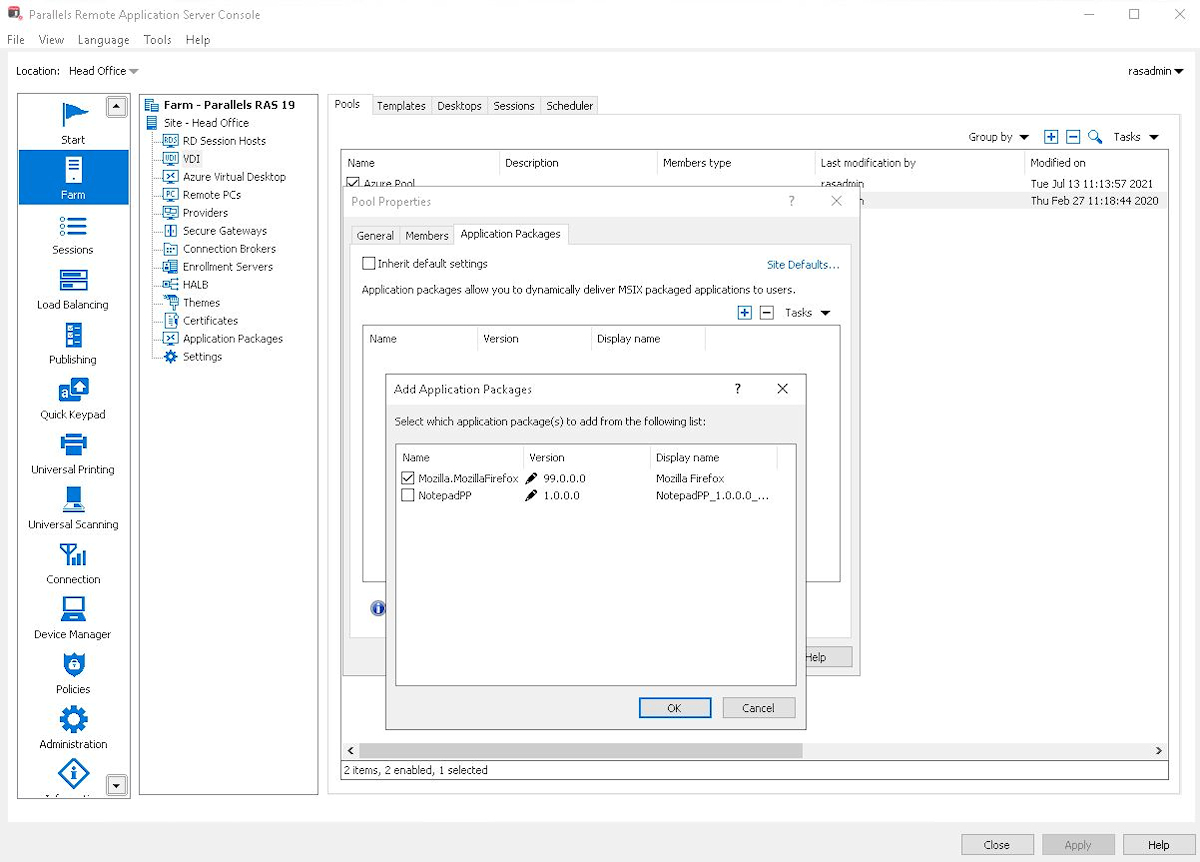
Parallels Remote Application Server (Parallels RAS, formerly 2X RAS), is application virtualization technology, billed as a solution to extend the life of legacy OS (like Windows XP) with its virtual desktop for any device.
Maltese company 2X Software developed the technology, but was acquired by Parallels (in Seattle, WA) in February, 2015 to extend their cross-platform support solutions.
$120
per year per user
Scale Computing Platform
Score 8.8 out of 10
Mid-Size Companies (51-1,000 employees)
Scale Computing offers edge computing, virtualization, and hyperconverged solutions for customers around the globe. Scale Computing HyperCore software promises to eliminate traditional virtualization software, disaster recovery software, servers, and shared storage, replacing these with a fully integrated, highly available system for running applications. The vendor says that, using patented HyperCore™ technology, the SC//HyperCore self-healing platform automatically identifies, mitigates, and…
$249
per year per core
Pricing
Parallels Remote Application Server (Parallels RAS)
Scale Computing Platform
Editions & Modules
No answers on this topic
Standard
$249
per year per core
Professional
$312
per year per core
Professional Essentials
$5,600
one-time fee
Offerings
Pricing Offerings
Parallels RAS
Scale Computing Platform
Free Trial
Yes
Yes
Free/Freemium Version
No
No
Premium Consulting/Integration Services
No
Yes
Entry-level Setup Fee
No setup fee
Optional
Additional Details
—
Pricing shown in U.S. Dollar.
Pricing for other regions available on request.
Chose Parallels Remote Application Server (Parallels RAS)
Parallels Remote Application Server has been easier and less expensive to implement for our clients than VMware Horizon and offers a better experience than Microsoft Remote Desktop Services. All three of these can accomplish similar end results, but when looking at the overall …
Chose Parallels Remote Application Server (Parallels RAS)
Parallels Remote Application Server competes against Citrix on a one-for-one feature setlist. It provides many of the same services and capabilities. It is, overall, a simpler product to use and configure. It does not compete perfectly in the VDI space, as the Citrix offering …
Parallels Remote Application Server (Parallels RAS)
Scale Computing Platform
Likelihood to Recommend
Parallels
Scenarios where time is a factor in having a solution in place and up and running safely and securely. Where there are older devices that ordinarily wouldn't be up to the task of running modern apps and services. Where users need to work away from the network, and security is a concern.
Scale is best suited to environments that do not have excessive external or proprietary peripherals. Integrating with tape drive backups or robot tape libraries can be problematic. The most effective use of Scale systems is for companies running multiple instances of the same operating system. The hypervisor's code/file-sharing nature does an excellent job managing new instances while keeping the increase in storage to a minimum.
The printing driver is quite excellent, both in the Parallels Client and on the HTML5 client.
Setup is incredibly easy; the default setup is very functional, and adding features is a breeze.
Speed is very acceptable in general for end-users, the clients adapt quite well to the amount of bandwidth available, and features are available to adjust further.
Parallels Remote Application Server (Parallels RAS) continually improves the product but has broken some features recently. For example the web management portal lost the ability to manage user sessions after a major update. That issue was fixed in a later release
Multi-monitor support beyond 4 monitors (It does handle up to 4 -1080 monitors well)
More options around connection security and MFA. current options are sufficient but limited
We've noticed some performance issues with Windows Server 2019 and 2022. I'd like to see more robust support for remote applications running from those platforms.
We have been using Parallels since it was called 2X - it is a major part of how we do business. It is fairly simple to use and maintain - staff like it, we like it. It is a product that makes a promise - and it keeps it. As Parallels evolves, and clean bandwidth becomes more readily available everywhere - it just makes sense to continue to use Parallels in our environment
Since I have had no issues with downtime; easier management of my cluster and the ability to lower the number of devices in my Infrastructure, I will gladly renew my support contract with Scale Computing HC3 and upgrade my equipment with them when it comes time for it.
Parallels RAS was easy to setup, with great admin guides and resources. We especially liked the included Visio templates which made diagramming much easier. The reference deployment diagrams also simplified our deployment process. Our end users love Parallels RAS. Apps launch faster than Citrix, and the Parallels RAS client is far more reliable than Workspace.
Everything you need to do is point-and-click easy. If you are the kind of admin who wants to edit every config file and endlessly customize your environment, then Scale may not be for you. On the other hand, if you just want it to work really well, and do what they told you it will do, then Scale is the ideal system.
If there are any issues with Parallels - they are usually more about the server operating systems than Parallels itself. It would be rare for us to have any reason to take Parallels offline - we schedule a reboot on the servers at 3am to keep the O/S itself fresh, but again - it is not a Parallels issue. If individual users have any issues we ask them to completely log out of parallels - which ends their session - and then back in - and that typically resolves the issue right away.
I am giving Parallels 9/10 on this one because the only application that sometimes seems slow or has issues - is Microsoft Outlook. It is sometimes the result of a pop-up that may not show up in the published application (vs full desktop). Other than that - pages load very quickly - and it does not seem to slow down other applications that are running at the same time. Most of our users run Outlook, softphone and Teams locally - and published applications for everything else. When they do that - it is very solid.
Good support in place if required, very helpful when it comes to upgrades or any issues faced. The support team is knowledgeable, friendly, and quick to respond to issues The company also provides a range of online resources, including a knowledge base, documentation, and forums, which can be helpful before raising a ticket
They are very knowledgeable about their own products and hardware addressing my concerns or issues very quickly and on the first contact. Calls concerning VMware migrations and Acronis backup took a little more time for more complicated issues, but the Scale Computing Platform techs were diligent to stay on top of issues until they were resolved. Most of my issues have been with the initial setup/migration.
Overall, it was pretty simple compared to most other projects. Again, we had a strong familarity with the product so there was not much of a learning curve. Our 'biggest' issue is the end-user understanding of a 'local' application and a published application. For example - Online meetings need to run locally for camera/video to work smoothly so opening a link to a meeting from a published application continues to be an occasional issue.
The implementation was very easy. We had Scale support on standby and they were ready and eager to help if needed. The process went so fast the employees in the organization did not even know it was done.
Parallels Remote Application Server (Parallels RAS) provides the finest end user experience while being cost-effective and reducing administrative and support man hours. Parallels Remote Application Server (Parallels RAS) is platform agnostic; it works with various kinds of devices (computers, phones, tablets) and several operating systems (Windows, Linux, Apple, etc.), allowing users to access it on gadgets of their choice.
We previously used Microsoft Hyper V and VMWare and, before that, a room for single-purpose servers. My satisfaction with Scale is because it is a more straightforward product to install and use; it has incredible speed and reliability. In the past, getting support from Microsoft was labor intensive, and with VMWare, there was a language accent barrier.
We added our Integrated Services Staff to parallels, with filtered, published applications - in a single afternoon. We added licensing and installed the desktop client software on multiple platforms both in the office and at remote sites all on the same day - and got remote users that had never used the product up and running - very quickly.
HC3 is one of the best products I have purchased for our district. It is unbelievably reliable to the point that they shoot themselves in the foot on support contracts.
Our customers have had dramatic cost decreases due to no longer needing IT departments to work with our software.
We've been able to charge more for our hosting services due to our customers saving money in the long run. Parallels Remote Application Server has more than paid for itself, and the increased income has gone right back into the business.
Both our customers and our company have benefited from this transition.