Paycor vs. Saba Cloud (legacy)

Overview
ProductRatingMost Used ByProduct SummaryStarting Price
Paycor
Score 7.5 out of 10
N/A
Paycor provides core HR functions scaled towards small and mid-sized businesses. Paycor offers an integrated benefits platform for interfacing directly with insurance carriers and an adaptable time management platform.N/A
Saba Cloud (legacy)
Score 8.5 out of 10
Enterprise companies (1,001+ employees)
Saba Cloud was a talent management suite that included performance management, succession planning, learning management, planning, and recruiting.N/A
Pricing
PaycorSaba Cloud (legacy)
Editions & Modules
No answers on this topic
Offerings
Pricing Offerings
PaycorSaba Cloud (legacy)
Free Trial
YesNo
Free/Freemium Version
NoNo
Premium Consulting/Integration Services
NoNo
Entry-level Setup FeeOptionalNo setup fee
Additional DetailsPaycor's pricing for small, mid, and enterprise companies varies based on product bundle and company size. Because Paycor HR software is built to help businesses scale and grow, plans are based on the mix of HR products needed, and company size. Payroll is at the core of Paycor's offering, and their products are sold as a part of their payroll and HR platform.
More Pricing Information
Community Pulse
PaycorSaba Cloud (legacy)
Considered Both Products
Paycor
Chose Paycor
Paylocity seems to be an IT company and adds a lot of user feedback into their upgrades and developments.
Chose Paycor
UKG Ready, Employee Navigator and MIP Fund Accounting
Chose Paycor
Paycor is a decent rival at a much lower price point. It has a lot of the functionality of its competitors at a lower price. I believe its general customer service is one of the best that I have dealt with. We don't have personalized customer service reps or teams which can …
Chose Paycor
Paycor was used by my leader in a previous organization and at the time was overall successful.
Chose Paycor
We selected Paycor due to price and the demo website was very user friendly. At the time, we did not realize that the demo site would not be an accurate reflection of what we were purchasing.
Chose Paycor
I have used Full Stack in the past, which isn't listed in the listings. And for the most part, it worked out well, however, it has its far share of issues. It was expensive, but also had some data tacking problems where all of our employees information was messed up.
Chose Paycor
We chose Paycor for its overall value and functionality. Paycor seems to have a clear future for innovations.
Chose Paycor
AS400, JIS, Quickbooks, Viventium
All these systems have their pros and cons. I do prefer Paycor but customer service gap and rising vendor cost is starting to affect loyalty.
Chose Paycor
We selected Paycor because of the user-friendly aspect and the fact that they are willing to work with us on what parts of the software we want to utilize. The price was also a big reason why we choose Paycor.
Chose Paycor
ADP API Central, Gusto and Bigin by Zoho CRM
Chose Paycor
We selected then primarily because of their 360° integration with our 401(k) provider. Additionally, they were reasonably priced.
Chose Paycor
We initially went with them because they were much less expensive. However, this was a case of you get what you pay for.
Chose Paycor
By far the easiest to use system. May not be able to dive into super deep details/advanced features, but easy to use
Chose Paycor
At the time Paycor was the best bang for our buck and was easier to operate than our previous platform.
Chose Paycor
Paycor seems to be the best for other systems integrations and reporting. The easy of set up and integrations into other platforms is great. While the report building is more robust than ADP with and easier approach to creating the reports. I would recommend Paycor over ADP as …
Chose Paycor
ADP was more expensive and we didn't utilize any of the modules because they were all an additional price.

Here we have way more features and it is a lot easier to navigate so it has been helpful to have these features and all in one place rather than using a bunch of other …
Chose Paycor
We are still exploring the differences between ADP and Paycor to determine whether addressing the pain points with a product switch is necessary.
Chose Paycor
The sales team was much better in terms of handling our needs, the products were overall better, and they have an extremely competitive price. We thought that Paycor was the best fit even though they were not the cheapest due to our needs and how they addressed them. It was a …
Chose Paycor
Paycor is what my company chose to use.
Chose Paycor
Paycor is nice from a user perspective. The employees have very easy navigation on their side.
Saba Cloud (legacy)
Chose Saba Cloud (legacy)
Saba Cloud is more configurable. In SuccessFactors, the configurations on the home page is very limited. However, in saba cloud we can configure the entire home page as per the company requirement. SuccessFactors is indeed a great product but when it comes to UI, it is not very …
Chose Saba Cloud (legacy)
Saba Cloud allowed a much more intuitive learner experience and the ability to build solid curricula and certification programs. ADP was very ridig and siloed while Saba Cloud has allowed us to continually evolve how we do things in our learning environment.
Chose Saba Cloud (legacy)
Saba Cloud is far and away superior and the merger with Cornerstone just dominates the market. They also have quarterly improvements and agile development to respond to the community of users, always improving the experience. Just about anything you could want to do in an LMS …
Chose Saba Cloud (legacy)
Saba Cloud is becoming more and more popular because it is so adaptable to the many different workforces. It is user-friendly and does not intimidate those not sure of technology. It has an app that allows you to take the recruitment on the road which is great for trainers and …
Chose Saba Cloud (legacy)
Unfortunately, I am not [really] sure how to answer this question. This is out of my scope of work to make the decisions around which tool we use. I do support this tool and I am pleased with the features that it has and I think we plan to continue to work with it.
Chose Saba Cloud (legacy)
Previously we were authoring training and posting on our employee portal with no real feedback or analytics.
Chose Saba Cloud (legacy)
I did not look into any other products. Saba Cloud was the first one I saw and I was impressed so I went with it. Saba Cloud is robust and very detailed so I think it can handle what people are looking for in the Learning Management System. There are probably even more …
Chose Saba Cloud (legacy)
Saba Cloud offered more abilities and better response time to issues and improvements to the platform. We are able to provide a seamless, easy to use, LMS for our customers, which improves the usage of our training program. The user-friendly and customizable homepage has …
Chose Saba Cloud (legacy)
I believe we selected Saba because of the promise of seamless integration with Workday, a cloud service, and cost.
Chose Saba Cloud (legacy)
Saba Cloud was a better fit for our company's size and budget.
Chose Saba Cloud (legacy)
For what we receive from Saba LMS, compared to the cost of others that we evaluated, it is the best value for the needs that we have. The ease of use of the system, once implemented, is by far better than the other LMS systems we evaluated. Each year we look at other …
Chose Saba Cloud (legacy)
As I mentioned earlier, I was one of the many volunteers who undertook the sandbox activity to choose between Saba and Cornerstone for the LMS. The reason why Saba was chosen as a hands-down favorite was because of its user-friendliness and the ease of usage. Other factors …
Chose Saba Cloud (legacy)
Saba Cloud has a more straightforward user interface than Cornerstone OnDemand, but the simplicity is not always a benefit. We moved from SilkRoad because of its lack of features. Saba Cloud has a more features than SilkRoad, but fails to make those feature accessible in an …
Chose Saba Cloud (legacy)
As an LMS, it has everything that its competitors offer. The integration capability at a great price made the decision easy.
Chose Saba Cloud (legacy)
Saba is by far the best LMS on the market. It was one of the first cloud-based systems and have had experience with multiple LMS systems before the Saba platform was even launched. For the size that Saba can handle the price although a little bit more expensive can do pretty …
Chose Saba Cloud (legacy)
We shopped Cornerstone OnDemand and Saba. The customer support during the review process was hands-down better at Saba than COD. Saba was responsive to our questions and listened to our needs before responding to how they could help us meet them. Although they did keep in touch …
Chose Saba Cloud (legacy)
SAP SuccessFactors was the first LMS platform that I have ever used. The main difference I saw right away between the two platforms is how Saba allows the customer to customize their home page very thoroughly. I think that this is a great feature! SuccessFactors did not have …
Chose Saba Cloud (legacy)
The integrated Saba Meeting component and reduced cost vs SumTotal were very important to us.
Chose Saba Cloud (legacy)
Way way more options built into the LMS.
Chose Saba Cloud (legacy)
I have primarily used the cloud learning platform of Saba and its related subsidiaries. During the evaluation, we compared Saba with another service provider. Among the many pilot users of my company, Saba got a quite good score, which helped us to go ahead with recommending …
Chose Saba Cloud (legacy)
I was not part of the process to select Saba, but based on team feedback, we went with Saba mainly because of its capabilities in reporting and analytics. We also chose to use it due to its learning environment capabilities and the potential for growth that the system has in …
Chose Saba Cloud (legacy)
Saba has a competitive LMS with both Brightspace and Canvas. It offers class and course management that is easy to use. It out classes the others by its use of assessment tools and analytics. Where Saba excels is in its talent management system. Being able to track users and …
Chose Saba Cloud (legacy)
Each of the other platforms we used or researched had their own specialities. Some were excellent for specific uses. We wanted a tool that had a more comprehensive package though with performance, compensation and succession planning. This way the tool could grow with us. Given …
Features
PaycorSaba Cloud (legacy)
Payroll Management
Comparison of Payroll Management features of Product A and Product B
Paycor
8.1
Ratings
2% below category average
Saba Cloud (legacy)
-
Ratings
Pay calculation8.50 Ratings00 Ratings
Support for external payroll vendors8.20 Ratings00 Ratings
Off-cycle/On-Demand payment8.00 Ratings00 Ratings
Benefit plan administration7.80 Ratings00 Ratings
Direct deposit files8.80 Ratings00 Ratings
Salary revision and increment management7.80 Ratings00 Ratings
Reimbursement management7.30 Ratings00 Ratings
Onboarding
Comparison of Onboarding features of Product A and Product B
Paycor
-
Ratings
Saba Cloud (legacy)
7.9
Ratings
9% above category average
New hire portal00 Ratings7.50 Ratings
Manager tracking tools00 Ratings8.00 Ratings
Compliance tracking and reporting00 Ratings8.20 Ratings
Performance and Goals
Comparison of Performance and Goals features of Product A and Product B
Paycor
-
Ratings
Saba Cloud (legacy)
7.7
Ratings
5% above category average
Corporate goal setting00 Ratings8.20 Ratings
Subordinate goal setting00 Ratings7.00 Ratings
Individual goal setting00 Ratings8.00 Ratings
Line-of sight-visibility00 Ratings8.50 Ratings
Performance tracking00 Ratings7.00 Ratings
Performance Management
Comparison of Performance Management features of Product A and Product B
Paycor
-
Ratings
Saba Cloud (legacy)
7.2
Ratings
5% above category average
Performance plans00 Ratings8.00 Ratings
Plan weighting00 Ratings6.50 Ratings
Manager note taking00 Ratings7.00 Ratings
Performance improvement plans00 Ratings7.20 Ratings
Review status tracking00 Ratings7.90 Ratings
Rater nomination workflow00 Ratings7.40 Ratings
Review reminders00 Ratings8.00 Ratings
Workflow restrictions00 Ratings6.40 Ratings
Multiple review frequency00 Ratings7.00 Ratings
Reporting00 Ratings7.00 Ratings
Succession Planning
Comparison of Succession Planning features of Product A and Product B
Paycor
-
Ratings
Saba Cloud (legacy)
7.5
Ratings
10% above category average
Create succession plans/pools00 Ratings8.00 Ratings
Candidate ranking00 Ratings7.30 Ratings
Candidate search00 Ratings7.40 Ratings
Candidate development00 Ratings7.30 Ratings
Recruiting / ATS
Comparison of Recruiting / ATS features of Product A and Product B
Paycor
-
Ratings
Saba Cloud (legacy)
8.6
Ratings
19% above category average
Job Requisition Management00 Ratings7.70 Ratings
Company Website Posting00 Ratings8.30 Ratings
Publish to Social Media00 Ratings8.50 Ratings
Job Search Site Posting00 Ratings7.00 Ratings
Customized Application Form00 Ratings8.30 Ratings
Resume Management00 Ratings7.60 Ratings
Duplicate Candidate Prevention00 Ratings9.10 Ratings
Candidate Search00 Ratings8.50 Ratings
Applicant Tracking00 Ratings9.20 Ratings
Collaboration00 Ratings9.10 Ratings
Email Templates00 Ratings9.20 Ratings
User Permissions00 Ratings9.10 Ratings
Notifications and Alerts00 Ratings9.10 Ratings
Reporting00 Ratings9.20 Ratings
Learning Management
Comparison of Learning Management features of Product A and Product B
Paycor
-
Ratings
Saba Cloud (legacy)
8.9
Ratings
24% above category average
Course authoring00 Ratings9.00 Ratings
Course catalog or library00 Ratings9.00 Ratings
Player/Portal00 Ratings8.60 Ratings
Learning content00 Ratings9.00 Ratings
Mobile friendly00 Ratings8.00 Ratings
Progress tracking & certifications00 Ratings9.60 Ratings
Assignments00 Ratings9.60 Ratings
Compliance management00 Ratings9.00 Ratings
Learning administration00 Ratings8.80 Ratings
Learning reporting & analytics00 Ratings8.80 Ratings
Social learning00 Ratings8.00 Ratings
Best Alternatives
PaycorSaba Cloud (legacy)
Small Businesses
Dayforce Powerpay
Dayforce Powerpay
Score 9.2 out of 10
Paycor
Paycor
Score 7.5 out of 10
Medium-sized Companies
Paypro Workforce Management
Score 9.1 out of 10
Engagedly
Engagedly
Score 8.6 out of 10
Enterprises
Infor Human Resources
Score 7.1 out of 10
PeopleStrong
PeopleStrong
Score 10.0 out of 10
All AlternativesView all alternativesView all alternatives
User Ratings
PaycorSaba Cloud (legacy)
Likelihood to Recommend
7.3
(0 ratings)
9.0
(0 ratings)
Likelihood to Renew
6.5
(0 ratings)
4.5
(0 ratings)
Usability
7.8
(0 ratings)
7.8
(0 ratings)
Availability
7.1
(0 ratings)
-
(0 ratings)
Performance
5.2
(0 ratings)
-
(0 ratings)
Support Rating
3.6
(0 ratings)
8.3
(0 ratings)
In-Person Training
4.0
(0 ratings)
-
(0 ratings)
Online Training
5.0
(0 ratings)
-
(0 ratings)
Implementation Rating
5.1
(0 ratings)
4.5
(0 ratings)
Configurability
5.9
(0 ratings)
-
(0 ratings)
Ease of integration
4.1
(0 ratings)
-
(0 ratings)
Product Scalability
3.3
(0 ratings)
-
(0 ratings)
Vendor post-sale
3.0
(0 ratings)
-
(0 ratings)
Vendor pre-sale
6.0
(0 ratings)
-
(0 ratings)
User Testimonials
PaycorSaba Cloud (legacy)
Likelihood to Recommend
The Open enrollment tool is excellent. They need to improve the reporting tool and speed up the use of AI. I've seen other system demos and their integration of AI seems sophisticated in comparision to Paycor's. Paycor has integrated some AI into analytics but it lacking in terms of what it can do
Read full review
Our organization uses Saba Cloud primarily to manage all types of learning systems or staff training empirically. In addition, it provides us with a quick test-based follow-up to the trainees. We use Saba Cloud to train our clientele in a professional manner with respect to our worldwide online service. With this tool we are able to enhance the customer experience with the organization. Similarly, our organization uses Saba Cloud to monitor the performance and effectiveness of our employees and customers after having access to all the information provided by the application to subsequently make learning and development reports.
Read full review
Pros
  • Onboarding works very well for us with a lot of Self-Service for employees it gives us time back and ensures data accuracy is in the employees control.
  • Recruiting works well because it links to specific jobs and automatically posts jobs when an employee is separated from service.
  • Tax filings work fairly well for us and have always been accurate.
Read full review
  • Saba Analytics for learning are comprehensive and customizable allowing us to view any variety of data we need internally or need to provide to our customers.
  • Support has been amazing throughout our time with Saba. We have always been able to work quickly with someone to develop a new process or obtain guidance on a new feature.
  • Saba Cloud delivers training in a clear and modern format, allowing customers to easily access and consume training.
  • Saba Cloud also provides regular system updated which reflect the needs of their customer base.
Read full review
Cons
  • Administrative/C-Suite level of canned reports and dashboards
  • Displaying company reminders or documents to sign that are urgent in a way that doesn’t allow an employee to clock out until they have completed the task.
  • More options to build an org chart
Read full review
  • In the certification process, it only lets us do look back days it would be very beneficial to have a look backdate. Our services have a training year from July 1, thru June 30 and we assign training to services that are required by federal and state laws to be completed annually. During the pandemic we found a lot of staff taking jobs in other areas and still in their original position and then back again. If we assigned someone HIPAA training and they took this on July 4 and then in October went to a different service line the training plan would ask them to retake HIPAA. It would not pick up the one on July 3. That is the only real issue but it is a large one.
Read full review
Likelihood to Renew
The product is really good overall. The customer service is not the best and the benefits administration is kind of painful. However, the good outweighs the bad. We might get a different benefit admin system that can be integrated into Paycor. My controller doesn't want to switch anything for a [long] time.
Read full review
The only reason I wouldn't rate this a 10 is because we always want to evaluate the technology we use to drive our business. While Saba would be the "leader in the clubhouse", we would still perform our due diligence when it's time to renew.
Read full review
Usability
Glitches. So many glitches. The customer service number provides basic troubleshooting, which doesn’t help; some issues take weeks to resolve, with no apparent reason why they occur. The system does not work on Safari. We have dealt with Payroll not working, which has caused a manual payroll to be run. Paycor representatives do not provide any assistance.
Read full review
As someone who creates classes and is also a learning administrator in the system, I have run into some issues with the system's capabilities for my needs. I am not a fan of having to use Adobe Captivate to download a PowerPoint presentation into the system, as my training sessions are much more than a glorified PowerPoint. Our organization has yet to turn on Saba Meetings, which may help with these limitations.
Read full review
Reliability and Availability
I feel like Paycor is always up and running! If they are planning downtime, they communicate it clearly. Every once in a while, I get something that says the system isn't working but it is usually back up within the hour. I typically find by the time that the employees complain about it, that it is resolved within the system.
Read full review
No answers on this topic
Performance
For the most part, everything moves super fast. There are a few sections (Expense Management) that sometimes take a bit to load correctly. Or if they are interesting, it takes a minute to talk to each other! But reports are quickly downloaded and available! Even data heavy reports run fairly fast!
Read full review
No answers on this topic
Support Rating
I feel like support will transfer you back and forth between departments and put you on hold forever. I believe it is very difficult to see the status of an open ticket. During my experience, it feels like the client has to push all communication and request updates from support regularly.
Read full review
For the times that we have used the support provided by Saba, it has been a very pleasurable experience for our department. Part of our package with Saba includes a specified number of hours of "training" time with Saba. During these meetings, we have shared our desires of the product and the support personnel have either shown us how to accomplish our task or they have taken our requests to their developers to look at future enhancements. Overall, very pleased with the support.
Read full review
In-Person Training
The training was helpful and covered the basic functionality of the system, but it did not stand out as exceptional. The presenter was knowledgeable and answered questions appropriately, but much of the content felt focused on standard product features rather than our specific business processes and use cases. I would have liked to see more hands-on exercises, deeper workflow examples, and practical demonstrations tied to real-world scenarios. Overall, the training was good and provided value, but there is opportunity to make it more engaging, more customized to our organization, and more impactful for long-term user adoption.
Read full review
No answers on this topic
Online Training
The online training was adequate and covered the core functionality of the platform, but it felt similar to many standard software training libraries available today. The content was easy to access and generally well organized, but it lacked the depth, interactivity, and real-world application needed to make it particularly memorable or impactful. I would have liked to see more role-based learning paths, practical business scenarios, hands-on exercises, and guidance tailored to different user groups. Overall, the training met basic expectations and provided useful information, but it did not differentiate itself from typical web-based training programs offered by most HCM providers.
Read full review
No answers on this topic
Implementation Rating
I've been through a payroll software implementation multiple times in my career, ranging from upgrades to an existing platform to complete replacement of providers. This implementation was the easiest from the standpoint of confidence in my implementation personnel. The implementation consultants at Paycor were AMAZINGLY knowledgeable about the software and offered us advice at every step of the way. We never had any concerns that they didn't know what we wanted or needed.
Read full review
Was not involved with integration.
Read full review
Alternatives Considered
The sales team was much better in terms of handling our needs, the products were overall better, and they have an extremely competitive price. We thought that Paycor was the best fit even though they were not the cheapest due to our needs and how they addressed them. It was a tossup between Paylocity and Paycor
Read full review
We had extensive reviews with a plan of what we needed and must have out of the system, including custom learning paths and tracking inside our HRIS system to grant permissions and positions based on completed learning certifications and courses. We weighed each option and chose based on the one that met the most of the must-haves.
Read full review
Scalability
I gave it a 10 because we only use it across one organization. However, it has allowed us to break it into multiple departments and layers of management. It is also easy for us to utilize across different locations but still under one master company. They have always provided us support when we decide to change something on an organizational level
Read full review
No answers on this topic
Return on Investment
  • By streamlining job postings and candidate tracking Paycor Recruiting has helped shorten the average time to fill for our job postings from an average of 45 days days to 32 days (for certain job postings). This is due to the efficiency of the system when moving candidates through the pipeline.
  • Recruiting costs have lowered due to the systems ability to post openings to multiple job board from one central location. This takes a lot of the administrative burden off recruiters and saves us time on manual follow ups and agency fees.
  • Higher quality candidates! The tools Paycor Recruiting offers has provided the recruiters with a more effective form of evaluation. This leads to more informed decisions which results in better quality hires. When people stay longer this reduces turnover related costs.
Read full review
  • We have heard from many people that the visibility of goals and skills expectations has impacted their engagement levels, which aids us in our retention goals.
  • With the easier reporting provided by Saba, we are able to generate compliance training reports in real time, which keeps our regulators very happy.
Read full review
ScreenShots

Paycor Screenshots

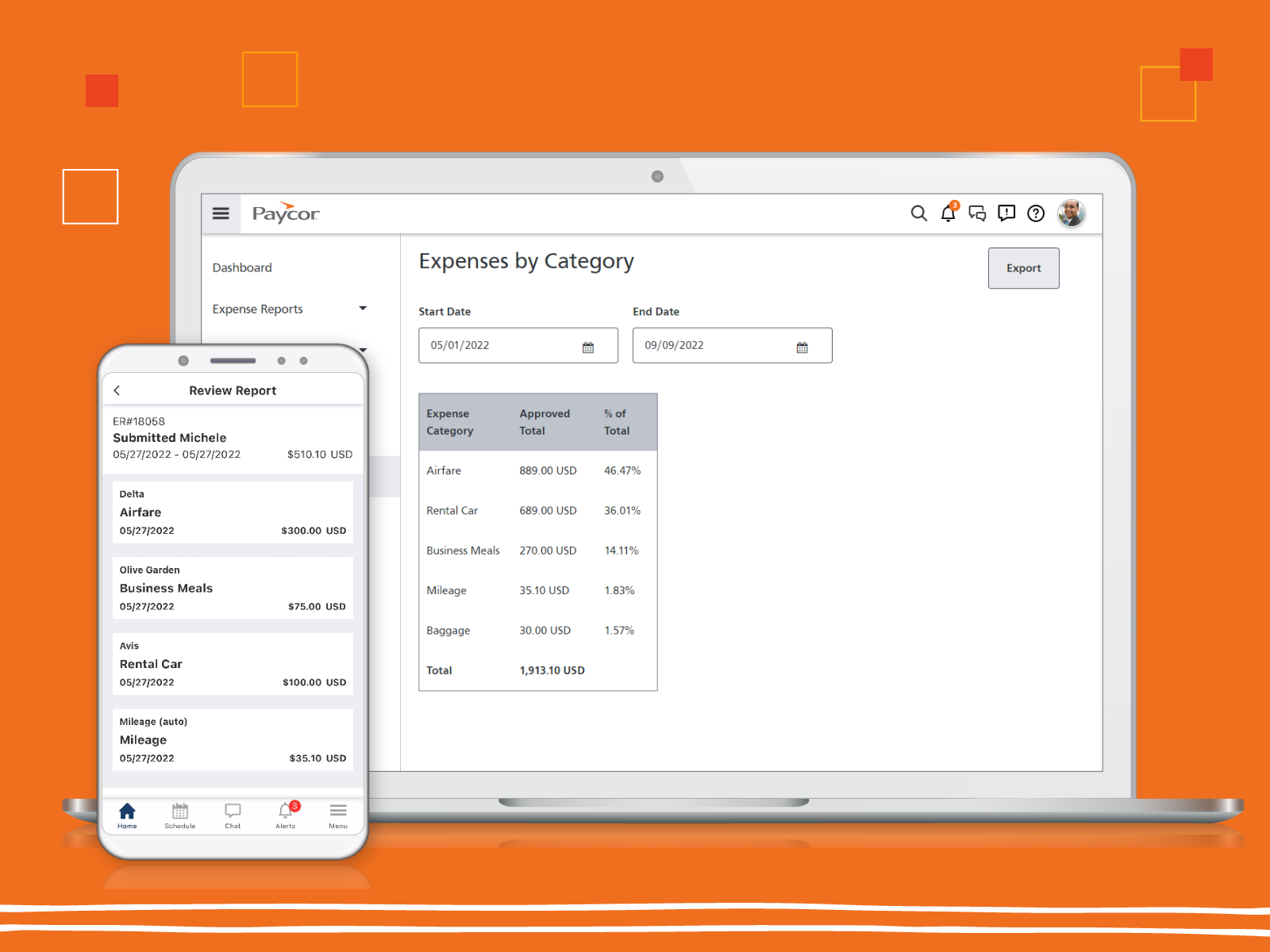
Screenshot of the real-time data insights that support critical business decisions.Screenshot of Paycor's expense reportingScreenshot of the recruiting processes streamlined in PaycorScreenshot of workforce scheduling in PaycorScreenshot of Paycor's mobile app, that allows employees to punch in and out from their phonesScreenshot of the Paycor Home Screen

Saba Cloud (legacy) Screenshots

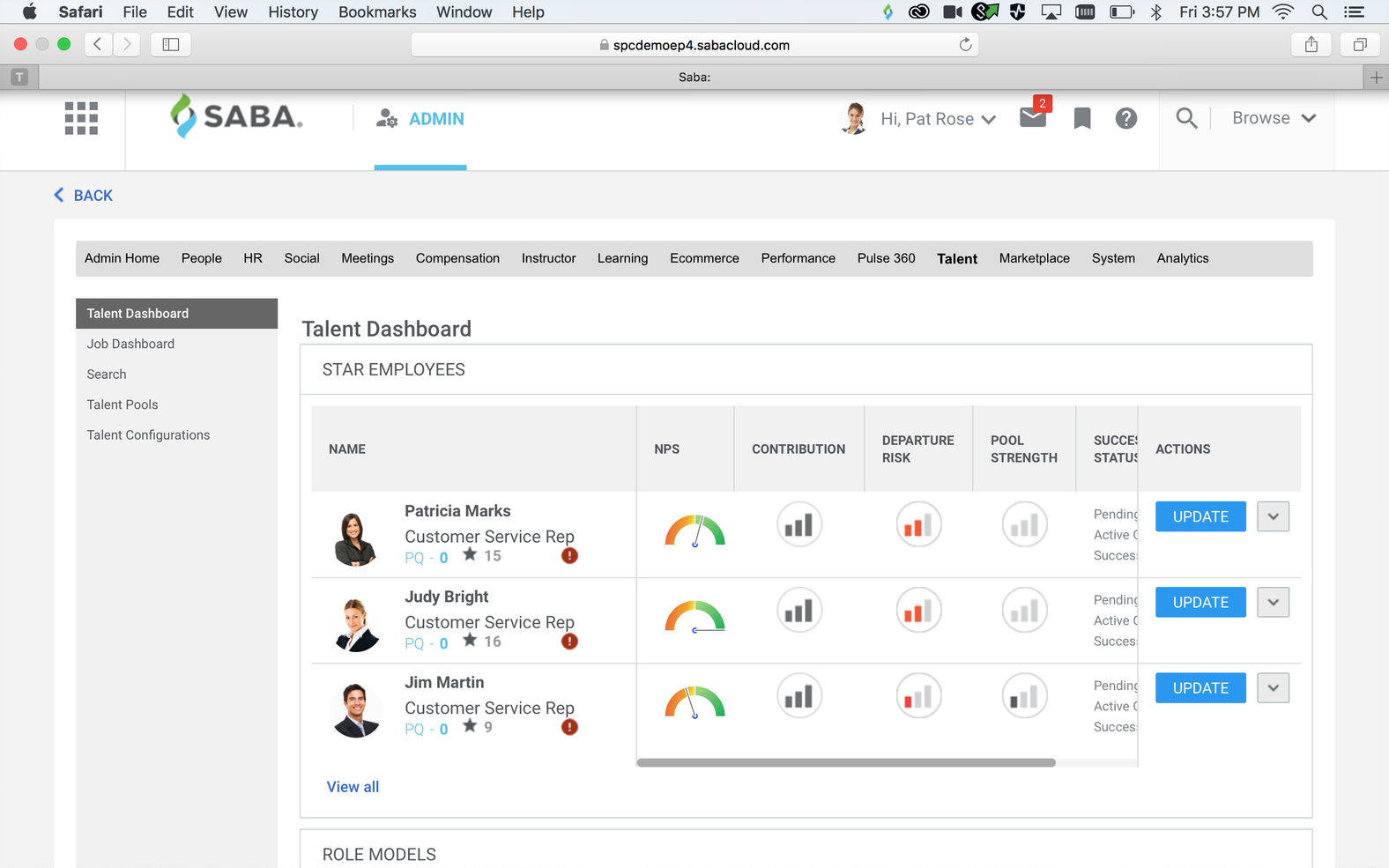
Screenshot of The Intelligent Mentor in Action - RecommendationsScreenshot of Learning PlanScreenshot of Informal LearningScreenshot of Performance Check-insScreenshot of Succession Talent DashboardScreenshot of Organizational Planning