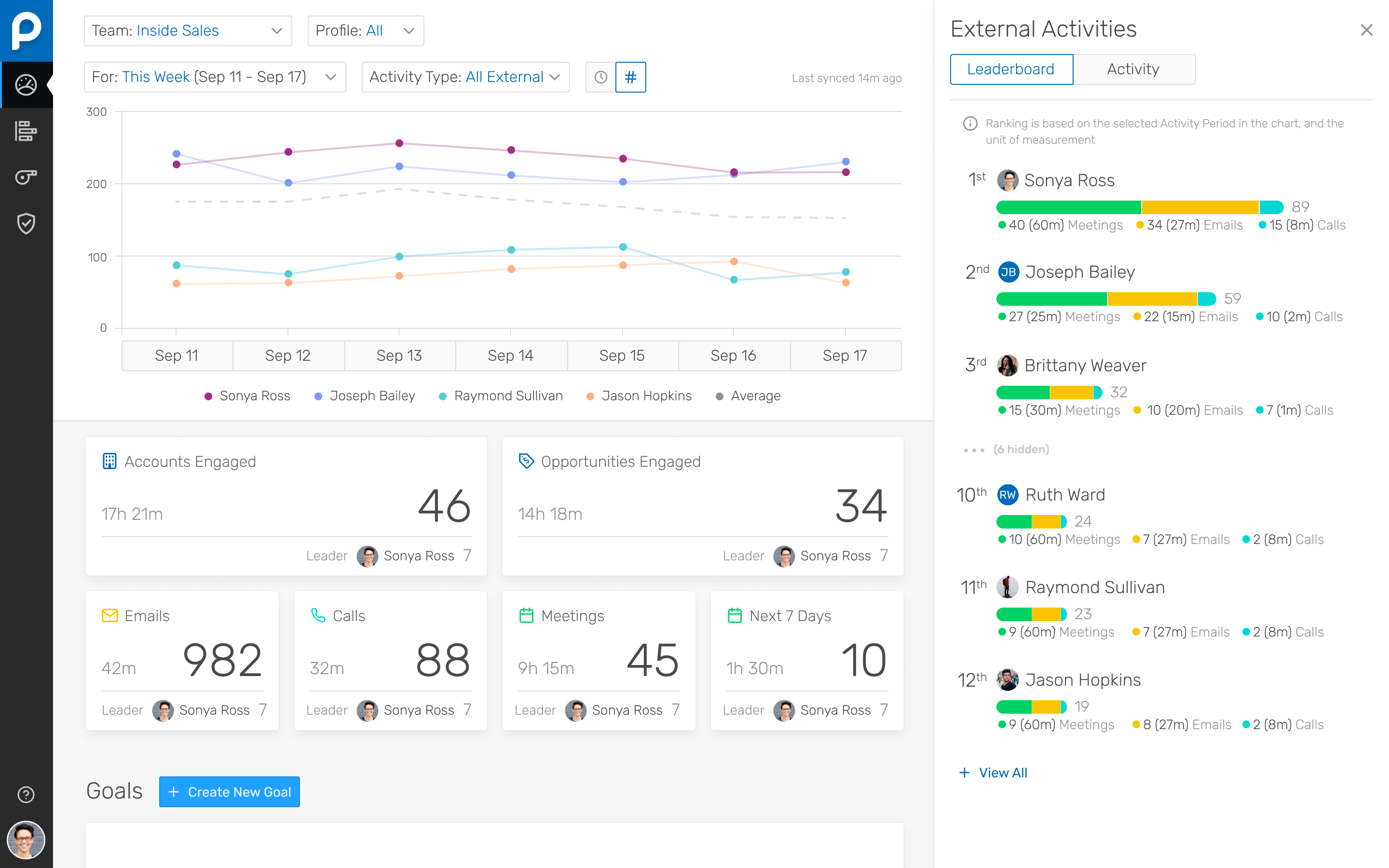
People.ai is a revenue intelligence platform for go-to-market teams. The platform promises to help sales, marketing and customer success teams uncover every revenue opportunity from every customer. Customers include: Lyft, Gainsight, Tanium and Palo Alto Networks. People.ai helps them capture contacts, activity and engagement and drive actionable insights across all their revenue generation. Founded in 2016, People.ai is based in San Francisco and is backed by Y Combinator and…
N/A
QuotaPath
Score8.4 out of 10
Mid-Size Companies (51-1,000 employees)
QuotaPath automates the commission process, helping revenue teams manage and track variable pay. Teams that use QuotaPath gain real-time visibility into commissions and forecasted earnings.
$250
per month per user
Pricing
People.ai
QuotaPath
Editions & Modules
No answers on this topic
Essential
$25
per month (billed annually) per user
Growth
$35
per month (billed annually) per user
Premium
$50
per month (billed annually) per user
Offerings
Pricing Offerings
People.ai
QuotaPath
Free Trial
No
Yes
Free/Freemium Version
No
No
Premium Consulting/Integration Services
No
No
Entry-level Setup Fee
No setup fee
No setup fee
Additional Details
—
QuotaPath has three pricing editions, each with a platform fee that includes the all-in cost of QuotaPath for teams with up to five users. (This includes user access, ongoing support, integration implementations, and is billed annually. Any users beyond the first five have a per-seat cost relative to their associated tier.)
The Growth tier offers a free trial.
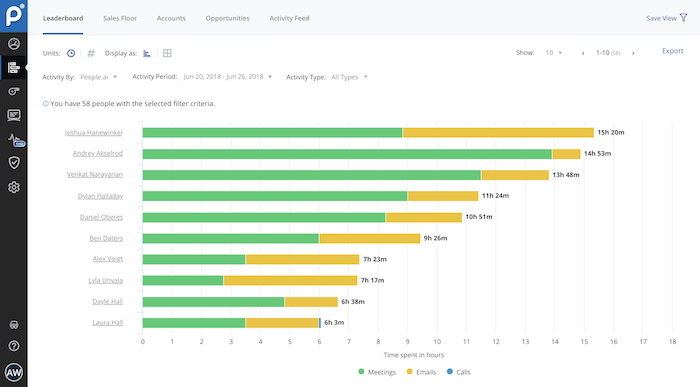
I've been using People.ai for a bit now, and I've been consistently impressed. I use it to track how my team is doing, how my clients are doing, and how I'm doing. I can create custom dashboards with any metric I want to see. I can set goals, and they'll track my progress towards those goals. I can set up competitions between my team, and they'll tell me who's winning and who's losing. You can share these dashboards with your team, which means that everyone can see how everyone else is doing.
A de minimis incentive was given to thank the reviewer for their time. The incentive was not used to bias or drive a particular response, nor was the incentive contingent on a positive endorsement. More Info
Well suited for getting your sales team visibility on their efforts, it’s great for showing how and why commissions payout as they do with each deal. Adjustments can also be made very quickly on the backend if needed. It’s straightforward and quick to set up and doesn’t require much training, which is very good for smaller-end businesses and sales forces. It doesn’t work well with more nuanced deals that may age multiple pay points or for larger sales forces, and some custom CRMs will have trouble or be incompatible.
A de minimis incentive was given to thank the reviewer for their time. The incentive was not used to bias or drive a particular response, nor was the incentive contingent on a positive endorsement. TR verified that a representative sample of customers was invited. More Info
Their Deal Room presents times when you are multi-threaded, engaged with executives, and have an upcoming meeting scheduled rather than stalking your reps calendar and salesforce activities.
They allow you to create areas performance dashboard with custom KPIs you want to measure
A de minimis incentive was given to thank the reviewer for their time. The incentive was not used to bias or drive a particular response, nor was the incentive contingent on a positive endorsement. More Info
We don’t have to calculate commissions in Excel anymore! It takes a fraction of the time it used to calculate commissions. Saves about 1-2 days on month end close. I like that it is easy for me and reps to drill down and see the calculations of their payouts. Reps can see calcs all month long instead of having to wait until the end of the month, so acts as a motivator. Sales managers can manage their direct reports better.
When I first started using QP, I was not thrilled with the quota attainment reporting for dollars, percent, and team management. I’m glad that they added leaderboards and are working on better reporting. I like the UX and UI of the whole software.
I like being able to export the following easily to Excel – resolved payouts for all payouts, payouts by rep, and Ledger (ASC 606) info.
Admins can request that reps acknowledge their plans through QP, which helps with compliance and ensures we are in agreement with calculations. I like that they are adding a docusign feature.
You can easily adjust earnings if a correction is needed, even after the month is closed. Just make sure you reverse from the end of the process (i.e. undo in ledger, undo the resolved payout, delete the unresolved payout, un-approve the deal).
People.ai has a robust platform, however, this requires sales reps to log into one more platform and the People.ai platform is not customizable for selecting what can be viewed by users. If People.ai were to make the features in their platform available in Salesforce it would be a huge win for leveraging the data they aggregate. Hoping an API will soon be on the Roadmap
Time Spent. People.ai uses some logic to attribute values on the "time spent" on the activities being captured. They did improve their meeting aggregations so that they were not "double counting" time when multiple meetings were booked in the same time slot for a rep. Email time spent still seems to have some errors as the time spent on emails can show in excess of the weekly working hours of the reps.
More workspace roles with the ability to customize what each user is able to do. Currently, there's only member and team manager. The team manager currently has too much power and we want to remove some of the things they're able to do like approve deals.
When you sync a deal from the CRM, you can override the earnings but you cannot override the field value you're syncing over. It would be great if that was possible.
When you want to exclude a deal, you have to go in the filters and add a rule to exclude the ID. It would be better if there's an option to reject deals in certain paths as an approver.
A de minimis incentive was given to thank the reviewer for their time. The incentive was not used to bias or drive a particular response, nor was the incentive contingent on a positive endorsement. More Info
I don't have buying decision but we have input on the software or solutions we use and this has been a game changer to review our commissions. Quota Path makes it very easy to ensure we are on target. Saves us a lot of time compared to using spreadsheets
A de minimis incentive was given to thank the reviewer for their time. The incentive was not used to bias or drive a particular response, nor was the incentive contingent on a positive endorsement. More Info
I ran into some issues with setting up an MRR earning path. Their customer service team was readily available to assist, provide guidance and get their hands on our setup, which made getting this up and running much easier. Also (shame on me), I missed a couple of calls with my CSM, Daniel, but he never got frustrated with my absence. In fact, he was always able to reschedule and was flexible with my schedule — when we were able to connect, he was a major, major help.
The easiest comparison would be to email automation vendors like a SalesLoft, Outreach, or Groove. But People.ai doesn't have a template email send like a sequence or cadence feature you would find with them. It is more of a compliment to the email automation vendors than a competitor in my opinion. We want our SDRs to have the ability run sizable outbound campaigns so they still use Outreach. However, we deactivated the Outreach activity sync and run activity syncing through People.ai. If someone gets added into the email CC, People.ai will grab that person and create them as a contact against the matching Salesforce account. For our Sales reps, we want them to have the ability to track opens, link clicks, and send templated emails so we have them use Groove. Again, we deactivated the Salesforce sync and use People.ai syncing. This is a great way to automate the pain away from creating Opportunity Contact Roles and create all relevant contacts in Salesforce from CC's on emails to people added last minute on a calendar invite. My favorite part is how it ingests data directly from Google and doesn't allow a Sales Rep to not to sync an activity to Salesforce, it happens automagically
A de minimis incentive was given to thank the reviewer for their time. The incentive was not used to bias or drive a particular response, nor was the incentive contingent on a positive endorsement. More Info
Xactly Incent was very difficult to configure. And UI wasn't very friendly. Spiff and CaptivateIQ had a good UI but the learning and coding required was going to be too much for the short window of time before implementation was due. QuotaPath was able to build our comp plans in less than a month so we could focus on the necessary configuration of data in Salesforce.
A de minimis incentive was given to thank the reviewer for their time. The incentive was not used to bias or drive a particular response, nor was the incentive contingent on a positive endorsement. More Info
A de minimis incentive was given to thank the reviewer for their time. The incentive was not used to bias or drive a particular response, nor was the incentive contingent on a positive endorsement. More Info
Reduce commission calculations from a full day to minutes
Provides both managers and reps with insight into their earnings
Highly flexible plan structuring that allowed us to pay based on our objectives
While saving money on the elimination of manual commission processing (+/12c days per year) I believe the real payback has been the way it has helped us to better incentivize and motivate our reps
A de minimis incentive was given to thank the reviewer for their time. The incentive was not used to bias or drive a particular response, nor was the incentive contingent on a positive endorsement. More Info