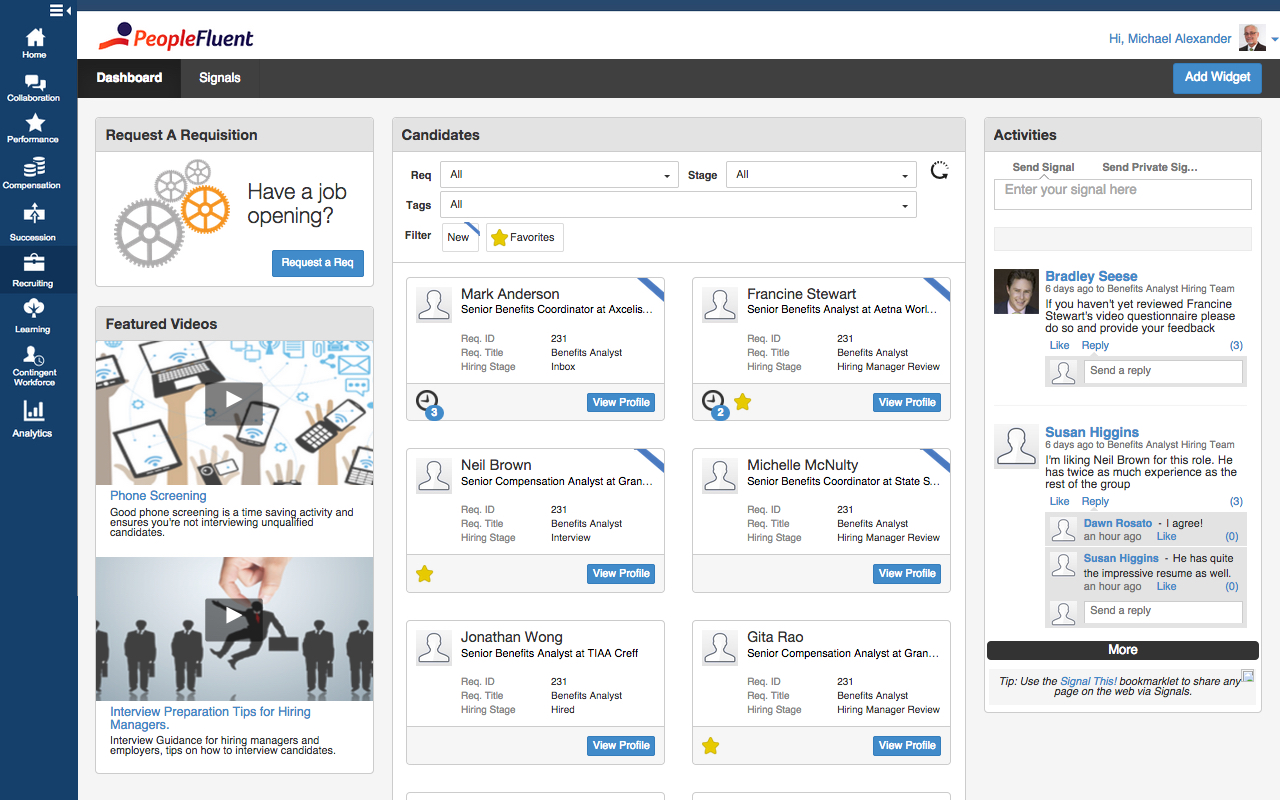
PeopleFluent includes modules for recruiting, performance management, compensation, learning, succession, and vendor management, as well as workforce planning and diversity. These modules can be purchased separately or bundled, and integrate with other HR systems.
N/A
Workday HCM
Score 7.8 out of 10
N/A
Workday Human Capital Management is a cloud-native system offering a globally
consistent user experience. Workday HCM is part of an intelligent, unified system with other
Workday products.
N/A
Pricing
PeopleFluent
Workday Human Capital Management
Editions & Modules
No answers on this topic
No answers on this topic
Offerings
Pricing Offerings
PeopleFluent
Workday HCM
Free Trial
No
No
Free/Freemium Version
No
No
Premium Consulting/Integration Services
Yes
No
Entry-level Setup Fee
No setup fee
No setup fee
Additional Details
—
—
More Pricing Information
Community Pulse
PeopleFluent
Workday Human Capital Management
Considered Both Products
PeopleFluent
Verified User
Program Manager
Chose PeopleFluent
We already had a relationship with peoplefluent and were offered assistance through implementation and deployment. We couldn't walk away from our current vendor.
I would like Workday the most if we had a greater level of functionality. Would like the company to broaden the package so it benefits the recruiters rather than another administrative tool. Onboarding of Workday needs to be better, we have had terrible experiences with the …
PeopleFluent has eliminated the use of paper reviews. It is also eliminated the use of scanning, emailing or interoffice mail. It is a great tool for communication and I highly recommend it. However, in some ways, the product can be improved. Some processes are tied to each other and could function in tandem. For example, while completing the self-review, the employee has to capture multi-raters. If self-review is submitted without listing multi-rater names then multi-rater review has to be captured separately on paper. In my opinion, these two processes can be different. Multi-raters should be added/removed/modified after submitting self-review.
Large organizations with extensive back-office support functions. With that in mind, WD is a great HCM system for mastering and controlling downstream data and providing strong support. Where WD falls short is the front-end user experience. If your intent is for the average Jane/Joe to use the system, you will find them frustrated or disappointed.
It was very easy to go through resumes, choose the people you wanted to interview and set up the interviews.
It is great at keeping track of people that have come through hiring process in the past so you do not waste time on those that have already been declined or are sent in by multiple vendors.
The handling of time sheets and expense reports is very easy to manage.
I think what it does is not having worked on the side of talent acquisitions. Whenever we have a job interview, for example, you can go right there, you can put in everything in Workday Human Capital Management. If I need to go in and see what a coworker put in or notes all that, I can document everything there in Workday Human Capital Management. I think the other thing that makes it a lot easier is for performance management, goal setting. All these things can be done right there in the platform and it just makes it easier. So to store documents, I can do that. I mean it is like a one-stop shop all in one, so it's excellent.
The interface is a little confusing. I'm not sure if it's something that can be fixed in implementations, or if it's inherent to PeopleFluent, but there are almost too many tabs asking for too much information. A lot of it can be repetitive as well.
Changing your password/resetting your password seems to be nightmarish. It requires an organization ID as well as security questions, and forces you to reset your password far too often. I really dislike that feature.
Honestly, PeopleFluent itself looks pretty outdated. I feel as though the entire application really needs a facelift to be more current.
PeopleFluent continues to develop an already high quality product and works to continually improve the user experience. The different modules integrate well, and the administrative functions are easy to understand and perform resulting in less time spent with KTLO functions. They provide world class customer service and work hard to keep you engaged as a customer.
It is work to make one system the source of truth for our data, but now that it is done, there is less work involved in staying on this path. This means for us that maintaining and/or implementing new modules like performance, finance, talent, etc. is simple. It's a no-brainer
PeopleFluent seems to have all the functionality one would need, but it can be a bit overwhelming. Depending on the client implementation, it can be downright confusing and not intuitive. My 6 rating comes from the fact that it seems like the system can be configured to actually be confusing and not make sense. I think a VMS should be set up not to allow a customer to configure it in such a way as to not really work, or to allow users to circumvent steps. I also really don't like the "organization key" that needs to be entered every time you log in. Why is a login and password good enough for 99% of the systems out there, but PeopleFluent requires an extra field?
Workday's on a great path in terms of user experience. Their goals is to deliver a use experience that doesn't require training or instruction, like Amazon on the consumer side for example. That's hard to do when you're talking about complex business processes and important and sensitive employee information, but they're doing it well
In 2014, Workday has changed the update process. There will be two updates a year; the updates will be delivered to customers typically in a 24 hour window during these two weekends a year. They also keep the Community up-to-date about any planned outages, etc. There is weekly scheduled downtime on Friday night.
From my perspective, the system runs like a well oiled machine and I have not had any issues with customers complaining about speed. If a report is taking long to run, the report can run in the background and you can go about your business. For larger enterprises, there is additional space and machines to process the application in what Workday refers to it as Extended Configuration Tenant
I would rate this ATS system a 9 as there's some room for improvement as mentioned prior. I really love the design and its functionality buttons and the way I can integrate it with other systems. I would really love to see a more detailed reporting metrics long with super candidate filters when searching profiles.
Workday is still learning about the needs of higher education. I have seen rapid improvement in support and knowledge over the last year so am confident this will continue to improve. Overall however, I have found the Support Team to be extremely responsive and Workday offers the advantage of having support across several timezones so that we never wait more than a few hours for a response.
Some training is offered online. Cost is per-person. This also gets quite expensive. Training doesn’t follow a logical path A to B. Starts in middle. When you try to do it afterwards at your desk, difficult. • Training scenarios are not very real
I have done for report writing and mass imports (EIBs). They give materials and you run through examples, i.e. you don’t just watch them do tasks, so that is helpful. Training is expensive – a single reporting writing class is $600 per person for virtual training
It was implemented before my joining the company. At my last company, we used Workday professional services.
Based upon my experience at my last company, I would rate the implementation experience an 8/10. There are different ways to set things up and we had different people telling us different things. It set us back a couple of times.
Regarding configuration advice, we could set things up where every manager has supervisory organizations, or have it financially based i.e. aligned to cost center/department. We chose the individual manager path and I think we should have chosen a department route. Going down the individual manager path, to maintain the information, we have to inactivate a supervisory org whenever a manager changes/leaves.
Its great, its very versatile and stacks up very well against the competition. In terms of usability and ease of use, anyone can quickly learn how to use PeopleFluent. Again, the faults against the system would be when a client who is running the tool customizes it to their liking. Not to mention it's a very popular tool that i have had the pleasure of working in twice now with two different organizations.
Workday is an incomplete product, by this I mean it must work alongside other products and does not work by itself. Trying to make several different products work smoothly together becomes very challenging. As compared to ADP products, when purchased all together work very well all together. Also, ADP has extensive Training programs and extensive Customer Support. So ADP's products are far superior to Workday's products in my opinion.
Workday has released Financials and is continuing to develop it's Human Capital Management footprint with the addition of Workday Recruiting. I think customers will find that is easy to add on additional functionality in the system. Workday does make it easy for customers to make changes without relying on IT resources. The Business Process framework is a visual tool that allows functional resources to make changes and see the flow of the transaction
I do believe that goal setting and the workflow of following up, going through the process yearly is as good as you make it. If you set good goals, or help your team make good goals then the experience can go well. Otherwise it's just another thing that an employee is doing to make their manager happy.
I am not sure the cost of the product, but if it is really expensive I am not sure that we are getting fully what we should be for what the product offers. Make sure you are using what is offered.
To get the most value out of all possible automation in Workday you really need to use a lot of their modules, otherwise you may not be able to solve for some pretty important and necessary needs.
The system maintenance is way more than what I have seen with some other systems and therefore you need a quite large team dedicated to it.
The ability to automate a lot of administrative tasks and the ability for employee and manager self-service definitely create a lot of opportunity for HR to spent time and effort elsewhere. A lot of the automation that can be leveraged in Workday also allows for eliminating third party vendors as well as the cost of their maintenance and integrations.