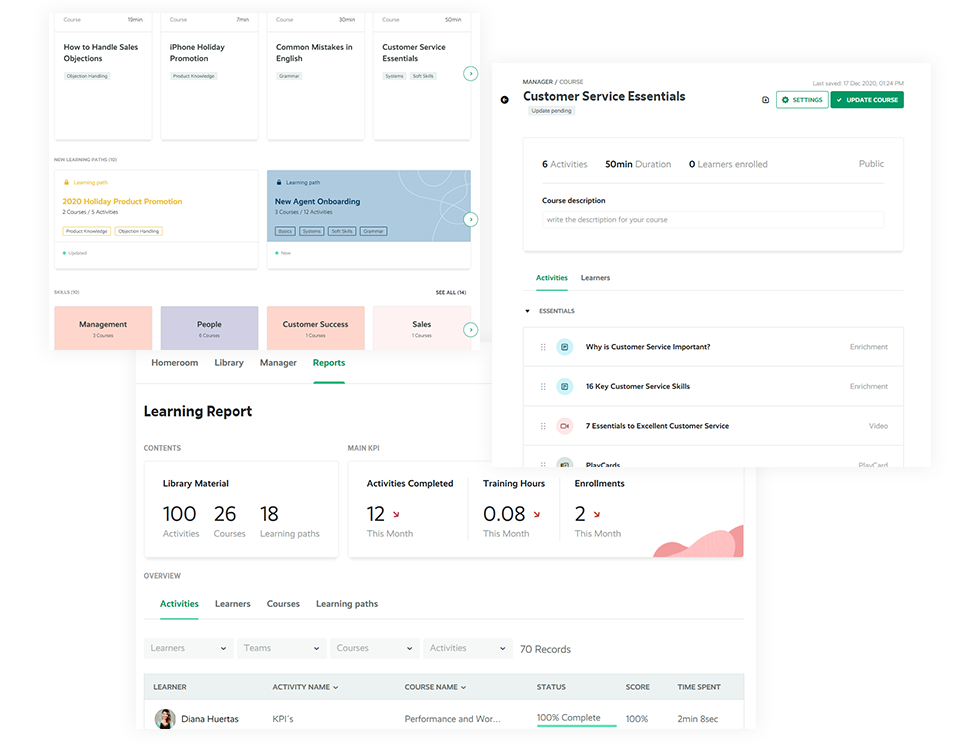
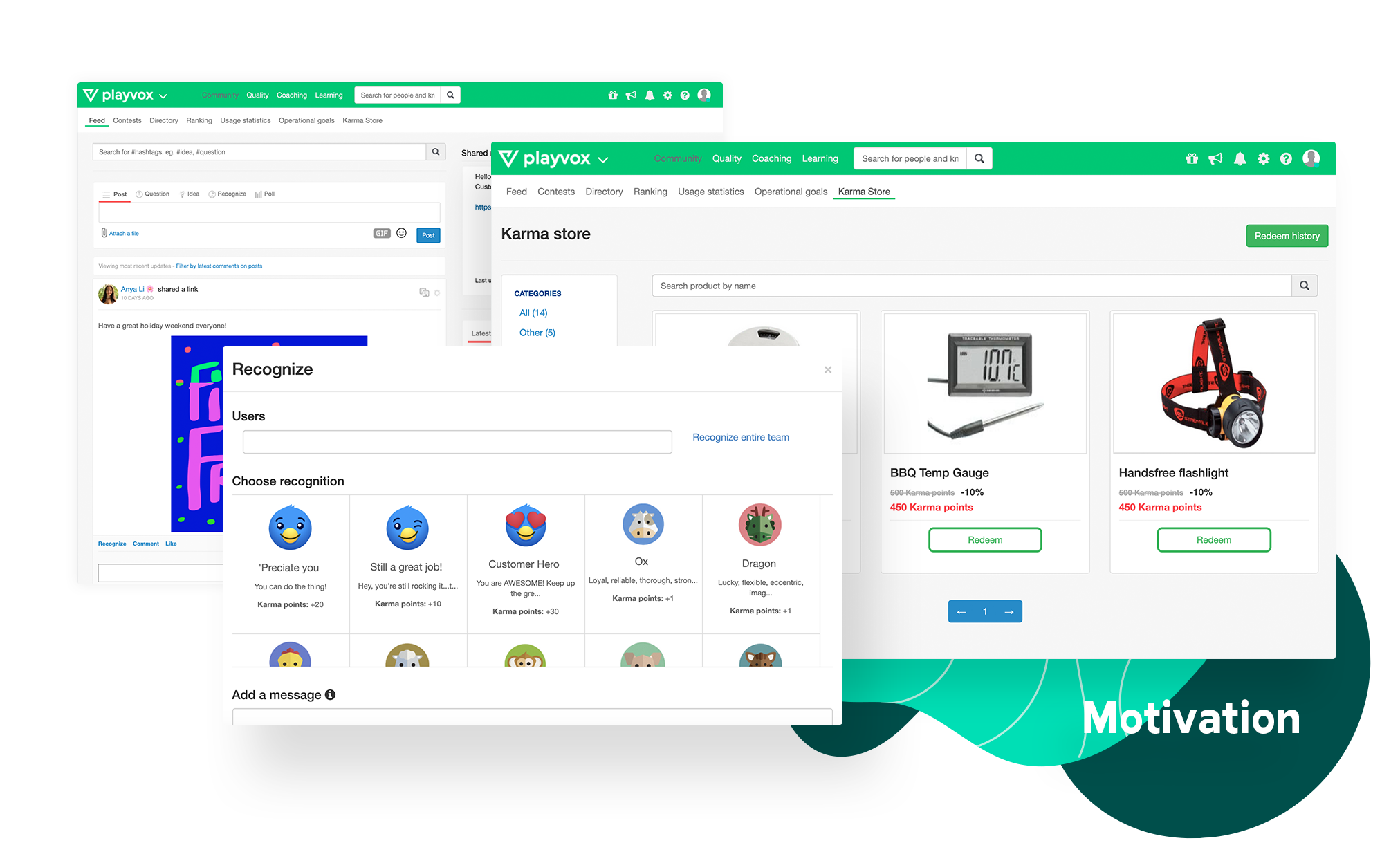
Playvox, headquartered in Sunnyvale, California, offers their call center agent monitoring, coaching and QA platform, designed to motivate and improve the performance of call center agents and reps.
N/A
Zoom Contact Center
Score8.9 out of 10
N/A
Zoom Contact Center helps businesses deliver prompt, accurate, and highly personalized customer experiences that drive loyalty. It includes intelligent self-service and routing, a unified communications and contact center, and video optimized high-touch engagements.
Playvox is well suited to rate and track process adherence and work quality percentual. It is also great to document coaching and track advisors' development, as well as to do knowledge checks through quizzes. It is not so appropriate if you need to see the previous coachings made, since those cannot be opened when they finished.
A de minimis incentive was given to thank the reviewer for their time. The incentive was not used to bias or drive a particular response, nor was the incentive contingent on a positive endorsement. More Info
At our company, we launch a new property project and receive many customer inquiries in a single day. Zoom contact center helped our team manage all calls and follow-ups properly without missing leads. It is very useful for handling customer communication. During peak hours, some agents face call delays, making it a bit difficult to track reports quickly.
A de minimis incentive was given to thank the reviewer for their time. The incentive was not used to bias or drive a particular response, nor was the incentive contingent on a positive endorsement. More Info
A de minimis incentive was given to thank the reviewer for their time. The incentive was not used to bias or drive a particular response, nor was the incentive contingent on a positive endorsement. More Info
AI-powered self-service - customers can interact with our virtual agents and get answers to common inquiries, which ensures fast resolutions.
Better omnichannel support ensures our agents have an easy time managing customer interactions across chat, voice, and SMS.
With Zoom Contact Center in place, we have realized increased agent productivity thanks to its AI features and its ability to integrate with our CRM tool.
The advanced routing and insights ensure that customer issues head to the right customer agent depending on skills.
A de minimis incentive was given to thank the reviewer for their time. The incentive was not used to bias or drive a particular response, nor was the incentive contingent on a positive endorsement. More Info
The speed of loading the chat that I am evaluating for the customer service representative because sometimes it shows that there is an error in the load.
A de minimis incentive was given to thank the reviewer for their time. The incentive was not used to bias or drive a particular response, nor was the incentive contingent on a positive endorsement. More Info
The integration with Zoom Phone is still ongoing, so it initially required some tricky configuration and additional phone numbers, but that's no longer a requirement now.
I would love a way to use physical handsets with the Contact Centre. Currently, it's all softphone integration on a PC or Mac. But it's a great experience and very similar to using Zoom Meetings, so there's minimal training for staff needed.
The Admin Settings on the backend can be tricky to navigate. Still, you have much more customization and constant feature upgrades than I've ever seen with any other Contact Centre service.
A de minimis incentive was given to thank the reviewer for their time. The incentive was not used to bias or drive a particular response, nor was the incentive contingent on a positive endorsement. More Info
I do not think my organization has and 2nd thought of changing the Playvox because I am sure they cannot find another option that is as easy and smooth. There is no other option at all. Playvox is being used here in every department and the company cannot run without this. Now it is a basic need of this business
A de minimis incentive was given to thank the reviewer for their time. The incentive was not used to bias or drive a particular response, nor was the incentive contingent on a positive endorsement. More Info
We are very likely to renew Zoom Contact Center because it has been a stable and reliable solution for our organization. It fits well within the broader Zoom ecosystem that we already use, including Zoom Meetings, Zoom Phone, and Zoom Chat, which creates a more seamless experience for users and reduces complexity. The product quality has been strong overall, and we have also had positive experiences with Zoom’s customer service. While there are still areas where reporting and certain features could improve, the platform has delivered enough value in usability, stability, and integration to make renewal likely.
A de minimis incentive was given to thank the reviewer for their time. The incentive was not used to bias or drive a particular response, nor was the incentive contingent on a positive endorsement. More Info
Playvox is an easy-to-use platform, all features are intuitive, which makes navigation easy. I never found navigation problems, I was always able to find all the items I needed, all the information is well separated, what could improve is the possibility of moving some items, putting the ones that I use the most in evidence.
Usability is one of Zoom Contact Center's strongest selling points. It feels like a natural extension of the Zoom platform rather than a bolted-on contact center tool, which made adoption across our team noticeably smoother than previous system rollouts. Zoom Contact Center is clean, intuitive, and easy to navigate for both agents and administrators. For organizations already using Zoom, the learning curve is minimal.
A de minimis incentive was given to thank the reviewer for their time. The incentive was not used to bias or drive a particular response, nor was the incentive contingent on a positive endorsement. More Info
A de minimis incentive was given to thank the reviewer for their time. The incentive was not used to bias or drive a particular response, nor was the incentive contingent on a positive endorsement. More Info
do pages load quickly? yes / Do reports complete in a reasonable time frame, given their complexity? yes i think / If Playvox integrates with any other software or systems, does it tend to slow them down? i don't know
A de minimis incentive was given to thank the reviewer for their time. The incentive was not used to bias or drive a particular response, nor was the incentive contingent on a positive endorsement. More Info
A de minimis incentive was given to thank the reviewer for their time. The incentive was not used to bias or drive a particular response, nor was the incentive contingent on a positive endorsement. More Info
We have had multiple live trainings (Zoom). The training at the beginning of the set up was top notch. We had some additional questions about coaching and they jumped on the opportunity to help us. We have a designated trainer and account manager.
A de minimis incentive was given to thank the reviewer for their time. The incentive was not used to bias or drive a particular response, nor was the incentive contingent on a positive endorsement. More Info
We have had a positive experience with Zoom Contact Center support overall. Support has generally been responsive and helpful, and our interactions have given us confidence in the product and platform. In addition to the support experience itself, the product has been stable and reliable in day-to-day use, which helps reduce the need for frequent support involvement. When support has been needed, the experience has been solid enough to reinforce our overall positive view of the platform. For those reasons, we would rate the overall support highly, while still recognizing there is always room for improvement.
A de minimis incentive was given to thank the reviewer for their time. The incentive was not used to bias or drive a particular response, nor was the incentive contingent on a positive endorsement. More Info
A de minimis incentive was given to thank the reviewer for their time. The incentive was not used to bias or drive a particular response, nor was the incentive contingent on a positive endorsement. More Info
From the day first, we were active on Playvox and happy with the features. It does not take much time to understand its features and its performance. A few training sessions with 'How to use' and we are experts using Playvox.
A de minimis incentive was given to thank the reviewer for their time. The incentive was not used to bias or drive a particular response, nor was the incentive contingent on a positive endorsement. More Info
I implemented Zoom Contact Center myself, and overall the process was straightforward. The platform was relatively easy to configure, and it did not require an unusually large amount of internal support or complexity to get up and running. One of the advantages during implementation was how well it fit within the broader Zoom environment, which helped reduce friction and made the setup feel more familiar. In our experience, the implementation process was manageable and efficient overall. There is always some room for improvement, but the implementation was smooth enough that I would rate the experience highly.
A de minimis incentive was given to thank the reviewer for their time. The incentive was not used to bias or drive a particular response, nor was the incentive contingent on a positive endorsement. More Info
I selected Playvox as it is the platform my organization uses. I've never worked with another platform like this. In other companies I worked, procedures, communications, and training were not saved, they were only communicated verbally and sometimes a document with what should be done, but nothing compared to the ease of using a Playvox.
A de minimis incentive was given to thank the reviewer for their time. The incentive was not used to bias or drive a particular response, nor was the incentive contingent on a positive endorsement. More Info
This tool has enabled us to identify each user's needs across our various communication channels. It has also facilitated a direct point of contact with Zoom’s technical support team, allowing us to document and escalate any situation requiring specialized assistance, which is the primary reason we chose Zoom. I would recommend it to any colleague or company, as it offers a wide variety of tools, and—now, with the integration of AI—the level of service has improved significantly.
A de minimis incentive was given to thank the reviewer for their time. The incentive was not used to bias or drive a particular response, nor was the incentive contingent on a positive endorsement. More Info
A de minimis incentive was given to thank the reviewer for their time. The incentive was not used to bias or drive a particular response, nor was the incentive contingent on a positive endorsement. More Info
A de minimis incentive was given to thank the reviewer for their time. The incentive was not used to bias or drive a particular response, nor was the incentive contingent on a positive endorsement. More Info
A de minimis incentive was given to thank the reviewer for their time. The incentive was not used to bias or drive a particular response, nor was the incentive contingent on a positive endorsement. More Info
A de minimis incentive was given to thank the reviewer for their time. The incentive was not used to bias or drive a particular response, nor was the incentive contingent on a positive endorsement. More Info
Playvox directly impacts our Happiness ratings. From an average of 85% great ratings to 90% great ratings in a matter of 3-6 months.
Playvox impacts the number of responses our team has to send in order to find a solution for the customer. Dropping average replies to solution from 3 to 2.
A de minimis incentive was given to thank the reviewer for their time. The incentive was not used to bias or drive a particular response, nor was the incentive contingent on a positive endorsement. More Info