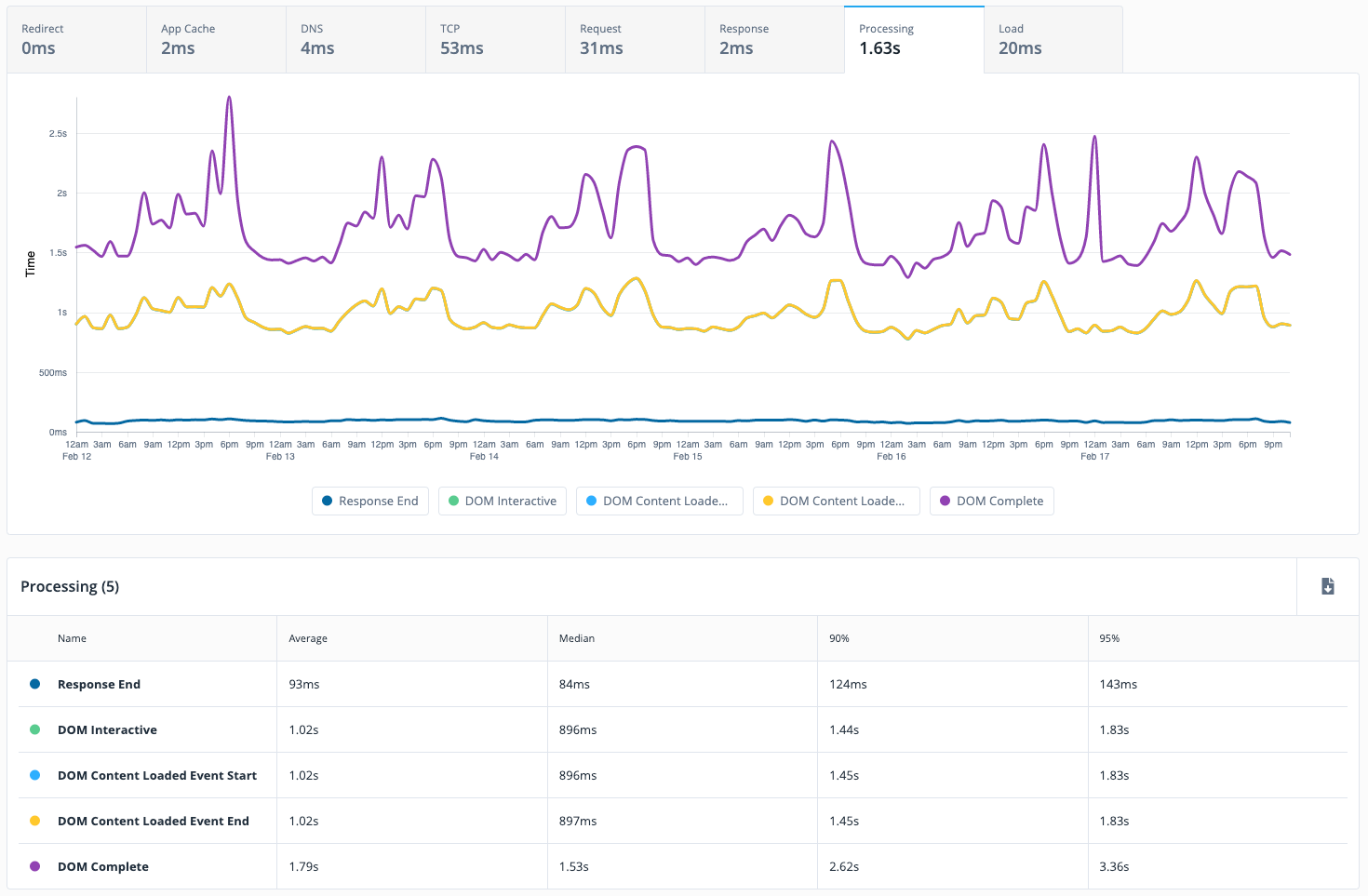
Quantum Metric is designed to help organizations build better digital products faster. Their platform for Continuous Product Design gives business and IT teams a single version of truth which the vendor describes as fast, quantified, and grounded on what customers actually experience. The solution ultimately aims to help teams agree on priorities, build products customers love, and innovate with speed and confidence.
N/A
Woopra
Score3 out of 10
Enterprise companies (1,001+ employees)
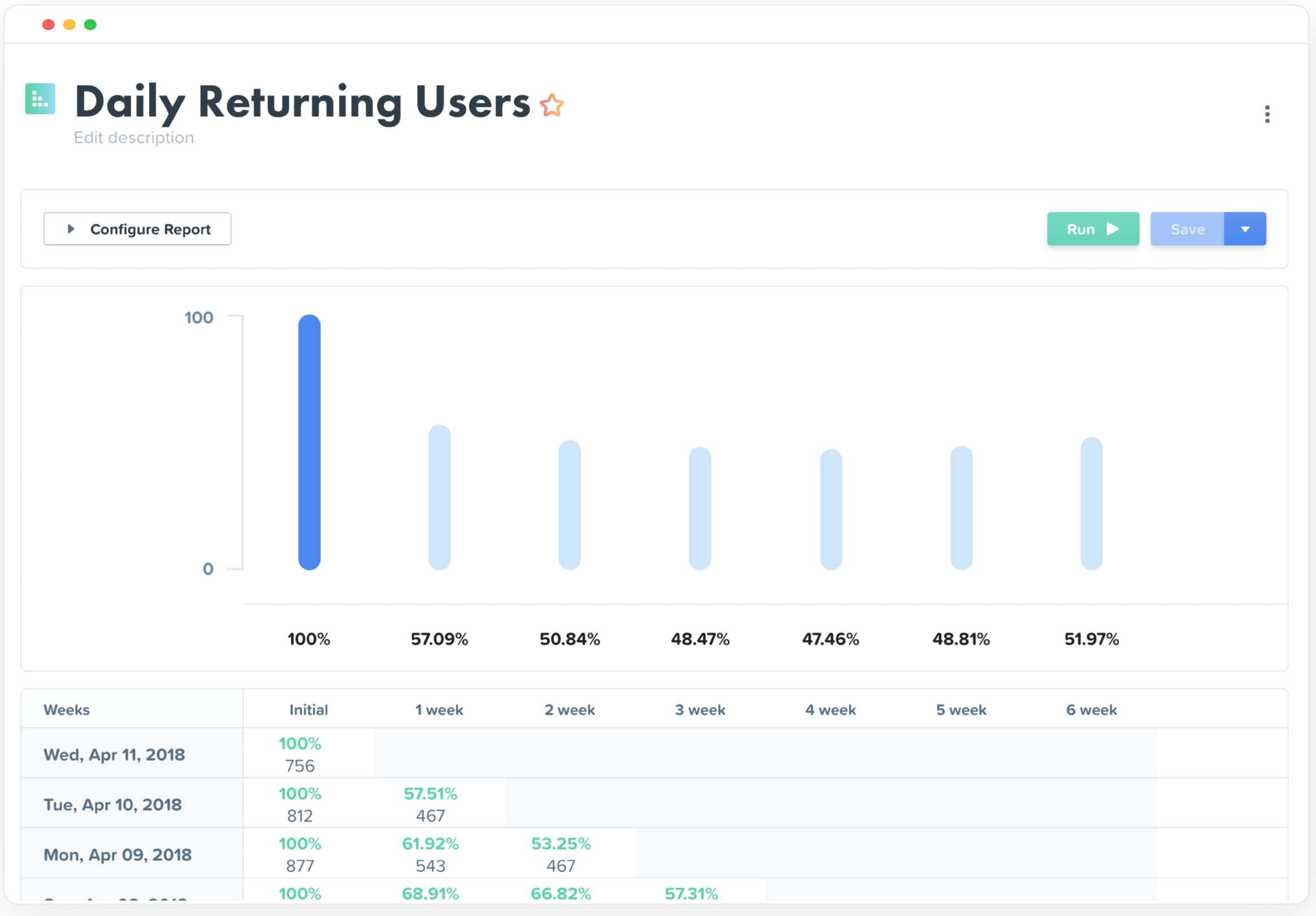
Woopra provides real-time customer analytics. It begins by tracking users across digital touch points (website, mobile app, help desk, marketing automation, etc.) and building a comprehensive behavioral profile for each user. These Customer Profiles are Woopra's building blocks, which are used to generate custom analytics reports, funnel analytics, retention analytics, and more.
Quantum Metric is a true professional, and I love the level of insight and industry knowledge they bring to the table. We use it at the departmental level, including marketing, customer service, and IT. Session replay allows our data consumers to derive insights faster and easier than digging through data. It lets us see or understand how users feel and work to enhance those feelings. The quality of support and the time to respond are also noteworthy. They have great coverage, but the learning curve is very steep and requires a lot of technical support and hand-holding.
A de minimis incentive was given to thank the reviewer for their time. The incentive was not used to bias or drive a particular response, nor was the incentive contingent on a positive endorsement. More Info
My rating of Woopra is the absolute best possible. I would recommend them to anyone looking for an analytics website that prefers a visual interface and a beautiful design. I have not encountered any problems using their app -- ZERO! Their integration with other marketing software, such as MailChimp, helps our company zero in on our marketing campaigns and gives us the information we need to make better choices. I LOVE Woopra and think they are the best out there! I have used other websites and there is no comparison!
A de minimis incentive was given to thank the reviewer for their time. The incentive was not used to bias or drive a particular response, nor was the incentive contingent on a positive endorsement. More Info
Identifying user pain points and frustrations. Quantum Metrics has a data point called Rage Click which shows when a customer has clicked multiple times back to back on a particular section of the website.
Replaying a session to see everything that is loading on the front end to the customer, as well as the backed end of the website, has been critical in troubleshooting the experience.
Heatmaps are a awesome tool we have found very useful in showing engagement with different content on the page, how far user scroll & drop off and to see a split side by side view of the same page in an a/b test.
Woopra tracks *individual users and customer accounts*. It cannot be understated how important this is. Google Analytics and other low cost solutions only sample users and provide aggregate data. For enterprise sales, this is critical. Likewise, for product managers trying to segment product usage by types of accounts, this is incredibly useful.
Woopra updates user analytics in real time. This is critical in a sales context as you want to be able to follow up quickly on opportunities. Likewise, it is useful for customer success as they can see usage in real time for an individual they are supporting.
Woopra has the most turnkey integrations of any web analytics solution on the market. By far the most useful are Marketo, SalesForce, and Slack, but there are several more we didn't tap into. While any solution worth its salt has an API, Woopra's integrations usually require a login and/or API key, and you are good to go. Here is the current list: https://www.woopra.com/appconnect/.
Woopra enables B2B product managers to track product and feature usage by revenue, not just clicks. Again, in a B2B context, this is critical, as there are high-value users and low-value users. Knowing the difference is critical.
Woopra's implementation is super simple. We were able to set it up with a couple of hours of one frontend developer and some help from our product intern.
A de minimis incentive was given to thank the reviewer for their time. The incentive was not used to bias or drive a particular response, nor was the incentive contingent on a positive endorsement. More Info
A de minimis incentive was given to thank the reviewer for their time. The incentive was not used to bias or drive a particular response, nor was the incentive contingent on a positive endorsement. More Info
Quantum is a nice tool and is user friendly however I believe there always room for improvement. We have experienced minor issues with a few sessions which were solved by Quantum support reps in a timely manner and some of the dashboards are not as robust as other tools we use
A de minimis incentive was given to thank the reviewer for their time. The incentive was not used to bias or drive a particular response, nor was the incentive contingent on a positive endorsement. More Info
We just really like the tool. There are lots of us using it internally... from Product, to marketing, to customer service, to optimization team, to traffic acquisition, to Executives. Really helps us answer questions about how well things are going, and what is not going well.
For a new user, it's pretty intuitive to onboard and start doing the basic functionalities. But QM has a lot of functionalities which can be leveraged by more team members (especially when you don't have analysts dedicatedly using this) if further enhancements to usability are made.
A de minimis incentive was given to thank the reviewer for their time. The incentive was not used to bias or drive a particular response, nor was the incentive contingent on a positive endorsement. More Info
The UI and reports are great overall. Creating reports just requires a few too many screens and clicks. Also dashboard tiles can't be resized. Both of these are easy items that are being addressed
I've been very impressed with the support Quantum Metric has provided. Our amazing Customer Success team has provided excellent service and has gone above and beyond in helping us use and understand the tool. We hold weekly calls with multiple teams and QM has been proactive in bringing things to our team's attention and making suggestions. The support has been one of the most important aspects of having QM and has allowed us to make great strides in improving how we use data and user research in our work.
A de minimis incentive was given to thank the reviewer for their time. The incentive was not used to bias or drive a particular response, nor was the incentive contingent on a positive endorsement. More Info
Compared to other products, the support was a small effort. We only had part time contributions from a product management intern and front end developer.
We have used - as an organization - multiple products that each fill a roll or task Quantum Metric provides...however I think there are very few tools or SaaS solutions out there that bundle so much into one solution. QM was better than the replay tool another group was utilizing (Mouseflow) because with our contract we could capture and review way more replays as well as have those replays married to actual, quantifiable data. From an analytics point, is so much easier to install event tracking as opposed to our basic Google Analytics implementation. However, I would still use GA as a primary record for measuring overall site performance since QM doesn't have robust product sales tracking. At one point we did review a competitor called Content Square. They seemed very focused on heat mapping.
A de minimis incentive was given to thank the reviewer for their time. The incentive was not used to bias or drive a particular response, nor was the incentive contingent on a positive endorsement. More Info
Woopra is much easier to setup and use than Google Analytics. I've spent hours trying to create custom reports in Google Analytics. Woopra does not take this much time to get solid reporting for our site. If you need something that tracks marketing efforts then Google Analytics will likely be a better fit.
A de minimis incentive was given to thank the reviewer for their time. The incentive was not used to bias or drive a particular response, nor was the incentive contingent on a positive endorsement. More Info
A de minimis incentive was given to thank the reviewer for their time. The incentive was not used to bias or drive a particular response, nor was the incentive contingent on a positive endorsement. More Info
Really helped us begin to segment our users based on their engagement and retention.
Helped increase retention by about 1.5% after about 5 months of implementation (don't shoot the messenger if your team can't implement that quickly).
I felt like it had great potential to create a pipeline between sales and the CSM, but I had trouble getting the sales team to implement it properly as they had their noses deep in calls and emails (they struggle entering notes in SalesForces as well, so it's more a company specific problem).
A de minimis incentive was given to thank the reviewer for their time. The incentive was not used to bias or drive a particular response, nor was the incentive contingent on a positive endorsement. More Info