TrustRadius: an HG Insights company

Save this comparison

Save this comparison

Add Product

Recommended Comparisons

    Overview
    ProductRatingMost Used ByProduct SummaryStarting Price

    QuickBooks Online

    Score8 out of 10
    N/AQuickBooks Online is a SaaS version of the QuickBooks product. It contains all of the features found in the local version. Higher-priced plans include greater automation, payment management, inventory and time tracking, and analytics features.

    $38

    per month

    vcita

    Score9 out of 10
    N/AvCita is a marketing-focused CRM for service providers. According to the vendor, the product helps service providers move clients through every stage of the sales cycle: from the first point of contact to closing, upselling and follow-up. vCita is a lightweight CRM with the following features: - Manage appointments, payments, and clients - Access info & respond to clients on the go with a mobile app - Invite clients to…

    $35

    per month

    Pricing
    QuickBooks Onlinevcita
    Editions & Modules
    Simple Start
    $38
    per month
    Essentials
    $75
    per month
    Plus
    $115
    per month
    Advanced
    $275
    per month
    Essentials
    $35
    per month
    Business
    $65
    per month
    Platinum
    $110
    per month
    Offerings
    Pricing Offerings
    QuickBooks Onlinevcita
    Free Trial
    YesYes
    Free/Freemium Version
    NoNo
    Premium Consulting/Integration Services
    YesNo
    Entry-level Setup FeeNo setup feeNo setup fee
    Additional Details—Discount available for annual billing.
    More Pricing Information
    Community Pulse
    QuickBooks Onlinevcita
    Considered Both Products
    Intuit
    No answer on this topic
    WiseStamp
    No answer on this topic
    Key User Insights
    Would buy again
    83%
    Would buy again
    129 Answers
    No answers on this topic
    Delivers good value for the price
    87%
    Delivers good value for the price
    124 Answers
    No answers on this topic
    Happy with the feature set
    83%
    Happy with the feature set
    129 Answers
    No answers on this topic
    Lived up to sales and marketing promises
    82%
    Lived up to sales and marketing promises
    100 Answers
    No answers on this topic
    Implementation went as expected
    85%
    Implementation went as expected
    117 Answers
    No answers on this topic
    Features
    QuickBooks Onlinevcita
    Payroll Management
    Comparison of Payroll Management features of QuickBooks Online and vcita
    Feature
    QuickBooks Online
    7.7
    125 Ratings
    2% above category average
    vcita
    -
    Ratings
    Pay calculation8.0114 Ratings00 Ratings
    Benefit plan administration6.962 Ratings00 Ratings
    Direct deposit files8.1105 Ratings00 Ratings
    Salary revision and increment management7.778 Ratings00 Ratings
    Reimbursement management7.784 Ratings00 Ratings
    Customization
    Comparison of Customization features of QuickBooks Online and vcita
    Feature
    QuickBooks Online
    7.0
    116 Ratings
    8% below category average
    vcita
    6.8
    7 Ratings
    12% below category average
    API for custom integration6.996 Ratings7.02 Ratings
    Plug-ins7.198 Ratings00 Ratings
    Custom fields00 Ratings6.67 Ratings
    Security
    Comparison of Security features of QuickBooks Online and vcita
    Feature
    QuickBooks Online
    8.2
    191 Ratings
    0% above category average
    vcita
    9.7
    6 Ratings
    14% above category average
    Single sign-on capability8.3156 Ratings00 Ratings
    Role-based user permissions8.1181 Ratings9.76 Ratings
    Reporting & Analytics
    Comparison of Reporting & Analytics features of QuickBooks Online and vcita
    Feature
    QuickBooks Online
    8.0
    217 Ratings
    2% above category average
    vcita
    -
    Ratings
    Dashboards8.1204 Ratings00 Ratings
    Standard reports8.3211 Ratings00 Ratings
    Custom reports7.7195 Ratings00 Ratings
    General Ledger and Configurable Accounting
    Comparison of General Ledger and Configurable Accounting features of QuickBooks Online and vcita
    Feature
    QuickBooks Online
    7.8
    234 Ratings
    2% above category average
    vcita
    -
    Ratings
    Accounts payable8.5200 Ratings00 Ratings
    Accounts receivable8.6217 Ratings00 Ratings
    Cash management7.9198 Ratings00 Ratings
    Bank reconciliation9.0223 Ratings00 Ratings
    Expense management8.2206 Ratings00 Ratings
    Time tracking6.998 Ratings00 Ratings
    Fixed asset management7.798 Ratings00 Ratings
    Multi-currency support7.549 Ratings00 Ratings
    Multi-division support7.180 Ratings00 Ratings
    Regulations compliance7.979 Ratings00 Ratings
    Electronic tax filing8.0118 Ratings00 Ratings
    Self-service portal7.3126 Ratings00 Ratings
    Global Financial Support6.441 Ratings00 Ratings
    Primary and Secondary Ledgers7.972 Ratings00 Ratings
    Intercompany Accounting7.672 Ratings00 Ratings
    Localizations7.855 Ratings00 Ratings
    Journals and Reconciliations8.5146 Ratings00 Ratings
    Enterprise Accounting7.062 Ratings00 Ratings
    Configurable Accounting7.789 Ratings00 Ratings
    Centralized Rules Framework7.560 Ratings00 Ratings
    Standardized Processes8.6108 Ratings00 Ratings
    Inventory Management
    Comparison of Inventory Management features of QuickBooks Online and vcita
    Feature
    QuickBooks Online
    6.8
    90 Ratings
    7% below category average
    vcita
    -
    Ratings
    Inventory tracking6.685 Ratings00 Ratings
    Automatic reordering6.947 Ratings00 Ratings
    Location management7.254 Ratings00 Ratings
    Manufacturing module6.537 Ratings00 Ratings
    Order Management
    Comparison of Order Management features of QuickBooks Online and vcita
    Feature
    QuickBooks Online
    7.7
    144 Ratings
    4% above category average
    vcita
    -
    Ratings
    Pricing7.991 Ratings00 Ratings
    Order entry7.787 Ratings00 Ratings
    Credit card processing8.3111 Ratings00 Ratings
    Cost of goods sold8.0110 Ratings00 Ratings
    Order Orchestration7.347 Ratings00 Ratings
    End-to-end order visibility7.750 Ratings00 Ratings
    Order exception Resolution7.443 Ratings00 Ratings
    Sales Force Automation
    Comparison of Sales Force Automation features of QuickBooks Online and vcita
    Feature
    QuickBooks Online
    -
    Ratings
    vcita
    8.8
    5 Ratings
    12% above category average
    Customer data management / contact management00 Ratings9.55 Ratings
    Workflow management00 Ratings8.04 Ratings
    Marketing Automation
    Comparison of Marketing Automation features of QuickBooks Online and vcita
    Feature
    QuickBooks Online
    -
    Ratings
    vcita
    7.0
    3 Ratings
    10% below category average
    Email marketing00 Ratings7.03 Ratings
    CRM Project Management
    Comparison of CRM Project Management features of QuickBooks Online and vcita
    Feature
    QuickBooks Online
    -
    Ratings
    vcita
    8.0
    5 Ratings
    4% above category average
    Billing and invoicing management00 Ratings9.05 Ratings
    Reporting00 Ratings7.03 Ratings
    Platform
    Comparison of Platform features of QuickBooks Online and vcita
    Feature
    QuickBooks Online
    -
    Ratings
    vcita
    8.6
    7 Ratings
    12% above category average
    Mobile access00 Ratings8.67 Ratings
    Best Alternatives
    QuickBooks Onlinevcita
    Small Businesses
    QuickBooks Self-Employed (discontinued)
    Score4.2 out of 10
    Salesflare
    Score10 out of 10
    Medium-sized Companies
    MYOB
    Score8.3 out of 10
    Kintone
    Score9.7 out of 10
    Enterprises
    Microsoft Dynamics GP
    Score5.4 out of 10
    Oracle Sales
    Score8.9 out of 10
    All AlternativesView all alternativesView all alternatives
    User Ratings
    QuickBooks Onlinevcita
    Likelihood to Recommend
    8.3
    (252 ratings)
    9.7
    (10 ratings)
    Likelihood to Renew
    9.6
    (27 ratings)
    -
    (0 ratings)
    Usability
    8.2
    (167 ratings)
    9.5
    (4 ratings)
    Availability
    9.0
    (6 ratings)
    -
    (0 ratings)
    Performance
    1.0
    (5 ratings)
    -
    (0 ratings)
    Support Rating
    9.9
    (70 ratings)
    8.5
    (4 ratings)
    Implementation Rating
    10.0
    (7 ratings)
    -
    (0 ratings)
    Configurability
    1.0
    (2 ratings)
    -
    (0 ratings)
    Contract Terms and Pricing Model
    5.0
    (1 ratings)
    -
    (0 ratings)
    CPA Rating
    7.4
    (18 ratings)
    -
    (0 ratings)
    Ease of integration
    1.3
    (2 ratings)
    -
    (0 ratings)
    Product Scalability
    2.0
    (3 ratings)
    -
    (0 ratings)
    Professional Services
    5.0
    (1 ratings)
    -
    (0 ratings)
    Vendor post-sale
    5.0
    (3 ratings)
    -
    (0 ratings)
    Vendor pre-sale
    5.0
    (3 ratings)
    -
    (0 ratings)
    User Testimonials
    QuickBooks Onlinevcita
    Likelihood to Recommend
    Intuit
    QBO is a great solution for small and midsize companies. If the goal is to record all transactions and pull reliable financial reports, QBO is a great option. QBO is also a great solution if most operations are run in a system like Ramp. It syncs well with systems like that and turns the data into something management can use to make decisions. QBO is great because so many people use it. It is easy to find training online, and many people have experience with it.
    Incentivized
    Read full review
    WiseStamp
    It makes client communication extremely easy - we can message and schedule online appointments. Clients really like those options. We also like the online payment portal. That way clients can pay at their convenience, and we don't end up with credit card information that requires PCI compliance. It also helps with payments. It would also help with invoicing, but unfortunately, there are only 3 linked payment options (Square, Stripe, and PayPal). If you don't use one of those payment processors, you cannot link to billing.
    Incentivized
    Read full review
    Pros
    Intuit
    • Workflows for accounts payable invoice review are terrific.
    • Bill payment allows you to pay vendors online via ACH or check without having to write a physical check, which reduces admin time.
    • The cloud based login lends well to a remote or hybrid work environment for staff.
    • QuickBooks Online allows you to pre-configure vendors' general ledger expense accounts. This helps with general ledger coding accuracy and consistency.
    • QuickBooks Online integrates with Rippling HRIS, Coast, Capital One, JPMorgan Chase, etc., which lends well to an efficient month-end closing and reduced administrative time.
    Incentivized
    Read full review
    WiseStamp
    • Great for online appointment bookings.
    • Good for taking payments.
    • Good for onboarding new clients.
    • Integrates with your website.
    • Integrates with Facebook Pages.
    Incentivized
    Read full review
    Cons
    Intuit
    • I dislike that the online bill pay option through QuickBooks is required for their invoicing.
    • The auto-fill portion of the customer setup, specifically the company name, is listed, but it also auto-fills in the name portion, which is inconvenient and time-consuming to remove.
    Incentivized
    Read full review
    WiseStamp
    • Payment collection: We want to have an option to allow clients to choose the amount they wish to pay.
    • Improved ease of use with forms.
    Incentivized
    Read full review
    Likelihood to Renew
    Intuit
    It like the product 'right out of the box' and I trust Intuit will continually improve it over the years based on my experience with their desktop products. The large providers of Apps makes customizing the entire package relatively easy and seamless for a wide variety of business types.
    Incentivized
    Read full review
    WiseStamp
    No answers on this topic
    Usability
    Intuit
    Beyond being overkill for a small org's needs, QBO is constantly stealing screen real estate and attention by hammering users for account upgrades, connecting to one of their approved consultants or buying add-ons. The idea of using a simple configurable bookeeping and light accounting interface is completely missing. At the very least, we should be able to hide functions like inventory that we will never use.
    Incentivized
    Read full review
    WiseStamp
    Overall - easy to use. There are some missing features (like fillable pdf forms), and it also requires using certain credit card processors to link billing (otherwise it doesn't work).
    Incentivized
    Read full review
    Reliability and Availability
    Intuit
    We have rarely had outages in the last 10 years. I can only recall 2 times in the last 10 years where we were not able to access our client files.
    Incentivized
    Read full review
    WiseStamp
    No answers on this topic
    Performance
    Intuit
    Everything process has its bugs lately with the new interface. Nothing has worked smoothly since this all began last month.
    Incentivized
    Read full review
    WiseStamp
    No answers on this topic
    Support Rating
    Intuit
    In my experience, most representatives keep me on the phone for hours, literally, for a single issue and then usually cannot resolve it satisfactorily. I have 10 open cases that need resolution and, in my experience, there has been NO follow-up communication on any of them.
    Incentivized
    Read full review
    WiseStamp
    I do miss the days when I could easily call up a rep and talk to them about any issues I had with the service. But I still do hear back from the customer service rep during the week within 24 hours.
    Incentivized
    Read full review
    Implementation Rating
    Intuit
    The person in charge of QB needs to be very accurate with record keeping and is recommended to stay on top of tasks. The biggest issue we have is reconciliation, and those issues occur only when too much time has occurred between reconciliations
    Incentivized
    Read full review
    WiseStamp
    No answers on this topic
    Alternatives Considered
    Intuit
    As a freelance bookkeeper, the Desktop version of QuickBooks Online doesn't allow for ease of access from any device. Having to be on a computer with the software downloaded creates additional work to gain access to all required filings etc. Also, I personally find the linking functionality on the Online version to be much more streamlined and user friendly.
    Read full review
    WiseStamp
    I liked vCita a lot more for my home services company mainly because it handled scheduling through the software which was terrific.
    Incentivized
    Read full review
    Scalability
    Intuit
    As we have grown along our professional path, we have also expanded our use of QB. The scalability is easy and features seem to be waiting for you until you need them. We have increased profits by over 10x from our first year in business to the current and have yet to find a reason to look elsewhere
    Incentivized
    Read full review
    WiseStamp
    No answers on this topic
    Return on Investment
    Intuit
    • QuickBooks has given us a useful portal by which to get an overview of our financials.
    • QuickBooks has given us a relatively easy way to send out invoices quickly and efficiently.
    • Due to the customization limitations on QuickBooks, we've had to get creative in third-party implementations to better represent our brand and to track financials.
    Incentivized
    Read full review
    WiseStamp
    • I have no clue
    • I'm assuming that we would not have people making appointments with us if we didn't have this service
    Incentivized
    Read full review
    ScreenShots

    QuickBooks Online Screenshots

    Screenshot of the accounting and bank transactions interfaceScreenshot of an overview of the accounting inventoryScreenshot of book marksScreenshot of the business tax overviewScreenshot of the customer hubScreenshot of the dashboard

    vcita Screenshots

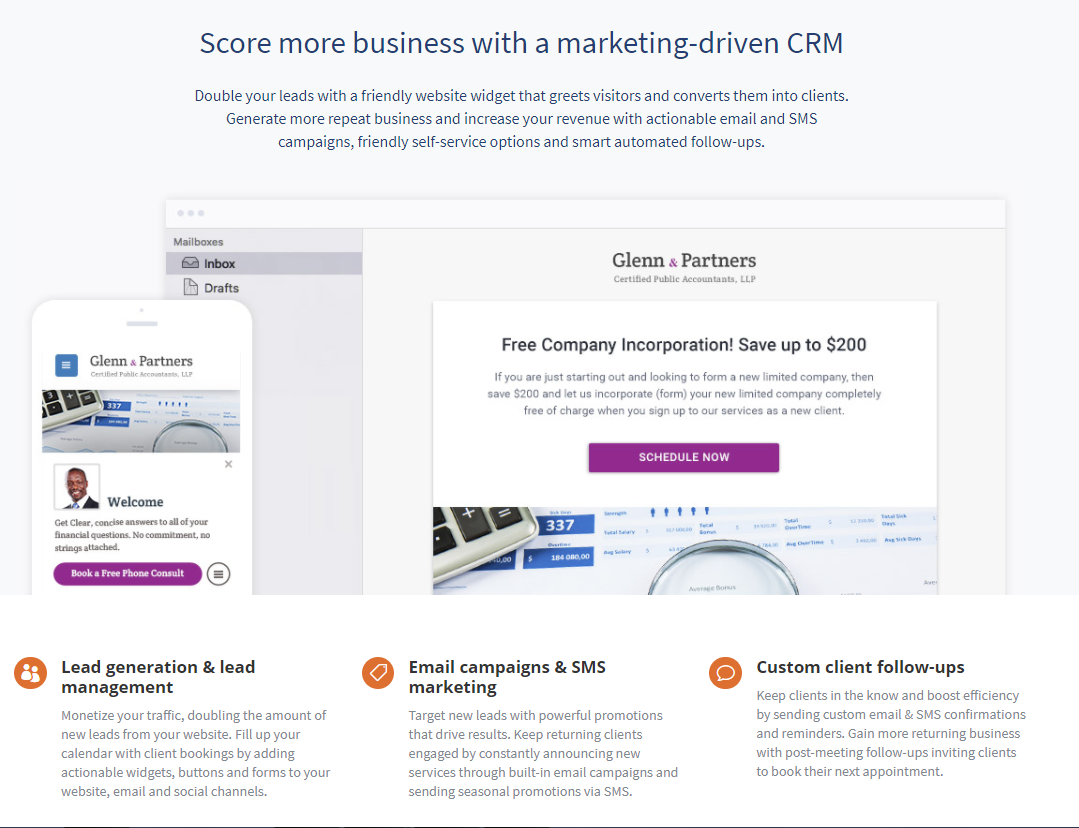
    Screenshot of vcita's features, that make it a marketing-driven CRM for small businesses