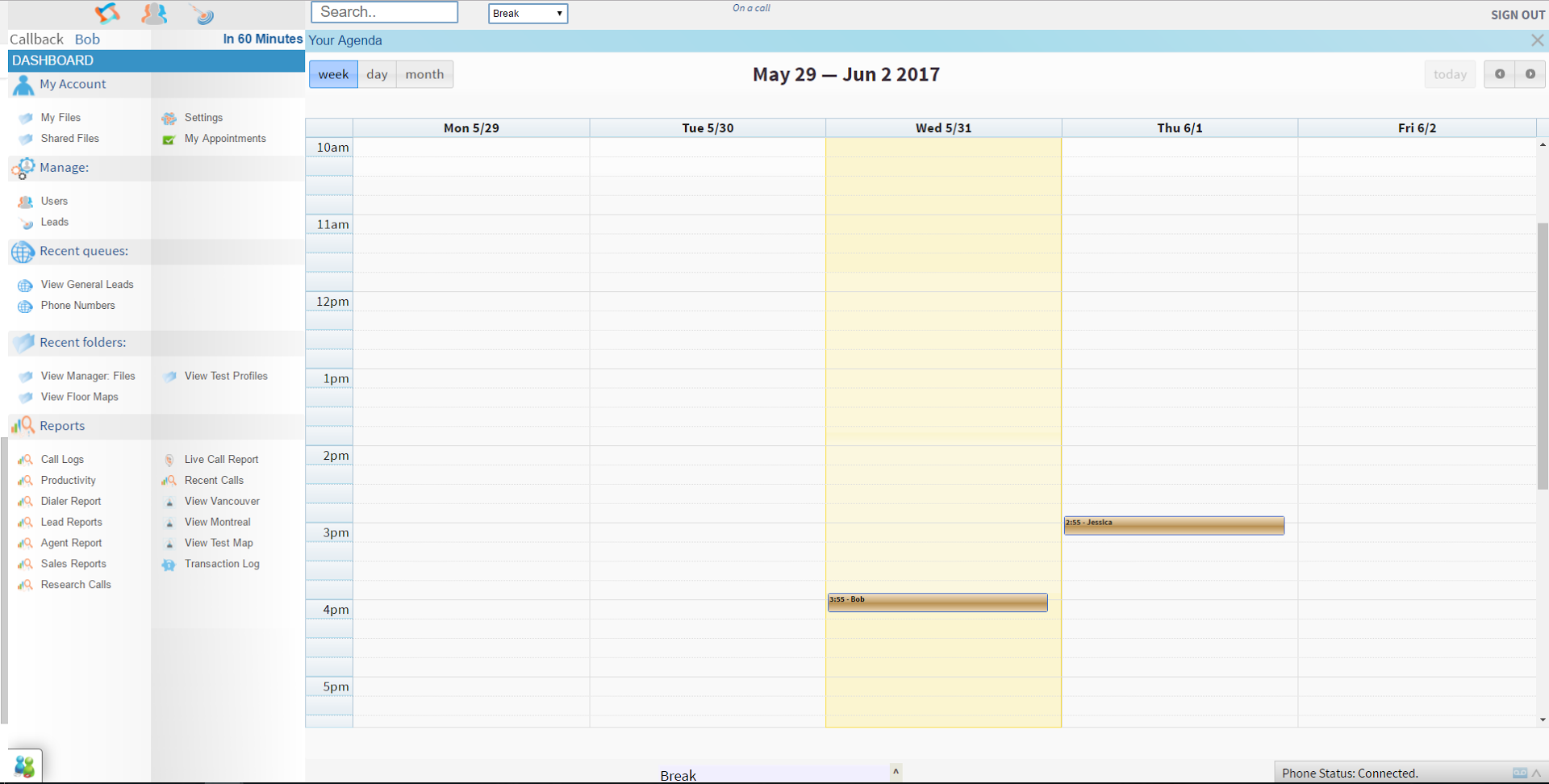
Readymode (formerly Xencall) is a cloud-based predictive dialer used to connect sales and call center agents with more leads in less time. The outbound call center platform helps agents dial smarter and connect faster, so call centers can increase contact rates and make every call count. Readymode will also automate manual customer data entry with its included call center CRM software, so reps can focus on the conversation. Immediate access to customer profiles…
$150
per month per license
VanillaSoft
Score3.7 out of 10
Small Businesses (1-50 employees)
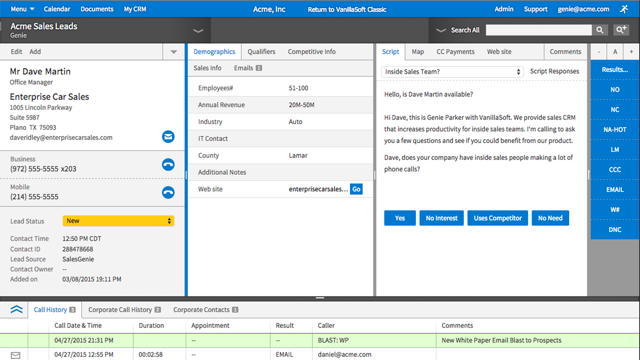
VanillaSoft is a lead optimization platform designed to assist fast-response sales teams in maximizing their conversion rates. By providing a structured and efficient approach to lead management, VanillaSoft aims to ensure that every potential customer receives the attention they deserve. This platform is beneficial for sales teams that operate in high-pressure environments where timely follow-ups can significantly impact sales outcomes. The primary audience for VanillaSoft…
N/A
Pricing
Readymode
VanillaSoft
Editions & Modules
Readymode - starting at
$150
per month per license
No answers on this topic
Offerings
Pricing Offerings
Readymode
VanillaSoft
Free Trial
No
No
Free/Freemium Version
No
No
Premium Consulting/Integration Services
No
Yes
Entry-level Setup Fee
$11
No setup fee
Additional Details
17% discount for annual pricing.
VanillaSoft offers several add-ons to use in conjunction with our base platforms including:
Auto Dialing
Call Recording
VoIP
SmartCaller ID
SMS
IT Manager & Sales Executive in Information Technology at West Coast Call Center Inc (Marketing and Advertising, 11-50 employees)
Chose VanillaSoft
XenCALL, Convoso XenCALL appears to have all the functionality of VS with added dialing and a more automated (but not complete ATDS) included as well as a browser based softphone. Convoso is similar in offering the same features as XenCALL but the pricing structure includes …
A de minimis incentive was given to thank the reviewer for their time. The incentive was not used to bias or drive a particular response, nor was the incentive contingent on a positive endorsement. More Info
We had a very good run with XenCall in the beginning voice quality was excellent prices were competitive ran smoothly we never needed support or had any problem but when we did we faced long holds no chat service on the website customer support agent don't know much what they're doing they're just there to take notes and pass it on to their supervisors.
A de minimis incentive was given to thank the reviewer for their time. The incentive was not used to bias or drive a particular response, nor was the incentive contingent on a positive endorsement. More Info
VanillaSoft is well suited for any marketing operations or sales operations team looking for a tool to help them efficiently reach prospects and engage with them through a streamlined method. This can be a great way to manage that engagement, measure it, and keep track of various aspects of prospects.
A de minimis incentive was given to thank the reviewer for their time. The incentive was not used to bias or drive a particular response, nor was the incentive contingent on a positive endorsement. More Info
Our employees love it - very user friendly, easy to grasp, very little down time to learn it. They feel very confident immediately.
Great technical support - I can get solutions to customer problems that make our company look more responsive to our clients. Our clients appreciate our solving their problems immediately.
Because of the real time analytics - we can address immediate issues with marketing campaigns to make our client's personnel look great to their superiors.
Because of all the functionality - we can provide a turnkey approach from a small company with big company capabilities.
A de minimis incentive was given to thank the reviewer for their time. The incentive was not used to bias or drive a particular response, nor was the incentive contingent on a positive endorsement. More Info
A de minimis incentive was given to thank the reviewer for their time. The incentive was not used to bias or drive a particular response, nor was the incentive contingent on a positive endorsement. More Info
It really needs an "undo" button. I can't tell you how many times I was typing notes etc and hit a wrong button and all was gone so I had to start over.
This may be the way we have it set up....we have term codes which are how the callers terminate a call they were on. They finish the call, then type notes in the notepad section of what happened, then they terminate the call. But there are times that I need to go onto a record and just leave a note but don't need to terminate it as anything. If there is a way to do that, it would make my life a lot easier.
A de minimis incentive was given to thank the reviewer for their time. The incentive was not used to bias or drive a particular response, nor was the incentive contingent on a positive endorsement. More Info
We have no reason not to renew. VanillaSoft has been the best CRM (for us) that we have ever used. The value is great, we love the system, and it's easy to get assistance from VanillaSoft team when needed. Our team is so used to the calling and admin functions there is no desire to change.
A de minimis incentive was given to thank the reviewer for their time. The incentive was not used to bias or drive a particular response, nor was the incentive contingent on a positive endorsement. TR verified that a representative sample of customers was invited. More Info
The entire system is set up so perfectly. It makes training callers much quicker, and admin tools are so easy to navigate when you get used to using it. Also, if there is ever something I cannot figure out, I can get support from VanillaSoft very quickly to resolve and get my task accomplished.
A de minimis incentive was given to thank the reviewer for their time. The incentive was not used to bias or drive a particular response, nor was the incentive contingent on a positive endorsement. TR verified that a representative sample of customers was invited. More Info
It is very rare that we have system issues. Maybe a handful of times over the years, we had to contact support about being unable to access. It was always a quick response from the VanillaSoft team, and they would clearly explain the issue and usually give time frame on fixing, or have it fixed immediately.
A de minimis incentive was given to thank the reviewer for their time. The incentive was not used to bias or drive a particular response, nor was the incentive contingent on a positive endorsement. TR verified that a representative sample of customers was invited. More Info
I work on all aspects for VanillaSoft for our company. The pages overall do load very quickly. Reports are amazing, I can get quick report, customized reports, and anything I may need to present to client in very little time. It has made my job so much simpler. As far as I know, integration goes smoothly as well.
A de minimis incentive was given to thank the reviewer for their time. The incentive was not used to bias or drive a particular response, nor was the incentive contingent on a positive endorsement. TR verified that a representative sample of customers was invited. More Info
A de minimis incentive was given to thank the reviewer for their time. The incentive was not used to bias or drive a particular response, nor was the incentive contingent on a positive endorsement. More Info
A de minimis incentive was given to thank the reviewer for their time. The incentive was not used to bias or drive a particular response, nor was the incentive contingent on a positive endorsement. TR verified that a representative sample of customers was invited. More Info
It was very thorough. VanillaSoft team did not rush us. They explained the various functions clearly and were open to any and all questions we had as we began to learn the system. Also, once training completed, if we encountered anything we could not figure out, the support team was fantastic in helping us out.
A de minimis incentive was given to thank the reviewer for their time. The incentive was not used to bias or drive a particular response, nor was the incentive contingent on a positive endorsement. TR verified that a representative sample of customers was invited. More Info
A de minimis incentive was given to thank the reviewer for their time. The incentive was not used to bias or drive a particular response, nor was the incentive contingent on a positive endorsement. More Info
A de minimis incentive was given to thank the reviewer for their time. The incentive was not used to bias or drive a particular response, nor was the incentive contingent on a positive endorsement. More Info
VanillaSoft stacks up against Microsoft Power BI very well by allowing the data visualization in a more effective way, Power BI has positioned itself as one of the more robust and intuitive tools for business intelligence and data presentation. VanillaSoft and Microsoft Power BI are a great bundle for the report and analytics team.
A de minimis incentive was given to thank the reviewer for their time. The incentive was not used to bias or drive a particular response, nor was the incentive contingent on a positive endorsement. More Info
VanillaSoft has been great. The flexibility of the system is wonderful. The scalable software options are impressive as well. I would strongly support VanillaSoft's capabilities in this area. You really can do just about anything to get the setup and or integrations you may desire for your company needs.
A de minimis incentive was given to thank the reviewer for their time. The incentive was not used to bias or drive a particular response, nor was the incentive contingent on a positive endorsement. TR verified that a representative sample of customers was invited. More Info
A de minimis incentive was given to thank the reviewer for their time. The incentive was not used to bias or drive a particular response, nor was the incentive contingent on a positive endorsement. More Info
The ability to save my correspondence and notes on each interaction allowing for the appearance to the customer that I am very engaged when we are speaking.
Increased sales from the calendar setting and saving my notes.
A de minimis incentive was given to thank the reviewer for their time. The incentive was not used to bias or drive a particular response, nor was the incentive contingent on a positive endorsement. More Info