Acuity Scheduling is an appointment management platform developed by the company of the same name in New York and acquired by Squarespace in 2019.
$14
per month
Zoho Calendar
Score7 out of 10
N/A
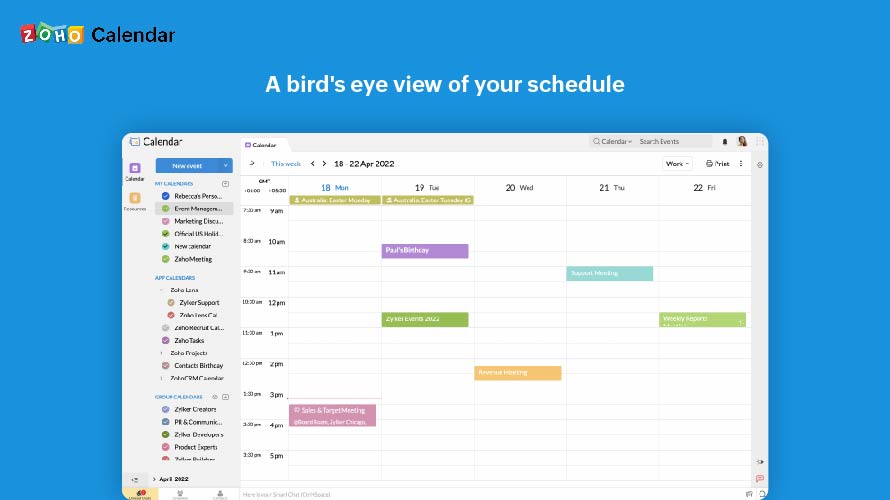
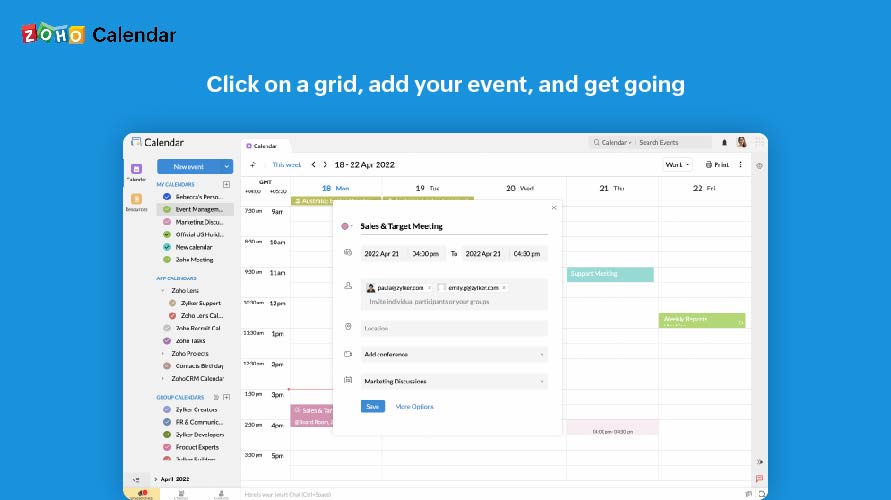
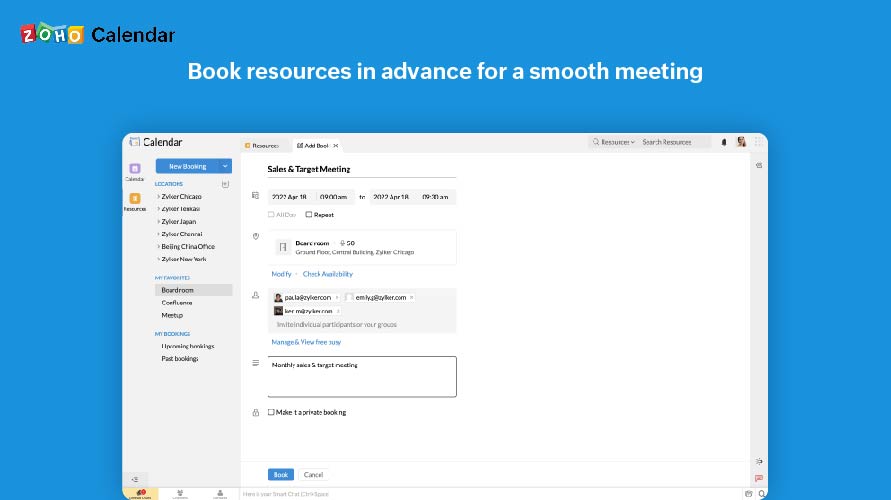
Zoho Calendar is an online business calendar designed to make scheduling easy. It can be used to stay on top of a schedule, or to share scheduled events with peers.
I think any business can benefit from Acuity Scheduling. In my experience, however, and maybe I just haven’t found the correct settings yet, it’s been difficult to manage 4 business schedules with multiple employees and varying hours that change day-to-day and week-to-week. So I definitely would recommend it to more simple business models with set hours, as it seems like it would have all the functions one might need. I still would recommend to more complex businesses like mine as well, but also include discussion of some of the potential drawbacks.
A de minimis incentive was given to thank the reviewer for their time. The incentive was not used to bias or drive a particular response, nor was the incentive contingent on a positive endorsement. More Info
It is good for office use for keeping track of meetings and various important events. It is very nice to share a calendar with the whole team and the whole team has access to it, everyone can modify and update events. Furthermore, it is less appropriate when you use it on mobile, and it also cannot record the meetings.
A de minimis incentive was given to thank the reviewer for their time. The incentive was not used to bias or drive a particular response, nor was the incentive contingent on a positive endorsement. More Info
Clicking on the link opens up my calendar, which has an uncluttered look, making it easy for my prospects and clients to review their options and make their choice.
I am able to customize my schedule, the types of appointments I want to offer, and even decide how many appointments I want in a day. There are so many details that I can customize.
I can customize how my calendar and emails look for my prospects and clients so that I come across professional and coordinated. I want the look of my business, website, etc. to have a polished, cohesive, and interesting presence.
I love that there is a workshop/class/series option for my workshops. My attendees reserve their place and pay upfront. I can duplicate these events or add future dates. It's wonderful. This saves us a lot of time and is so convenient.
I haven't had any trouble with my scheduler. It works flawlessly, so I don't have to take time out of my day to fix, troubleshoot or call customer service.
I love that I can add questions for my prospects to answer right away before booking a call. This means 3 fewer steps for me. 1. They answer these questions without an email from me. 2. They make their reservation and get a follow-up email, right away. 3. I customized the follow-up email with more details and actions to take to prepare for our call.
A de minimis incentive was given to thank the reviewer for their time. The incentive was not used to bias or drive a particular response, nor was the incentive contingent on a positive endorsement. More Info
A de minimis incentive was given to thank the reviewer for their time. The incentive was not used to bias or drive a particular response, nor was the incentive contingent on a positive endorsement. More Info
A de minimis incentive was given to thank the reviewer for their time. The incentive was not used to bias or drive a particular response, nor was the incentive contingent on a positive endorsement. More Info
A de minimis incentive was given to thank the reviewer for their time. The incentive was not used to bias or drive a particular response, nor was the incentive contingent on a positive endorsement. More Info
Acuity Scheduling has been very reliable. If you don't believe me, check out their status page here. They do a pretty decent job maintaining their app. To be fair, it's a pretty simple tool so they shouldn't run into too many hiccups given it doesn't feature near as many options as other applications on the market run.
A de minimis incentive was given to thank the reviewer for their time. The incentive was not used to bias or drive a particular response, nor was the incentive contingent on a positive endorsement. More Info
I subscribe to Zoho One so I use many of the modules that come with that single subscription. I've had intermittent issues with scheduled Zoho Meetings through Zoho CRM not appearing in my Zoho Calendar. Zoho has been working on the issue but it will be fixed for a while and then I'll miss a meeting because it wasn't appearing.
A de minimis incentive was given to thank the reviewer for their time. The incentive was not used to bias or drive a particular response, nor was the incentive contingent on a positive endorsement. More Info
It is very easy to use once you get to know the program but with years of working with the program I am still finding new things that I had wished I knew about earlier. I feel like aspects of the website become hidden that would help productivity a lot if I knew they existed beforehand.
A de minimis incentive was given to thank the reviewer for their time. The incentive was not used to bias or drive a particular response, nor was the incentive contingent on a positive endorsement. TR verified that a representative sample of customers was invited. More Info
Since there are lots of preference options, it can be a little confusing when setting up. It does integrate with other calendars where you can choose one or two way syncing which is helpful if you keep separate personal and work calendars. You can set your start day of the week which for me I have it set to Monday. There are also time zone options which are great but still a bit confusing to me.
A de minimis incentive was given to thank the reviewer for their time. The incentive was not used to bias or drive a particular response, nor was the incentive contingent on a positive endorsement. More Info
Every time I had a question on how to do something or had any issues with Acuity Scheduling, mainly in the very beginning, when I was learning the platform, customer service was excellent. They were prompt to respond, friendly, and very helpful until I had the right solution.
A de minimis incentive was given to thank the reviewer for their time. The incentive was not used to bias or drive a particular response, nor was the incentive contingent on a positive endorsement. More Info
Support has been excellent. As always, they are quickly responsive, and I feel they genuinely wish to address and fix any issues. It's unfortunate that my issues with meetings created in Zoho CRM don't always appear in my Zoho Calendar. While they mostly appear, my confidence level on any given week that I can see what is on my schedule is decidedly lacking.
A de minimis incentive was given to thank the reviewer for their time. The incentive was not used to bias or drive a particular response, nor was the incentive contingent on a positive endorsement. More Info
In the case of Schedulicity, the system was awesome (very easy to set up and had some nice features) but did not offer the functionality and flexibility that AcuityScheduling does. In the case of SimplyBook.me, they offer lots of functionality but the interface is extremely complex and you pay a la carte for features so you're going to pay exponentially more for the same set of features as compared to AcuityScheduling. Their customer service was also lacking, in my opinion.
A de minimis incentive was given to thank the reviewer for their time. The incentive was not used to bias or drive a particular response, nor was the incentive contingent on a positive endorsement. More Info
Zoho calendar allows us to schedule, manage and track your appointment, meetings, birthdays, and other important dates. And also collaborate, share and publish your daily activities. Zoho Calendar also provides you to make it more creative by changing the themes. Event reminders are also available on Zoho Calendar, so we can be reminded either via email or through a pop-up about appointments, dates, milestones, and events. Reminders can pop up as early as 30 days before an event.
A de minimis incentive was given to thank the reviewer for their time. The incentive was not used to bias or drive a particular response, nor was the incentive contingent on a positive endorsement. More Info
A de minimis incentive was given to thank the reviewer for their time. The incentive was not used to bias or drive a particular response, nor was the incentive contingent on a positive endorsement. More Info
Once the meeting is created on the Zoho calendar, you don't need to remind invitees to join the meeting at a particular time or day. Zoho calendar does that for you.
If any invitees are unable to join the meeting, they can ask for a different time prior to that meeting.
Sometimes if many meetings are in the pipeline then there can be overlap.
A de minimis incentive was given to thank the reviewer for their time. The incentive was not used to bias or drive a particular response, nor was the incentive contingent on a positive endorsement. More Info