
TrustRadius: an HG Insights company

ER/Studio

Score9.9 out of 10

11 Reviews and Ratings

What is ER/Studio?

ER/Studio is a database development and management tool from Embarcadero Technologies (acquired by Idera) in California.

Media

logical data models in ER/Studio Data Architect.
data catalog in ER/Studio Data Architect.
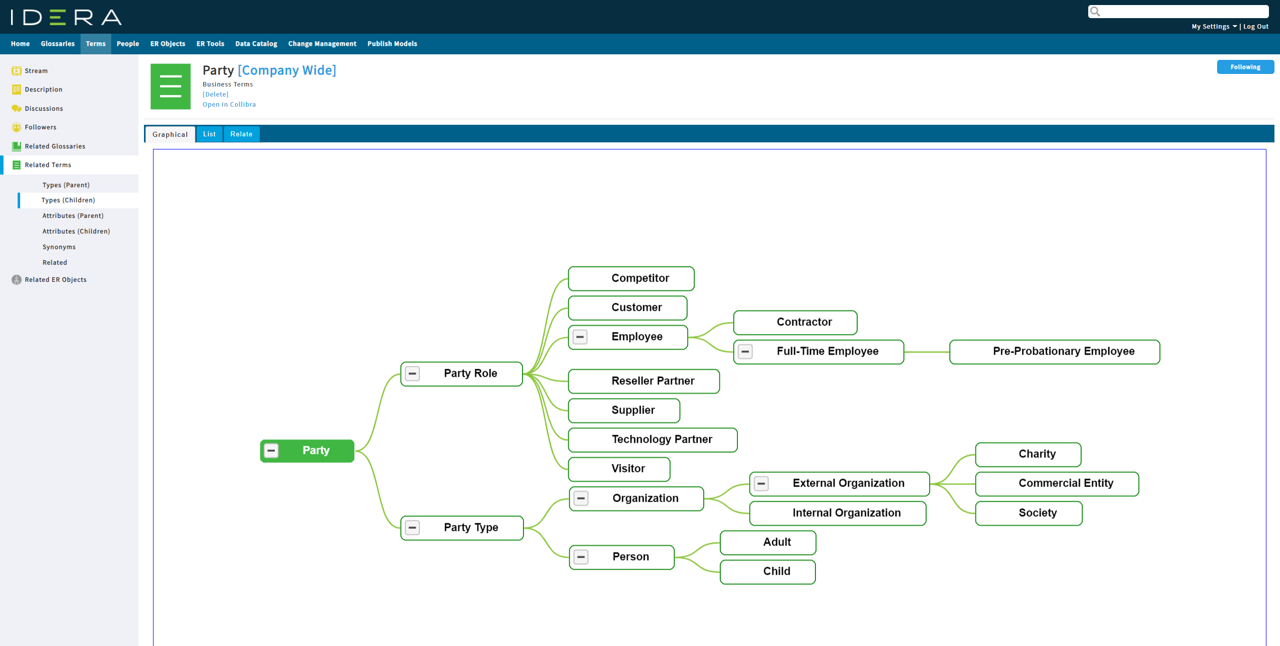
data glossaries in ER/Studio Data Architect.

1 / 3

An intuitive design interface and capabilities supporting everyone from business users to technical architects make this data modelling tool stand out in the crowd

Pros

  • It is a great tool for developing, managing, and maintaining data models at both the logical and physical level (I still do whiteboard drawings for conceptual although conceptual modelling is a capability of the team edition and above I believe)
  • The naming conventions template greatly reduces physical modelling time as you can concentrate on logical naming conventions, and then publish your physical model by pushing it through the naming standards
  • The ability to interpret ETL mappings goes a great way in providing data lineage to the business. This is often overlooked in organizations in favor of immediate gratification through reporting, then having to eventually rework due to auditing or other issues that may expose where corners were cut

Cons

  • Relationships are a bit on the weaker side. Many times I found orphaned relationships that I could not get rid of, or additional columns that were automatically created during the push to the physical model that appear to be due to key constraint bugs
  • There are a lot of bugs introduced when merging keys. I tend to model 2 tables for example logically, establish the relationship, and then merge the additional key column that is automatically created when establishing the relationship. This sometimes causes downstream issues with the physical model (creating duplicate columns with _1 appended)
  • Meta-data could be improved. I find it hard to keep descriptions and other meta information clean when copying and pasting from other sources due to formatting tags being introduced on each object (font, size, color, etc.). The attachment feature comes in handy, however I am looking for the ability to cleanly document and map multiple sources to a single target while providing searchability and traceability

Return on Investment

  • Enforced modelling standards across the organization including naming conventions
  • Provided data lineage through importing ETL mappings and documenting source definitions through attachments
  • Published global data glossaries to business users providing business terminology to tables and fields

Alternatives Considered

erwin Data Modeler and Microsoft Visio

ER/Studio has been my tool of choice for the last 15 years

Pros

  • ER/Studio is great for dividing logical and physical design. A logical model can be used with different physical platforms.
  • Studio can a useful macro capability that allows me to apply the naming standards across the model with ease and consistency.
  • ER/Studio does a very good job at comparing the model with the actual database and generating DDL scripts for production deployments.
  • ER/Studio has an excellent reporting and model publishing capabilities allowing me to produce models in the HTML format and publish them for the team as needed.

Cons

  • We recently moved to using AWS Redshift as our data warehousing platform. ER/Studio does not support Redshift.
  • ER/Studio does not support conceptual data modeling.

Return on Investment

  • Increased quality of the data models.
  • Increased productivity in data modeling and database development.
  • Ability to share the models with the team.

Alternatives Considered

aqua, Toad Data Modeler and Visio

Other Software Used

Toad Data Point, Amazon Redshift, Microsoft SQL Server

ER Studio is the best Data Modeling tool

Pros

  • Creating macros.
  • Being able to merge the new DDLs to the existing database tables and make selection of only those you want to overwrite/merge/add.
  • Easy to convert from logical to physical.

Return on Investment

  • ER/Studio has had a positive impact on my project as we can develop the data model and have a clear understanding of business needs before we continue with the development phase.

Other Software Used

Toad for Oracle

ER\Studio: The Model Modeling tool

Pros

  • ER\Studio supports the concept of a domain. You can create a custom domain (data type) and give it a name and use it as the data type for attributes. I use this to define my surrogate PK and several other "standard" attributes we populate into every relation (table).
  • ER\Studio supports the coding of Macros. This is VB code that leverages their API to automate manual process. Very helpful as you could imagine. They supply a large set of pre-canned macros and are very good about helping you write your own if you need help. I have several macros that help me implement naming conventions on attributes and FK names.
  • The repository is a handy feature that allows you to save off your models to a database to be safe and also to allow for collaboration between other modelers on you team.
  • Several different licensing models allow for flexibility, usage. They support a single user workstation as well as concurrent licensing, for multiple part time users.

Cons

  • ER\Studio licensing can be cumbersome and upgrading from one version to another usually takes several phone calls and emails to the licensing group to get the update installed and running.
  • The repository can be slow when the model count gets larger. By large I mean 20 to 30 models.
  • A nice feature that I would like to see is table comments be displayed on the model along with the attributes. Currently you have to choose between the two.

Return on Investment

  • Using ER\Studio to create models and eventually the actual database schema allows for a picture that is understandable to the customer and saves significant time writing DDL to create the database objects (tables, indexes, relationships, constraints...)
  • A nice customer interface tool so you can create a web based interface to the metadata for a particular design.
  • The tool also supports sub-models so you can break a large project into smaller parts, I find this feature very helpful.

Visually manage your data models

Pros

  • ER/Studio has the ability to provide consistent field names and data types through domains, which are templates. This provides a way to have consistent naming of common fields, like CreatedBy and the data types for the fields. They also have the ability to change all the fields that use that domain to a different data type.
  • ER/Studio provides the ability to create custom macros. These macros can be used to apply everything from standard fields based on domains to naming all constraints and indexes. I've also used a macro that comes with ER/Studio to spell check field and table names.
  • My favorite feature is the ability to compare your data model to databases for deployments of changes, and to other data models.

Cons

  • ER/Studio are missing some functionality for SQL Server databases. Indexes can have WHERE statements for filtered indexes. This is not supported.
  • The Include statement of an index will start with a comma which breaks the index during deployment.
  • New versions need to have better regression testing. I've had versions where features no longer were included, like owners, which are very important in SQL Server. (This feature is in the current version thank goodness.)
  • Datatype datetime2 is not supported in domains, so custom macros need to be used to apply to fields using domains.
  • A new feature that would be great, would be to have ER/Studio generate an HTML document that creates a searchable image of the data model for team members who don't use ER/Studio. This would be very helpful for large data models.
  • New feature: Provide the ability to rollback the deployment script. If it fails, you are currently left in a half way state.
  • New feature: Provide a clean way to delete the temporary tables in the database. Right now, I have to run a SQL Script to delete all the objects left in my database.

Return on Investment

  • The business doesn't know that we use it. I'm the only one that finds it a necessity. It's a necessity because I'm a visual person. It's easier to maintain proper foreign key and primary key indexes, especially when teammates inadvertently delete them.

Alternatives Considered

erwin Data Modeler

Other Software Used

Redgate SQL Compare, Redgate SQL Data Compare, SQL Sentry