TrustRadius: an HG Insights company

SysAid

Score8.8 out of 10

283 Reviews and Ratings

What is SysAid?

SysAid is an ITSM platform that enhances service delivery with AI Agents, chatbots, workflow automation, and asset management. AI Copilot categorizes tickets, provides case summaries, and offers sentiment analysis. The AI chatbot, available via chat, email, and Teams, speeds support.

Read more details.

Media

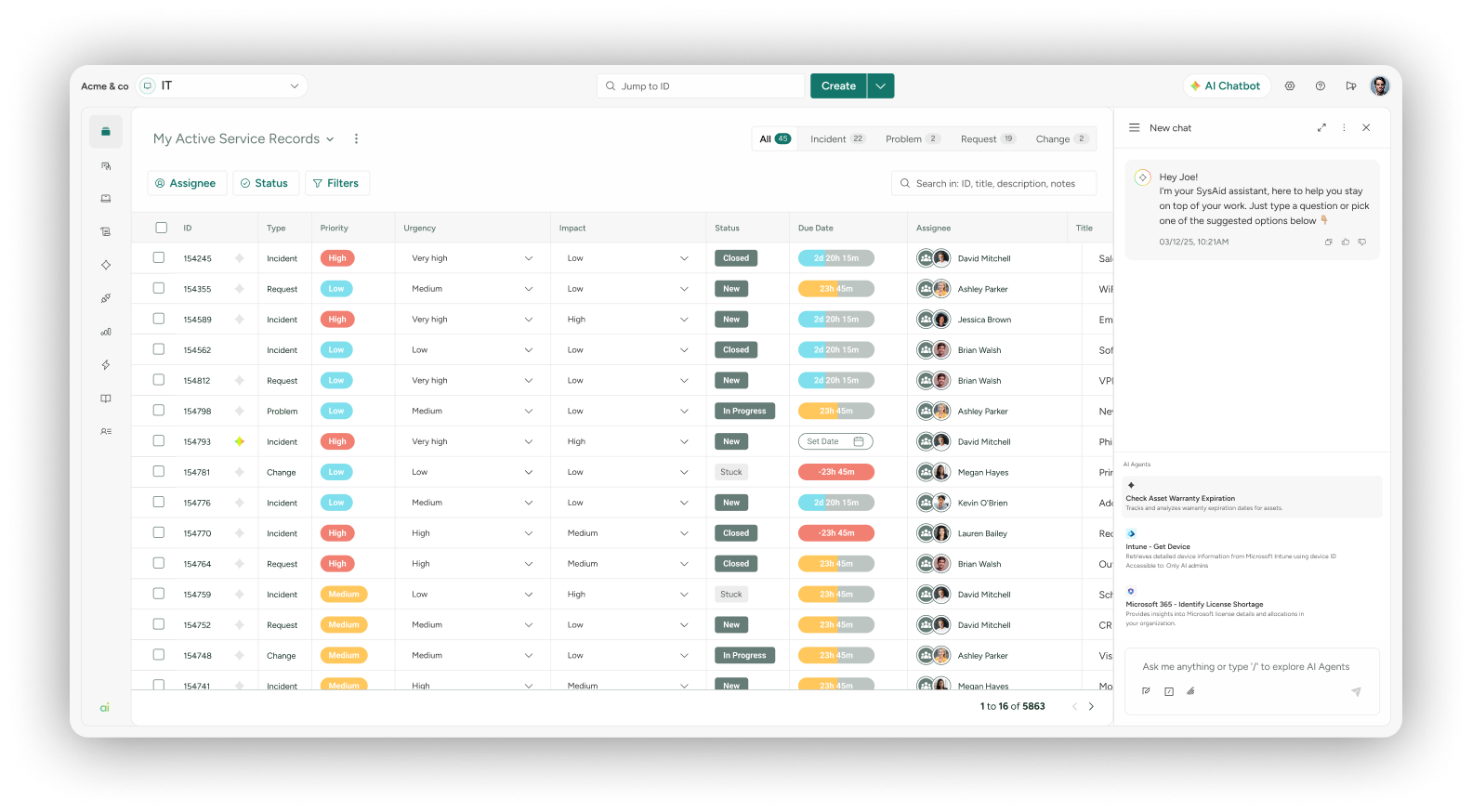
Screenshot of a view of active service records, appearing in SysAid IT service management.
Screenshot of Ticket Journey - Admins can deep dive into the history and context of a ticket, quickly, with ticket journey filters, while reviewing a chronological, consolidated view of everything to help reach a resolution, faster – including all actions taken
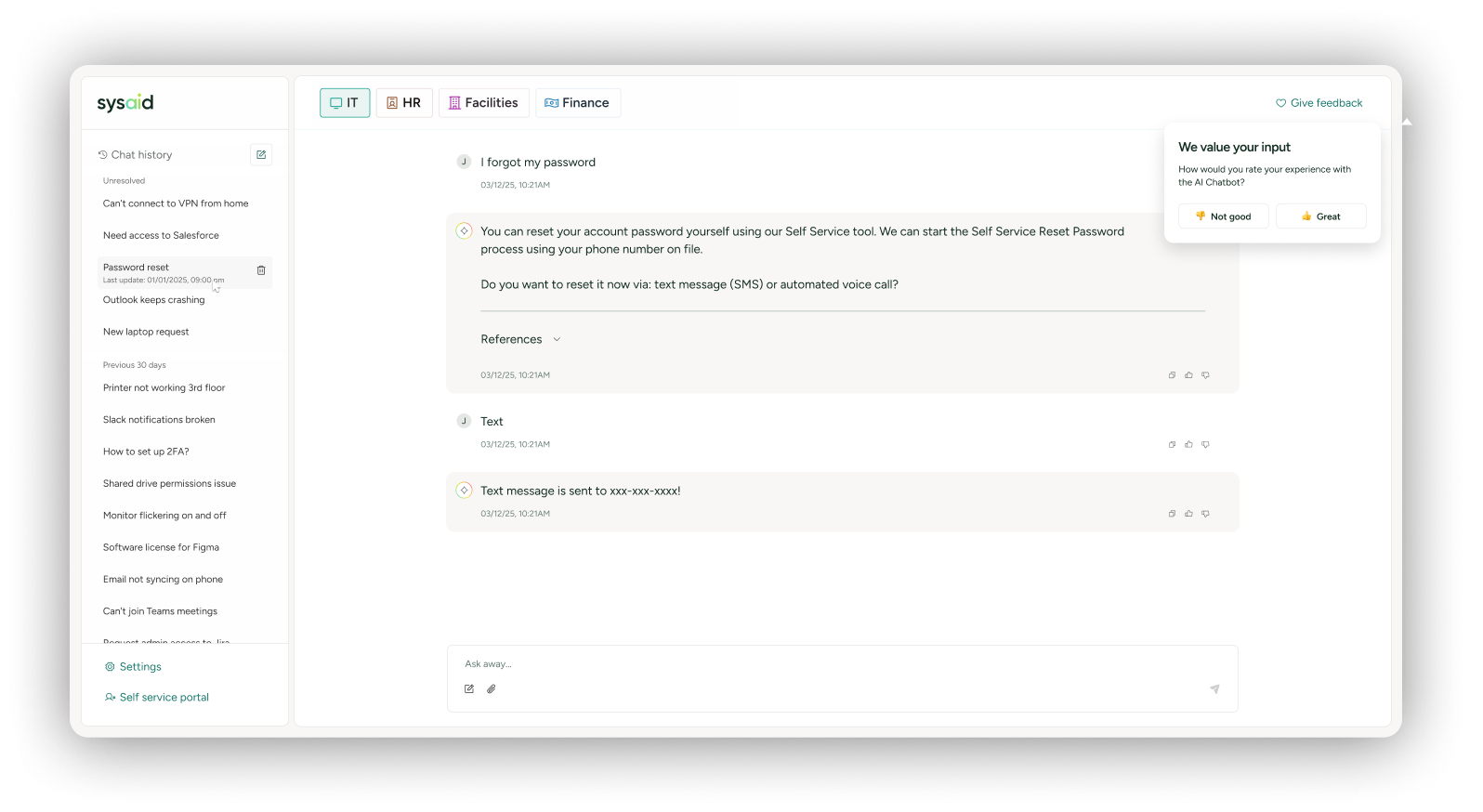
Screenshot of a workflow to move service tickets from request to resolved with minimal human contact, so teams can focus on more important things than password resets.
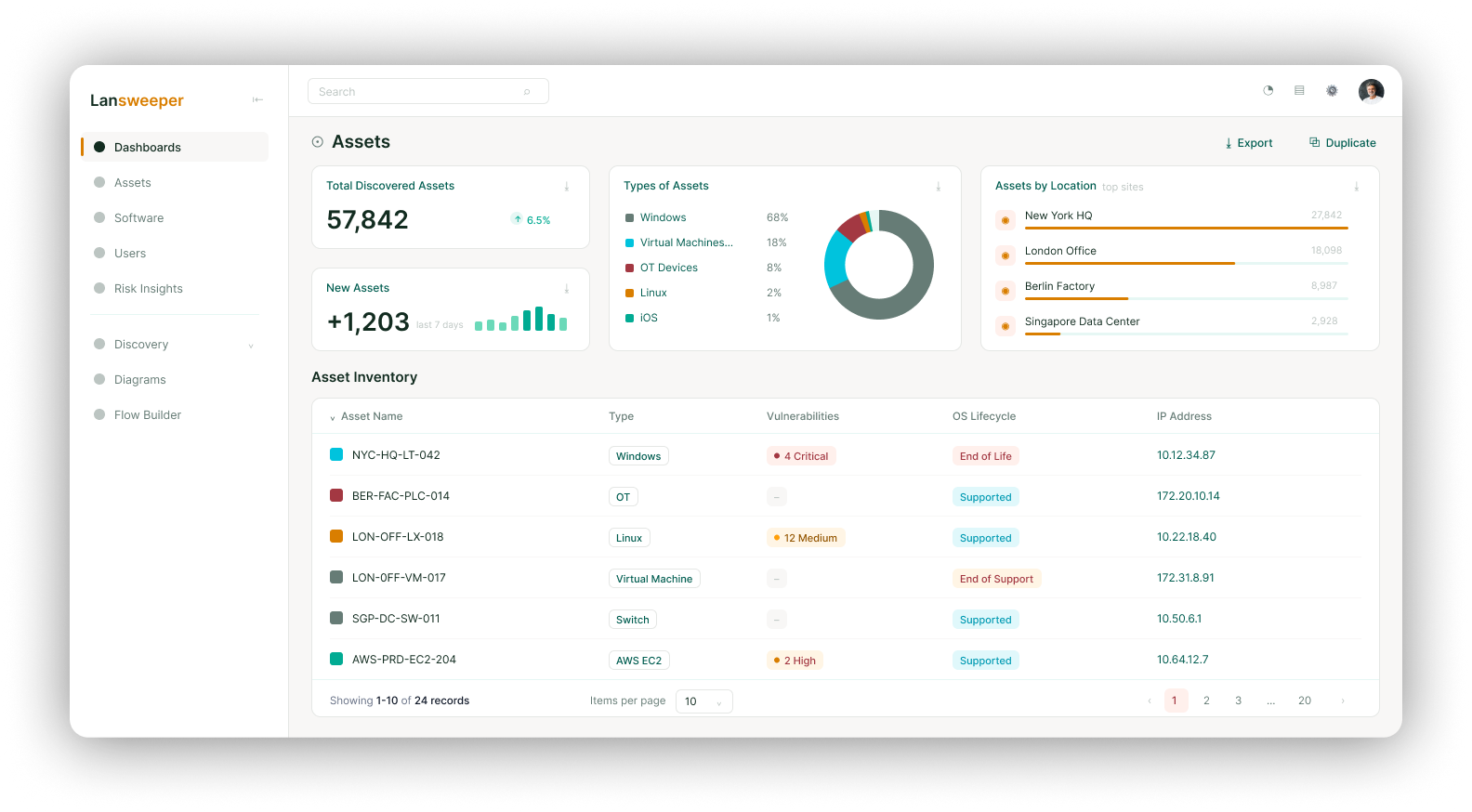
Screenshot of SysAid Advanced Discovery, powered by Lansweeper. It continuously scans an estate, on-network and cloud, and syncs every asset automatically, removing risk and blind spots.
Screenshot of the software contracts and renewals dashboard, viewed to discover the applications an organization actually uses with usage insights to uncover shadow IT, reduce duplication, and cut unnecessary spend.

1 / 5

Screenshot of a view of active service records, appearing in SysAid IT service management.

Top Performing Features

  • Organize and prioritize service tickets

    Prioritize tickets to ensure most urgent are tackled first

    Category average: 8.9

  • Subscription-based notifications

    Users subscribe to notifications for ticket updates

    Category average: 8.3

  • ITSM collaboration and documentation

    Issue resolution through collaboration mechanisms like discussion threads, social tools; agents can attach notes, files, etc. to tickets in order to maintain a record of all interactions related to the case.

    Category average: 8.2

Areas for Improvement

  • Change calendar

    Calendar showing change schedule to stakeholders

    Category average: 7.8

  • Self-service tools

    Repository of information documenting common issues and known resolutions which can be accessed directly by users

    Category average: 8

  • Policy and contract enforcement

    Ensuring that requesters have eligibility before fullfullment

    Category average: 7.6

Who Buys & Uses SysAid

Pros

  • Effective self-detection and tracking of IT assets
  • Intuitive interface for technical and non-technical users
  • Built-in AI functionality for ticket resolution

Cons

  • Asset Management module lacks robust data adding/extraction
  • Outdated user interface design
  • Configuration and customization options are complex

RMD Review of Sysaid

Use Cases and Deployment Scope

I use sysaid for Asset Management, Incident Manaement, Helpdesk Items, FAQ, Patch Management, and Reporting. We have been using the system now for 3 years and it has offered us extreme customization and customer service in implementing complex systems to achieve regulatory compliance. We have had minimal issues with the software and really the only compliant we have had is the need to have to purchase support for further customization options. We really do not see a reason for needing to switch as it offers us a full complement of ability to meet standards set in our business.

Pros

  • Ticketing
  • Incidents
  • Asset Management
  • Reporting

Cons

  • Upgrading the UI for the onpremises version
  • Missing customization options that can be imported by others rather than sysaid having to create them
  • Remote desktop is horrible

Return on Investment

  • we have had to purchase things to achieve further customization for ticket templates
  • Employees love the ease-of-use logging in due to SSO with O365
  • Offers flexibility for many admins to use the software for other purposes.

Alternatives Considered

Spiceworks Community

Other Software Used

Microsoft Teams, Gatekeeper, TeamViewer

Excellent ticket management tool.

Use Cases and Deployment Scope

It's a great tool because it helps me manage my tickets quickly and easily by letting me categorize them; escalating tickets is also very easy and fast.

Pros

  • Ticket Management.
  • Escalation
  • Categorization

Cons

  • Better AI responses.
  • larger images when adding them.
  • The assets shouldn't be complicated to set up.

Return on Investment

  • Excellent business opportunity.
  • Specialized Technical Support.
  • It takes 1 to 3 months to implement the tool.

Alternatives Considered

ManageEngine AD360

Other Software Used

Trello, GLPI, TeamViewer

How SysAid changed the way we work in IT.

Use Cases and Deployment Scope

In our case, SysAid helps us manage all company incidents, as well as automatically handle onboarding and offboarding processes through rules. It also keeps us up-to-date with asset monitoring and software and operating system updates. Furthermore, thanks to its integration with Azure, it helps us effectively manage our Active Directory in the cloud. Currently, we are working extensively on feeding data to our internal chatbot and environment data pool to further facilitate the resolution of recurring incidents. These processes allow the IT team to focus solely on the most critical incidents, freeing up more time for new tasks and projects. Ultimately, SysAid greatly simplifies the daily work of both end users and IT administrators. En nuestro caso SysAid nos ayuda a llevar toda la gestion de incidentes de la empresa ademas de gestionar automaticamente mediante reglas procesos de onboarding y offbording, llevar al dia la monitorizacion de los activos y de las actualizaciones tanto de software como de sistema operativo, tambien nos ayuda a tener una buena gestion de nuestro directorio activo en la nube gracias a la integracion con Azure, actualmente estamos trabajando mucho con la alimentacion al chatbot interno y el datapool de datos del entorno para facilitar aun mas la resolucion de incidentes recurrentes estos procesos ayudan a que el equipo de IT se centre unicamente en los incidentes mas relevantes teniendo mas tiempo para tareas y proyectos nuevos. En definitiva SysAid nos facilita mucho el trabajo diario tanto a los usuarios finales como a los administradores IT.

Pros

  • Integrations with Microsoft
  • Incident/Request/Change/Problem Management
  • Asset Self-Detection
  • Scaling rules, routing, email.
  • Integraciones con Microsoft
  • Gestion de Incidentes/Solicitudes/Cambios/Problemas
  • Autodeteccion de Activos
  • Reglas de escalado,enrutamiento,email.

Cons

  • Internal Report Management.
  • Custom fields
  • Automatic asset detection through subnetwork searches.
  • Gestion de Informes internos.
  • Campos personalizados
  • Autodeteccion de activos mediante busquedas por subredes.

Return on Investment

  • Process automation
  • Prioritize incidents
  • Remove unnecessary licenses
  • Automatización de procesos
  • Priorizar incidencias
  • Eliminar licencias innecesarias

Other Software Used

Microsoft 365, Workato, Zapier

Great ITSM Platform

Use Cases and Deployment Scope

With SysAid we are able to track down IT Requests and Incidents and measure how the IT Department complies overall with the operation. The problem that solves basically is how are requirements for IT handled. The scope used is Request and Incident Management mostly but also asset management and NPS scores to measure client satisfaction.

Pros

  • Incident Management
  • Request Management
  • Asset Management

Cons

  • Reporting
  • On Premisses Integration with other tools
  • Change Management

Return on Investment

  • NPS satisfaction
  • SLA comunication for users
  • ease of use to report tickets

Alternatives Considered

Atlassian Jira

Other Software Used

Atlassian Jira

SysAid Review

Use Cases and Deployment Scope

Specifically, this platform assists me with incident management, asset tracking, and the service catalog. Furthermore, the integration of AI significantly aids day-to-day operations; for monotonous tasks—or those prone to becoming complicated—it provides guidance to make the process much simpler. The ability to customize forms and even reports is also extremely helpful, as there are occasions when this is a necessity.

En concreto esta plataforma me ayuda a la gestión de incidencias, seguimiento de activos y catalogo de servicios. Por otro lado la implementación de la IA ayuda mucho al trabajo del día a día ya que en procesos monótonos o que se pueden complicar te guía para que sea mucho más sencillo La parte de en la que se puede personalizar los formularios o incluso los informes es de gran ayuda, ya que hay en ocasiones que esto es necesario

Pros

  • Ticket Management
  • Asset Management
  • Introduction to Agentic AI
  • Gestión de tickets
  • Gestión de activos
  • Introducción de Agentic AI

Cons

  • Administration Portal
  • Email Notifications
  • Portal de administración
  • Notificaciones por correo electónico

Other Software Used

Zoho Desk