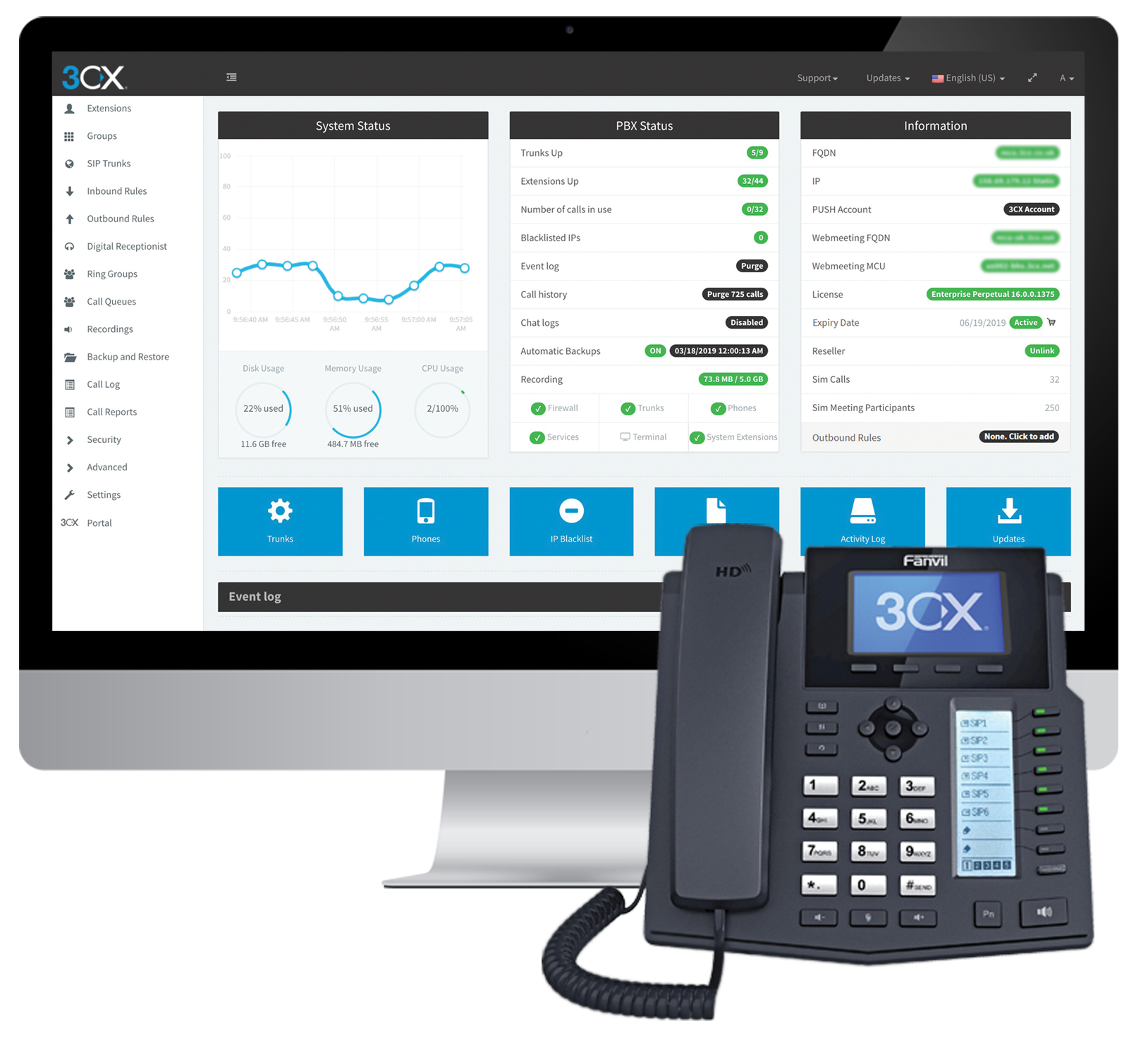
Cyprus based company 3CX offers an IP PBX phone system.
$1.08
per user/per month
Fin
Score 8.8 out of 10
N/A
Fin is an AI Agent for customer service. It automates complex queries, improves resolution times, and delivers consistently high-quality support at scale.
$0.99
one-time fee per outcome
Zoom Workplace
Score 8.4 out of 10
N/A
Zoom Workplace, Zoom’s open collaboration platform with an AI Companion, empowers teams to be more productive, and strengthen customer relationships throughout the customer lifecycle with Zoom’s Business Services for sales, marketing, and customer experience teams, including Zoom Contact Center.
$16.99
per month per user
Pricing
3CX
Fin
Zoom Workplace
Editions & Modules
Pro
$1.08
per user/per month
Enterprise
$1.31
per user/per month
Standard
Free
Fin with your current helpdesk
$0.99
one-time fee per outcome
Copilot add-on
$35
per month per user
Pro add-on
$99
per month For analysis of 1,000 conversations
Fin with Intercom’s Helpdesk
from $39 + $0.99 per Fin outcome
per month per seat
Add-On Zoom Translated Captions
$5
per month per license
Pro
$16.99
per month per user
Business
$21.99
per month per user
Add-On - Conference Room Connector
$499
per year
Basic
Free
Enterprise
Custom
Add-On - Zoom Whiteboard
starting at $2.49
per month per user
Add-On - Large Meetings
starting at $600
per year
Add-On - Cloud Storage
starting at $120
per year
Add-On Audio Conferencing
starting at $1200
per year
Add-On Zoom Phone Power Pack
Starting at $300
per year per user
Add-On - Quality of Service Subscription
Contact Sales
Offerings
Pricing Offerings
3CX
Fin
Zoom Workplace
Free Trial
Yes
Yes
Yes
Free/Freemium Version
Yes
No
Yes
Premium Consulting/Integration Services
Yes
No
Yes
Entry-level Setup Fee
Optional
No setup fee
No setup fee
Additional Details
Price displayed is based on 25 users.
3CX pricing is based on the number of simultaneous calls your business requires or in other words, how many calls your system needs to support at once. Unlike other PBX vendors there is no per extension cost.
Fin comes with a 90-day money-back guarantee. Here's how it works:
Intercom states that users who sign up for the Fin Guarantee Success Program and do not achieve at least a resolution rate of 65% will be paid $1M. This program is designed for high volume customers.
Eligibility criteria:
High volume customers (over 250k monthly conversions) in North America and Europe. Intercom states that phase one of this program will admit customers on Intercom Helpdesk or Zendesk.
We didn't want Cisco Call Manager anymore. We used a very old version previously, but nonetheless it didn't have a very good name in the company. PureCloud was too call center focused so in the end, we like 3CX best. A small pilot was configured very fast, and after we went …
We evaluated a number of products before choosing to move forward with Intercom. No contest, Intercom provided us with the level of tools and support we needed to serve our own customers well. We've been with the company for 3 years now and are sticking around for the …
Compared to most of the competitive market, Intercom seems to be the most human/personable approach to customer success, customer service, and technical support. The alternatives are primarily built on an archaic approach - "take a ticket and wait in line" - that we worried …
Zoom Workplace is way less clunky than Teams. We find that our vendors run into way more technical issues and difficulty logging into meetings with Teams. I find that I have to double unmute when I call into meetings on my phone, while having it on screen as well. Zoom is …
No competition, Zoom is well below standards in functionality and much more expensive. Also, it requires a contract where the others is pay as you go on a monthly basis. The phone conversation is clear. No problem with connectivity. The international feature is still about …
I have used quite a range of these tools over time. Some work pretty well if all parties are using a laptop with high bandwidth. However, Zoom works extremely well when people are on different devices / media (like some on phone, some on computer). Others services either can't …
It is competitively priced and offers robust functionality. It was an easy decision to use Zoom over these others. Mainly value for the price made it an easy decision. A critical component was reliable connection (audio and visual) and ability to recording capabilities.
In many scenarios decision is driven by budget and compared to other solutions at the time of purchase [3CX] was simply the cheapest solution for what it has to offer. If you are looking for integrations, extensibility, and advanced functionalities, this might not be a solution for you. At the time of use (and this may have changed by now), there was a lack of APIs, CLI commands, and similar so nothing could be automated with the system. There are ways of importing data through CSV but automation would solve us so much time and support calls if we were able to connect with other systems.
A prospect lands on my site to ask about building profile sizes, wind/snow ratings, installation timelines, or warranty coverage. What Fin does well is deliver instant, consistent answers, pull from approved specs and positioning, and keep the conversation moving without human involvement.
Zoom Workplace is ideal for many businesses, more so because it saves money by uniting different functionalities into one app - meetings, messaging, phone, and scheduling. The tool keeps teams connected thanks to the amazing collaboration and communication features. In addition, Zoom Workplace is helpful for businesses with a hybrid team, thanks to its effortless connections.
Simplicity: Using a single 3CX interface we can manage every phone and extension used throughout our company.
Flexibility: There are a wide variety of options to configure each extension and phone. Changing anything after the hardware is deployed is very easy.
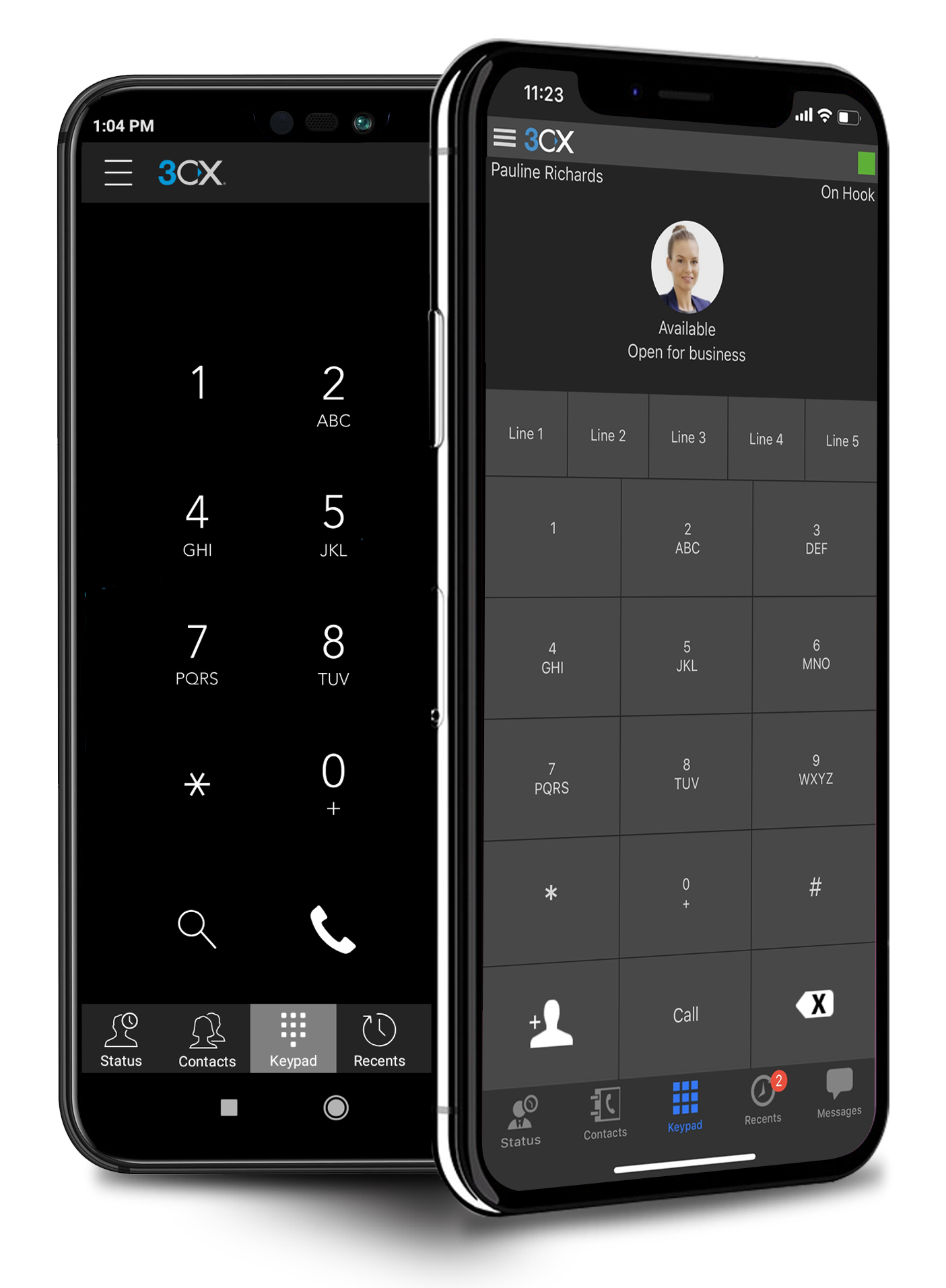
Portability: Phones with 3CX can be easily moved or repurposed within an office or at remote locations, including users' homes. The mobile app allows users to use their office extension anywhere without exposing their cell number.
It offers amazing unified collaboration features, including Zoom whiteboard, Zoom team chat, and integrated mail and calendar.
Zoom is a great meeting solution, with features like smart recording, breakout rooms, and personalized video and audio, making it a functional business meeting tool.
It is equipped with amazing AI features that help summarize meetings, generate content, and provide quick catch-up, allowing one to ask AI questions without interrupting meetings.
It seems some users really struggle to figure out how to escalate to a human (especially through email).
Not excited about how "soft" resolutions still count as resolutions and are paid for. Though some abandoned cases appear to be able to be concluded as "the user got the answer they needed", there are others where they clearly didn't, because they just open up another chat (or even more), trying to get more info. This pads the resolution stats and makes it seem more effective than it actually is.
Cost -- Fin is quite expensive. It helps us with scaling coverage, but we're not really saving money.
I don't think there is any malfunction in their solution; it's extremely convenient to use, be it creating a meeting invite, adding people, sending any extra stuff to them. It's quick, and this is the only tool that works seamlessly even on Androids.
We have been and will be continuing our journey with Intercom and nothing too concerning has happened that I have experienced or heard of that has us on the edge yet. If it ever happens it will be something along the lines of "Outgrowing" the use of need of the platform.
We're sticking with Zoom for the foreseeable future--given its compelling feature set, ease of use, and advanced technology, there's just no other competition to be excited about. Plus it's a Gartner-recognized industry leader, so it's a rather easy choice.
The platform is overall clear and intuitive. As with any new platform, there's a learning curve, but that wasn't an issue for our team (and it shouldn't be an issue for others). Fin options are scattered across several submenus, and I'd like them grouped together, but I also like having all those training-related tabs open at all times, so it's not much of a real issue for me.
Zoom is made for the non tech office. It has features that can be made to do what you need to run things on a day to day basis. Immediately we we able to get meetings going with remote employees. The ability to be able to add smartphone connected people was a big plus. Zoom met our needs at the time.
There have been less than a handful of outages during our two years with Zoom, and whenever there was one, an email informing us of the outage went out immediately, and they had the issue resolved shortly thereafter.
Zoom has among the best performance of any video conference platform, as I've mentioned several times. Besides that, their Chat platform works great, and their back end always runs smooth. It's unfortunate that reporting can now only be done by one month at a time, but nonetheless, it only takes a second to run any kind of Zoom report, whether it's an attendee report, Poll results, a user report, a list of meetings from the past month, etc.
The 3CX Phone System is only a five because while they provide set-up/how-to/Q and A documents to help your district or company get started, they do not offer support for free. The documents provided, though, are good enough for you to get you up and running. We also found a good source of help through a sip trunk provider, which was a 3CX reseller provider.
I can get help by asking Fin questions about itself. It answers accurately, citing its own Help Center resources with visuals. It can reason and dialogue well. But when it comes to getting human support for Fin, it is not as quick. It can sometimes take a few days. They are polite and well-meaning. Some things aren't their fault (product limitations), but there was one occasion where something took a long time to resolve with lots of back and forth but it was I who found out the error in the end that they missed, so they didn't really help resolve it.
Because I got a response right away, and was assigned one specific individual to work with me from the beginning to the resolution. I had an actual email address and direct contact with this person without having to start over and over every time I contacted Zoom - this singular individual remained attentive and was well informed on the subject matter and quite able to resolve my needs.
If you receive any pushback from higher ups, point to any of the various positive reviews like this one. Or show Zoom's excellent Gartner report, or articles describing Zoom's partnership with Sequoia capital. It's not difficult to show how Zoom is a trustworthy industry leader with best-in-class technology.
The main differences between 8x8, Inc. and 3CX is pricing and ease of use in my opinion. The 3CX system uses annual based pricing plans based on of simultaneous calls your company needs, not the number of extensions/users and offers a free plan. 8x8, Inc. charges per extension with different plans. We currently have 19 extensions so the 3CX system makes more sense for us, however, if your company only has a few extensions you may want to throughly consider both options. In my experience, it was difficult to add new extensions and phones with 8x8 because at least at that time we had 8x8 I could not add anything on the web admin. I had to call a sales rep which took a lot more time. Also, if you didn't purchase a phone and/or headset directly from 8x8 at a usually higher price than Amazon for example then you would have to spend anywhere from 30 minutes to hours on the phone with 8x8 tech support to program the phone to work with the 8x8 system so adding a new extension could turn into a long ordeal. I can easily add new extensions on 3CX directly in the web cpanel. Granted, if you are actually adding a new phone number you would need to purchase that number from a company like ATT first before adding it to 3CX. The difference between a phone number and an extension would be a phone number allows a customer to call in directly using that number. The extension would require the customer to call the main business number then be transferred to the extension. 3CX provides a list of supported phone models on their website
There are so many AI platforms available, and you could theoretically build a system using the available AI API's from any of the big platforms. However, I dont think it's as easy as this. Intercom is deliberately built for customer service, the features they are releasing a based on providing the best customer experience. If we were to build this ourselves or to use another platform we would be taking on the upkeep, using Fin is just much simpler as it's also our chosen ticketing platform so anything that Fin is not able to answer yet and escalated directly to our team with no extra effort required from our side.
Teams do not stack up to Zoom at all. My clients use Teamas because it is a corporate policy, and they use it most of the time between employees of the same company. It makes sense for this, NOT for me. Every time a Teams meeting is launched, since I am not part of this company, the meeting is laborious, the interface is not as nice as Zoom's, sharing documents is more difficult, etc., etc. Zoom is superior to Teams in every way!!!
The billing and price model is really fair for so many functions that they offer, our remote work requires each of the features that Zoom offers, so accepting payment for a tool like this is the least we can do. I like that billing arrives on time and that they offer opportunities and payment times.
Because the Basic licenses are completely free, and because it's very easy to configure and install Zoom, and because anyone can join Zoom from a link without needing an account, scaling is a Breeze. There are absolutely no roadblocks. My company keeps adding more Zoom Pro license every week since it's so in demand. We were able to convert users from several different platforms onto Zoom with no trouble at all.
Zoom is perfect for our business. We use it to video chat with prospective clients. The name recognition alone gives us credibility and it is very easy to screen share and send content out.
3CX has a lot to offer for a very low cost as its business model is based on simultaneous calls and not per device. It's very cost effective and very affordable.
As the 3CX server does not require a high-performance server to run, with the Public Cloud option, it might allow even further savings.
New role opportunities — Using the “Fin-first” approach has reduced the workload for our Tier 1 team, giving them more time to focus on their own career growth. It’s also opened the door to a dedicated, AI-focused role, where a team member regularly reviews Fin’s answers and makes updates to help it perform even better.
Enabling Fin has also reduced our response time and allowed us to meet SLA's.
We are still early in our adoption of Zoom Workplace for business, so we don't really have any data to show cost savings.
The ability to take a call summary or meeting summary and add it to our practice management system have been remarkable. It's a quick copy/paste and it's in the system. Prior to this, we would have to scan in notes and save them into the system, if it even got that far. Mostly, attorneys would be searching through legal pads for the notes of a previous meeting or phone call.