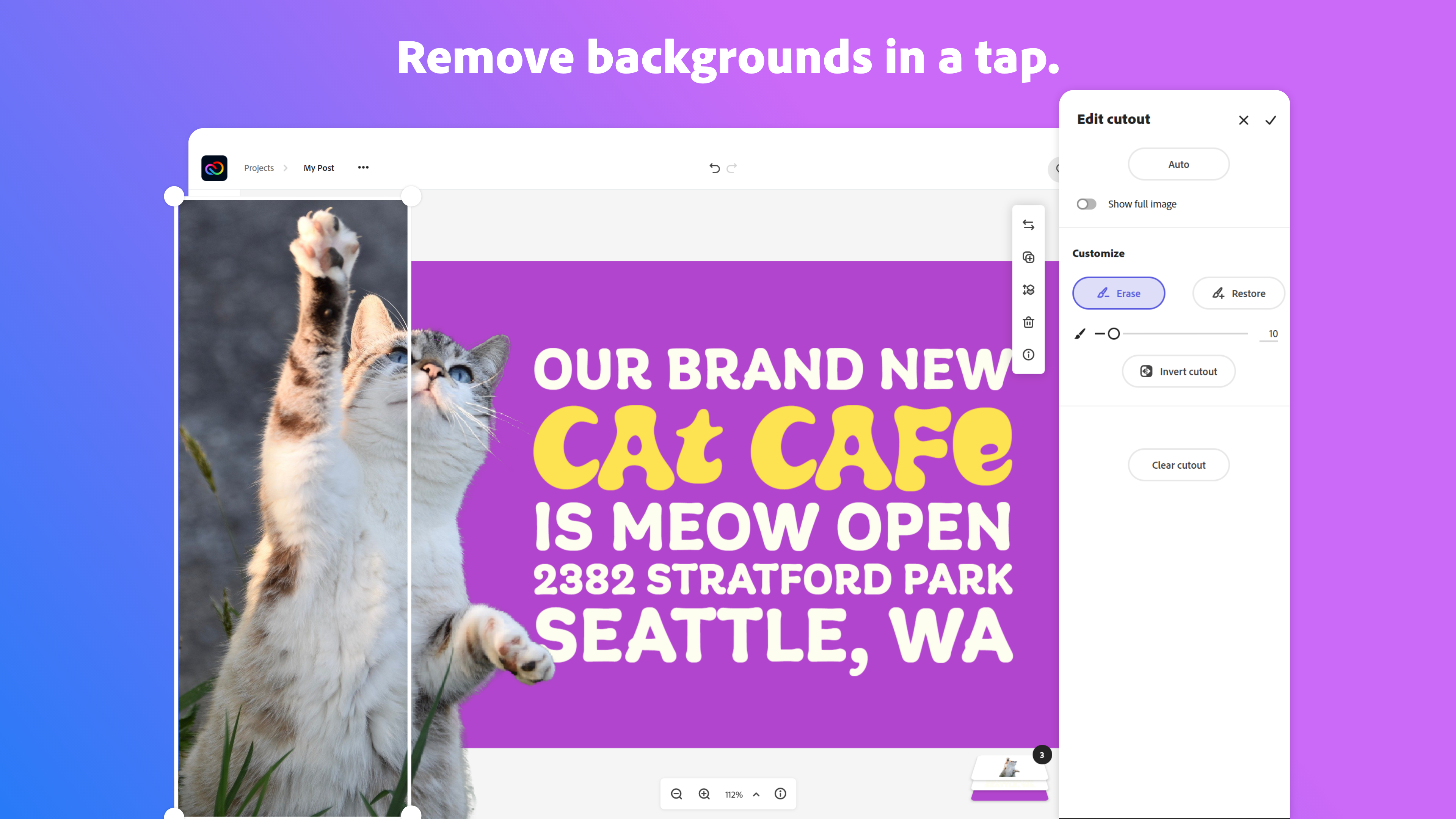
Adobe Creative Cloud Express (formerly Adobe Spark) is a task-based, web and mobile product used to create and share rich multimedia content – from social media posts and stories to invitations to marketing materials like logos, flyers and banners.
$0
Adobe Premiere Pro
Score9.2 out of 10
N/A
Adobe offers their video editing platform Adobe Premiere Pro, supporting video and audio editing as well as VR presentations, available as part of the company's Creative Cloud suite or as a standalone application.
$22.99
per month
Uniconverter
Score9.1 out of 10
Enterprise companies (1,001+ employees)
Uniconverter from Wondershare is a software that allows the user to download, compress, edit, burn, and transfer videos. Uniconverter is designed to present an all-in-one tool for video making and editing
N/A
Pricing
Adobe Express
Adobe Premiere Pro
Uniconverter
Editions & Modules
Free
$0.00
Premium
$9.99 / $99.99
per month
Teams
$9.99
per month per user
Premiere Pro Single App
$22.99
per month
Adobe Creative Cloud - All Apps
$59.99
per month
Adobe Creative Cloud - Students and Teachers
$59.99
per month
Adobe Creative Cloud - Business
$89.99
per month per seat
No answers on this topic
Offerings
Pricing Offerings
Adobe Express
Adobe Premiere Pro
Uniconverter
Free Trial
Yes
Yes
Yes
Free/Freemium Version
Yes
No
Yes
Premium Consulting/Integration Services
No
No
Yes
Entry-level Setup Fee
No setup fee
No setup fee
$39.95 1 Year Subscription
Additional Details
Contact Adobe directly for Enterprise pricing plan details.
Multimedia Specialist in Professional Services at Cal State University, Long Beach, "Academic Technology Services Dept." (Education Management, 5001-10,000 employees)
Chose Adobe Express
In addition to Adobe Express, I have also used Canva because both platforms are quite similar. Basically, the application that I use is typically based on the clients needs, however my personal preference is Adobe Express because I find it too intuitive to my creative persona.
A de minimis incentive was given to thank the reviewer for their time. The incentive was not used to bias or drive a particular response, nor was the incentive contingent on a positive endorsement. More Info
Illustrator & Graphic Designer at Maia Studio Graphique (Arts & Crafts, 1-10 employees)
Chose Adobe Express
It's very easy to generate images or graphics and find them on Adobe Express.In the application, in "Your stuff" > Files section, you'll find all the creations you've made with Adobe PhotoShop and Adobe Illustrator, and you can use them directly in Adobe Express. No need to …
A de minimis incentive was given to thank the reviewer for their time. The incentive was not used to bias or drive a particular response, nor was the incentive contingent on a positive endorsement. More Info
Verified User
Chose Adobe Express
I use both Adobe Express and Canva, but of course Adobe Express directly integrates with all of the Adobe programs that I use so it’s automatically better
A de minimis incentive was given to thank the reviewer for their time. The incentive was not used to bias or drive a particular response, nor was the incentive contingent on a positive endorsement. More Info
Verified User
Chose Adobe Express
Adobe Express had the tools I needed to brainstorm and publish quickly.
A de minimis incentive was given to thank the reviewer for their time. The incentive was not used to bias or drive a particular response, nor was the incentive contingent on a positive endorsement. TR verified that a representative sample of customers was invited. More Info
A de minimis incentive was given to thank the reviewer for their time. The incentive was not used to bias or drive a particular response, nor was the incentive contingent on a positive endorsement. More Info
Verified User
Chose Adobe Express
Canva seems to have way more features that Adobe Express does not have. I would say the biggest advantage of Adobe Express is the ability to have assets from other Adobe Apps inside Adobe Express.
A de minimis incentive was given to thank the reviewer for their time. The incentive was not used to bias or drive a particular response, nor was the incentive contingent on a positive endorsement. TR verified that a representative sample of customers was invited. More Info
Verified User
Chose Adobe Express
Adobe Express makes it easy to create short, quick videos, but Premiere excels on another level with the quality and impact you're able to deliver.
A de minimis incentive was given to thank the reviewer for their time. The incentive was not used to bias or drive a particular response, nor was the incentive contingent on a positive endorsement. More Info
Verified User
Chose Adobe Express
I think they have bridged the gap quite a bit, making Adobe Express more robust has helped.
A de minimis incentive was given to thank the reviewer for their time. The incentive was not used to bias or drive a particular response, nor was the incentive contingent on a positive endorsement. More Info
Verified User
Chose Adobe Express
I selected Adobe Express because, in my opinion, Adobe Express is like a lite version of them all together
A de minimis incentive was given to thank the reviewer for their time. The incentive was not used to bias or drive a particular response, nor was the incentive contingent on a positive endorsement. TR verified that a representative sample of customers was invited. More Info
Senior Content Creator in Marketing at North Valley Community Foundation (Non-profit Organization Management, 11-50 employees)
Chose Adobe Express
Our team was avid Canva users for 2 years prior to switching over to Adobe Express. I found Adobe Express to be much more user friendly and less complicated visually. I also LOVE the CC libraries integration. That was a game changer for our creative department. It made making …
A de minimis incentive was given to thank the reviewer for their time. The incentive was not used to bias or drive a particular response, nor was the incentive contingent on a positive endorsement. More Info
A de minimis incentive was given to thank the reviewer for their time. The incentive was not used to bias or drive a particular response, nor was the incentive contingent on a positive endorsement. More Info
Verified User
Chose Adobe Express
We selected Adobe Express because it was part of creative cloud and I think it stacks up well. I think anyone who uses Canva can easily use Adobe Express.
A de minimis incentive was given to thank the reviewer for their time. The incentive was not used to bias or drive a particular response, nor was the incentive contingent on a positive endorsement. More Info
Verified User
Chose Adobe Express
Adobe Express is the lightweight version of the other Adobe products I have used. It allows for super fast content creation for social media and resizing to get to launch that much faster. For the work I do, it has everything I need to work quickly and efficiently.
A de minimis incentive was given to thank the reviewer for their time. The incentive was not used to bias or drive a particular response, nor was the incentive contingent on a positive endorsement. TR verified that a representative sample of customers was invited. More Info
A de minimis incentive was given to thank the reviewer for their time. The incentive was not used to bias or drive a particular response, nor was the incentive contingent on a positive endorsement. TR verified that a representative sample of customers was invited. More Info
A de minimis incentive was given to thank the reviewer for their time. The incentive was not used to bias or drive a particular response, nor was the incentive contingent on a positive endorsement. TR verified that a representative sample of customers was invited. More Info
A de minimis incentive was given to thank the reviewer for their time. The incentive was not used to bias or drive a particular response, nor was the incentive contingent on a positive endorsement. More Info
A de minimis incentive was given to thank the reviewer for their time. The incentive was not used to bias or drive a particular response, nor was the incentive contingent on a positive endorsement. More Info
Every team I work with gets the Express welcome and walkthrough and becomes a permanent Adobe Express user. I have my own workflow when creating content for social, and it is great when others I am working with can hop on and follow the same workflow. We can collaborate on projects, schedule posts, and manage brand assets easily from our own devices. As long as we have access to the same files, we can build campaigns faster and more easily, onboard new designers, and scale our impact on social media.
I have actually recommended Adobe Premiere Pro to many people looking to get into the editing field. It is perfect for any type of video creation. It would not be very useful for someone who isn't serious about video editing and wants to just use something to cut out the beginning or ends of clips. It's too advanced for that and [maybe] confusing for someone not educated in the field.
A de minimis incentive was given to thank the reviewer for their time. The incentive was not used to bias or drive a particular response, nor was the incentive contingent on a positive endorsement. More Info
For any kind of video converting Uniconverter is the perfect tool. It is easy to use. The converting function is quick and precise and the result is excellent. If you need to convert your clips for social media or even convert full movies to be watched on smartphones or any other mobile device it is perfect.
I have used Adobe Express to help maintain my creative catalogs and files, brand management by saving my color scheme palettes, to have full access to its free assets and huge template library.
The main business issue is brand consistency and accessibility, and Adobe Express helps greatly with both of those by providing an option to create brand libraries for various projects, and it has a huge Adobe font catalog to accommodate basically every brand and project scope.
I like how I am able to create a project folder for storing various iterations of a graphic or logo, and being able to view thumbnails of each iteration below the current graphic that I am working on. Plus, it also allows for easy thumbnail rearrangement for exporting selected images in the order of my choice. And it has many editing tools such as a generative AI tool using prompts to help create original art, and both the Effects and Animation tools have many options for colorations and animations. Plus other awesome and easy to use tools such as the Quick Action tool that easily removes backgrounds, and other tools like the Resizing, Quick Replace, Translate, Bulk Create.
Another feature of Adobe Express that I like is its ability for video creation and editing which is available via a mobile device or desktop computer. The footage editing process is very easy and allows for only one track for both video and audio.
Adobe Express allows for the project assets to be either imported via ones on file systems or straight from the Adobe Royalty-Free assets which includes; videos, audio/music, graphics, photos and even a voice overs capability using a "Text-to-Voice" option. And after the video has been created Adobe offers its very easy "Download" option, where you can select what file type that you want the project to export as.
A de minimis incentive was given to thank the reviewer for their time. The incentive was not used to bias or drive a particular response, nor was the incentive contingent on a positive endorsement. More Info
A de minimis incentive was given to thank the reviewer for their time. The incentive was not used to bias or drive a particular response, nor was the incentive contingent on a positive endorsement. More Info
Converts video files into different formats (CODECs), which is necessary for editing and for the output of finished files.
Lets you convert many characteristics of the video file, such as CODEC, frame rate, frame size, etc, which is great as different uses of video require files made to widely varying specs.
Lets you convert among many video CODEC, so you can make video fies for just about any need.
Uniconverter is also very useful in downloading video from many websites.
A de minimis incentive was given to thank the reviewer for their time. The incentive was not used to bias or drive a particular response, nor was the incentive contingent on a positive endorsement. More Info
A de minimis incentive was given to thank the reviewer for their time. The incentive was not used to bias or drive a particular response, nor was the incentive contingent on a positive endorsement. More Info
Export times: I do a massive amount of exports with intensive graphics. They often need to be done quickly. If export times could be reduced by 90%, my life would improve drastically.
Importing errors: Certain video formats are not compatible, such as specific types of MP4s and MKV files. Greater flexibility would be wonderful.
End the subscription model. I'd gladly pay one flat fee once and be done with it.
A de minimis incentive was given to thank the reviewer for their time. The incentive was not used to bias or drive a particular response, nor was the incentive contingent on a positive endorsement. More Info
I only ask for one additional feature and that is to be able to 'normalise' the audio level when the production includes audio tracks drawn from different sources as such levels can vary widely.
A de minimis incentive was given to thank the reviewer for their time. The incentive was not used to bias or drive a particular response, nor was the incentive contingent on a positive endorsement. More Info
I foresee Adobe Express becoming the "go-to" platform for everyone except professional, high-level designers. It is a relatively easy-to-use tool that allows users to create a wide variety of visuals quickly. Because it is a template-driven tool, the in-house design team has the ability to make brand kit available to keep visuals on point
A de minimis incentive was given to thank the reviewer for their time. The incentive was not used to bias or drive a particular response, nor was the incentive contingent on a positive endorsement. More Info
There is not better program for your needs than Adobe Premiere Pro. It doesn't matter if it can be hard to learn because this product is the top of the line and you will not find a better video editing program. This is what the professionals use. It is worth the learning curve.
The user interface is pretty straightforward to use. It has easy to navigate navigations, and the canvas UX is also pretty good. One thing i would like to add it to use shortcuts to add elements on canvas. Like if I am on canvas and I press 'T' on my keyboard the text box should be added automatically
A de minimis incentive was given to thank the reviewer for their time. The incentive was not used to bias or drive a particular response, nor was the incentive contingent on a positive endorsement. More Info
Premiere Pro is a very powerful tool, but it's not intuitive - it's virtually impossible to use without some kind of training or instruction. That being said, once you've learned how to use the product so that you can take advantage of its various video editing and creation options, it's an incredible program in terms of features and tools.
A de minimis incentive was given to thank the reviewer for their time. The incentive was not used to bias or drive a particular response, nor was the incentive contingent on a positive endorsement. More Info
It's so easy to use, user interface is simple and allows you to click buttons with more advanced options if you need them. The tutorials teach you how to do most of what you may need to do. You don't need to get a masters degree to use this tool.
A de minimis incentive was given to thank the reviewer for their time. The incentive was not used to bias or drive a particular response, nor was the incentive contingent on a positive endorsement. More Info
Overall, the Adobe Creative Cloud Express is worth a try and may be a good fit for many organizations and businesses. At a monthly rate, the cost is not prohibitive, but the tools are somewhat limited and not necessarily worthwhile when compared to standard applications and software that are often available free or through a package of services commonly found on workplace computers.
A de minimis incentive was given to thank the reviewer for their time. The incentive was not used to bias or drive a particular response, nor was the incentive contingent on a positive endorsement. More Info
It is a professional team that provides customer service at any time. I think that the team does not rest until they find a solution to your problem. I think this makes this company great because when a company offers a good service, and they treat you well, the customer always returns satisfied.
A de minimis incentive was given to thank the reviewer for their time. The incentive was not used to bias or drive a particular response, nor was the incentive contingent on a positive endorsement. More Info
A de minimis incentive was given to thank the reviewer for their time. The incentive was not used to bias or drive a particular response, nor was the incentive contingent on a positive endorsement. More Info
I think Adobe Express is a bit behind Canva, but as an Adobe Community Expert, I try to provide as much feedback as I can to help improve Adobe Express. ADobe Express does a better job than InShot and a few other apps, but isn't quite there against Canva, I'm sorry to say!
A de minimis incentive was given to thank the reviewer for their time. The incentive was not used to bias or drive a particular response, nor was the incentive contingent on a positive endorsement. More Info
DaVinci Resolve is a powerful editing and color-grading application, and the base version is free. However, I've found that with the Lumetri Color panel in Premiere, I really have no need for Resolve as it meets all of my needs. Additionally, I've found Resolve to be lacking in support for the broad range of file types that Premiere handles gracefully.
A de minimis incentive was given to thank the reviewer for their time. The incentive was not used to bias or drive a particular response, nor was the incentive contingent on a positive endorsement. More Info
I've used many products and while none are perfect, all except Wondershare conduct themselves appropriately and function within existing frameworks for customer service, warranty etc.
Adobe Creative Cloud Express is included with an Adobe Creative Cloud account. Our company has a corporate team membership so it is nice to have a professional and powerful tool that anyone on our team can use for free. The pricing structure of giving the tool away for free will be fundamental to users utilizing the tool. Similar tools, such as Canva, cost significantly more but do not offer the same features
A de minimis incentive was given to thank the reviewer for their time. The incentive was not used to bias or drive a particular response, nor was the incentive contingent on a positive endorsement. More Info
The professional services for Adobe Creative Cloud Express is top notch and should be highly commended. I am thoroughly impressed with how far Adobe has come. In the past, I had several issues with how something were handled, but in the past few years things have been better than ever and they get no complaints from me
A de minimis incentive was given to thank the reviewer for their time. The incentive was not used to bias or drive a particular response, nor was the incentive contingent on a positive endorsement. More Info
A de minimis incentive was given to thank the reviewer for their time. The incentive was not used to bias or drive a particular response, nor was the incentive contingent on a positive endorsement. More Info
Speed of workflow has increased- specially when coupled with keyboard shortcuts
Jobs have had a faster turnover rate which makes clients happy.
I have two Adobe accounts, one for work and one for personal use. Both of these accounts are paying for themselves through the work I can provide with the use of Premiere.
A de minimis incentive was given to thank the reviewer for their time. The incentive was not used to bias or drive a particular response, nor was the incentive contingent on a positive endorsement. More Info