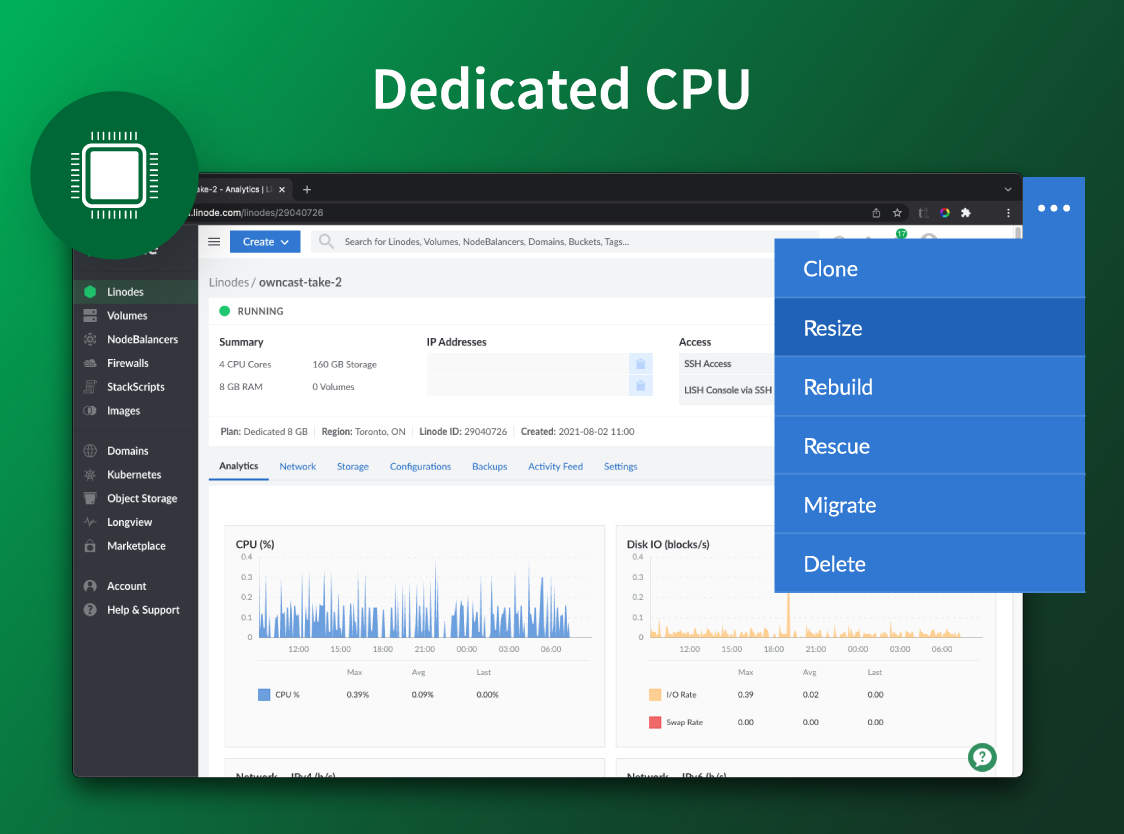
Akamai Cloud Computing (formerly Linode) include scalable and accessible Linux cloud solutions and services. These products and services support developers and enterprises as they build, deploy, secure, and scale applications.
$5
per month
AWS Lambda
Score 8.3 out of 10
N/A
AWS Lambda is a serverless computing platform that lets users run code without provisioning or managing servers. With Lambda, users can run code for virtually any type of app or backend service—all with zero administration. It takes of requirements to run and scale code with high availability.
$NaN
Per 1 ms
Google Compute Engine
Score 8.8 out of 10
N/A
Google Compute Engine is an infrastructure-as-a-service (IaaS) product from Google Cloud. It provides virtual machines with carbon-neutral infrastructure which run on the same data centers that Google itself uses.
$0
per month GB
Pricing
Akamai Cloud Computing
AWS Lambda
Google Compute Engine
Editions & Modules
No answers on this topic
128 MB
$0.0000000021
Per 1 ms
1024 MB
$0.0000000167
Per 1 ms
10240 MB
$0.0000001667
Per 1 ms
Preemptible Price - Predefined Memory
0.000892 / GB
Hour
Three-year commitment price - Predefined Memory
$0.001907 / GB
Hour
One-year commitment price - Predefined Memory
$0.002669 / GB
Hour
On-demand price - Predefined Memory
$0.004237 / GB
Hour
Preemptible Price - Predefined vCPUs
0.006655 / vCPU
Hour
Three-year commitment price - Predefined vCPUS
$0.014225 / CPU
Hour
One-year commitment price - Predefined vCPUS
$0.019915 / vCPU
Hour
On-demand price - Predefined vCPUS
$0.031611 / vCPU
Hour
Offerings
Pricing Offerings
Akamai Cloud Computing
AWS Lambda
Google Compute Engine
Free Trial
Yes
No
Yes
Free/Freemium Version
No
No
Yes
Premium Consulting/Integration Services
Yes
No
No
Entry-level Setup Fee
Optional
No setup fee
No setup fee
Additional Details
CPU, transfer, storage, and RAM are bundled into one price. Storage capacity can be increased with additional Block Storage or S3-compatible Object Storage. Instant Backups can be added with complete independence to the stack. Linode NodeBalancers ensure applications are available.
—
Prices vary according to region (i.e US central, east, & west time zones). Google Compute Engine also offers a discounted rate for a 1 & 3 year commitment.
More Pricing Information
Community Pulse
Akamai Cloud Computing
AWS Lambda
Google Compute Engine
Considered Multiple Products
Akamai Cloud Computing
Verified User
C-Level Executive
Chose Akamai Cloud Computing
I've tried all of Digital Ocean, AWS EC2 and AWS Lightsail - I found Linode to give the best price/performance for a VPS. However, compared to serverless functions like AWS Lambda, there's a lot of maintenance work if you want to keep your VPS up-to-date. If you're looking for …
Information Technology Specialist, Digital Strategist
Chose Akamai Cloud Computing
There are a lot of very good cloud operations. Linode, for us represents a good offering. It offers a simple way to control infrastructure, without being overly simplified. For us, it was a good median giving us the flexibility to explore, experiment and still build for scale. …
We built some applications on Google App Engine, and in comparison to Linode, you are more locked in and there is a steeper learning curve, as you have to adapt to Google's tools. In Linode, you can use whatever you are used to. With AWS, you are able to make whatever setup you …
I am still evaluating DigitalOcean Droplets as their pricepoint has moved more towards Linode, but so far I am leaning back towards Linode. They also don't have the GPU machines. But they do have a wider range of options for CPU. At present if you do lscpu on Linode it lists …
Verified User
Team Lead
Chose Akamai Cloud Computing
Linode often offers the most competitive pricing on regular usage.
I used a lot of different services, a lot of services inside Amazon AWS and Digital ocean, but I found at Linode a different way to do all what I need, without having to be worried about weird costs calculations and other things like that.
Linode provides easier and more understandable pricing and value. I never have to wonder or estimate the month's costs or have any surprises. Linode also is more logically laid out and easy to get things set up and running quickly.
DigitalOcean had very bad communication both internally and externally. Vultr had good features but could not answer questions about Spectre/Meltdown with any specificity. EC2 and GCE's unpredictable costs and higher bandwidth fees make them annoying or expensive for most of my …
Google Computer Engine: it is too expensive. You have to pay for computing resources (CPU, memory), storage, network traffic individually. While the quality of service is good, it's still with the same level of Linode.
For simple VMs or Kubernetes, Linode is cheaper and it also has consistently good performance. As long as this is what you need, you get all you'd want. AWS and GCP shine when you need their other services. Oracle Cloud was bare bone and expensive. Droplets are easy to start …
Red Hat OpenShift was the first product I used and it was fantastic--until they changed to a container model and kicked everyone of the previous model. From there I moved to Linode and haven't looked back. You have much more control but it does mean you need to keep on top of a …
Compared to the "big three" cloud providers, Linode does not have the enormous range of service offerings that they do. I would not attempt to build the next Instagram on Linode. But for companies that simply want a straight-forward cloud provider, they're definitely our …
One of our clients was previously hosted on Rackspace, then Google Cloud Services. Their Rackspace services were very expensive and provided little in the way of migration or management. After re-engineering their deployment, we migrated them to Google Cloud Services (GCS) …
Google Compute Engine provides on-demand computing resources that are easy to scale up or down according to my organization needs. This allows our business to quickly adapt to changes in demand without having to invest in additional hardware. It also offers a very competitive …
Verified User
Engineer
Chose Google Compute Engine
Google was easy to start with in terms of ease of use and support access.
The best GCP products - GKE for containerization workload fit to the VM machines specified for different application type (monolithic). These services can be easily integrated with each other with additional benefits.
I've used Rackspace, AWS, and Digital Ocean to host virtual environments. In my opinion, GCE has a robust feature set on par with any other mainstream virtual hosting company. I would say AWS and Digital Ocean are comparable, and Rackspace would be slightly less robust than …
Akamai Connected Cloud Linode would be a good service to host a content delivery network (CDN) because of its edge network but I'd prefer not to use Akamai Connected Cloud Linode for tasks that need GPU power such as Machine Learning or Artificial Intelligence (AI) because Akamai Connected Cloud Linode lacks deep GPU compute compared to AWS or Google Cloud or Microsoft Azure
Lambda excels at event-driven, short-lived tasks, such as processing files or building simple APIs. However, it's less ideal for long-running, computationally intensive, or applications that rely on carrying the state between jobs. Cold starts and constant load can easily balloon the costs.
You can use Google Cloud Compute Engine as an option to configure your Gitlab, GitHub, and Azure DevOps self-hosted runners. This allows full control and management of your runners rather than using the default runners, which you cannot manage. Additionally, they can be used as a workspace, which you can provide to the employees, where they can test their workloads or use them as a local host and then deploy to the actual production-grade instance.
Scaling - whether it's traffic spikes or just steady growth, Google Compute Engine's auto-scaling makes sure we've got the compute power we need without any manual juggling acts
Load balancing - Keeping things smooth with that load balancing across multiple VMs, so our users don't have to deal with slow load times or downtime even when things get crazy busy
Customizability - Mix and match configs for CPU, RAM, storage and whatnot to suit our specific app needs
Developing test cases for Lambda functions can be difficult. For functions that require some sort of input it can be tough to develop the proper payload and event for a test.
For the uninitiated, deploying functions with Infrastructure as Code tools can be a challenging undertaking.
Logging the output of a function feels disjointed from running the function in the console. A tighter integration with operational logging would be appreciated, perhaps being able to view function logs from the Lambda console instead of having to navigate over to CloudWatch.
Sometimes its difficult to determine the correct permissions needed for Lambda execution from other AWS services.
I've been with them a long time. They provide me with the capabilities I need coupled with knowledgeable support that's not pay-for-extra. However, if I move to a non-Linux OS, the level of support by necessity will drop off. I can still ask questions about the infrastructure but I my ability to ask about OS features will decrease.
Its pretty good, easy and good performance. Also, interface is very good for starters compared to competitors. Infra as Code (IaC) using Terraform even added easiness for creation, management and deletion of compute Virtual Machines (VM). Overall, very good and very easy cloud based compute platform which simplified infrastructure, very much recommend.
Simple and clear, no BS interface. From a design perspective it's no Apple or Stripe, but it does what it needs without making me want to stick a fork in my eyes, like when being forced to use Azure, AWS or GCP.
I give it a seven is usability because it's AWS. Their UI's are always clunkier than the competition and their documentation is rather cumbersome. There's SO MUCH to dig through and it's a gamble if you actually end up finding the corresponding info if it will actually help. Like I said before, going to google with a specific problem is likely a better route because AWS is quite ubiquitous and chances are you're not the first to encounter the problem. That being said, using SAM (Serverless application model) and it's SAM Local environment makes running local instances of your Lambdas in dev environments painless and quite fun. Using Nodejs + Lambda + SAM Local + VS Code debugger = AWESOME.
Having interacted with several cloud services, GCE stands out to me as more usable than most. The naming and locating of features is a little more intuitive than most I've interacted with, and hinting is also quite helpful. Getting staff up to speed has proven to be overall less painful than others.
There is very little planned downtime. Whenever planned downtime is necessary I'm always given lots of advanced notice and an explanation that I can pass along to my users that they'll understand. I really appreciate that Linode appreciates my commitment to reliable service to my users. It shows that they believe they've been successful when I'm successful.
Google Compute Engine works well for cloud project with lesser geographical audience. It sometimes gives error while everything is set up perfectly. We also keep on check any updates available because that's one reason of site getting down. Google Compute Engine is ultimately a top solution to build an app and publish it online within a few minutes
Servers are well dimensioned and price performant. Of course one always wants more, so if they were to upgrade their hardware for the same price I'd consider moving more workloads. Networking - never had an issue. Hardware speeds - disks are fast and can grow to great size.
It works great all the time except for occasional issues, but overall, I am very happy with the performance. It delivers on the promise it makes and as per the SLAs provided. Networking is great with a premium network, and AZs are also widespread across geographies. Overall, it is a great infra item to have, which you can scale as you want.
Support was excellent and fast. The documentation is extensive and helpful. I learned many things from their online documentation. I did not contact them by phone, but email took a day or less. Complex problems would probably need a service contract. I liked the friendly and polite tone of the support.
Amazon consistently provides comprehensive and easy-to-parse documentation of all AWS features and services. Most development team members find what they need with a quick internet search of the AWS documentation available online. If you need advanced support, though, you might need to engage an AWS engineer, and that could be an unexpected (or unwelcome) expense.
The documentation needs to be better for intermediate users - There are first steps that one can easily follow, but after that, the documentation is often spotty or not in a form where one can follow the steps and accomplish the task. Also, the documentation and the product often go out of sync, where the commands from the documentation do not work with the current version of the product.
Google support was great and their presence on site was very helpful in dealing with various issues.
We got kick started with an initial walkthrough along with some free credits. The initial walkthrough helped us to understand Linode's ecosystem and start our hands on with Linode. We tried out some apps from Marketplace initially with the free credits, which not only helped us understand Linode better, but also those apps. We had implemented many such apps to our customers with Linode
We're a small organization. The implementation of our Linode solution was trivial. Once I justified a cloud server to my bosses over a co-location -- the co-lo wasn't as fast as our linode server in load tests -- it was a matter of moving one Linux implementation to another. Trivial.
We switched to Linode from Namecheap due to poor uptime, and never had any issues with stability ever again after switching. We also cut our costs in half by switching. We compared Linode to DigitalOcean and Vultr, with the primary factor that caused us to go with Linode initially being their documentation. After using Linode for 3 years, their amazing support is another reason why we wouldn't consider anyone else at this point.
AWS Lambda is good for short running functions, and ideally in response to events within AWS. Google App Engine is a more robust environment which can have complex code running for long periods of time, and across more than one instance of hardware. Google App Engine allows for both front-end and back-end infrastructure, while AWS Lambda is only for small back-end functions
Google Compute Engine provides a one stop solution for all the complex features and the UI is better than Amazon's EC2 and Azure Machine Learning for ease of usability. It's always good to have an eco-system of products from Google as it's one of the most used search engine and IoT services provider, which helps with ease of integration and updates in the future.
Although I use only a fraction of their product offerings, the total set makes scalability an easy goal to shoot for. As I said, I have a few customers that use the services my Linode provides...and I like it that way. However, should I need to scale up, I can...without incurring any more cost than I need to.
Positive - Only paying for when code is run, unlike virtual machines where you pay always regardless of processing power usage.
Positive - Scalability and accommodating larger amounts of demand is much cheaper. Instead of scaling up virtual machines and increasing the prices you pay for that, you are just increasing the number of times your lambda function is run.
Negative - Debugging/troubleshooting, and developing for lambda functions take a bit more time to get used to, and migrating code from virtual machines and normal processes to Lambda functions can take a bit of time.