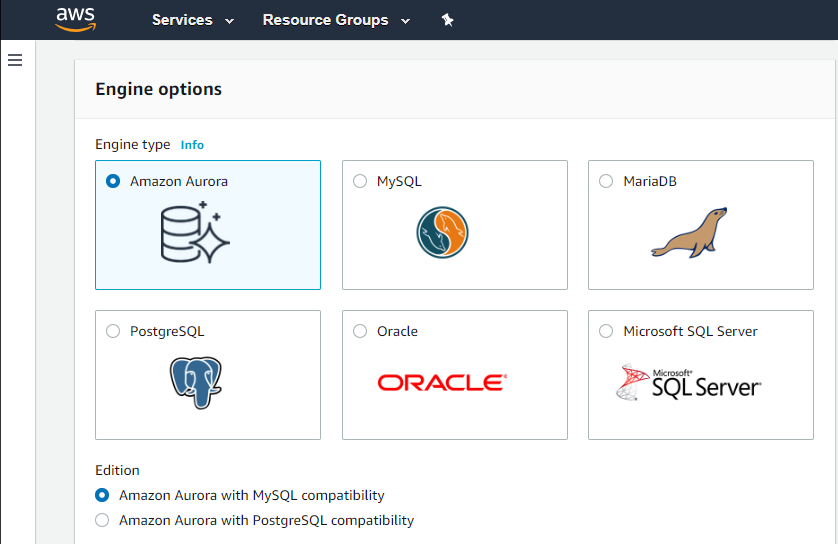
Amazon Relational Database Service (Amazon RDS) is a database-as-a-service (DBaaS) from Amazon Web Services.
N/A
IBM Cloud Databases
Score 8.1 out of 10
N/A
IBM Cloud Databases are open source data stores for enterprise application development. Built on a Kubernetes foundation, they offer a database platform for serverless applications. They are designed to scale storage and compute resources seamlessly without being constrained by the limits of a single server. Natively integrated and available in the IBM Cloud console, these databases are now available through a consistent consumption, pricing, and interaction model. They aim to provide a cohesive…
N/A
MongoDB
Score 8.9 out of 10
N/A
MongoDB is an open source document-oriented database system. It is part of the NoSQL family of database systems. Instead of storing data in tables as is done in a "classical" relational database, MongoDB stores structured data as JSON-like documents with dynamic schemas (MongoDB calls the format BSON), making the integration of data in certain types of applications easier and faster.
$0.10
million reads
Pricing
Amazon Relational Database Service (RDS)
IBM Cloud Databases
MongoDB
Editions & Modules
Amazon RDS for PostgreSQL
$0.24 ($0.48)
per hour, R5 Large (R5 Extra Large)
Amazon RDS for MariaDB
$0.25 ($0.50)
per hour, R5 Large (R5 Extra Large)
Amazon RDS for MySQL
$0.29 ($0.58)
per hour, R5 Large (R5 Extra Large)
Amazon RDS for Oracle
$0.482 ($0.964)
per hour, R5 Large (R5 Extra Large)
Amazon RDS for SQL Server
$1.02 ($1.52)
per hour, R5 Large (R5 Extra Large)
No answers on this topic
Shared
$0
per month
Serverless
$0.10million reads
million reads
Dedicated
$57
per month
Offerings
Pricing Offerings
Amazon RDS
IBM Cloud Databases
MongoDB
Free Trial
No
No
Yes
Free/Freemium Version
No
No
Yes
Premium Consulting/Integration Services
No
No
No
Entry-level Setup Fee
Optional
No setup fee
No setup fee
Additional Details
—
—
Fully managed, global cloud database on AWS, Azure, and GCP
The only direct comparison that I have professionally would be from a past life where we ran Microsoft SQL Server on Microsoft Servers, and while I served as a technical liaison between a vendor and my customers, there were constant issues within my customers' technical teams …
Running MySQL RDS was a simpler solution than running standalone MySQL servers as the semi-managed nature of RDS saved us the need to install, maintain, secure, and backup our database servers. Using MySQL RDS was in addition to running MongoDB Atlas workloads and allowed us to …
MongoDB is nosql database and some clients prefer it. In our presentation we try to persuade them to use RDS with its pros and cons. The type of selection depends upon the actual need.
Amazon Relational Database Service solves part of our architecture problem - more inclined towards on-line transactions and simple user data storage - whereas MongoDB is good for storing structured complex data. For most of the requirements we use Amazon Relational Database …
Because we have our whole architecure on AWS cloud so to provide close connectivity we have choose AWS RDS and also due to Features offered by AWS RDS.
Although the Rackspace service is not comparable, even though it is very good, it requires a lot of administration on my part. Regarding Atlas, although it is not the same as RDS in terms of provisioning and administration panel, I mention it because I found it simpler and more …
We have a strong preference for AWS managed services, and we find that RDS offers excellent integration with various AWS services, making it a seamless choice for our infrastructure. Furthermore, RDS supports integration with automation tools such as Terraform, enhancing our …
Installing, configuring, and managing Oracle Database can be challenging, especially for people who are new to Oracle products. Longer learning curves and higher operational overhead can be caused by this complexity. Amazon Relational Database Service is easy to understand and …
Every traditional rational Database requires server installation & accessing needs to be monitored periodically manually. But Amazon provides easy-to-access and monitor health and scale-up and scale-down option just by clicks without adding any additional hardware.
It is more suitable for our data structure and also has a lower management and implementation cost since we don`t have to do everything from scratch. It also offers great integration with other AWS services which makes it really good to work with.
As most of our infra is on AWS it is good that we use the same service provider as we want all of our infra to be in a single service provider for ease of maintaining. also, other services target very specific database engines vs RDS comes with lots of options which is …
Atlas is easier to use, but we selected RDS because of its ability to use Postgres and MySQL as opposed to a document database. Amazon offers a document database service, but ultimately it made more sense architecturally to choose a standard database.
amazon provides wide range of support for multiple database engines so we dont have to look for any other providers integration with aws ecosystem so we can seemlessly use other aws services connected to database aws have data points globally so it if data needs to be in …
Amazon Relational Database Service will probably give you everything you need from a traditional manual DB setup, except everything is managed for you. The only downside is having to pay the premium for the service; however, the trade-off of not having to deal with the …
Though you could get similar functionality using Docker, Amazon RDS offers a more comprehensive SaaS solution.
With Docker, you still need to have an EC2 instance to install the Docker and manage backup scripts using EC2 snapshots or S3. But RDS provides that solution …
Initially, we planned to move everything to Dynamo DB, however, we had our initial architecture with MySQL, so we thought it would be a good option to migrate and use AWS RDS which seemed to be a good idea actually. I feel the security and the placing it in a VPC, is one …
Redshift is massively scalable but has some limitations that we weren't willing to accept (no JSONB). It also has its own distinct flavor of SQL, and there isn't as much content online about Redshift's flavor of SQL versus postgres'. In the end, we just didn't need to kind of …
We use Amazon's RDS (MySQL database), Redislabs (Redis) and also MongoDB's Atlas. They all have their own advantages and disadvantages. For us, MongoDB's Atlas and Compose are obviously similar services. For now, we use Atlas to try new things (since they run the latest stable …
I tried MLab and was not a fan of how the UI worked on their control panel. It felt outdated and cumbersome. They offered less backup solutions for the price point as well. In fact, you had to contact them with a ticket if you wanted access to a daily backup. Anything over that …
MongoDB is the primary db we use, and Meteor is the primary application framework. Configuring MongoDB to fully support Meteor oplog tailing is a challenge - and when we started looking, Compose was those only MongoDB provider that had turnkey support for Meteor.
While at the time, Amazon RDS did/does not create Mongo databases, I was able to set up many with PostgreSQL databases with the same ease as IBM Compose. However, IBM compose does seem to offer a more intuitive application control panel. Amazon RDS costs run on a server …
We previously hosted our own Redis and RabbitMQ cluster. Before switching to IBM Compose we evaluated Redis Lab, Scalegrid, AWS ElastiCache, CloudAMQP and others. We still host our core database (MongoDB) ourselves.
The reason why I choose IBM Cloud Databases is that the IBM cloud toolset is already being used in other functions of the company and by using IBM Cloud Databases, the other cloud tools are better embedded and integrated. If the company is set to use amazon tools, I would go …
All our databases are hosted on Compose. We haven't seen a reason to switch providers, however, we have compared with some others and Compose seems to be the best from a cost and reliability standpoint.
We selected Compose because we initially thought that they would provide great support, and that they would bring encryption at rest within months. That has not materialized yet.
We also thought that the cost, while far from being the lowest, was reasonable.
We use Amazon Aurora as our primary datastore and use IBM Compose Mongo as an alternative only when Aurora does not cover the use case well. Amazon DynamoDB looks good but doesn't have the same wealth of libraries and support which makes MongoDB easy to use and therefore was …
We have one instance of mLab that has been equally easy to scale as Compose, but with the added benefit of extensive logging and performance monitoring tools, including an index suggester. All modern cloud db providers seem to offer more of this type of functionality at this …
Other options are lower priced, however IBM Compose has by far the best interface for managing and editing data within the database. It also has many forms of databases for us to deploy, beyond what we are currently using. So, in the event we need to add other services, we can …
We initially selected IBM Compose because it was easy to use and cost-effective. We switched to mLab when we need to scale and have dedicated clusters.
Mongo Atlas - at the moment it looks better. It has 3.6 (Compose stuck at 3.4). Lower pricing (it seems). AWS Dynamo DB etc - I decided rather quickly not to use this, mostly for lack of adequate documentation.
If your application needs a relational data store and uses other AWS services, AWS RDS is a no-brainer. It offers all the traditional database features, makes it a snap to set up, creates cross-region replication, has advanced security, built-in monitoring, and much more at a very good price. You can also set up streaming to a data lake using various other AWS services on your RDS.
Less Appropriate Scenario: 1) Small Scale or Low Budget Projects 2) Organizations with limited expertise in cloud technologies may find the learning curve steep, especially if they are not familiar with the IBM Cloud platform 3) If database requirements are highly dynamic and change frequently, the comprehensive features and management provided by IBM Cloud Databases might be overkill. A more flexible, self-managed solution could be preferable for adapting to rapid changes.
If asked by a colleague I would highly recommend MongoDB. MongoDB provides incredible flexibility and is quick and easy to set up. It also provides extensive documentation which is very useful for someone new to the tool. Though I've used it for years and still referenced the docs often. From my experience and the use cases I've worked on, I'd suggest using it anywhere that needs a fast, efficient storage space for non-relational data. If a relational database is needed then another tool would be more apt.
Automated Database Management: We use it for streamlining routine tasks like software patching and database backups.
Scalability on Demand: we use it to handle traffic spikes, scaling both vertically and horizontally.
Database Engine Compatibility: It works amazingly with multiple database engines used by different departments within our organization including MySQL, PostgreSQL, SQL Server, and Oracle.
Monitoring: It covers our extensive monitoring and logging, and also has great compatibility with Amazon CloudWatch
The ease of setup was effortless. For anyone with development experience, a few simple questions such as name and login data will get you set up.
The web application to manage cluster settings, billing settings and even introspect the data was simple and most importantly worked all the time. This can not always be said for web interfaces of other products.
Being a JSON language optimizes the response time of a query, you can directly build a query logic from the same service
You can install a local, database-based environment rather than the non-relational real-time bases such a firebase does not allow, the local environment is paramount since you can work without relying on the internet.
Forming collections in Mango is relatively simple, you do not need to know of query to work with it, since it has a simple graphic environment that allows you to manage databases for those who are not experts in console management.
It is a little difficult to configure and connect to an RDS instance. The integration with ECS can be made more seamless.
Exploring features within RDS is not very easy and intuitive. Either a human friendly documentation should be added or the User Interface be made intuitive so that people can explore and find features on their own.
There should be tools to analyze cost and minimize it according to the usage.
Better cost reports, before just increasing to another tier, thus increasing the price. This is critical for early stage startups, where budget is tight.
Add more data center options. As a comparison, a similar service, Aiven.io has dozen more options than Compose (basically all big cloud providers). We moved from AWS to Digital Ocean, which made us stop using Compose, since Compose forces us to be either on IBM or AWS.
An aggregate pipeline can be a bit overwhelming as a newcomer.
There's still no real concept of joins with references/foreign keys, although the aggregate framework has a feature that is close.
Database management/dev ops can still be time-consuming if rolling your own deployments. (Thankfully there are plenty of providers like Compose or even MongoDB's own Atlas that helps take care of the nitty-gritty.
We do renew our use of Amazon Relational Database Service. We don't have any problems faced with RDS in place. RDS has taken away lot of overhead of hosting database, managing the database and keeping a team just to manage database. Even the backup, security and recovery another overhead that has been taken away by RDS. So, we will keep on using RDS.
IBM is our trusted partner which never failed to meet our expectations. Stability, efficiency, usability and security is a must have for our business which is fully provided by IBM Cloud Databases
I am looking forward to increasing our SaaS subscriptions such that I get to experience global replica sets, working in reads from secondaries, and what not. Can't wait to be able to exploit some of the power that the "Big Boys" use MongoDB for.
I've been using AWS Relational Database Services in several projects in different environments and from the AWS products, maybe this one together to EC2 are my favourite. They deliver what they promise. Reliable, fast, easy and with a fair price (in comparison to commercial products which have obscure license agreements).
IBM Cloud Databases' pricing structure is easy to understand, and if you choose the right product, you can operate your system at minimal cost. Although there is ample documentation available, there doesn't seem to be a user community running on it, so specific usage know-how and troubleshooting can sometimes take longer than expected.
NoSQL database systems such as MongoDB lack graphical interfaces by default and therefore to improve usability it is necessary to install third-party applications to see more visually the schemas and stored documents. In addition, these tools also allow us to visualize the commands to be executed for each operation.
I have only had good experiences in working with AWS support. I will admit that my experience comes from the benefit of having a premium tier of support but even working with free-tier accounts I have not had problems getting help with AWS products when needed. And most often, the docs do a pretty good job of explaining how to operate a service so a quick spin through the docs has been useful in solving problems.
Support is helpful enough, but we haven't always had questions answered in a satisfactory manner. At one time we realized that Compose had stopped taking database snapshots on its two-per-day schedule, and had in fact not taken one for many days. Support recognized the problem and it was fixed, but the lack of proactive checks and the inability to share exactly what happened has caused us to look elsewhere for production work loads
Finding support from local companies can be difficult. There were times when the local company could not find a solution and we reached a solution by getting support globally. If a good local company is found, it will overcome all your problems with its global support.
While the setup and configuration of MongoDB is pretty straight forward, having a vendor that performs automatic backups and scales the cluster automatically is very convenient. If you do not have a system administrator or DBA familiar with MongoDB on hand, it's a very good idea to use a 3rd party vendor that specializes in MongoDB hosting. The value is very well worth it over hosting it yourself since the cost is often reasonable among providers.
Amazon Relational Database Service (RDS) stands out among similar products due to its seamless integration with other AWS services, automated backups, and multi-AZ deployments for high availability. Its support for various database engines, such as MySQL, PostgreSQL, and Oracle, provides flexibility. Additionally, RDS offers managed security features, including encryption and IAM integration, enhancing data protection. The pay-as-you-go pricing model makes it cost-effective. Overall, Amazon RDS excels in ease of use, scalability, and a comprehensive feature set, making it a top choice for organizations seeking a reliable and scalable managed relational database service in the cloud.
The reason why I choose IBM Cloud Databases is that the IBM cloud toolset is already being used in other functions of the company and by using IBM Cloud Databases, the other cloud tools are better embedded and integrated. If the company is set to use amazon tools, I would go for rds.
We have [measured] the speed in reading/write operations in high load and finally select the winner = MongoDBWe have [not] too much data but in case there will be 10 [times] more we need Cassandra. Cassandra's storage engine provides constant-time writes no matter how big your data set grows. For analytics, MongoDB provides a custom map/reduce implementation; Cassandra provides native Hadoop support.
Open Source w/ reasonable support costs have a direct, positive impact on the ROI (we moved away from large, monolithic, locked in licensing models)
You do have to balance the necessary level of HA & DR with the number of servers required to scale up and scale out. Servers cost money - so DR & HR doesn't come for free (even though it's built into the architecture of MongoDB