Anaplan is a scenario planning and analysis platform designed to optimize decision-making in complex business environments so that enterprises can outpace their competition and the market. By building connections and collaboration across organizational silos, the Anaplan platform surfaces key insights.
N/A
Blackboard Learn by Anthology
Score 8.4 out of 10
N/A
Blackboard Inc. is an enterprise learning management systems vendor. Blackboard was founded in 1997 and became a public company in 2004. The company provides education, mobile, communication, and commerce software and related services to clients including education providers, corporations and government organizations. As of December 2010, Blackboard software and services are used by over 9,300 institutions in more than 60 countries. Blackboard Learn is the company's flagship LMS, supporting…
N/A
Board
Score 9.0 out of 10
Enterprise companies (1,001+ employees)
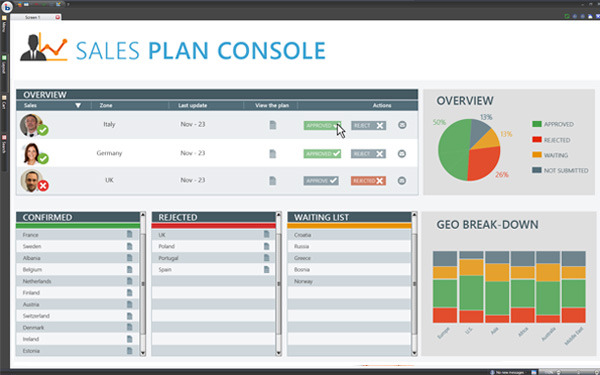
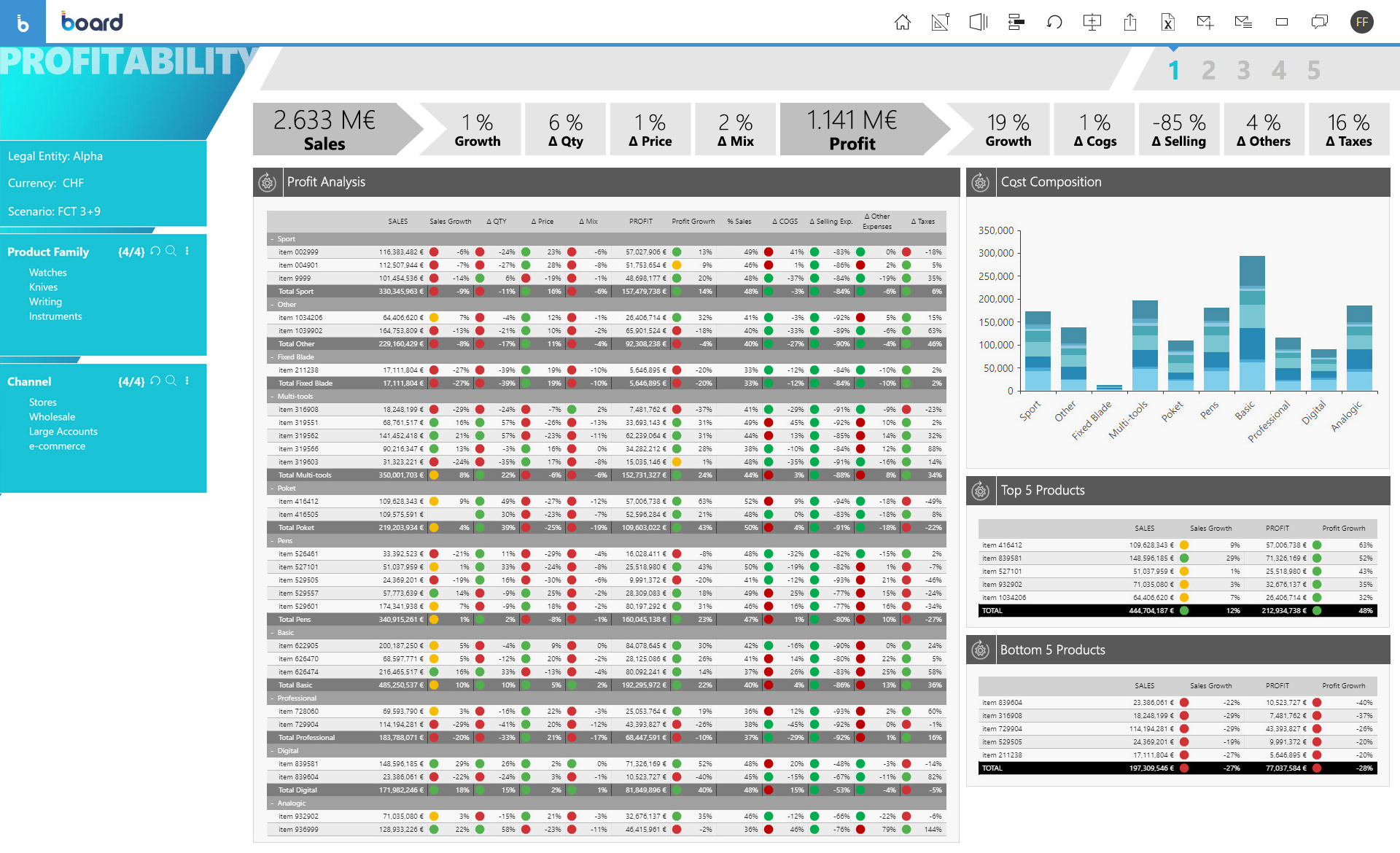
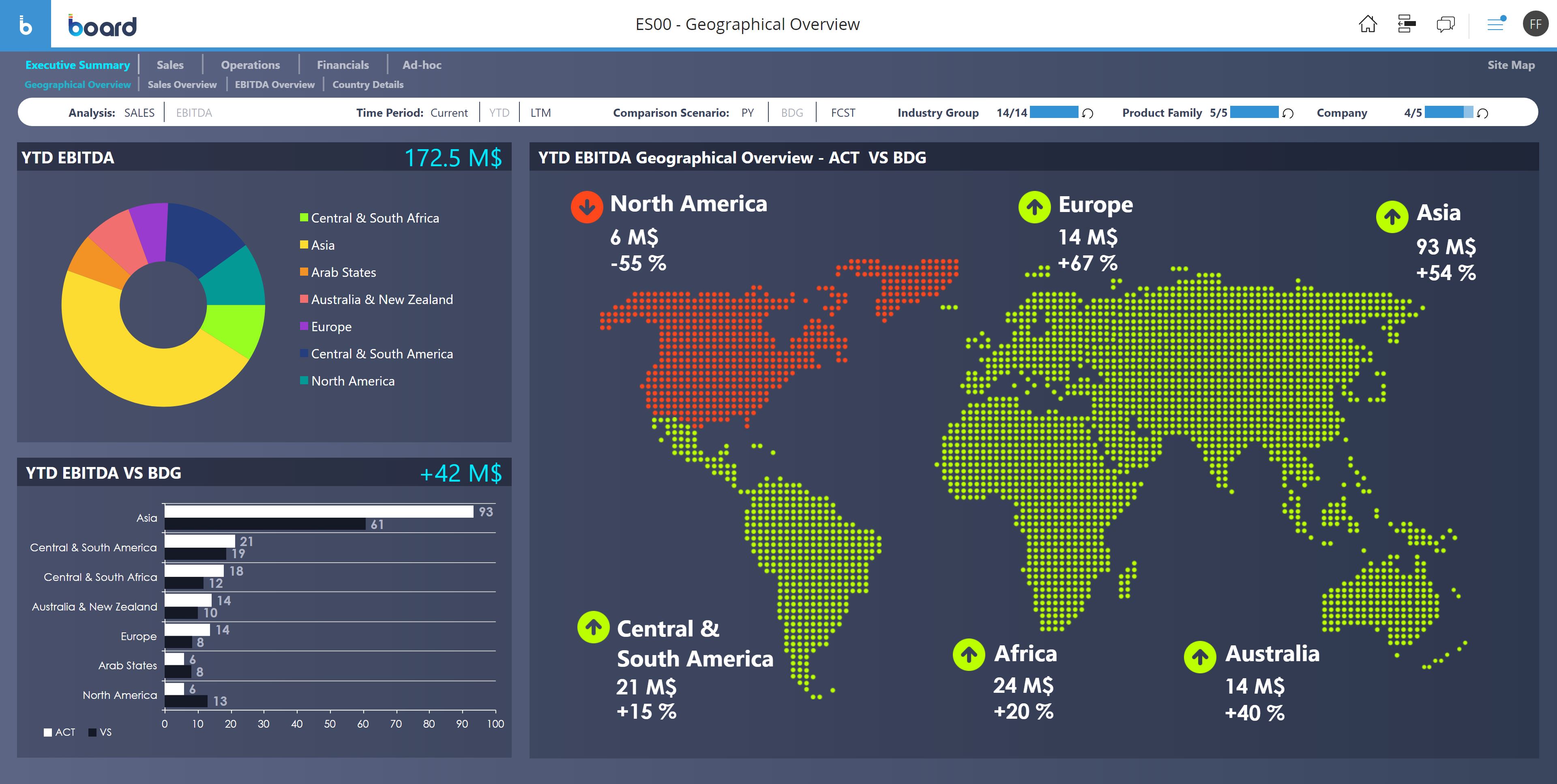
Board is presented as an enterprise planning platform, offered as a solution to accelerate business performance and enable continuous planning with greater forecast accuracy to drive confident, aligned decisions.
Board has been more complete when compared to Anaplan. Although I didn't participate in the buying decision of any of those products I have used both and by far Board just has more features. It's more than a CPM, it's BI and CPM put together. If I had to make a choice now it …
We selected Board over similar alternatives for its integrated business intelligence and corporate management capabilities. Furthermore, the ability to generate customized real-time reports, benchmark data, and trends were the primary reasons for implementing Board in our …
Board integration and deployment process is simple, with strict security strategies. Also, Board brings almost all the executives on the table, where they have similar data access, and real-time analysis, supporting decisions that are procedural. For smooth integrations and …
Board was generally more visually appealing when compared to many alternatives, some of which would retain the appearance of a spreadsheet and would have limited formatting or visualization capabilities. In addition, some tools were specifically a financial reporting and/or …
With its versions and native time features Anaplan is well suited for all activities around planning in time and scenarios. Tasks involving calculating across multiple dimensions make Anaplan shine - the easiness to build complex calculation and present results on customizable pages. With its access restrictions it's well suited also for working with sensitive data (employee and customers personal data).
A school with a well-established technology imprint with their students (for example, ours is a BYOB school where every student has their own laptop and must bring it to school every day and where over 99% of our families have reliable broadband at home) is a reasonable scenario for using The arrogance and intransigence of the sales force is quite disconcerting… They are no longer the only game in town and don't yet realize it. Less well-off schools/families may find it a challenge if students must be on campus or at a public library in order to use the technology. Obviously, during the pandemic, this became problematic for some districts.
Board is a useful tool with a great set of features. We migrated from human apps to board and we find it relatively fast in search results and better-managed threads and forums. There are some areas, such as UI and interactions which could be improved but overall a great product. The learning section is also pretty good.
Anaplan removes the time consuming process of integrating the results of individual spreadsheets.
Anaplan facilitates the standardization of assumptions across all sub-processes
Anaplan provides full transparency of the calculations and source inputs
Anaplan allows us to automate certain planning processes that would have been impossible when relying on the computational capabilities of an individual computer.
Blackboard Learn makes submitting assignments electronically simple and provides a variety of built-in Web-based tools like e-portfolios, wikis, and blogs that our students use to create their own content.
Blackboard Learn is intuitive and easy to navigate from a students perspective
Blackboard Learn has many integrations available for connecting this LMS to other tools we use at our institution.
Anaplan is a very strong multi-dimensional modeling tool that provides a calculation engine to empower a complex planning process. It is fairly easy to learn for those with experience in similar tools, or excel. It forces structure and auditability that spread sheets do not have, along with extensive security capabilities
There are several aspects of Desire2Learn that outweigh the benefits of using Blackboard. I find that the Desire2Learn system is a bit more user friendly and looks more up-to-date. However, the decision to renew systems is not up to me because the entire University uses the same system. Regardless, I think I would choose Desire2Learn over Blackboard because of its improved user interface.
Board is a fantastic product for swift BI solution delivery when compared with its peers. Ease of use, support and integration with Microsoft Office Addin open a wide horizon of opportunities for further enhancements to solutions. Easy bespoke app development capabilities make it a winner for us. BOARD is just like a white canvas, it lets you explore your creative side while designing and delivering a solution
Anaplan's usability is dependent on who is implementing the project and how clear business processes are at the beginning of the implementation. Complex business processes with many inputs and reviews will still be complicated in Anaplan; however, the UX is very flexible in how to help people through the process and there are also other items such as Workflow that can help people move through the system.
It is very usable for both faculty and students. The interface is pretty intuitive and most students can use it without a lot of additional training. Faculty do need some training to effectively use the interface, but they usually get it pretty quickly. We have had to create some additional programming to give faculty a way to delve deeper into the content.
From a user perspective, Board is quite simple to use. You can evaluate the presentation of the data, the navigation, the configuration of the users, the selection of the data etc ... It would have a better rating if it were even more intuitive as regards the construction of a project, starting from the database, to the info-cubes, to entities, to data acquisition procedures from other servers.
There are very few outages. Maintenance is scheduled on two or three Saturdays per month, so as not to affect businesses. When there is an outage, users are kept informed of progress to restore the platform and typically this takes no more than an hour. Anaplan customer support is very responsive if we ever have questions about platform issues
Everything is calculated in memory in the cloud. It's nearly instantaneous updates when you make changes. The only time things get a little slow is when you have a massive model with very intricate calculations...but "slow" for Anaplan is not what I would call "slow" for something like Hyperion. We used to have Hyperion calcs that ran for 60 mins before you could use data. The equivalent would be 60 seconds in Anaplan.
Support quality has dropped since Thoma Bravo has taken over. I think some serious re-focus needs to happen here -- part of the beauty of being in the Anaplan community was how involved you felt in it before. Before I didn't dread sending a support ticket, now I am starting to.
My Blackboard support comes from the university I work with. They are responsive--eventually... but it takes them sometimes a week to respond to a reported issue. For example, I reported 2 issues last week and one was resolved and I was contacted about one still open option today. That is too long for a tech issue. I have not contacted any support offered directly by Blackboard, which may be a completely different experience altogether.
The only time I needed assistance was due to a problem in the prints: the colors of the brochures as they were on the screen were not reproduced in the print, but a series of standard colors were reproduced. This fact made colored numbers on a colored background illegible. From the assistance they confirmed that it was a problem of version 10.2 that occurred when leaving the brochures with the default colors proposed by Board. To obtain the desired colors, they had to be personalized ... I didn't like the solution very much and the technician who recommended it didn't like me either, but they would have solved the problem with the following versions. In any case, the assistance was quick and effective even if not exactly efficient.
In my opinion, in-person training is always the best if you have the option to do so. This allows real-time interactions with the instructions, whereas the online training I took required me to write-down questions, email them, and wait for responses. This slows down the process, as you can imagine. That said, in-person training is an extra cost and it likely isn't needed for everyone. I would suggest selecting a small number of people to take in-person training and then having them act as mentors to the rest of your team. That way, as the rest of the team takes the online training, they have a resource to help them in real time.
Board is fairly simple and straight forward. Advance training on workflows and procedures is a good one but the training content only touches through the interesting areas. training content needs to cover a few areas more in-depth
Anaplan training materials are clear, simple, easy to understand and to follow. Visuals are excellent. The vendor is good at updating training materials in a timely manner and encouraging users and administrators to keep coming back to Academy site for refresher courses or new feature courses. I really like their interactive diagrams
One key insight from implementing Anaplan is that success comes from focusing on designing the process, not just building the model. Anaplan is extremely flexible—there are very few planning scenarios it cannot support—but that flexibility means the project needs strong governance, clear ownership of requirements, and a well-defined data model. When those foundations are in place, implementations are fast, iterations are easy, and users can quickly see value. In our projects, both Financial Planning and Integrated Business Planning models were adopted smoothly because we involved business users early, kept the model design intuitive, and leveraged Anaplan’s Excel-like syntax and user-friendly dashboards. The result was more efficient day-to-day work, reduced manual tasks, and increased collaboration across teams. In short: when you combine Anaplan’s flexibility with a structured implementation approach, adoption and value realization happen quickly.
The problem of user profiling in our context is certainly quite complex. The complexity is given by the fact that the company is divided territorially into logistic points of sale, but at the same time they are virtually divided into divisions (or specific implementation areas) and points of sale of competence. The same operator can have access to data at different logistic sales points, sales points of competence and divisions.
Anaplan is more powerful than Pigment considering that it is an Enterprise class system and is able to manage bigger data sets. Anaplan allows for advanced scenario modeling and formula capabilities along with custom reporting functionalities. Anaplan has proven its capabilities and stability across various use cases and across bigger enterprises when compared to Pigment which is still in earlier phases of its development
Coursera offers a variety of modules in which a team is able to work on then, but [Blackboard Learn] offers more options to understand how are the team members developing and which tasks have offered a harder challenger for them. [Blackboard Learn] also offers a variety of reports that can be generate by a team lead.
Board has been more complete when compared to Anaplan. Although I didn't participate in the buying decision of any of those products I have used both and by far Board just has more features. It's more than a CPM, it's BI and CPM put together. If I had to make a choice now it would be Board.
We have managed to leverage Anaplan for financial planning and forecasting across the business. It is now used by almost every department, with more than 50 users (but I know of companies that have hundreds of users) and still the platform is quick and reliable. It is easy to make changes to divisions and departments or add users and apply different user settings - the core part of the model is not affected and end users can continue their work without any disruption
Anaplan's implementation led to a significant reduction in planning cycle errors and bugs, streamlining processes and improving overall accuracy in data inputs
Standardizing the planning process and enabling cross-functional collaboration through Anaplan enhanced our ability to adapt swiftly to changing business needs, resulting in improved agility in decision-making
The platform's capabilities, especially in Demand Planning and Supply Chain, positively impacted our ROI by optimizing resource allocation and solving complex business problems efficiently across multiple functions
At one of the institutions that I worked for, the ROI was excellent for the number of users we were serving; however, I could not speak to other instances as I was not aware of the overall cost of the contract.
Board facilitates proactive decision making - it gives all the insights of the company's needs, which includes predictive analytics and manipulation of data to make different types of reports.
Easy to use for non-programmer and integration with other software is seamless. It has [the] ability to handle large amounts of data.