Chose Asana
In comparison to other Project Management software tools that I have used, Asana is the most user friendly platform without compromising any advanced capabilities.

| Product | Rating | Most Used By | Product Summary | Starting Price |
|---|---|---|---|---|
 Asana | N/A | Asana is a web and mobile project management app. With tasks, projects, conversations, and dashboards, Asana lets an entire team know who's doing what by when, enabling workload balancing. Users can also add integrations for GANTT charts, time tracking and more. | $13.49 per month per user | |
 Everhour | N/A | Everhour is a time tracker equipped with project & team management features. Everhour integrates with project management apps so users can track time on tasks right from its interface: Asana, Basecamp, Trello, Jira, ClickUp, Basecamp, Notion, Todoist, GitHub, GitLab, etc. Its time tracking features provide options for timekeeping and time management. It helps to facilitate a team's time tracking experience by adding reminders, auto stop timers, start and stop timers, and… | $0 |
| Asana | Everhour | |||||||||||||||
|---|---|---|---|---|---|---|---|---|---|---|---|---|---|---|---|---|
| Editions & Modules |
|
| ||||||||||||||
| Offerings |
| |||||||||||||||
| Entry-level Setup Fee | Optional | No setup fee | ||||||||||||||
| Additional Details | A discount is offered for annual billing. | — | ||||||||||||||
| More Pricing Information | ||||||||||||||||
| Asana | Everhour | |
|---|---|---|
| Considered Both Products |  Asana | Everhour  Dimitris Rakopoulos Partner, CRM Director Chose Everhour I briefly used Harvest but I felt right at home with Everhour. It works better for me as a whole. It is more appealing to the eye as well. Even though Harvest works directly with Asana, Everhour offer more functionality with the use of the Chrome add-on. Then again I have sent … Chose Everhour We used Harvest before, but it lacks a (good) automated and continuous import of our Asana projects. This was the primary reason for switching. Another reason were the more suitable exports Everhour can create.  Lars Dabney CEO & Master Sitewright Chose Everhour  Adam Burdeshaw Ecommerce Manager Chose Everhour  Rui Rodrigues Founder Chose Everhour I used another one that I can't recall the name right now. It was complicated and did not get the job done.  Eduardo Williams Founder and CEO Chose Everhour Tempo Timesheets: it's ok when you ONLY use Jira.  Miriam Dybczak Account Manager Chose Everhour I've only ever used FunctionFox but Everhour is definitely better. It has a much friendlier user interface and is much easier to use for reporting and client billing.  Nathan George Founder/CEO Chose Everhour Everhour is cheaper and has more features  Matthew Piccirillo Chief Financial Officer Chose Everhour I've not personally used any competitors.  Darrin Walton Revit / CAD / BIM Drafting Chose Everhour Everhour has a lot more functionality.  Laura Cobo Global Engineering and DTP Lead Chose Everhour I haven't used others  Yuriy Glushakov CEO (Chief Executive Officer) Chose Everhour It is simple - and has best native integration in our work environment so it was the decision point.  Jennifer Hess Designer, Developer & CEO Chose Everhour Originally, I was using Harvest and really liked its features. However, the Harvest invoicing system only pushes data into QBO, but doesn't check / sync invoice numbers or update for payment status, so it was resulting in duplicate invoice numbers and extra effort to update …  Claire Lockey Virtual Assistant Chose Everhour I found Toggl confusing and not as user-friendly.  Rachel Manning Owner Chose Everhour Everhour is by far the simplest I've found, and seems to be growing fast and improving every day. I found the other time trackers to be clunky, unattractive, and not well integrated with the suite of programs I already use. |
| Asana | Everhour | |||||||||||||||||||||||||||||||||||||||||||||
|---|---|---|---|---|---|---|---|---|---|---|---|---|---|---|---|---|---|---|---|---|---|---|---|---|---|---|---|---|---|---|---|---|---|---|---|---|---|---|---|---|---|---|---|---|---|---|
| Project Management |
| |||||||||||||||||||||||||||||||||||||||||||||
| Professional Services Automation |
|
| Asana | Everhour | |
|---|---|---|
| Small Businesses |  Stackby Score 8.9 out of 10 |  Traqq Score 9.1 out of 10 |
| Medium-sized Companies |  InEight Score 8.4 out of 10 |  TimeClock Plus Score 9.5 out of 10 |
| Enterprises | InEight Score 8.4 out of 10 |  Zoho People Score 8.9 out of 10 |
| All Alternatives | View all alternatives | View all alternatives |
| Asana | Everhour | |
|---|---|---|
| Likelihood to Recommend | 9.0 (208 ratings) | 7.4 (61 ratings) |
| Likelihood to Renew | 9.6 (34 ratings) | - (0 ratings) |
| Usability | 8.3 (36 ratings) | 9.0 (3 ratings) |
| Availability | 8.4 (2 ratings) | - (0 ratings) |
| Support Rating | 5.0 (42 ratings) | 7.7 (21 ratings) |
| Product Scalability | 8.2 (1 ratings) | - (0 ratings) |
| Asana | Everhour | |
|---|---|---|
| Likelihood to Recommend | Asana
 Marina Torttoli Marketing Director | Everhour
|
| Pros | Asana
 Ammar Aboalrub Freelancer | Everhour
|
| Cons | Asana
| Everhour
Yuriy Glushakov CEO (Chief Executive Officer) |
| Likelihood to Renew | Asana
 page V CEO (Chief Executive Officer) | Everhour No answers on this topic |
| Usability | Asana
| Everhour
|
| Reliability and Availability | Asana
 Ronen Soreq Project Manager | Everhour No answers on this topic |
| Support Rating | Asana
 Adam Lumley Director of Marketing & Communications | Everhour
 Angela Goldsmith, PMP Director of Systems Development |
| Alternatives Considered | Asana
 Rafiqul Islam Full-stack Software Engineer | Everhour
Jennifer Hess Designer, Developer & CEO |
| Scalability | Asana
Ronen Soreq Project Manager | Everhour No answers on this topic |
| Return on Investment | Asana
 Kristi Porter Chief Do-Gooder | Everhour
 María Lucía Santagata Coordinadora Ssr |
| ScreenShots | Asana Screenshots      | Everhour Screenshots 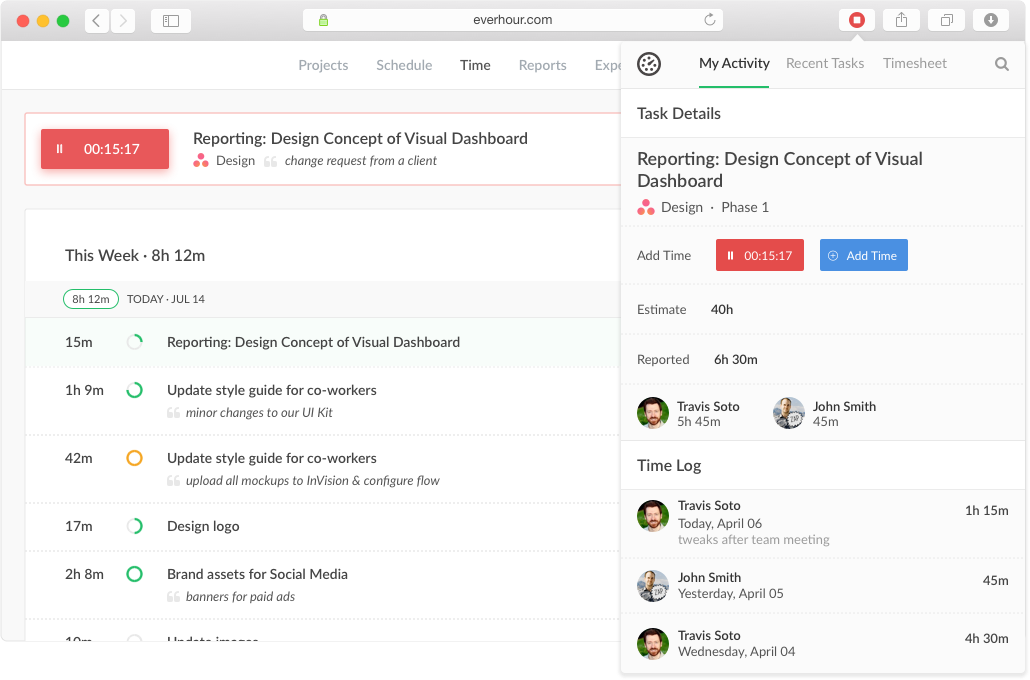   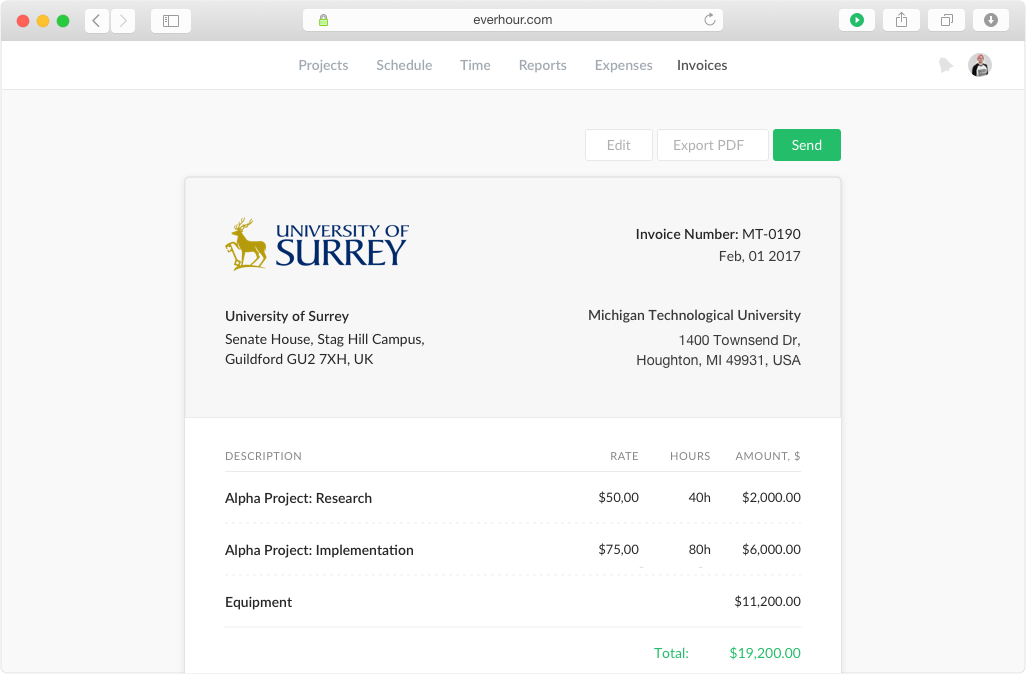 |
