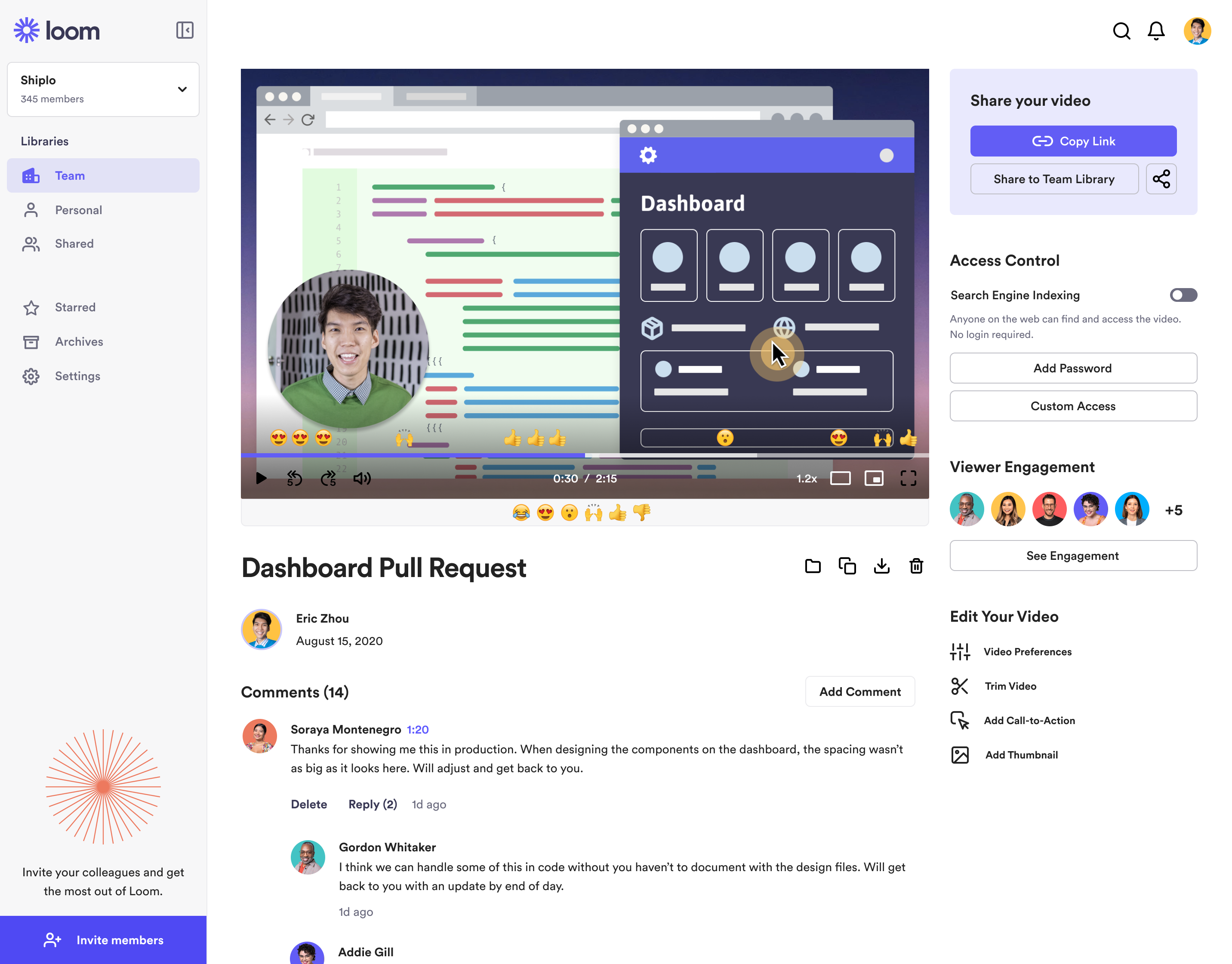
Loom is a screen recorder for Chrome, Mac, Windows, and iOS from Atlassian, presented as quick to install, easy to use, and boasting a functional free edition.
$8
per month
Gumlet
Score9.6 out of 10
N/A
Gumlet is used by businesses to host and deliver video content and optimized images across websites and applications at any scale. Gumlet Video: Video Hosting and Streaming Multi-Level Video Protection: Safeguards content with advanced DRM solutions like Widevine and Fairplay, preventing unauthorized access while allowing for controlled playback. Video Management: Users can upload, organize, and stream videos. Integration with cloud storage simplifies…
$25
per month $0.15 / GB streaming overage after 2 TB of bandwidth
Loom is a must, I am not sure how many other tools like this one there are but Loom really becomes a key player in a team collaboration, specially if that team collaborates remotely or internationally. You can use the video links to embedded these in other places or downloadthem for editing
Gumlet has been consistently reliable whenever we need to deliver video assets for internal projects or client work. As mentioned earlier, DRM protection and livestreaming are two standout strengths. We moved from Vimeo to Gumlet and haven’t regretted it. That said, if you need native social media integrations to go live or schedule posts, this isn’t the right tool. It’s also not ideal for monetized channels or large private audiences, as the current limits on private subscribers and profiles are relatively low.
Loom is valuable for creating video tutorials and onboarding materials.
It allows trainers to record step-by-step instructions, share best practices, and provide visual demonstrations, facilitating the learning process for new employees or team members.
Sales teams can create personalized video pitches or product demonstrations to engage prospects effectively.
Collaborating between timezones and replacing meetings/ emails with quick videos.
A de minimis incentive was given to thank the reviewer for their time. The incentive was not used to bias or drive a particular response, nor was the incentive contingent on a positive endorsement. More Info
Watching videos together in a group, synchronously, works perfectly – no stuttering, no pixelation, no audio dropouts, even if someone only has mediocre internet.
The automatic adjustment of video quality to each individual's internet speed ensures that the best quality is always delivered without me having to worry about it.
Videos start instantly and without loading time, which is a huge difference compared to our previous LMS and makes the flow of live events appear relaxed and professional.
Das gemeinsame, synchrone Anschauen von Videos in einer Gruppe funktioniert absolut stabil – kein Ruckeln, kein Verpixeln, keine Ton-Aussetzer, sogar wenn jemand nur mittelmäßiges Internet hat.
Die automatische Anpassung der Videoqualität an die Internetgeschwindigkeit jeder einzelnen Person sorgt dafür, dass immer die beste Qualität geliefert wird, ohne dass ich mich darum kümmern muss.
Videos starten sofort und ohne Ladezeit, was im Vergleich zu unserem bisherigen LMS ein riesiger Unterschied ist und den Ablauf bei Live-Events entspannt und professionell wirken lässt.
The still screenshot feature should let us edit/mark up the images.
I work on 3 X monitors and the desktop version of Loom still can't seem to know that I always want to record on the screen from which I open the app. Short of that, it should ask us what screen we want to record on instead of making us catch the fact that it's set to record on some other screen. This causes me to have to stop the recording and restart because it was recording the wrong screen.
You can't yet transfer a video seamlessly between workspaces. This causes you to have to download and then re-upload to the other workspace if you happen to work for numerous companies using Loom.
A de minimis incentive was given to thank the reviewer for their time. The incentive was not used to bias or drive a particular response, nor was the incentive contingent on a positive endorsement. More Info
I’d rate our likelihood to renew at a clear 10, because Gumlet has become such an integral part of how we deliver, protect and scale our video content. The platform consistently performs without issues, the playback quality is excellent, and the security features give us peace of mind that no other tool matched. Beyond reliability, Gumlet keeps adding meaningful improvements such as AI subtitles, interactive elements, and better analytics, which continue to streamline our workflow and increase engagement without extra effort from our team. At this point, switching to anything else would feel like a step backwards, both in efficiency and overall video experience.
It's dirt easy for the one thing it does exceptionally well. If you think, "hmmm, I should make a quick screen capture of this thing on screen, you can start recording in seconds with almost no additional effort." Once you're done, the recording is automatically uploaded to your account site, and automatically creates a URL you can copy and share with your target audience. From IDEA to EXECUTION to DISTRIBUTION is literally seconds.
A de minimis incentive was given to thank the reviewer for their time. The incentive was not used to bias or drive a particular response, nor was the incentive contingent on a positive endorsement. More Info
The dashboard is simple to navigate. It's easy to view my videos and organize them. It just makes sense. I don't have to guess where to find anything. I also love the import tool and the ability to set up players based on my collections. This type of customization will save me time!
Loom is one of my favorite solutions and I've been a raving fan since they first launched. The value of quickly sharing videos in seconds is amazing. Our customers love it so much that they have even downloaded the Loom Chrome extension for their own use with their clients! It's so simple, and nothing else compares or competes.
A de minimis incentive was given to thank the reviewer for their time. The incentive was not used to bias or drive a particular response, nor was the incentive contingent on a positive endorsement. More Info
I use Loom for simple tasks. Never used customer support really. It's so simple to use. I haven't had any real issue with Loom which would require customer support to help me out. So I just put 5 because I don't know if the customer support is good or bad since I never used, so I'm kind of neutral.
A de minimis incentive was given to thank the reviewer for their time. The incentive was not used to bias or drive a particular response, nor was the incentive contingent on a positive endorsement. More Info
I had a quick technical question prior to purchase and a live-chat CSR gave me quick and helpful advice. I appreciate being able to clarify matters via live chat and prefer that over phone calls and emails.
When we evaluated the alternatives, Loom was by far the most advanced tool, with multiple types of integrations. Additionally, Loom also provided a Free plan, which made it easy to consider as an alternative. Vidyard and similar tools integrated better with certain other tools (Vidyard + HubSpot), but Loom had better overall integrations with most tools we use.
A de minimis incentive was given to thank the reviewer for their time. The incentive was not used to bias or drive a particular response, nor was the incentive contingent on a positive endorsement. More Info
They have all the same features and keep adding more, generating landing pages for video share was huge for us. Ease of use, no ads. cost, it really doesn't compete. We're very happy with the outputted quality of the video exports and the ability to manage DRM for video protection was built into the app. A huge bang for the buck here. Can't wait to update or try out more new features. The biggest thing I love is that they listen to their customers and work to implement suggestions from the community.
A de minimis incentive was given to thank the reviewer for their time. The incentive was not used to bias or drive a particular response, nor was the incentive contingent on a positive endorsement. More Info
Loom has increased my efficiency and value to clients so much. I save a ton of time by being able to send them video recordings walking through their website rough drafts and final tutorials.
Loom is incredibly affordable. I am satisfied with their subscription cost.
Loom has helped me communicate clearly to clients, so there's less room for error/misunderstanding (especially when talking about design decisions).
A de minimis incentive was given to thank the reviewer for their time. The incentive was not used to bias or drive a particular response, nor was the incentive contingent on a positive endorsement. More Info
A de minimis incentive was given to thank the reviewer for their time. The incentive was not used to bias or drive a particular response, nor was the incentive contingent on a positive endorsement. More Info