Automox is an endpoint management platform built for the era of autonomous operations. It provides a cloud-native foundation that unifies automation, speed, visibility, and trust.
$1
per month per endpoint
Syncro
Score 7.4 out of 10
N/A
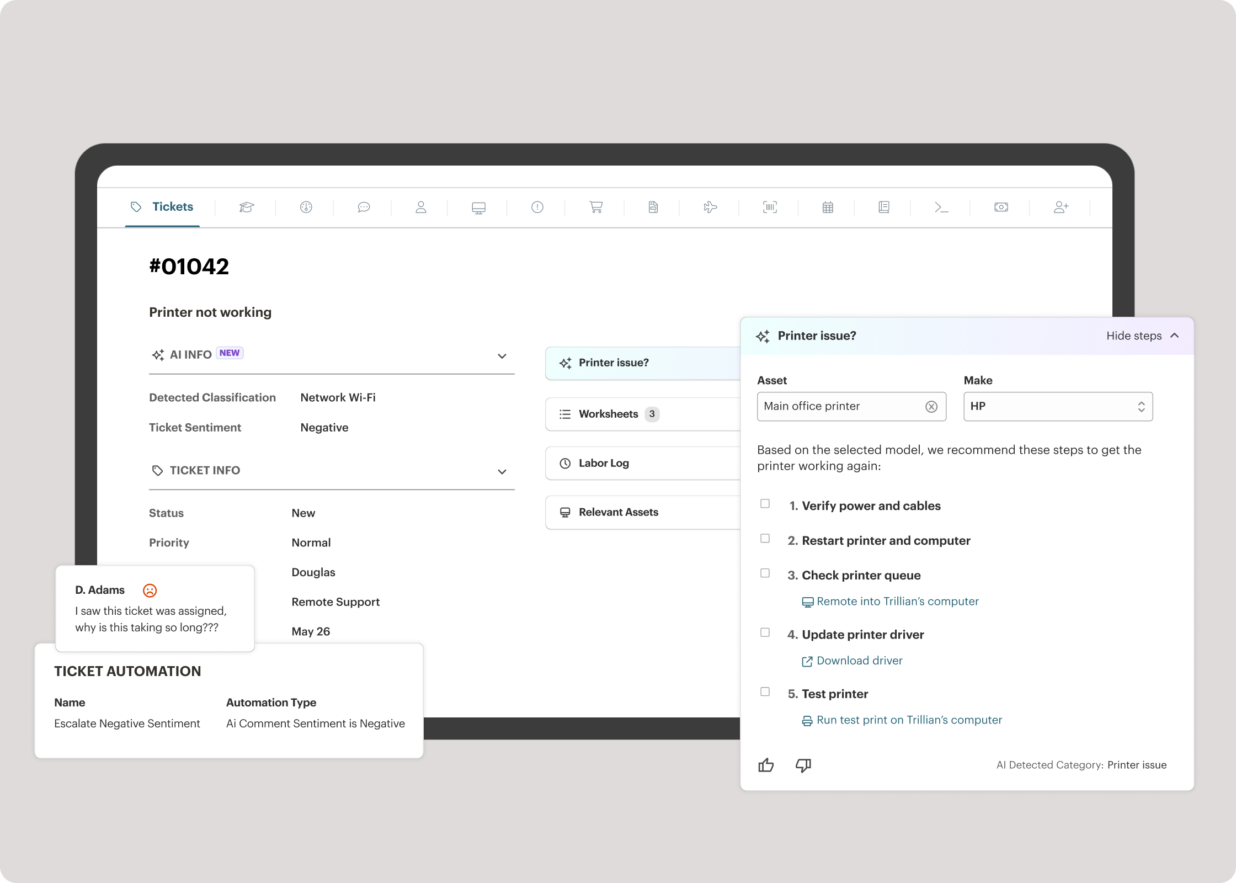
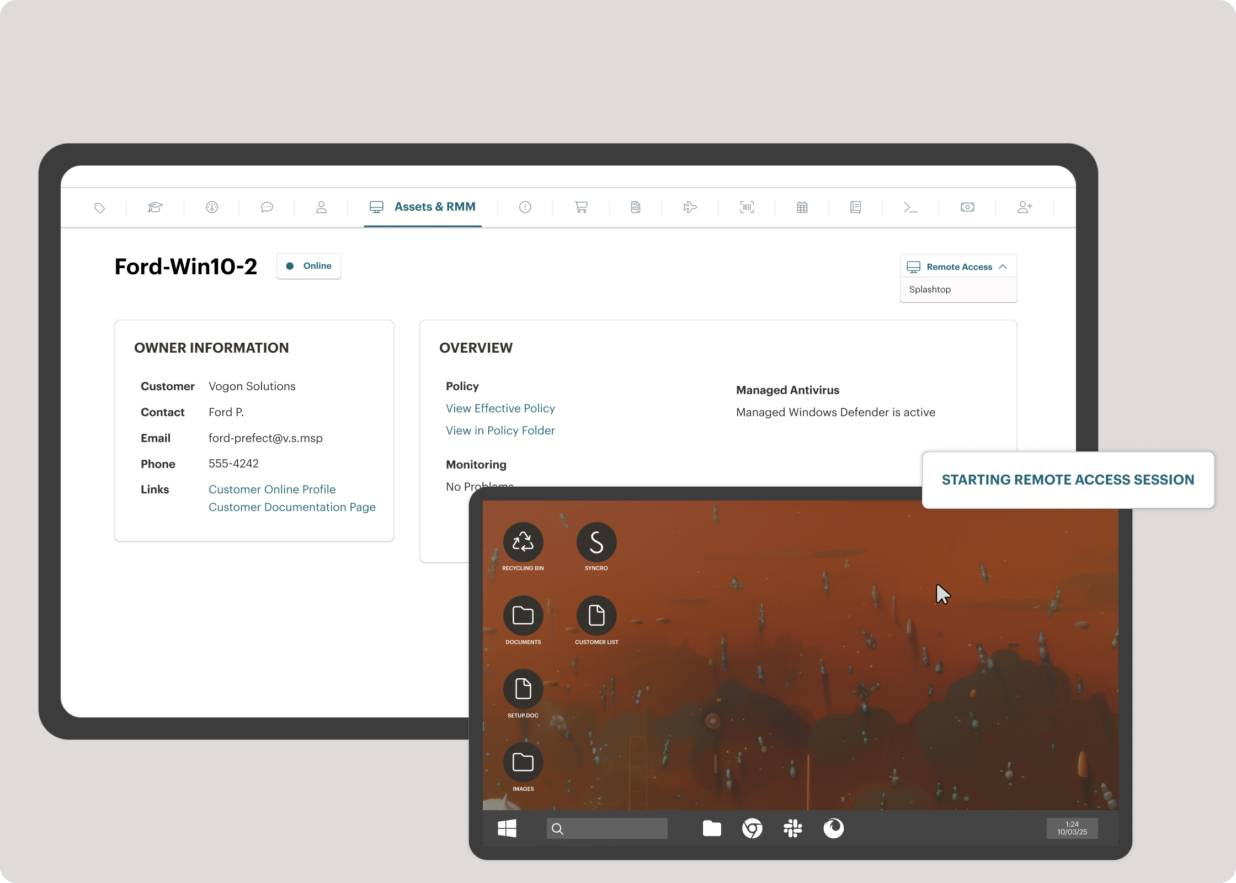
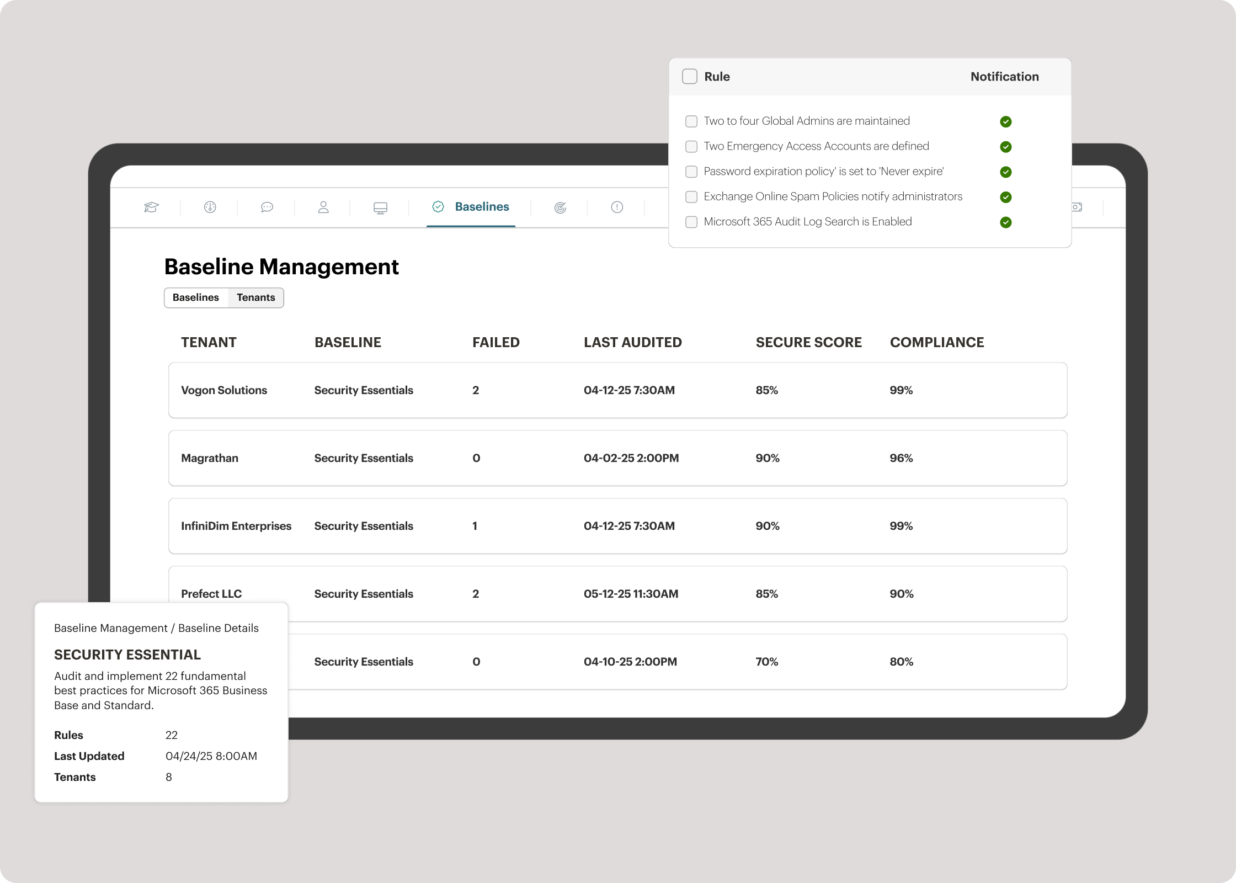
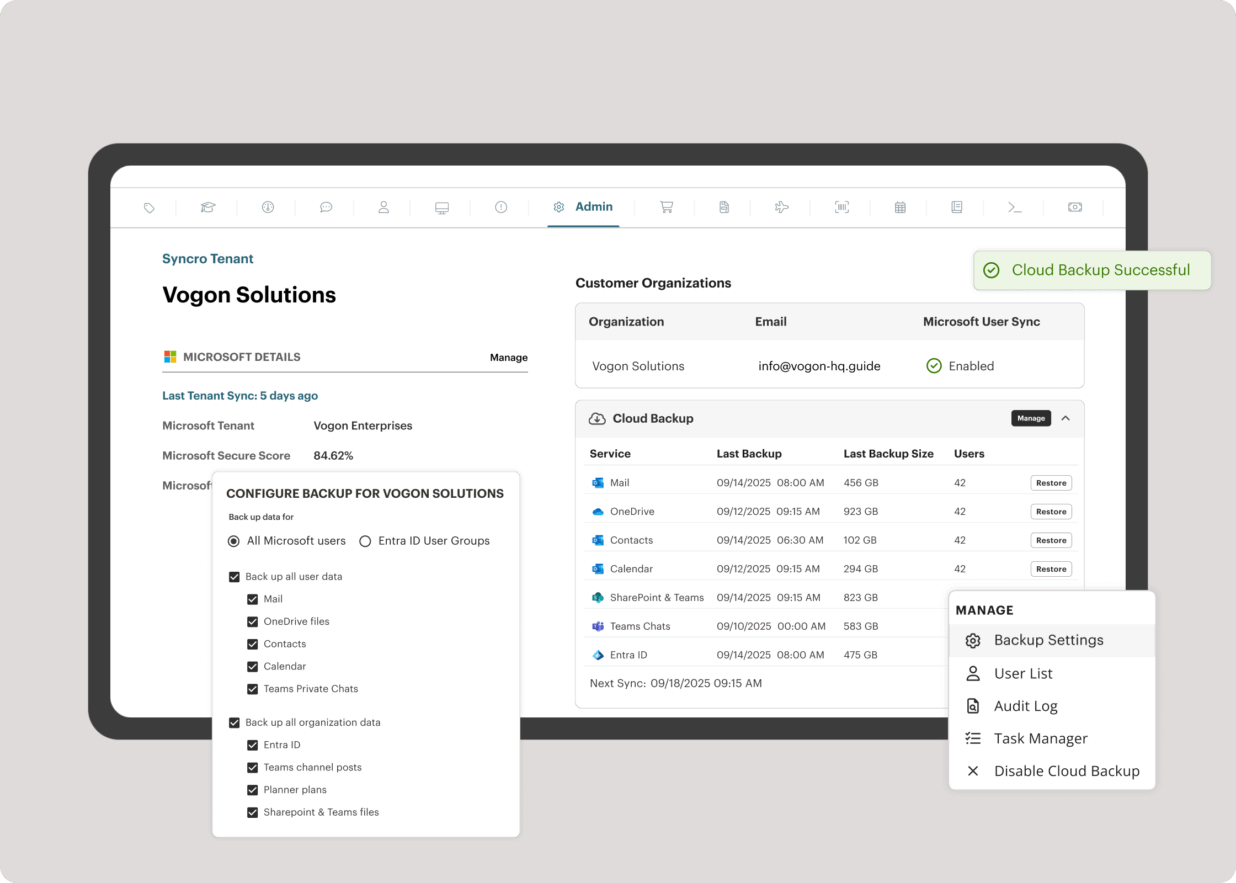
Syncro offers an Extended Monitoring and Management (XMM) platform for midsized MSPs and internal IT teams. The platform integrates RMM (endpoint management), professional services automation (PSA), and Microsoft 365 multi-tenant management to help organizations simplify operations, strengthen security, and scale.
$159
per month per user
Pricing
Automox
Syncro
Editions & Modules
No answers on this topic
Core
$159
per month per user
Team
$209
per month per user
Offerings
Pricing Offerings
Automox
Syncro
Free Trial
Yes
Yes
Free/Freemium Version
No
No
Premium Consulting/Integration Services
No
No
Entry-level Setup Fee
No setup fee
No setup fee
Additional Details
Automox can patch macOS, Windows, and Linux endpoints with PatchOS, an offering at $1 per endpoint/ month with an annual commitment.
The Automate Essentials or Automate Enterprise packages are for scaling IT automation, endpoint configuration, and software updates.
Modules are available with Automox Assist, a one-on-one remote endpoint control and assistance for helpdesk technicians.
I was able to update browsera like edge and chrome which have updates every few days, automatically. No more emails to ask people to update edge or chrome. Display drivers and dell drivers are not visible for users, having Automox update them make it much easier for users as not all of the users are technical.
SyncroMSP is great for MSPs starting out or wanting to keep their costs low. Some RMM software will charge per install - and price breaks only available as your base grows to a significant number. As Syncro is a "per agent" cost, the costs for an MSP are (a) known and (b) easily to manage as the team grows. The third-party integration element is very useful for MSPs looking to be able to not only onsell additional services, but the management of these services is simple for anybody to use
Server patching orchestration. There is no way to patch and reboot systems in order of importance, such as database servers before application servers.
Worklets for patching .net core and similar.
Worklets for removing unwanted Java installs or other unwanted software.
Integration with Tenable Vulnerability Management.
AI script development should be included at no additional cost; GPT or Gemini can be used instead for free and pasted into Automox. Why charge when others are free?
Official worklets are slow to be added or updated.
This is a software that just works. Once configured its a set and forget kind of tool that keeps things up to date and alerts me if something is wrong. I was able to work through an expansion project to deploy an additional 500 devices in almost no time and create a robust self-patching environment.
It's great at what it does. We're able to veiw endpoints that are online in real time, and run scans on them to ensure they're still compliant. The software itself is very easy to use and set up on end points, with the main admin portal having a clean and very easy to understand set up
I did not need to reach out to support often but when I did the answers were relatively correct and they were answered quickly. The only thing I might "ding" their support on was their lack of understanding of OS's different from Windows and especially Linux. Other than that I was satisfied
Implementing Automox successfully starts with a clear strategy for organizing and grouping devices based on operating systems, environments, or business criticality. This ensures that patching and configuration policies can be applied with precision. A phased rollout approach is essential—beginning with a pilot group allows teams to test patching schedules, reboot behaviors, and custom Worklets before scaling across the organization. Leveraging Worklets from the start can significantly boost automation by enforcing security baselines and performing routine system tasks. Integration with existing SOC tools, such as SIEMs, enhances visibility and response time by correlating patch compliance with threat intelligence. Additionally, aligning patching schedules with operational downtimes minimizes disruptions, and consistent monitoring and reporting helps maintain compliance and prepare for audits. Overall, Automox offers a streamlined and effective solution, but its true value is unlocked through thoughtful planning, testing, and integration with existing IT and security workflows.
We felt that Automox provided us with the functionality our MSP offered, including OS and device patching, as well as remote control capabilities, but in a better and more manageable way. We also felt the usability of the tool gave us the ability to be effective in our way of working, as well as integrating with Rapid7 was a massive benefit for us.
Being a start up, we have pivoted our strategies a number of times. The pay as you go model has worked very well for us, and has prevented us from overprovisioning
The time saved pulling reports to provide to auditors has been well worth our small spend on the solution
We have no need to maintain a scanning tool or invest in hardware thanks to the SaaS nature of Automox
The integrated AV solution with Bitdefender is very cheap - yet very a very high quality NGAV solution. It allows us to ensure our clients have access to an NGAV solution at an affordable price
Syncro has allowed us to expend our business into new areas which were not able to be accessed previously. This means that we can now service our clients in different ways than previously.
The fixed cost pricing allows our teams to understand what their costs are - but also allow us to grow the business and customer base with no increase in costs until we increase our technical team.