Bluescape is a cloud-based, software as a service company based in Silicon Valley, CA, that provides a digital whiteboard of the same name.
$10
per month
ConnectWise PSA
Score 8.1 out of 10
Small Businesses (1-50 employees)
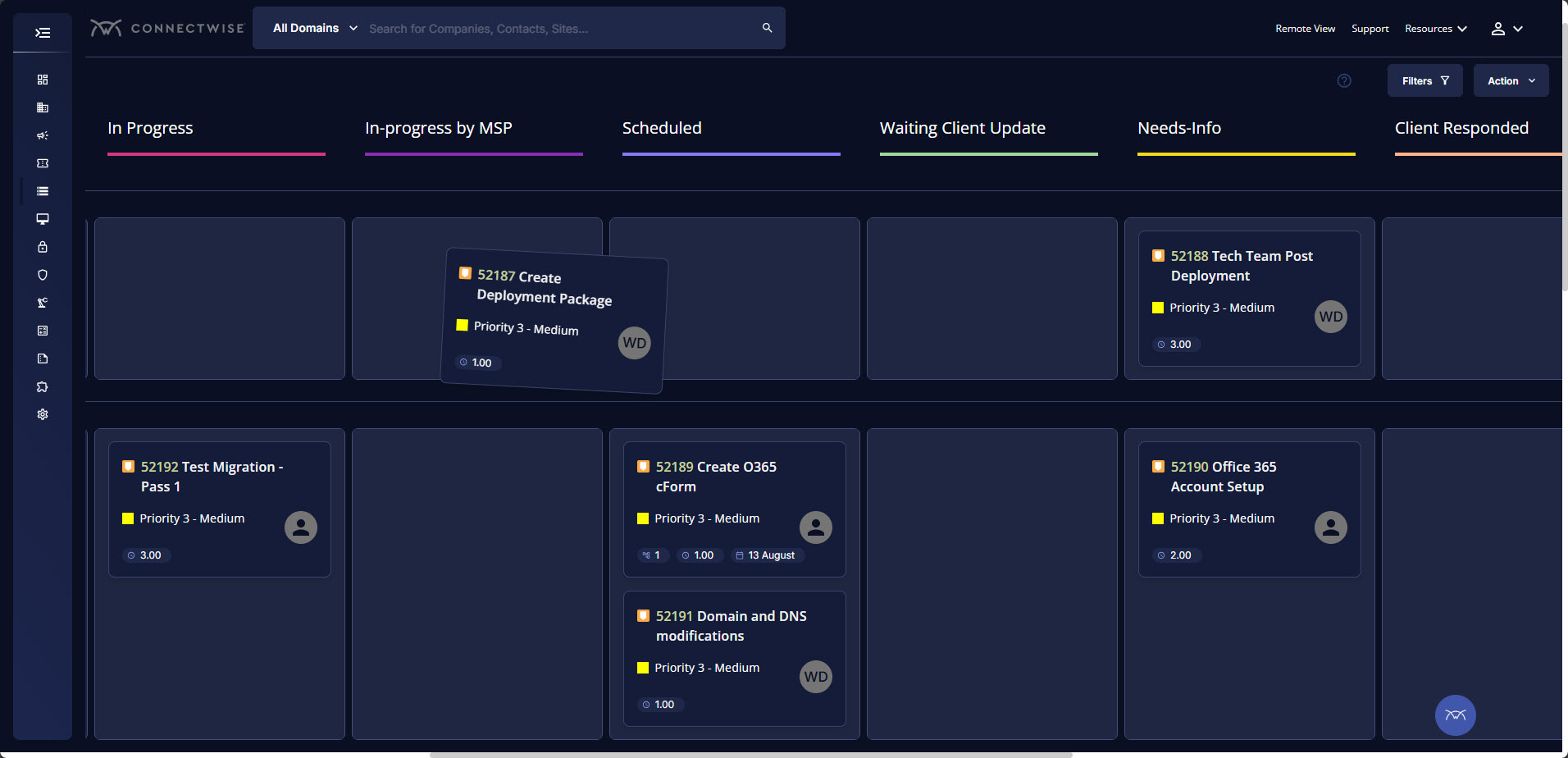
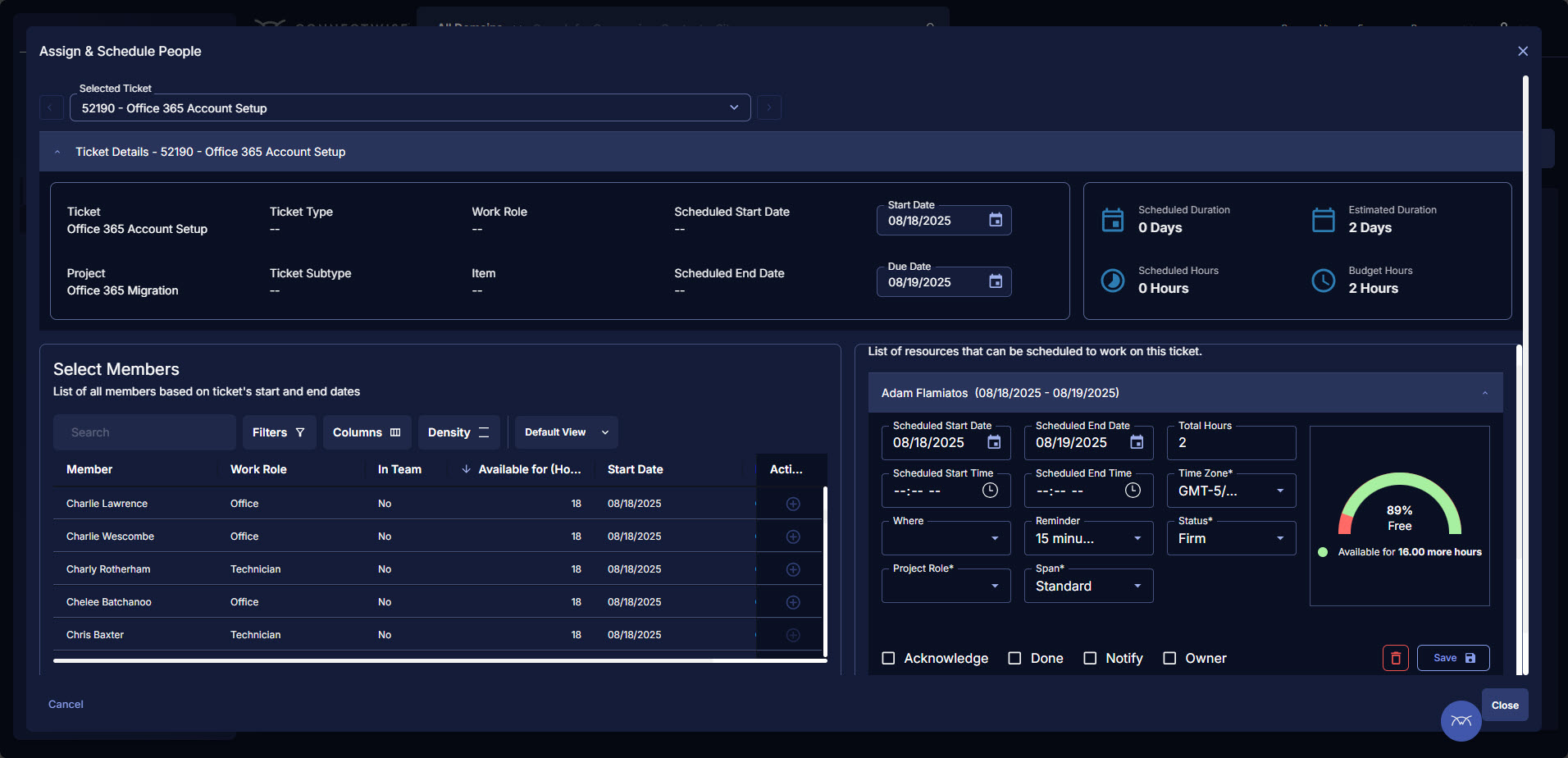
ConnectWise PSA (formerly Manage) is a business management platform for companies that sell, service, and support technology. The platform is cloud-based and integrates automation, help desk and customer service, sales, marketing, project management, and business analytics. It is the hub of the ConnectWise suite.
$35
Per Tech Per Month
Miro
Score 9.1 out of 10
N/A
Miro is the AI Innovation Workspace that brings teams and AI together to plan, co-create, and build the next big thing, faster. With the canvas as the prompt, Miro's collaborative AI workflows keep teams in the flow of work, scale shifts in ways of working, and drive organization-wide transformation.
$10
per month per user
Pricing
Bluescape
ConnectWise PSA
Miro
Editions & Modules
Team
$10
per user, per month (10-50 licenses)
Business
$20
per user, per month (10+ licenses)
Enterprise
Custom Pricing
10+ licenses
Subscription
$35.00
Per Tech Per Month
1. Free - To discover what Miro can do. Always free
$0
2. Starter - Unlimited and private boards with essential features
$8
per month (billed annually) per user
3. Business - Scales collaboration with advanced features and security
$16
per month (billed annually) per user
4. Enterprise - For work across the entire organization, with support, security and control, to scale
contact sales
annual billing per user
Offerings
Pricing Offerings
Bluescape
ConnectWise PSA
Miro
Free Trial
Yes
No
Yes
Free/Freemium Version
No
No
Yes
Premium Consulting/Integration Services
No
No
No
Entry-level Setup Fee
No setup fee
No setup fee
Optional
Additional Details
—
—
Monthly billing also available at $10 per month for the Starter plan, or $20 for the Business plan.
Ford uses Bluescape as the company standard. Designers use Miro because its better. We wish it was the company standard. The only nice thing about Bluescape is the ability to connect with our Bluescape monitors seamlessly.
Miro is superior to Figma, and especially Bluescape. The feature sets may be pretty similar, but especially compared to Bluescape, Miro well and truly outperforms in terms of usability and user experience.
MURAL - comparable, cheaper than Miro, but not as intuitive, user-friendly, and feature-rich. I would use MURAL as needed and really your top competitor. It is missing the fluid of selection. Bluescape - is inferior in most parts but FedRAMPed MS Whiteboard - flawed in every way …
Miro has been my favorite as opposed to Bluescape and Asana. Bluescape felt a bit outdated and not as smooth to use. Asana did not have the extent of flexibility or features for the purposes we wanted.
Miro offers more features and a better overall experience than Bluescape does. While Microsoft 365 allows for real-time interaction, only Miro provides the open-ended whiteboard format.
Everything about Miro is better. Bluescape had limited object tools, always froze, was jittery when you tried to move things around, and overall was disliked by everyone in the company. When one group began using Miro, everyone else wanted to use it too, which ultimately led …
Easy of use, login process, show colloboations, templates availability, tools that we can use, easy information sharing, relatively faster loading, awareness of tool, help availbility, browser support and app availability on different OS, responsiveness of product, popularity …
I find Miro to be a superior tool, other tools I have used became unresponsive or too slow to be effective in the roles and jobs I needed them to do. I am currently working in a Miro board with over 1000 discrete elements and it loads fast, I can maneuver and work with the …
Miro was selected as my org's collaboration solution. Each of the software listed above has its own pros and cons. Miro stacks up quite well as far as collaboration and whiteboard functions are considered.
This digital version of a pin-up space is absolutely an improvement to my workflow. The input is so robust. What you do with it is where the magic happens. This program is best suited for team collaboration. It helps to discuss how/where the team will contribute information to it--whether that is discussing the templates or a plan of action. Otherwise, the workspace can tend to get messy. I like the idea of having a presentation mode, where some of the markups could be hidden. The idea of a working session with consultants or clients sounds appealing, but at the same time, there is a desire for a cleaned up, clear shareout.
BrightGauge lets us know when we have critical issues that need solving. A massive influx of tickets all at the same time triggers an investigation. Usually, it is tied to a server going down, which we can address. It would not be helpful for a small MSP or IT department with just a few daily tickets. The stats are better used to track a large amount of clients.
Actually I answered this question on the first step. Detailing it I’d say that it’s comfortable to use for company education or brainstorm sessions, but I lack of flexibility to use it for operations quick stuff cuz team plans are limited
Tickets- Customers can email and a ticket is generated and falls under their profile for historical records. You can save documents and select if they are customer facing or only internal facing. The option as well to have communication in tickets whether its internal facing or customer facing is nice to have when you're trying to keep a record or important details for just internal means and the customer doesn't have to see all the jargon.
Procurement - It's great to have this integrate with Quosal Sell. Quotes being processed into opportunities and then into a sales order which connects to a ticket or project is pretty easy to use. It does have a learning curve but once you get the hang of it, it's straightforward. Everything is pretty connected, whether keeping track of products customers have purchased historically through us, to knowing what ticket is associated to an RMA.
Makes internal coordination between admin team and tutors extremely painless. It's like a single place where everyone can drop ideas, get updates and notes without loss of context which usually happens in long email threads.
Versioning and board history are handled very well, which drastically reduces the workload. They help me track how a policy or math guideline has evolved, and also make it easy to revert changes if something doesn't work.
Comments stick exactly where they are meant to, making internal reviews much clearer. Admins don't have to guess which note refers to which rule or section.
Exports are clean, so even non-Miro teammates get it instantly.
Annual or more than annualized data is desperately needed for MSPs to show trends, current limitation is previous 240 days for ConnectWise tickets
Alerts when datasets do not sync properly, I have to rely on my team to notice vs get an automated alert from BrightGauge
Small thing, but it would be nice to have more options on the report scheduler to enable a start date. If you wish to do it quarterly, you have to start the schedule exactly 3 months from the next run.
As a designer, I miss some more creative features. I can't even get really into designing small things (like paths). Many of my colleagues have already switched to the Figma board because it is possible there.
Things often get lost in the workflow, especially in teams. Working on the same file often leads to misunderstandings and can be frustrating. For example, if text is accidentally deleted and cannot be recovered, or if images become distorted.
The scale on the board is missing, which often leads to size differences.
ConnectWise has uniquely positioned themselves with the Modern Office Suite to have direct integration with a nearly full suite of tools for MSPs. Although each tool may not necessarily be the absolute best tool on the market, the efficiencies leveraged through direct integration make the entire suite an obvious choice for most companies.
Miro saves my day. I would spend at least 4x more time on documenting my projects and work without this tool. It support my day to day role and helps me be successful while saving my capacity. It is not only very easy to start working on it without additional training required, but also adapts to any use case that I might need to implement
I have been using ConnectWise since 2004 and I am impressed with the progress they have made. However, there are still bugs that don't work quite like they should. If I were to run reports and get consistent answers along with a couple other annoyances, then I would score CW as a 10
There are some features that I think could be smoother or more dynamic in the free version; for instance, the connection of graphics/text boxes with lines can get a bit messy and a bit limited if you want to do something specific with the line, like a free-drawn element. But this is really minor!
We use the cloud version of ConnectWise and in the last 5 years it has never been down for us during business hours. I can only recall 1 time when it was not available during off hours when we wanted to use it.
I have not encountered events where Miro is not available. It is quite nice and reliable to be fair, even on my freemium version (startup) I don't have reliability issues. It does have sometimes where the screen refresh or "freezes" or "consumes a lot of data" and we have to rewind windows and the likes, this instances are very less
Some tab for certain areas load speeds could be better. Dashboards can load slowly when they reference multiple reports. Some reports can load slowly based on the tables and views they are accessing. At times the SQL queries being performed in the background can actually timeout and a tab or screen will fail to load.
I took the loading quickly to be related to availability which I commented on before, so ditto with those comment on load time here. Although to reemphasize, Miro doesn't crash or just refuse to load like some other programs. The weak point of Miro for me is integration of files like Word, Excel, or PowerPoint (especially the later two). When you embed these, it gets slow, and complicated to bring them up while you're in the application.
The front line support techs are wildly inconsistent when it comes to the level of support. Sometimes you get someone who just wants to throw links to University documentation at you, sometimes you get someone who truly tries to understand your issue and confers with peers and managers to find an answer, and sometimes you get someone who just wants to create a ticket and escalate immediately. If you ask three different techs the same question you will probably get three different answers, one of them being, "That's not possible."
We have never reached out to or contacted support because Miro's platform has been incredibly intuitive and user-friendly. The comprehensive resources available, such as tutorials, documentation, and community forums, have provided all the guidance we needed. The seamless integration with our existing tools and the reliability of the platform have ensured that we rarely encounter issues that require external assistance. This self-sufficiency has allowed us to focus more on our projects and collaboration without interruptions. Overall, our experience with Miro has been smooth and efficient, eliminating the need for additional support
We are a telecoms company. Whilst CW were very happy to sell us their product and tell us how good it is for telecoms. All the training material is geared towards IT MSP's. The on-line training material was virtually useless. We found the implementation a bit of a joke. They tried telling us 12 hours of implementation time would be sufficient to launch the product. We erred on the side of caution and paid for 24 hours. This was quickly eaten away and we were nowhere near ready to go-live. I find the on-line chat facility is of much more use for us.
There was a series of webinars which Miro hosted with our organization that went over the basics, then progressively became more advanced with additional sections. The instructors were knowledgeable, and provided examples throughout the sessions, as well as answered peoples' questions. There was ample time and experience on the calls to cover a range of topics. The instructors were also very friendly and sociable, as well as honest. Of course Miro isn't a "God-tool" that does absolutely everything, but the instructors were aware and emphasized the strengths where Miro had them and sincerely accepted feedback.
Rather than letting them sell you a block of time for implementation, create a list of things that must be completed do declare the implementation complete. The implementer will have the discretion on what they set up and in what order. They will be trying to end their services in as little time as possible and may not get things set up right. You are best advised to hire a third-party wizard that has done many of these setups. Record the audio and video of all of your implementation sessions.
Easy to learn, Miro has a series of videos on YouTube that effectively taught this program to my team members and me. The program is drag-and-drop and works excellently. People pick up on how to use it efficiently, and it's great for organizing ideas more freely. This product is more challenging for some older audiences who are not accustomed to using a touchpad, but for most, it was very easy to use.
We have Workware installed on different computers in our office that were supposed to be great for presentation but we had issues after a user connected their laptop then they no longer had access to our server. If they had files they needed for the presentation they had to save them to their desktop to make sure they were accessible.
Everyone but dynamics had holes in it. Dynamics is good, but it requires more development time. I spoke with some people that have CW and liked it. But when I inquired after our frustrations, I discovered they had a full time scheduling & logistics CW manager and the field people were using it purely like any other more simplistic ticket system. They said it would be impossible otherwise. The one big difference is the transparency of the sales effort. The other sales people were honest on the limitations or potential challenges and worked with us. They also worked with our agenda. At CW they don't have that option. The consulting time is eaten through a pre-formatted agenda which they communicate too you, not with you.
Both FigJam and Canva have infinite whiteboarding, but Miro is a much more complete package. FigJam is very fast, but it's also very simplistic in its features. Canva has other qualities, like being more design-heavy, but its whiteboarding feature set is not on par with Miro's. Miro is the only platform that lets a user start a project from a messy brainstorm and bring it to full completion, along with all tasks and deliverables, all on one board.
ConnectWise seems to have a good understanding of the IT service industry. During the required onboarding training, they even preach configuring only features that you need right now, as you can always scale up later. The feature set for the most part takes into considerations all aspects of an IT business, whether small or enterprise, or growing from one to the next.
Maybe is possible now so... Could be useful to manage in some way source code for the projects? not to edit so when we make solutions with different components in MIro, maybe each component could redirect to the source code of this component
This is one of those platforms where the entire team needs to be bought into it, or it doesn't function as intended. Once we achieved that, it's been a wonderful tool for brainstorming and project management internally.
Surprisingly, Miro has not allowed us to reduce software; however, it's a worthwhile addition to our tech stack.
Our team has Miro boards bookmarked, and we know exactly where to go when we have ideas or things that we want to add. It's great to know that we will receive notifications when that happens.