
BMC Helix Remedyforce vs. LogMeIn Resolve
BMC Helix Remedyforce vs. LogMeIn Resolve
| Product | Rating | Most Used By | Product Summary | Starting Price |
|---|---|---|---|---|
 BMC Helix Remedyforce | N/A | BMC Helix Remedyforce is a cloud-delivered SaaS solution for IT Helpdesk and Ticketing Management. | $67.90 per user/per month | |
 LogMeIn Resolve | N/A | LogMeIn Resolve is an IT management and support solution designed to help organizations take control of their IT infrastructure. The platform combines features like remote monitoring, access, and support with tools such as ticketing, AI-assisted task automation, and patch management. | $29 per month |
| BMC Helix Remedyforce | LogMeIn Resolve | |||||||||||||||
|---|---|---|---|---|---|---|---|---|---|---|---|---|---|---|---|---|
| Editions & Modules |
|
| ||||||||||||||
| Offerings |
| |||||||||||||||
| Entry-level Setup Fee | Optional | No setup fee | ||||||||||||||
| Additional Details | — | Discount available for annual pricing. MDM is available as a standalone or as an add-on. Additional endpoints and agents and save up to 20% | ||||||||||||||
| More Pricing Information | ||||||||||||||||
| BMC Helix Remedyforce | LogMeIn Resolve |
|---|
| BMC Helix Remedyforce | LogMeIn Resolve | ||||||||||||||||||||||||
|---|---|---|---|---|---|---|---|---|---|---|---|---|---|---|---|---|---|---|---|---|---|---|---|---|---|
| Incident and problem management |
| ||||||||||||||||||||||||
| ITSM asset management |
| ||||||||||||||||||||||||
| Change management |
|
| BMC Helix Remedyforce | LogMeIn Resolve | |
|---|---|---|
| Small Businesses |  Agiloft Service Desk (discontinued) Score 9.0 out of 10 |  Avast CloudCare Score 10.0 out of 10 |
| Medium-sized Companies | Agiloft Service Desk (discontinued) Score 9.0 out of 10 |  KACE Systems Management Appliance Score 8.3 out of 10 |
| Enterprises |  ManageEngine ServiceDesk Plus Score 9.2 out of 10 | KACE Systems Management Appliance Score 8.3 out of 10 |
| All Alternatives | View all alternatives | View all alternatives |
| BMC Helix Remedyforce | LogMeIn Resolve | |
|---|---|---|
| Likelihood to Recommend | 9.0 (12 ratings) | 8.3 (118 ratings) |
| Likelihood to Renew | 7.5 (4 ratings) | 6.9 (17 ratings) |
| Usability | - (0 ratings) | 8.2 (98 ratings) |
| Availability | - (0 ratings) | 9.1 (3 ratings) |
| Performance | - (0 ratings) | 6.4 (2 ratings) |
| Support Rating | 8.0 (1 ratings) | 9.1 (7 ratings) |
| In-Person Training | - (0 ratings) | 9.1 (1 ratings) |
| Online Training | - (0 ratings) | 9.1 (1 ratings) |
| Implementation Rating | 7.0 (1 ratings) | 9.1 (5 ratings) |
| Configurability | - (0 ratings) | 9.1 (1 ratings) |
| Contract Terms and Pricing Model | - (0 ratings) | 7.3 (1 ratings) |
| Product Scalability | - (0 ratings) | 9.1 (1 ratings) |
| Professional Services | - (0 ratings) | 9.1 (1 ratings) |
| Vendor post-sale | - (0 ratings) | 9.1 (1 ratings) |
| Vendor pre-sale | - (0 ratings) | 9.1 (1 ratings) |
| BMC Helix Remedyforce | LogMeIn Resolve | |
|---|---|---|
| Likelihood to Recommend | BMC Helix
 Evan Kent Legal RSC Level 2 Engineer |  GoTo (formerly LogMeIn)
|
| Pros | BMC Helix
 Michael Stewart Sr. Application Development Analyst | GoTo (formerly LogMeIn)
|
| Cons | BMC Helix
 Pauline Mulvey VP Enterprise Business Technology | GoTo (formerly LogMeIn)
|
| Likelihood to Renew | BMC Helix
 Joseph Bettio Director of Salesforce Engineering | GoTo (formerly LogMeIn)
|
| Usability | BMC Helix No answers on this topic | GoTo (formerly LogMeIn)
 Muhammad Imtiaz IT Business analyst |
| Reliability and Availability | BMC Helix No answers on this topic | GoTo (formerly LogMeIn)
|
| Performance | BMC Helix No answers on this topic | GoTo (formerly LogMeIn)
|
| Support Rating | BMC Helix
| GoTo (formerly LogMeIn)
|
| In-Person Training | BMC Helix No answers on this topic | GoTo (formerly LogMeIn)
|
| Online Training | BMC Helix No answers on this topic | GoTo (formerly LogMeIn)
|
| Implementation Rating | BMC Helix
| GoTo (formerly LogMeIn)
|
| Alternatives Considered | BMC Helix
 Rich Beliveau Support Services Technician | GoTo (formerly LogMeIn)
|
| Contract Terms and Pricing Model | BMC Helix No answers on this topic | GoTo (formerly LogMeIn)
|
| Scalability | BMC Helix No answers on this topic | GoTo (formerly LogMeIn)
|
| Professional Services | BMC Helix No answers on this topic | GoTo (formerly LogMeIn)
|
| Return on Investment | BMC Helix
 Robert Rose Local Technical Support Provider II | GoTo (formerly LogMeIn)
 Zaina Kroschinski Brokerage operations specialist |
| ScreenShots | BMC Helix Remedyforce Screenshots 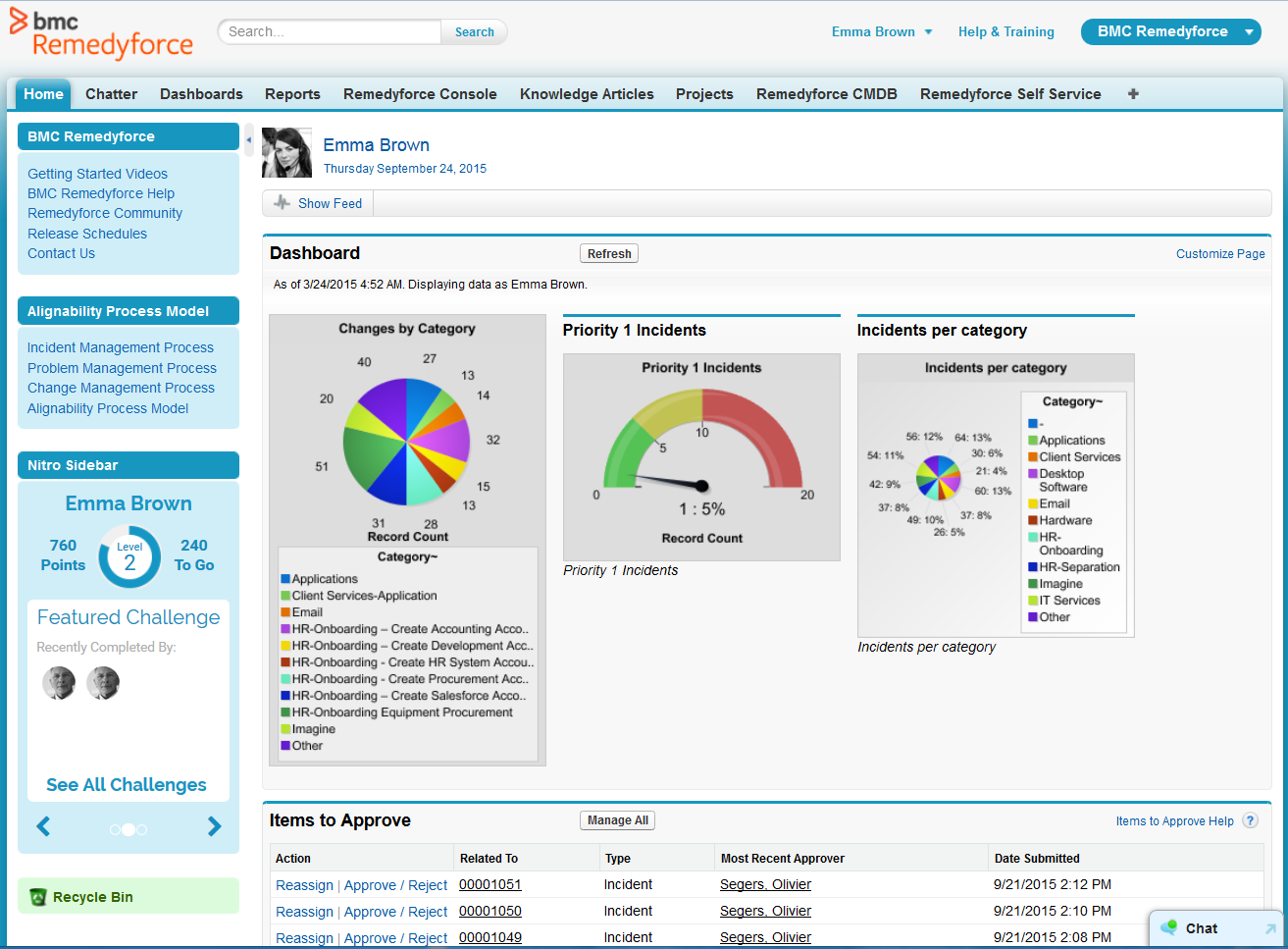 | LogMeIn Resolve Screenshots      |