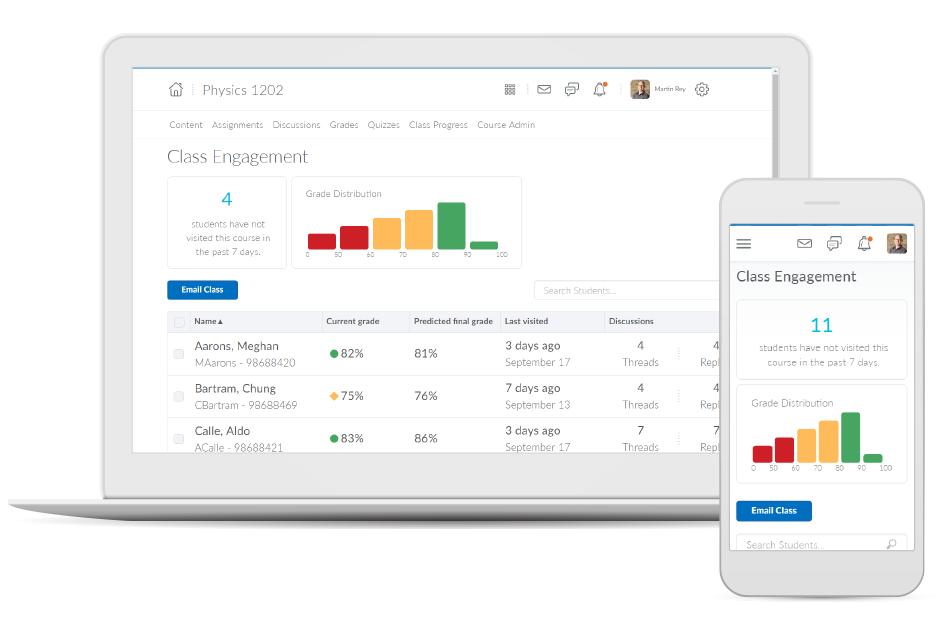
Brightspace is an academic and corporate learning management platform. It provides core e-learning features, as well as mobile accessibility and granular personalization and analytics insights.
N/A
Edmodo (discontinued)
Score 8.1 out of 10
N/A
Edmodo was a blended learning and distance learning platform for schools and districts, educators, and learners, providing tools for classroom instruction, professional collaboration, communication, and community building. The platform has been discontinued since 2022.
$2,500
per month
Moodle
Score 7.6 out of 10
N/A
Moodle is an open source learning management system with hundreds of millions of users around the globe and translated into over 100 languages, used by organizations to support their education and training needs.
N/A
Pricing
D2L Brightspace
Edmodo (discontinued)
Moodle
Editions & Modules
No answers on this topic
Edmodo
$2,500
per month
No answers on this topic
Offerings
Pricing Offerings
D2L Brightspace
Edmodo (discontinued)
Moodle
Free Trial
Yes
No
Yes
Free/Freemium Version
No
No
Yes
Premium Consulting/Integration Services
Yes
No
Yes
Entry-level Setup Fee
No setup fee
No setup fee
Optional
Additional Details
Must contact vendor for pricing information. 30-day free trial is available.
Desire2Learn was selected for me, but I find it to be simpler to navigate than Moodle, more intuitive. Blackboard was many years ago, but I find more flexibility in assigning due dates and end dates in the newer version of Desire2Learn.
Brightspace is by far the most user-friendly LMS I have ever used. Faculty with a lower technical skill set have an easier time navigating Brightspace features. Teaching wise, I have also found Brightspace to be easier for students to navigate than its competitors. I adjunct …
I was not involved in the selection process for my organization since I am only a professor. However, I have worked at 2 previous organizations that have used other online LMSs, and I think overall, D2L is at the top of the list of LMSs I find the most usable.
Senior Instructional Designer for Teacher Education
Chose D2L Brightspace
I was not part of the organization when D2L was selected so cannot comment on the selection process. I believe Blackboard is more user friendly and intuitive for faculty members. I believe both have very similar tools but D2L's main drawback is the user interface design. …
Desire2Learn is a strong competitor of Blackboard, Moodle, and Angel learning management systems. As an online course facilitator, I have used other online learning management systems and find that Desire2Learn is user friendly and provides options equal to the competition.
Verified User
Professional
Chose D2L Brightspace
I have used Moodle the most frequently. I feel that Desire2Learn is lacking when compared to Moodle. Moodle is open source, allowing lots of customization and lower costs. In addition, Moodle's set-up seems far more intuitive than Desire2Learn's set-up. Blackboard also seemed …
I have used both Blackboard and Moodle as a student in classes; I used Moodle as a designer and instructor. While I was not on the LMS selection team, the major benefit of D2L seemed to be the willingness of the designers to listen to our needs and the cost of the system. While …
Verified User
Director
Chose D2L Brightspace
Our review process found that the Desire2Learn product and newer Blackboard products were similar in most instances. Overall, our reviewer felt that after 10+ years of using a WebCT/Blackboard product they were ready for a change.
Additionally, our administration felt that in …
Verified User
Professional
Chose D2L Brightspace
We did not select D2L. In fact pilot studies at our campus showed that faculty preferred Moodle by a wide margin. We were forced to select Desire2Learn by University System of Georgia. Their evaluation and final decision to select Desire2Learn was highly flawed.
I am currently using Weebly as a course website and I believe it is a much better tool for my needs as an instructor. Weebly has greater freedom in terms of page organization, layout and creative web design. The interactive features are clearer, and I can provide lots of …
Edmodo provides the services that I love, unlike some of the other sites. Edmodo appeals to teachers connecting on numerous topics and subjects from science and coding to SEL and Professional Development. The groups are all protected and monitored for teachers and students. The …
Edmodo is very similar, and they all share essential functions. Edmodo allows us to track student progress with visuals that are a bit easier than Google Classroom or Schoology. The learning community aspect of Edmodo is also a great tool to use for helping staff learn …
I think that Edmodo is a good choice for younger kids, as well as for teachers with many students. It has a lot of fun features and ways to take the temperature of the classroom in a quick informal manner. It has good integration with popular services, better than Canvas has …
Edmodo finds itself more user-friendly for the younger grades. As a 4th grade teacher, I find students navigate the user interface better than other alternatives.
Edmodo is easy to use especially since it is very similar to commonly used software called Facebook. That is why I was willing to choose Edmodo for myself and my students. I have used another software similar to Edmodo, but I did not like it too much because it has been giving …
Ease of use, a very familiar Facebook-like platform, and an incredible community make Edmodo an amazing LMS platform to use for educators. I find this to be probably the best LMS platform for teachers to start with. However, when you are looking to up-the-ante and want to …
Edmodo has a simplistic and familiar design that attracts teachers and students to engage with the platform. Even though the functionality looks basic, teachers can dig deep to create personalized learning experiences quickly. Most other platforms have some of the functionality …
I have used similar content management systems and learning management systems (LMS) such as Moodle, regular blogs (Wordpress, Edublogs), and websites. I prefer Edmodo in the context of the classroom for its simplicity and easy to understand interface.
Edmodo is primarily for communicating and collaborating, and because its purpose is different, it doesn't have many of the options and tools that one expects from a LMS (Learning Management System). While it excels at connecting parents, students, and teachers, as well as …
When setting up our LMS in 2014, we started with a product called LearnDash that was not designed for the school market. When we moved to Moodle, we looked at Edmodo and went with Moodle for the cost to launch and get our courses up and running. We are a smaller company were …
Edmodo provides a simple platform but does not provide the depth of assignments that Moodle does. Moodle provides more assignment types, grading, deadlines, and shifting of assignments from one week to the next. Moodle is significantly more advanced in terms of what it can do …
I think Moodle blows most of these systems out of the water. While every system as something or lacks something, Moodle is a consistent and reliable learning partner. Despite being born from OpenSource, the community has worked very hard to improve it. The investment shows as …
Being completely free, Moodle comes out on top for any situation where the school is small or the budget it tight. Most of these other tools have paid services where there are professionals to assist with set-up or problem-solving. However, there is tons of information online …
We only use Moodle within our department. But the fact that it is a free system was a big plus! It also gets the job done for us when organizing faculty development opportunities.
We chose Moodle for the cost. Even hosting on our servers and using our personnel to manage it, we felt it was a better value than the more costly pay LMS's available. (D2L, BlackBoard) We also investigated several other free, cloud based products (Edmodo, Schology, etc) but …
If you're an educational institution (K-12, Higher Ed, etc.), this is an amazing tool, and it will provide you all the functionality to support anything you may want and need it to do. If you are looking at Brightspace as a tool for corporate training, I'm not sure exactly how good or bad it will be for you. My guess would be that it likely depends on your organization's size. Along that line, what I can speak to is how we use it for our customized training and in-house professional development/training, and it works fantastically for that. While we primarily use it for normal higher ed coursework, we regularly do training and professional development for all of our employees and I manage those along with our HR department. Because we use it for many other things as well, all of our employees are familiar with the product, which makes our trainings go that much smoother and makes my job that much easier.
Well, Edmodo is the best e-learning platform. Even you do not have to meet your audience face to face. And there are tons of free courses in different subjects. Now everyone can join them easily and increase their general knowledge or in specific subjects. I am individually using Edmodo for creating groups for my students and our staff members. There are plenty of tools for doing different kinds of work. If you are working with pupils, then you can add their parents to the group and they can only view their child's grades. You can create assignments for your members and you can grade them using Edmodo.
Moodle is great for any environment where a class or other learning activity needs to be completed in an asynchronous manner. It can be used to post information, create interactive threads for discussion, issue quiz and exam work with grading, track and grade progress, and keep track of attendance. It is an overall wonderful solution for managing asynchronous learning.
Allowing users to embed content links from YouTube or Google Drive enables learners to experience a richer lesson.
Providing a powerful editor that allows developers to also include content from Adobe Stock as well as textbook publishers and cloud storage companies gives more power and creative ability to instructors.
Providing scaling for mobile and traditional computer systems ensures students will not have issues on the go.
The customization of home pages and groups enable courses to be used for small training sessions with breakout groups, large courses with separate sections, and even just more engaging courses that present themed icons and logos.
Edmodo syncs with my Google Drive, making the sharing of assignments, handouts, pictures, and videos incredibly easy. Because I can store often-used materials in my Edmodo library, I can find them easily for the next time I am working on that unit.
The quizzes are easy to set up and they can be used again, so if I need to do a check for understanding on a particular topic in multiple classrooms, or use the same baseline data collection quiz for more than one semester, I need only create the quiz once.
The calendar feature for Edmodo allows me to plan my lessons days, even weeks ahead. I can keep assignments hidden until the day I plan to teach them, and if I need extra time for a lesson within a unit, adjusting the due dates is a simple drag-and-drop operation.
One can feel a bit rushed on the Brightspace platform during the log-out period. Security requirements may require this, but it makes end-users more conscious about getting through content than taking notes.
From my experience, there is not a direct connection between the platform and Outlook.
Although Edmodo has a nice online assessment feature, it lacks in critical areas. It is difficult to attach diagrams or charts to questions. This can be done, but they are displayed in a module which pops up in front of the question. This thus hides the questions when looking at the diagram, picture, etc.
Questions can be randomized in Edmodo when students take an assessment, which is a nice feature. Answer choices, however, cannot be randomized.
Edmodo could use a much better WYSIWYG editor. It can be difficult to incorporate equations or subscript for instance.
The analytical data offered in assessments is decent, but it would be good if the following was added: it would be good to see which answers where most commonly missed by students; it would be good if more class data was given, such as average, median, low scores.
Other LMS platforms do a much nicer job of incorporating these feature directly into the question.
You are unable to add attachments to Calendar postings. This would be a very useful feature.
Updates can get lost after a while, and are difficult to search for. Once you have a large numbers of postings, finding older postings, which very well could be assignments or assessments, can be tedious for both students and parents. Even with using the built in filter feature, this is certainly an area I could see improvement being made.
Although Edmodo has a nice Folder feature to store your materials as a teacher, it is painstaking to use once you have a large number of items in a folder. The drop and drag feature is slow, and doesn't always stick. There is no subfolder feature as well. So, although you can organize materials, other LMS platforms make it much easier to organize and share you materials with students, parents, and other colleagues.
The interface is not very intuitive. You must know what you are looking for in order to navigate effectively.
Although installation of Moodle is easy, it is a little more difficult to configure it with your other Learning tools. As an example, LDAP synchronization is a little difficult.
The interface is a little dated, even though new releases keep coming out (which is great!) none of them really add value to the appearance of the platform.
I would never give any system a perfect score. In the technology environment today we need to be constantly looking at ways to improve the user experience and LMS companies like Desire2Learn need to know that we have options today with other systems and they need to stay current with features and listen to their customers.
Edmodo is a LEARNING tool. Not "one more thing" I have to use or integrate. It was my one stop shop for everything for my classes. More importantly, I was able to watch my students grow. My students who were timid, and quiet, became my discussion leaders. Students who didn't do their homework, never missed an assignment once I started doing "e-tickets" and discussion groups. Everyone felt they had a voice, which made our classroom community that much stronger.
We use it because it is what have committed to back in 2011. Perhaps Moodle will evolve and advance in a positive way that will alleviate most of our user-based gripes? Perhaps it will not appear to be as cost effective given the need for a certain level of engineering and support staff to maintain it at a future level of sustainability? It's hard to say. As an enterprise scale critical application, we like it, but don't love it. Our instructors don't particularly like it at all.
Overall, the learning environment works as expected. However, there are plenty of bugs. For example, for a few versions, trying to print out a PDF from the Content screen in several browsers would produce a blank page. We inform D2L support about these issues, most of which are known issues. However, they are very slow to respond. D2L seems to spend more time selling than actually coding and testing their product. Most of the issues are not major -- however, there have been a few that are unbelievable. In fact, this past week we had a sudden issue where the "Submit" button in quizzes would not appear if users had a certain browser/operating system combination. This is a major problem, if students cannot submit their exams! D2L is slow to respond to these kinds of situations, which do occur more often than I would like.
When I was given 100 studnets it was no problem. When I was given another 60 it was still no problem. I didn't really have much more work to do. I definately didn't have to make copies or look for old assignments for students who joined a school later than traditional one's. When students missed or were sent home, they could still be part of the learning community.
Moodle can be used on a tablet, on a mobile phone, and on a PC. It is easy to navigate for learners and figure out for administrators. The learners can easily complete tasks and the administrators can easily track completion. The last thing about Moodle that one may not realize is that it somewhat resembles Facebook in its layout. This means that users are already familiar with the interface and therefore they are more comfortable using it.
Both students and instructor enjoy the 24-hoiur access. After, all isn't that the point of online learning. As an instructor located in an Eastern time zone state it is great to connect with students located in a Pacific time zone state. I have gotten comments about the early hours I am in the course room grading assignments . . . 4:00 a.m. PST; 7:00 a.m. EST So, it's sleep time for my students and "first cup of coffee" time for me.
Yes, Moodle is always available. We are self-hosted and Moodle is always up and available. The only time that it is not available is when we are upgrading it each semester. It is then down for just a few planned hours. That is in-between semesters and we let the faculty and students know. We do it on a Friday evening and it is back up within a few hours.
Moodle is an excellent LMS in relationship to any other one that I have seen or used. The pages load quickly and the reports complete in a reasonable time frame. Moodle has taken on Respondus, StudyMate, BigBlueButton, Turning Tech, Turnitin2, Certificates, Attendance, Tegrity, Questionnaire, Virtual Programming Lab, and Badges. All of these programs work right in with Moodle and do not cause any issues. Instructors may also use Camtasia and Snagit software as well as using webcams, downloading videos from the Internet, adding into books, or any of the many other areas within Moodle. Our instructors use the grade books without many problems and really don't ask questions much anymore. We upgrade Moodle every semester and are currently on 2.9+. Our instructors have basically learned to use most of the resources and activities.
I have had excellent support from Desire2Learn. Any ticket that I submit is acknowledged immediately and the correction is usually almost as quick. We use this for thousands of classes and it is pretty well liked by both faculty and students. We have been using it for almost 4 years now and most of our instructors have become pretty proficient with it.
Support through Edmodo is excellent. The communities are a really great way to get fast help because they are actively monitored, and responses are posted by other community members and the support staff. Users can also email Edmodo with suggestions, and in my experience, an Edmodo support person will respond with additional information or, at the very least, with an acknowledgement of the suggestion.
Moodle is open source, and must be evaluated in that context, but one also has to provide a fair comparison to competing products with commercial backing. Support varies depending on the component of Moodle. Bug reports in Moodle Core that affect security or stability are dealt with promptly. Functionality requests or features not working smoothly may or may not be addressed, depending on whether the functionality desired matches the "vision" of Moodle HQ. The user community provides excellent support for initial installation and configuration, but more complex questions may go unanswered, unless they are noticed by someone who happens to know the answer. The support forum feature at the Moodle site (the same feature used within Moodle itself) does not provide granular subscription to topic discussions, apparently by design, and Moodle HQ seems resistant to changing this feature.
The training provided online did not, necessarily, fit the version of the system that I was using. Screens were somewhat different and not all options were readily available. This could have been due to customization on the part of my institution however, I rather believe it was due to version changes and training materials not yet being updated.
Plan a little extra time to let them play with the platform with fun assignments. This made them comfortable submitting work, finding items, communicating with me or each other
Find a partner who will work with you during the implementation process. Be sure to provide ample training for veteran users on the changes and for newbies on the overall product.
I have used Blackboard Learn 8 and 9. I am currently learning about Canvas. Blackboard is overall much clunkier and lacks the intuitive feel in some parts of D2L. Its grade book is much harder to control and manipulate than D2L's. Its navigation menu can be more radically modified from the default than D2L's, but this doesn't seem that useful to me. Discussions in Blackboard can be more easily reorganized than in D2L, but no grading of discussions is possible. Blackboard Assignments is a good innovation which allows markup directly in the students' submissions, but it displays student work in a confusing manner that doesn't allow for any customization, and its markup options need further tweaking. Furthermore, no rubrics can be used in Blackboard in any way to grade any kind of work (that I am aware of). Overall, I would choose D2L over Blackboard.
I actually utilize Google Classroom over Edmodo in most of my school functions. I still use Edmodo as a coach and club adviser but prefer Google Classroom as a classroom teacher. Google Classroom offers everything that Edmodo does but seems to be more efficient, particularly for our school as our district has paid for Google apps and each student has their own Gmail account. Additionally, Google Classroom allows students to access Google Docs and edit in real time where Edmodo has some limitations in that regard. Finally, students generally have stated that they prefer Google Classroom as the smartphone application is easier and more dynamic.
Blackboard has clear advantages in rubric management, and offers a content management system of its own. The largest barrier is cost for smaller or financially-disadvantaged organizations. However, as in any IT project, adequate resources must be made for even "free" software.
During my first semester working with Desire2Learn the integrated learning management system was more down than up. This meant reconfiguring assignment due dates, frustration for both the instructor, students, and help desk staff. After an upgrade, Desire2Learn has been reliable.
Well, I administer Moodle for a dozen of our divisions and there is a wide range of flexibility between offerings. I have course instructors who use every module i their course, chock full of videos, pictures, links to web tools for synchronous sessions within the asynchronous course. I also have others who are content with a syllabus, a few pdfs, links to podcast lectures and a few simple assignments. No matter if your organization is big or small, or if your requirements are strict for credentialing or non-existent (for internal know-how), Moodle can accommodate you.
I cannot speak to whether this system is less expensive than the more fully featured Blackboard, but employees are far less efficient, frustrated, and require frequent calls to the help center to set up fairly simple course templates.
I have been asked to consider teaching courses which will be completely online at my current institution. I have done such online courses several times at other universities, but I have decided Desire2Learn is too frustrating and cumbersome to do so. I am now exploring using Google Drive to teach a course online. Otherwise, I will not teach online until required or I find an alternate system.
Definitely better customer service! Once the parents figured out the tool and students were proficient with it. It was an excellent way to communicate student's strengths and weaknesses in their learning.
Increased employee efficiency. Especially since teachers can share assignments easily too. And, as I've referred to many times, the grading feature is a huge time saver!
A negative impact is we have had some cyberbulling. But, used the blocking features and handled it with face-to-face interaction with the students in question and their families.
While it certainly takes more time to develop an online training vs a face-to-face we can offer the same content over and over again and meet a larger audience. There's no way we could have offered these trainings face-to-face to the same size audience. Economically it's just not feasible. Moodle allows us to share multiple trainings on a variety of topics over extended periods of time in a cost effective way.
The impact on early interventionists is still being evaluated, but we do know that early interventionist now have more ways to access professional development than in the past. The ability to customize the registration page has allowed us to track which agencies in Virginia are having their staff participate and we can see which topics are favored above others.
Other LMS's were far too costly. Aside from the monthly hosting fees (less than $200 a year), and the time it took to do the initial install and setup, Moodle is free. Once it's setup the only elearning costs are related to the development and creation of each training and then the setup of training on Moodle. This allows us to devote more time and money to the development and creation of more courses vs. the management of the system.
Minimal tech support for the users is required and most requests are limited to lost/userid passwords. The course designer is able to manage tech support needs for the users because so few requests are received.