Buffer is a social sharing tool. When browsing content, clicking on the Buffer icon automatically stores the content and schedules posts to social media channels throughout the day.
$6
per month per channel
Sendible
Score 9.3 out of 10
N/A
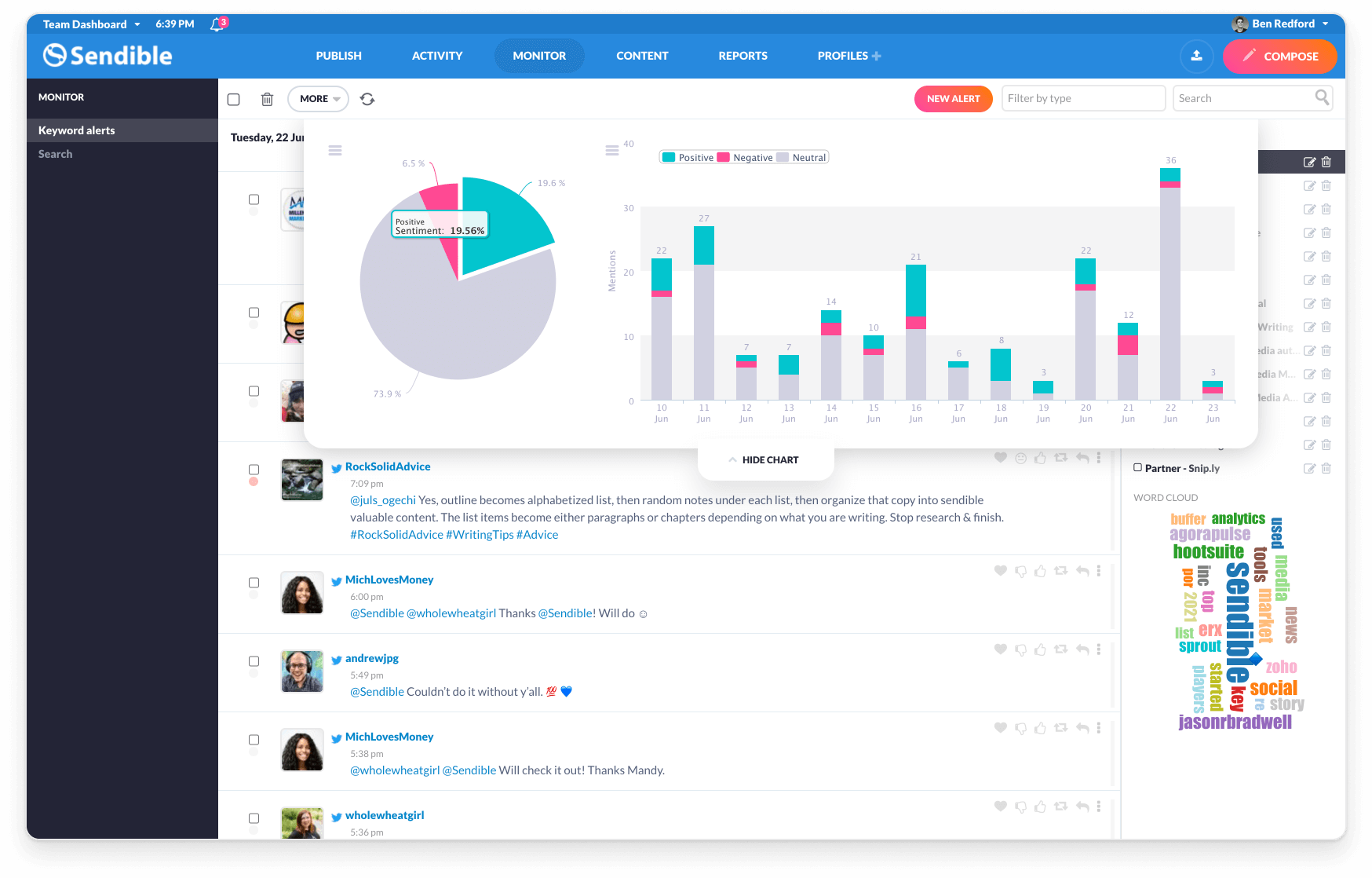
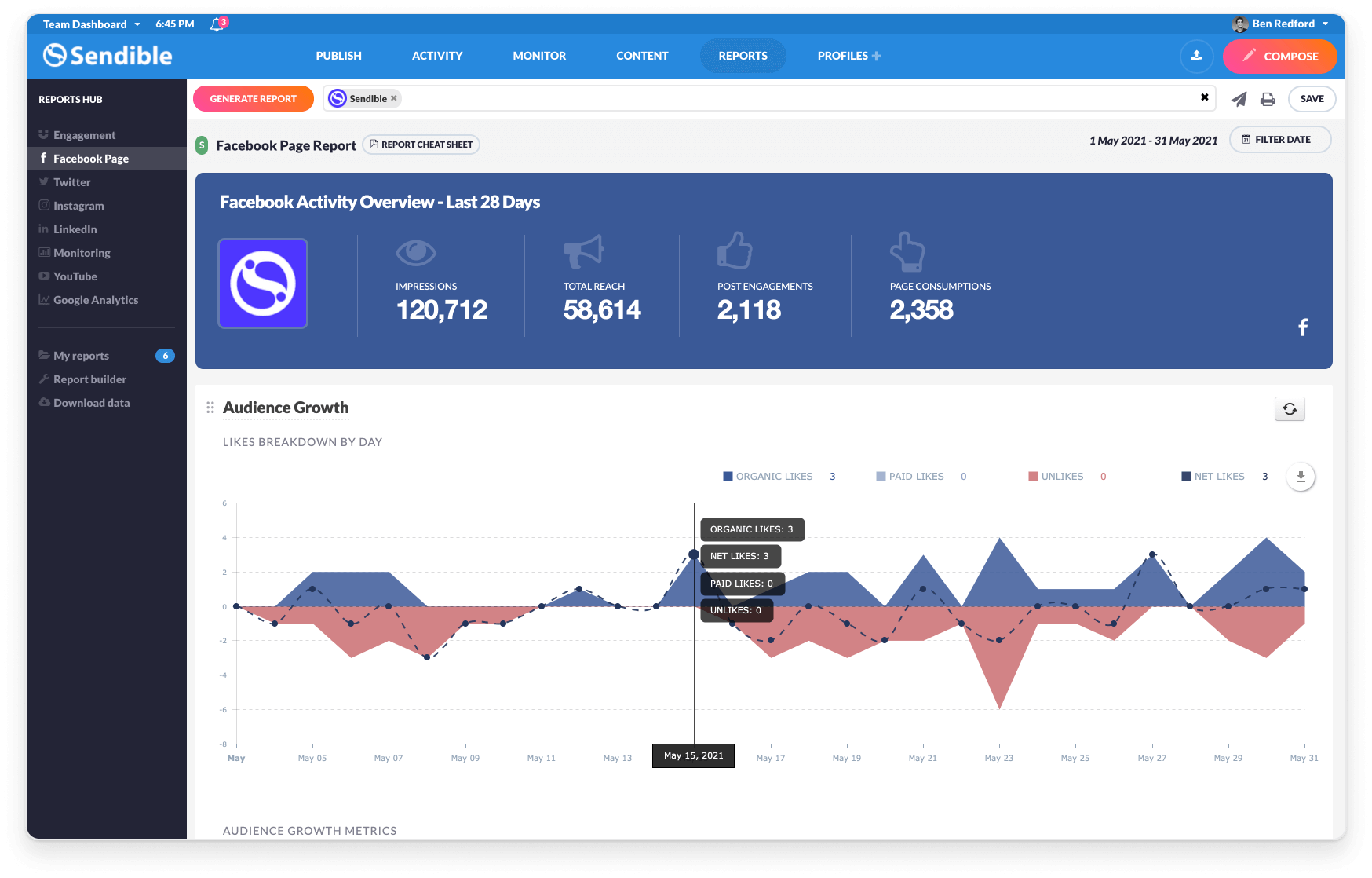
Sendible is a social media marketing platform that allows users to engage with their audience and track results across multiple social media channels at any time.
$29
per month 1 user and 6 profiles
X Premium Business
Score 7.9 out of 10
N/A
X Premium Business (formerly Verified Organizations) is the enterprise-tier infrastructure for the X platform, designed to centralize brand authority, account security, and high-velocity content distribution for commercial and governmental entities.
$200
per month
Pricing
Buffer
Sendible
X Premium Business
Editions & Modules
Free
$0
Essentials
$6
per month per channel
Team
$12
per month per channel
Creator
$29
per month 1 user and 6 profiles
Traction
$89
per month 4 users and 24 profiles
Scale
$199
per month 7 users and 49 profiles
Advanced
$299
per month 20 users and 100 profiles
Enterprise
$750
per month 80 users and 400 profiles
Basic
$200
per month
Full Access
$1000
per month
Enterprise
Custom
Offerings
Pricing Offerings
Buffer
Sendible
X Premium Business
Free Trial
Yes
Yes
No
Free/Freemium Version
Yes
No
Yes
Premium Consulting/Integration Services
No
No
No
Entry-level Setup Fee
No setup fee
No setup fee
No setup fee
Additional Details
A discount is offered for annual billing.
15% discount if paying annually.
15% monthly discount or 25% annual discount offered to non-profits.
Discount available for annual billing.
More Pricing Information
Community Pulse
Buffer
Sendible
X Premium Business
Considered Multiple Products
Buffer
Verified User
Employee
Chose Buffer
Buffer is way more user-friendly and gets straight to what I need to do. There is no frilly extra stuff—it's straight to the point. Buffer incorporates all the parts of the apps as well.
We selected this tool to maintain the activity of publication in social networks at a low cost and good productivity, we consider that it adds to our objectives of brand awareness or discovery, since it allows us to keep our channels active with information and content that we …
Buffer and Hootsuite are considered as best tools for managing your social media accounts . The only difference which I feel between the two is Buffer is [more] focused on pre-scheduling and Hootsuite is a advanced version of Buffer you can say it allows you full -fledged …
While you can use TweetDeck with other social networks, its primary focus is on Twitter, and they’ve developed a robust feature set to cater to managing Twitter. If your business is multi-networked, then you'll need Buffer.
Buffer is more user-friendly and offers a queue, where you can shuffle your updates and schedule them for the future. You can also schedule slots that get the most engagement with your audience, which is extremely helpful when you're trying to hit KPI's. I didn't use Sprout's …
We started off using TweetDeck and then migrated to Hootsuite. These apps work fine for monitoring partner posts and hashtags that are relevant to our brand but their sharing and scheduling utilities were clunky and inefficient. I'd still be using them for social media …
When [it comes to] comparison I found all these platforms competitive and having great features altogether. All features are the same like monitoring, scheduling, Analysing but TweetDeck mainly analyzes on Twitter whereas on Hootsuite and Buffer, [it only] allows [you to] …
Features
Buffer
Sendible
X Premium Business
Publishing
Comparison of Publishing features of Product A and Product B
Buffer
7.9
77 Ratings
3% below category average
Sendible
8.3
15 Ratings
2% above category average
X Premium Business
-
Ratings
Content planning and scheduling
8.677 Ratings
10.015 Ratings
00 Ratings
Content optimization
7.370 Ratings
7.713 Ratings
00 Ratings
Workflow management
7.766 Ratings
8.414 Ratings
00 Ratings
Audience targeting
00 Ratings
7.013 Ratings
00 Ratings
Reporting/analytics
Comparison of Reporting/analytics features of Product A and Product B
Buffer
7.0
70 Ratings
10% below category average
Sendible
7.0
11 Ratings
10% below category average
X Premium Business
-
Ratings
Campaign success analytics
7.070 Ratings
7.011 Ratings
00 Ratings
Real-time tracking
00 Ratings
7.09 Ratings
00 Ratings
Competitor analysis
00 Ratings
7.05 Ratings
00 Ratings
Account management
Comparison of Account management features of Product A and Product B
Buffer
8.2
72 Ratings
4% above category average
Sendible
5.9
14 Ratings
29% below category average
X Premium Business
-
Ratings
Role-based user permissions & privileges
8.459 Ratings
9.714 Ratings
00 Ratings
Mobile access
8.068 Ratings
2.110 Ratings
00 Ratings
Listening/monitoring
Comparison of Listening/monitoring features of Product A and Product B
Buffer
-
Ratings
Sendible
6.4
9 Ratings
18% below category average
X Premium Business
-
Ratings
Boolean keyword searches
00 Ratings
6.06 Ratings
00 Ratings
Filtering out noise/spam
00 Ratings
6.05 Ratings
00 Ratings
Sentiment analysis
00 Ratings
6.56 Ratings
00 Ratings
Broad channel coverage
00 Ratings
7.08 Ratings
00 Ratings
Engagement
Comparison of Engagement features of Product A and Product B
Buffer
-
Ratings
Sendible
7.6
12 Ratings
6% below category average
X Premium Business
-
Ratings
Automated routing and prioritization
00 Ratings
7.511 Ratings
00 Ratings
Customer interaction histories
00 Ratings
5.59 Ratings
00 Ratings
Bulk actions
00 Ratings
10.011 Ratings
00 Ratings
Marketing
Comparison of Marketing features of Product A and Product B
Buffer
-
Ratings
Sendible
7.0
9 Ratings
9% below category average
X Premium Business
-
Ratings
Lead generation
00 Ratings
9.04 Ratings
00 Ratings
Content marketing
00 Ratings
9.09 Ratings
00 Ratings
Paid media management
00 Ratings
1.01 Ratings
00 Ratings
Campaigns and promotions
00 Ratings
9.02 Ratings
00 Ratings
Channel coverage/integration
Comparison of Channel coverage/integration features of Product A and Product B
It helps me save hours by devoting only half an hour in a month's worth of posting, in addition to that it is quite simple to use. Buffer for scheduling social posts well in advance, but I have begun using it instead of posting natively on the social apps themselves because it makes it super easy to post the same messages to more than one platform.
I have a fairly straightforward use case for Sendible and it meets almost all of my needs. If you are a small company that needs a collaborative solution to social media content creation, and likely has a small team (or no team) to manage social media postings, I think Sendible is likely a great tool to schedule posts and largely automate social media marketing. A larger company or more involved marketing team could still use Sendible to schedule and collaborate on posts. However, there may be additional features they may want or need (like the ability to promote posts) that may not be available with Sendible.
TweetDeck is ideal for complex media organisations / newsrooms where you want to keep track of several users accounts, or switch between multiple user and/or title accounts. It is perfect for those who want to follow conversations in real-time via many channels, at a glance. It is also useful for those who want to schedule tweets to provide around the clock coverage even when unmanned. Now that it paid-for is less suited to smaller organisations with tight budgets.
Easy to schedule and post to all of your social media platforms.
Customer support is very accommodating and always there to help. I have never had an issue with reaching someone whether it was for a quick question or to demo other features.
They have an awesome affiliate program (example: I earned over $600 from one company clicking through an signing up from my affiliate link - yay!)
Compared to other social media platforms, Sendible has been the most robust with features and ease of use.
They are always making advances and upgrades to their service offerings to better meet the needs of their customers.
TweetDeck is the best platform to schedule tweets - it is far better than the website itself. The process is remarkably easy and scheduling a day's worth of tweets takes no more than 10 minutes.
Tracking news is very easy on TweetDeck due to being able to create multiple columns each focusing on a different subject. Columns can be created using handles, searches, hashtags, and trends, and this makes TweetDeck a great platform as a news editor.
Expensive Analytics: The upgrade you need to access your analytics is quite expensive, and I have come across other tools that provide the same or even more for a lesser priced plan.
No Media Library: The one feature I have found on another social media planning tool that I wish Buffer had is a media library. This allows you to upload photos you aren't using right away to have them readily available when you do decide to use them. This is not a feature in Buffer.
Inbox. The inbox of incoming messages/posts is very clunky. Threads are separated into individual messages, making it difficult to follow conversations.
Reporting. The included reporting features are limited and don't allow for enough customization to be worth using.
Hashtags. When discussing the 10 most common mistakes (or whatever the title might be), we are unable to say "You won't believe #3" because the system reads this as a hashtag to link rather than just a number. It adds on editing time when approving posts.
Default settings. As a Social Media Manager, it is annoying to have myself set as default when looking at the content calendar. I don't write the posts, just approved and schedule them, so manually entering in my writers' names in the filters could be made easier by making this an editable feature.
Instagram. You cannot post multiple images in a single Instagram post from Sendible.
Service Lists. They are supposed to be helpful in grouping your services (we do this by brand), however, these lists don't pull the information you put on individual services. So if I have a list with Facebook, Instagram, and Pinterest for Brand A, you can't just add the Brand A Service List filter onto the calendar and see all of those posts that are scheduled. They don't seem to have much purpose at all.
TweetDeck has an editing feature for scheduled posts only if there is no image attached. When a post with an image needs editing, users must instead delete the entire post and reschedule it with the edits needed.
TweetDeck has a real-time display, however users often need to refresh the window manually to get scheduled posts to appear in the appropriate column.
TweetDeck users can scroll side to side to view all off the types of columns selected. This functionality often leads to traveling back to a previous page unintentionally.
I am giving buffer this rating because of a couple issues that it has compared to other platforms. It does not always post to instagram and you will need to go in an manually post. Also, one of the biggest qualms that we have with buffer is the price it costs to have robust analytics
If I am given a larger budget to work with then I'd like a program that tracks and collects my PR hits, as well as sends me important info to respond to. I realy like the way New Brand Analytics tracks my Trip Advisor,etc ratings
As I previously mentioned, if TweetDeck were to increase some features and integrations, cleaned up its interface, and developed a tool to measure ROI, it would remain competitive with HootSuite and Hubspot. Altogether, it is an effective tool for the job of scheduling and monitoring your impact on Twitter, it falls behind other competitors that offer a more robust solution.
We use Buffer for certain website content that should be shared on social networks, having this tool helps us to do it faster and easier since we can send the publications from the internet browser and the stack of scheduled messages. It is really fast and easy for all team members who share access to the account, so at the same time that we analyze the information that we can share, the message stack is prepared
Sendible is 100% web based so managing social media platforms can be done from anywhere with internet connectivity. During registration, Sendible takes its users on a tour of its main features. The sleek design was engineered by professionals who have great interest in social media marketing. There is ample support in case users get lost and there is no learning curve.
It's a pretty easy tool to use I find a few of the columns to be a bit repetitive. If you are managing more than one account you'll start to find yourself having easily 10 plus columns all tracking all different information which creates nice track lanes to keep all that relative information in one column or "view". With the amount of data that is pushed out, if you are following a large number of accounts, it's extremely easy to lose valuable posts in your feeds. As you begin building out your columns they get the point where you only look at one or two and the rest seem to be lost. Overall, this a free tool and there are other social monitoring tools that are out there but are in the multiple thousands of dollar range
TweetDeck tends to be available for use majority of the time...however, I've had times where it would get stuck in a loop and then post my Tweet multiple times.
Buffer performs well on both desktop and mobile platforms. The one area as I have stated before is that it does not always want to automatically push to Instagram and the user will have to go do it manually. Buffer works very well pushing to other platforms. The instagram issue is the only reason buffer does not get a 10 on this section
Sendible has a great resource center which I have used multiple times throughout my year using the platform. There are plenty of troubleshooting articles and guides that make it easy to uncover the root of any small issues I may have.
I've never had to contact customer support. Tweetdeck has always worked like a charm for me. And, if I have had a problem, I've simply deleted the column, then recreated it and it worked again. While it's not without its glitches every once in a great while, it's worked like a charm.
We were very satisfied with the implementation of Buffer. We had no issues switching from the platform that we were using over to buffer. Our staff did not even miss a beat when it came to posting content. It was an easy transition and I feel that is something that buffer has really done well. They have an "out of the box" usability platform
I also used Combin which is easy and free to use. However, Combin only posts when the computer is active and connected to the internet. So, posting while you are not actively using your computer at that moment is not possible, therefore Buffer is much more efficient as you can even post while being on vacation without working.
While lacking in some features compared to those big alternatives, Sendible doesn't stop releasing new features every few months and doesn't cost nearly as much monthly as they do for the amount of profiles they allow to manage. Overall I'd say it's a solid competitor if they keep the updates coming and optimize the platform a little
Several years ago I used the Hootsuite Free service. I found Tweetdeck to be preferable because of its user interface, and greater functionality. Moreover, I recall Hootsuite bombarding me with emails that were just irrelevant. TweetDeck just does what it does, without hassle. Its UI and functionality for multiple accounts seems to be the best I've tried.
Buffer does what it say on tin as they say! you can always count on Buffer. Buffer can be scale to 25 social account with 2,000 scheduled post which is enough for most agencies or businesses