CAFM Explorer vs. TOPdesk vs. UpKeep Maintenance Management

Overview
ProductRatingMost Used ByProduct SummaryStarting Price
CAFM Explorer
Score 0.0 out of 10
N/A
CAFM Explorer is an all-in-one facilities management software solution developed by FMx, acquired and now supported by Idox since 2012.N/A
TOPdesk
Score 8.3 out of 10
Mid-Size Companies (51-1,000 employees)
TOPdesk is the flagship highly-modular cloud-based or installed ITSM service desk and asset management solution from the Dutch company of the same name, for enterprise companies.
$76
per month Per agent
UpKeep Maintenance Management
Score 7.0 out of 10
Small Businesses (1-50 employees)
UpKeep allows users to snap a picture of a broken piece of equipment, create a work order, and schedule it for repair - all from a mobile device. UpKeep is designed for facility, property, restaurant, and manufacturing managers looking to improve communication by enabling real-time status updates for their teams. The vendor says it is a modern, intuitive, and customizable CMMS that is proven to expedite workflow processes. Capabilities include: -Add co-workers and easily assign work…
$40
per technician/per month
Pricing
CAFM ExplorerTOPdeskUpKeep Maintenance Management
Editions & Modules
No answers on this topic
Essential
$76
per month Per agent
Engaged
$109
per month Per agent
Excellent
$155
per month Per agent
Starter
$40
per technician/per month
Professional
$75
per technician/per month
Business Plus
$120
per technician/per month
Enterprise
$180
per technician/per month
Offerings
Pricing Offerings
CAFM ExplorerTOPdeskUpKeep Maintenance Management
Free Trial
NoYesYes
Free/Freemium Version
NoNoYes
Premium Consulting/Integration Services
NoNoNo
Entry-level Setup FeeNo setup feeOptionalOptional
Additional DetailsThe TOPdesk license model: - Modular: Organizations purchase only the modules needed - Saas or On premise - Supports unlimited number of assets. - Service agents based. - Discount available for annual pricing.
More Pricing Information
Community Pulse
CAFM ExplorerTOPdeskUpKeep Maintenance Management
Considered Multiple Products
CAFM Explorer

No answer on this topic

TOPdesk
Chose TOPdesk
TOPdesk is dutch language, simple to use and had a great ssp if you invest time to build a ssp. Its not hard to use
Chose TOPdesk
The support is better with TOPdesk. With Planon, you don't know who you are dealing with on the other side. Asset management is better with Planon, but with unexpected releases, it is difficult to keep up with the changes. TOPdesk is less sales orientated that Planon.
Chose TOPdesk
This is more a Canon VS Nikon question. Depending on which one you start of with you are more likely to stay with… only when specific used features change then it’s possible to switch
Chose TOPdesk
TOPdesk is a predictable and functional helpdesk solution which can do most everything we want to do without unexpected costs and failures. Their support community also is international so we have a large base of current customers to draw wisdom from. It does what we need it to …
Chose TOPdesk
The choice for TOPdesk was made based on the features and integration needs of our business, and also by financial investment. SAP Business One is also used in the company, but only for financial and billing purposes. Atlassian Jira requires a much bigger investment, and makes …
Chose TOPdesk
TOPdesk was incredibly intuitive compared to the competitors and any questions we had were resolved quickly by the support team. After the configuration phase was over we barely changed anything over the years to our workflow because it just worked incredibly well for us. We …
Chose TOPdesk
The organisation was already using TOPdesk, but i used Jira before.
Chose TOPdesk
TOPdesk is visually cleaner. Works more intuitive. And is more easy to customize.

Service Now has more options to inspect processes.
Chose TOPdesk
TOPdesk has all the modules we need, without being overly complicated.
Chose TOPdesk
AFAS uses standard templates wich you can easy moderate by yourself. TOPdesk works more with the use of technical consultancy
Chose TOPdesk
better flexibility. has asset management. others don't
Chose TOPdesk
We chose TOPdesk because we were familiar with this application and our service partner already used Topdesk
Chose TOPdesk
We have selected TOPdesk as the best all-round option. On other parts there are better / more extensive applications but TOPdeks combines it in 1 package. In addition, more than 600 practitioners from participating municipalities were already used to working with TOPdesk, so we …
Chose TOPdesk
TOPdesk is standardized where it should and customizable where it has to be. it is better tailored to the need than other packages
Chose TOPdesk
It is more versatile and better adjustable to our organisation. I have worked with TOPdesk in multiple organisations. And in each of the organisations it was different and still the same. Like lego bricks were the bricks are the same, but the builds are all different for the …
Chose TOPdesk
TOPdesk is much more flexible, it also has a self service portal which is convenient. Easy to ask questions to the TOPdesk service desk and good support.
Chose TOPdesk
The possibilities are much greater then the ones I have mentioned above. Also it is a Dutch company, it helps to have short lines with the guys/girls in Delft.
UpKeep Maintenance Management
Chose UpKeep Maintenance Management
We liked the Hippo CMMS for the mapping feature - you can do an overlay of the building plan and markup the locations - but the barcode feature was not there at the time we reviewed, so there was some automation lost there. UpKeep had the barcode - but lacked the mapping. We …
Chose UpKeep Maintenance Management
Previously had MEX, though had not implemented it throughout the business. It was way too difficult for the techs to use on the fly and was just a nightmare to implement. UpKeep, on the other hand, is a walk in the park.
Chose UpKeep Maintenance Management
I selected UpKeep because of the glowing reviews I found online.
Chose UpKeep Maintenance Management
UpKeep has many superior functions over more traditional, open-source type maintenance management programs. The biggest advantage is the availability of mobile apps. The software is much more intuitive as well.
Chose UpKeep Maintenance Management
It's been about 5 1/2 years since I used Astea, but it was cumbersome and poorly designed back then. I used it as a basis for what I didn't want to inflict on my fellow workers.
Chose UpKeep Maintenance Management
Upkeep is a faster cleaner system than a maintenance connection with a great mobile option for my technicians. The user interface for reports and PM creation is fast and easy. It has more functionality than eMaint and works very well for all the things we needed a CMMS to do in …
Chose UpKeep Maintenance Management
We have used Fixx, which is a great product but having separate assets is what changed the game for us.
Chose UpKeep Maintenance Management
Cleaner UI
Chose UpKeep Maintenance Management
Superior product, easier to use and navigate. More responsive customer service, better pricing.
Chose UpKeep Maintenance Management
We use UpKeep because of the price and ease of use. They have knowledgable staff that knows how to get this program started on time and have people directed to achieve start-up.
Chose UpKeep Maintenance Management
Maintenance Connection had issues with reminders and they couldn't get them fixed for me, so I went with UpKeep.
Chose UpKeep Maintenance Management
It may be a larger challenge for the internal office workers to utilize upkeep. Often times when you're hiring property managers, maintainers, they may not be orientated towards technology. We can learn how to utilize something new if it presents a larger challenge. We want our …
Chose UpKeep Maintenance Management
We researched numerous other programs and all of them fell short in one way or another. Ideally, we would like to integrate our accounting processes with UpKeep, but we aren't there yet as our present accounting software is not compatible.
Chose UpKeep Maintenance Management
Hippo wasn't as simple, and it was far more expensive.
Chose UpKeep Maintenance Management
I feel that UpKeep is a superior program. It has more features and is more user-friendly.
Chose UpKeep Maintenance Management
We were originally looking towards "Dynaway" as it is easily integrated into the AX platform. I was able to run a trial version and found that it is far more detailed and requires training to use. UpKeep is very user-friendly and intuitive. It allows users of almost any skill …
Features
CAFM ExplorerTOPdeskUpKeep Maintenance Management
Incident and problem management
Comparison of Incident and problem management features of Product A and Product B
CAFM Explorer
-
Ratings
TOPdesk
7.4
Ratings
10% below category average
UpKeep Maintenance Management
-
Ratings
Organize and prioritize service tickets00 Ratings8.40 Ratings00 Ratings
Expert directory00 Ratings7.40 Ratings00 Ratings
Service restoration00 Ratings7.20 Ratings00 Ratings
Self-service tools00 Ratings7.60 Ratings00 Ratings
Subscription-based notifications00 Ratings7.30 Ratings00 Ratings
ITSM collaboration and documentation00 Ratings7.30 Ratings00 Ratings
ITSM reports and dashboards00 Ratings6.50 Ratings00 Ratings
ITSM asset management
Comparison of ITSM asset management features of Product A and Product B
CAFM Explorer
-
Ratings
TOPdesk
7.4
Ratings
10% below category average
UpKeep Maintenance Management
-
Ratings
Configuration mangement00 Ratings7.80 Ratings00 Ratings
Asset management dashboard00 Ratings7.40 Ratings00 Ratings
Policy and contract enforcement00 Ratings7.20 Ratings00 Ratings
Change management
Comparison of Change management features of Product A and Product B
CAFM Explorer
-
Ratings
TOPdesk
7.5
Ratings
13% below category average
UpKeep Maintenance Management
-
Ratings
Change requests repository00 Ratings7.90 Ratings00 Ratings
Change calendar00 Ratings7.00 Ratings00 Ratings
Service-level management00 Ratings7.50 Ratings00 Ratings
Best Alternatives
CAFM ExplorerTOPdeskUpKeep Maintenance Management
Small Businesses

No answers on this topic

Agiloft Service Desk (discontinued)
Score 9.0 out of 10

No answers on this topic

Medium-sized Companies
TOPdesk
TOPdesk
Score 8.3 out of 10
Agiloft Service Desk (discontinued)
Score 9.0 out of 10

No answers on this topic

Enterprises
TOPdesk
TOPdesk
Score 8.3 out of 10
ManageEngine ServiceDesk Plus
Score 9.2 out of 10

No answers on this topic

All AlternativesView all alternativesView all alternativesView all alternatives
User Ratings
CAFM ExplorerTOPdeskUpKeep Maintenance Management
Likelihood to Recommend
-
(0 ratings)
8.3
(0 ratings)
9.0
(0 ratings)
Likelihood to Renew
-
(0 ratings)
8.5
(0 ratings)
9.1
(0 ratings)
Usability
-
(0 ratings)
9.0
(0 ratings)
8.2
(0 ratings)
Availability
-
(0 ratings)
8.5
(0 ratings)
-
(0 ratings)
Performance
-
(0 ratings)
8.1
(0 ratings)
-
(0 ratings)
Support Rating
-
(0 ratings)
8.4
(0 ratings)
8.8
(0 ratings)
In-Person Training
-
(0 ratings)
7.3
(0 ratings)
-
(0 ratings)
Online Training
-
(0 ratings)
8.2
(0 ratings)
-
(0 ratings)
Implementation Rating
-
(0 ratings)
3.9
(0 ratings)
9.1
(0 ratings)
Configurability
-
(0 ratings)
7.1
(0 ratings)
-
(0 ratings)
Ease of integration
-
(0 ratings)
5.0
(0 ratings)
-
(0 ratings)
Product Scalability
-
(0 ratings)
7.5
(0 ratings)
-
(0 ratings)
Vendor post-sale
-
(0 ratings)
7.5
(0 ratings)
-
(0 ratings)
Vendor pre-sale
-
(0 ratings)
7.5
(0 ratings)
-
(0 ratings)
User Testimonials
CAFM ExplorerTOPdeskUpKeep Maintenance Management
Likelihood to Recommend
No answers on this topic
As TOPdesk is pretty intuitive it is often not needed to instruct colleagues on how to use TOPdesk. Most modules and fields do explain themselves. This means there aren't many additional instructions needed for the applications itself. Most information we do need to support our colleagues on based on organizational processes, not our ITSM tool of choice. And if there is more information needed, the knowledge base system can be used for this. On the other hand this could create the idea that no additional instructions are needed. Which might be true for the application itself, but not for how it is being used within your organisation
Read full review
Very appropriate within our business since It is so easy to use and implement. The software gives the techs more accountability and ownership of jobs, along with the ability to create re-occurring work orders for inspections and checks. I now get accurate data to report against on a weekly basis, and get KPI's to set goals for our team.
Read full review
Pros
No answers on this topic
  • TOPdesk provides a clean and modern interface for all of its modules. Many of the modules have a similar look and feel, which makes it easy for users to utilize each one.
  • Its workflow system allows administrators and developers to define what needs to occur when certain events happen. This can ensure that processes happen in the correct sequence.
  • TOPdesk includes a vast API system to allow for external systems to integrate with it, and for TOPdesk to communicate with external systems.
Read full review
  • The app is very simple to use - Very user-friendly for the user, and very easy to set up.
  • The ability to upload photos, take photos and then assign the work order ticket to a vendor is great.
  • The ability to upload bids, quotes, and issues then create a PDF file that can be exported to vendors, employees, or third parties is great.
Read full review
Cons
No answers on this topic
  • The requirement to fill out certain fields before a ticket can be closed can be cumbersome. This could be a requirement for some organizations though.
  • The field mappings from Azure AD to user data could be a little more precise. Some of the fields just don't translate.
  • When setting up the system to intake emails as trouble tickets, it can be tricky when people reply after a ticket is closed. It will create multiple tickets from this.
Read full review
  • Periodic maintenance needs are still a little tricky keeping in the system without flooding the user with too many work orders.
  • It does not immediately update all the time. For example, closing out work orders and the number of total work orders stays the same until it’s rebooted.
  • Search functions need improving.
Read full review
Likelihood to Renew
No answers on this topic
We are very content with the application. We use it now for 1 year and we are still learning. We still discover new features withing the application that help improve our efficiency and customer-friendliness and reduce costs. We feel like we can still improve the use of TOPdesk within our organisation and make more use of more modules.
Read full review
We love how organized it has made our processes.
Read full review
Usability
No answers on this topic
Sometimes I think some things are hard to find. I often do not know if I have to search in Settings or in Modules. In some cases the user has to do a lot of clicks for example to link a key to a user. Something could work a little smarter.
Read full review
I think the platform is user-friendly but there have been some issues that colleagues have been complaining about. For example, the program tends to run slow from time to time. Reporting could be better. We could use more fields for categories under parts and assets.
Read full review
Reliability and Availability
No answers on this topic
Like I said somewhere else in this review: the helpdesk of TOPdesk is top of the bill! In the Netherlands, that is. I can not plea for the helpdesks in other countries, but I guess the TOPdesk organization will make sure the quality of the helpdesk is the same in every country.
Read full review
No answers on this topic
Performance
No answers on this topic
Although being a SAAS solution, TOPdesk performs pretty fast. One can imagine that any SAAS solution is slow or has hiccups, but we have not experienced such with TOPdesk. Pages load quickly, logging in goes smoothly. We have made reports on premise in the past - that always took some time, as you might expect with such complex tasks. It seems that in the SAAS solution TOPdesk somehow has managed to make it even faster!
Read full review
No answers on this topic
Support Rating
No answers on this topic
Most if not nearly all questions are answered within the same or a few days. The helpdesk is very knowledgable about their product and are always willing to help. The only downside is that for more difficult questions it can take a while due to the experts being further removed from the helpdesk. But they are always willing to answer questions, even if they are not directly related to a problem with the service.
Read full review
I cannot say enough great things about their customer service. From the start of the purchase, Upkeep was extremely helpful and informative. They have been ongoingly keeping us informed and available to answer any of our questions as they arise. They ongoing learning portal is also helpful when new features and changes happen with the interface.
Read full review
In-Person Training
No answers on this topic
We had Topdesk in-house here training staff for almost a month (2-3 hour meetings 3x a week.) It was invaluable and we were able to take that training and share with the rest of our IT staff. Once implemented we were able to fly from there. The challenges we found were in how to get started. Once started the knowledge base offered from Topdesk has been invaluable.
Read full review
No answers on this topic
Online Training
No answers on this topic
Online training documentation is easy to access and consume. There is no real challenges with finding information on how to use the product and some really helpful knowledge base items that show us how valuable these options are in our own implementation of it. The online training we've used has been self driven
Read full review
No answers on this topic
Implementation Rating
No answers on this topic
It was a challenge to port over years of the same thing and we ended up keeping old ideas in Topdesk that we will eventually weed out as time passes and we learn how users view categories and flows of tickets. Planning is key but bear in mind that just because you used to do it this way doesn't mean you still have to
Read full review
Everything went as planned.
Read full review
Alternatives Considered
No answers on this topic
TOPdesk was incredibly intuitive compared to the competitors and any questions we had were resolved quickly by the support team. After the configuration phase was over we barely changed anything over the years to our workflow because it just worked incredibly well for us. We made good use of the API in Topdesk to change it to our and our customers' needs. Using all the features (ITSM, SLA, Knowledge Base) was much easier to access compared to Freshservice. The setup time was much shorter. Because TOPdesk is a much more mature product, a lot of the features that are baseline are not yet available for the competitors such as a "waiting for customer until" feature to pause a ticket until a certain date.
Read full review
We liked the Hippo CMMS for the mapping feature - you can do an overlay of the building plan and markup the locations - but the barcode feature was not there at the time we reviewed, so there was some automation lost there. UpKeep had the barcode - but lacked the mapping. We preferred the barcode feature. Also - the mobile app for UpKeep was much more mature, and they've since added the sensors (beta) which I don't believe Hippo has yet.
Read full review
Scalability
No answers on this topic
Topdesk is a saas solution. As far as we can notice, there are no scalability problems. We are a small organization, so performance issues are for now not an issue
Read full review
No answers on this topic
Return on Investment
No answers on this topic
  • TOPdesk self-service portal has allowed our employees to quickly report and solve the incidents saving more time for productivity.
  • Employees are able to tackle common incidents from the knowledge base giving more efficient business operation.
  • It has helped us to create a smooth working environment while growing the organization capacity and production quality.
Read full review
  • It's a bit too soon to speak of ROI, but being able to track issues over multiple service calls has proven to be useful, especially when it comes to holding workers accountable for their use of the machines.
  • It's easy to use for those who use it.
  • It's no harder to submit issues than it is to send an email. If you can send an email, you can submit an issue.
Read full review
ScreenShots

TOPdesk Screenshots

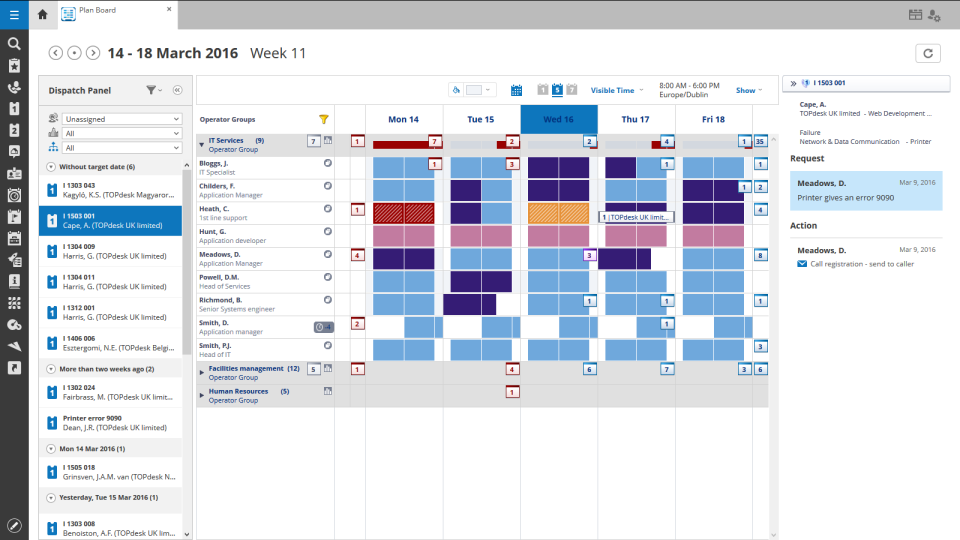
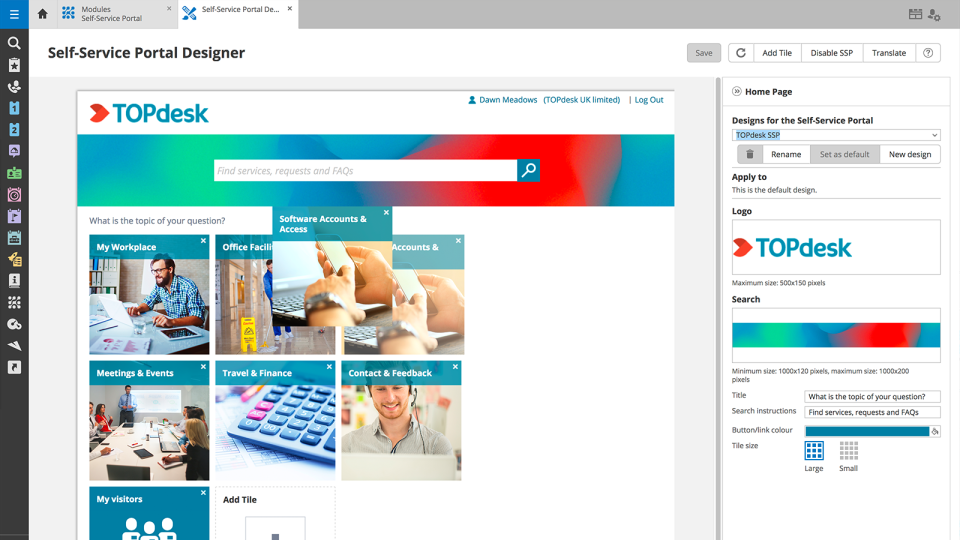
Screenshot of TOPdesk plan boardScreenshot of TOPdesk portal designerScreenshot of TOPdesk service desk KPIsScreenshot of TOPdesk asset management overviewScreenshot of TOPdesk call managementScreenshot of TOPdesk asset management dashboard

UpKeep Maintenance Management Screenshots
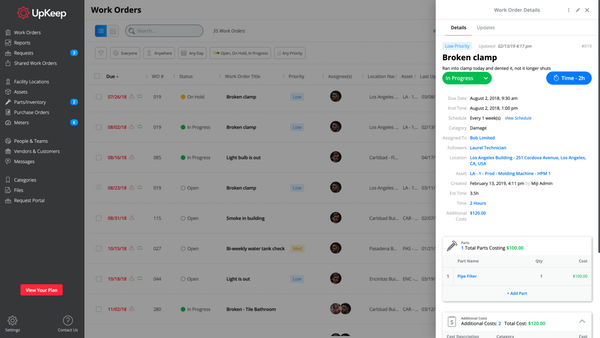
Screenshot of Product Suite