Conga Composer vs. FileHold Document Management

Overview
ProductRatingMost Used ByProduct SummaryStarting Price
Conga Composer
Score 8.0 out of 10
N/A
Conga Composer is a document generation and automation tool designed to simplify and streamline the process of creating and distributing customized documents, presentations, and reports.N/A
FileHold Document Management
Score 7.7 out of 10
Mid-Size Companies (51-1,000 employees)
FileHold is a document and records management software. FileHold is integrated with both Microsoft Office and Microsoft Teams and provides secure single log in to both FileHold and Office 365. FileHold can be deployed on a customers own servers or private cloud or hosted by FileHold on the Azure Cloud Standard features include; document scanning, version control, search, tagging, full user audit trail, archiving and scheduled disposition. Out of the box, users can search the FileHold…
$10
Per user / month
Pricing
Conga ComposerFileHold Document Management
Editions & Modules
No answers on this topic
FileHold Enterprise
$10.00
Per user / month
FileHold installed on cusomers own Cloud or in house server
$15.00
per month per seat
FileHold Express for 5 users
$15.00
per user / month
FileHold Cloud, Fully hosted on Microsoft Azure
$30.00
per month per seat
Offerings
Pricing Offerings
Conga ComposerFileHold Document Management
Free Trial
YesYes
Free/Freemium Version
NoNo
Premium Consulting/Integration Services
NoNo
Entry-level Setup FeeOptionalOptional
Additional DetailsIn all cases the price per user will decrease as more users are added to the system. FileHold has many optional and custom features that can be chosen and will change the price. For outright purchase of a license there is an optional 20% per year support and upgrade fee.
More Pricing Information
Community Pulse
Conga ComposerFileHold Document Management
Considered Both Products
Conga Composer
Chose Conga Composer
NA - We did not evaluate other programs like Conga.
Chose Conga Composer
DocuSign and Formstack for Salesforce
Chose Conga Composer
Firstly, we used Conga Composer to generate documents and DocuSign as the e-signature tool. However, Conga Sign proved to be much more cost-effective for our user base, as users didn’t need to switch to another system like DocuSign to send contracts to customers. With both …
Chose Conga Composer
Yeah, Conga is something that the client has selected. We asked them the same question — they believe they’re a long-time user of Conga and they have trust in that product. So that’s the reason.
Chose Conga Composer
Only reason was its integration with salesforce. In those apps, we had to manually copy paste the data to generate document and get signed but with conga composer’s salesforce integration, it fetches all the data from salesforce and generate the document for us and once …
Chose Conga Composer
We have used PandaDoc and with our personal experience, we can say that Composer is way better as it lets us pull data from multiple Salesforce objects, apply conditional logic, and generate highly customized documents.
Chose Conga Composer
Conga Composer helps us in document generation part and once the document has been generated from Conga Composer it can be sent out to the customers. Here we can also use Conga Email Template to send out the message and the attachments. Docusign here works so well and we can …
Chose Conga Composer
S-Docs is also great with Salesforce; however, it offers broader integration, scalable automation, and a deeper support ecosystem. Conga Composer delivers more powerful and flexible document generation.
Chose Conga Composer
I've used PandaDoc before; it is nowhere near as good as Conga Composer in terms of usability and end-user experience. Conga is much more valuable and business-oriented.
Chose Conga Composer
Can have more control with Aspose by using more code to dynamically generate the document to your exact needs.
Chose Conga Composer
Easily the best In the market. Still needs massive improvements in my opinion. Alot of use cases look legacy today!
Chose Conga Composer
Conga Composer works well with Conga Grid.
Chose Conga Composer
Better pricing and better functionality.
Chose Conga Composer
IDK - I really don't have a comparison to give
Chose Conga Composer
No other tools that are comparable.
Chose Conga Composer
We used the out of the box salesforce functionality but realized when our order forms used multiple currencies and had some customization we realized we needed a tool like Conga Composer
Chose Conga Composer
We did not try any other products with our Salesforce instance.
Chose Conga Composer
Benchmarking is upcoming. Conga Composer was already implemented when I joined the company
Chose Conga Composer
We used Microsoft Excel to manipulate all the data from different objects, now we can click a button and the report is generated, Excel provides a powerful tool, but Conga Composer is better than Excel to generate the data in the format that the customer wants, you don't need …
FileHold Document Management
Chose FileHold Document Management
I selected file storage document because it has better security feature and some employees are used to the software already. Also, I wanted to try out new software to see if there are better software out there than what I'm currently using. Google drive doesn't offer too much …
Chose FileHold Document Management
We used to use SharePoint but made the move to FileHold because of the additional functionality that it provided, unique to our line of business. We evaluated Laserfiche at the same time and ended up going with FileHold because it seemed to be a more stable platform that …
Chose FileHold Document Management
I find FileHold more useful than SAP at times. It is easier to use, you do not need transaction codes. Both programs allow you to run reports. I am not sure if SAP could be compared with FileHold due to the fact that I use SAP to get approval and funding on tooling contracts. …
Best Alternatives
Conga ComposerFileHold Document Management
Small Businesses
airSlate WorkFlow
airSlate WorkFlow
Score 10.0 out of 10
Square 9 Softworks
Square 9 Softworks
Score 9.3 out of 10
Medium-sized Companies
Foxit PDF Editor
Foxit PDF Editor
Score 8.4 out of 10
MSB Docs
MSB Docs
Score 9.4 out of 10
Enterprises
DocuSign
DocuSign
Score 8.7 out of 10
M‑Files
M‑Files
Score 8.9 out of 10
All AlternativesView all alternativesView all alternatives
User Ratings
Conga ComposerFileHold Document Management
Likelihood to Recommend
8.3
(0 ratings)
7.0
(0 ratings)
Likelihood to Renew
8.9
(0 ratings)
-
(0 ratings)
Usability
7.5
(0 ratings)
6.0
(0 ratings)
Availability
3.6
(0 ratings)
-
(0 ratings)
Performance
3.6
(0 ratings)
7.0
(0 ratings)
Support Rating
6.8
(0 ratings)
-
(0 ratings)
Implementation Rating
3.7
(0 ratings)
-
(0 ratings)
Configurability
1.8
(0 ratings)
-
(0 ratings)
Ease of integration
2.7
(0 ratings)
6.0
(0 ratings)
Product Scalability
3.6
(0 ratings)
-
(0 ratings)
Vendor post-sale
1.8
(0 ratings)
-
(0 ratings)
Vendor pre-sale
3.3
(0 ratings)
-
(0 ratings)
User Testimonials
Conga ComposerFileHold Document Management
Likelihood to Recommend
From my experience, Conga Composer is particularly well-suited for generating documents, such as quotes and contracts, directly from Salesforce. It saves us a great deal of time, which is remarkably beneficial for companies with sales teams. Not suitable for companies lacking significant Salesforce expertise or administrative support.
Read full review
FileHold is great for any size department or organization that is looking to "go paperless." It is a great tool for groups that need to have workflow management and tracking, especially with forms. It is well-suited for groups that are already familiar with Microsoft Office, and not so much for users of other Office Suites.
Read full review
Pros
  • It allows us to generate multiple documents at once using batch generation. This simple automation saves a lot of time for our team.
  • Its very user friendly. Even a newbie can simply generate document by clicking a button once this is setup by the admin.
  • Integrate Conga Sign with Conga Composer and it will automatically sent for e- signature once generated saving lot of time. we previously had to wait a lot for the signature.
Read full review
  • Document management
  • File storage
  • File sharing through cloud
Read full review
Cons
  • Not very intuitive. Once you know the system it's fine but there is a learning curve
  • I would like to see training opportunities on features that I am not using or aware of
  • I am sure I am only using about 3% of it's full potential
Read full review
  • We could not find a graphical representation of the Workflow designer with drag-and-drop fields.
  • We also could not find any easy, efficient way to import or convert from other storage platforms.
  • The only other comment that my team had was that the color scheme could be tweaked to be more pleasing.
Read full review
Likelihood to Renew
We most likely will renew conga because of it's strong salesforce integration and we're so engrained into it with all of our different brands and products/services. It would take a lot of time, money and resources to switch to something else.
Read full review
No answers on this topic
Usability
It's a fairly simple tool to integrate into your current business structure. When we've had issues, we were able to resolve them extremely quickly. The users click a button and it can bring in all the quote lines, and our credit application seamlessly into our tool. I'd definitely recommend it to other colleagues
Read full review
FileHold is the ideal solution if you are looking for an electronic library with workflow functionality. The ease of use and integration with other tools we already use was also a huge incentive. It also allows us to import and export data. The search features and the ability to accept electronic signatures further made our lives easier.
Read full review
Reliability and Availability
It was available, it just didn't always work depending on what glitches were happening within our app
Read full review
No answers on this topic
Performance
This product appears to work well. It was not a fit for us this time, but we would consider in future
Read full review
FileHold was easy to implement as well as to configure to meet our organization's business requirements. We all found the search capabilities to be wonderful, reducing the time it takes to find a particular document. FileHold is easy even for the most novice of users to become productive in a very short amount of time.
Read full review
Support Rating
As a conga parter we have created more than 50+ cases with conga support and many times we have got the answers on the chat support itself. A very effective knowledge base and conga university give you all the study material to enhance your product knowledge. Conga support has been very effective and has always responded quickly to questions and issues
Read full review
No answers on this topic
Implementation Rating
It was painful internally to build out all of the templates, but the actual implementation of the product was okay.
Read full review
No answers on this topic
Alternatives Considered
We have not been able to find an offering that allowed for the level of customization or could handle the complexity of the solutions we've built using Conga's products. We selected Conga originally as it was recommended at the time (2012) and there weren't any better alternatives - but we have looked recently and still can't find anything better.
Read full review
I selected file storage document because it has better security feature and some employees are used to the software already. Also, I wanted to try out new software to see if there are better software out there than what I'm currently using. Google Drive doesn't offer too much security in term of their file storage feature.
Read full review
Scalability
We used it for something simple and it was still a pain to use
Read full review
No answers on this topic
Return on Investment
  • We have been able to standardize our branding in documents to give them a more professional appearance.
  • The number of manual errors is significantly reduced, thereby improving our turnaround time by 30%.
  • Our overall working efficiency has improved by over 70% with the introduction of Conga Composer.
Read full review
  • Faster approval process
  • Better relationships with our plant [locations]
  • Improved employee efficiency by making the approval process faster
  • Improved employee efficiency by allowing employees to find documents faster through the search function
Read full review
ScreenShots

Conga Composer Screenshots

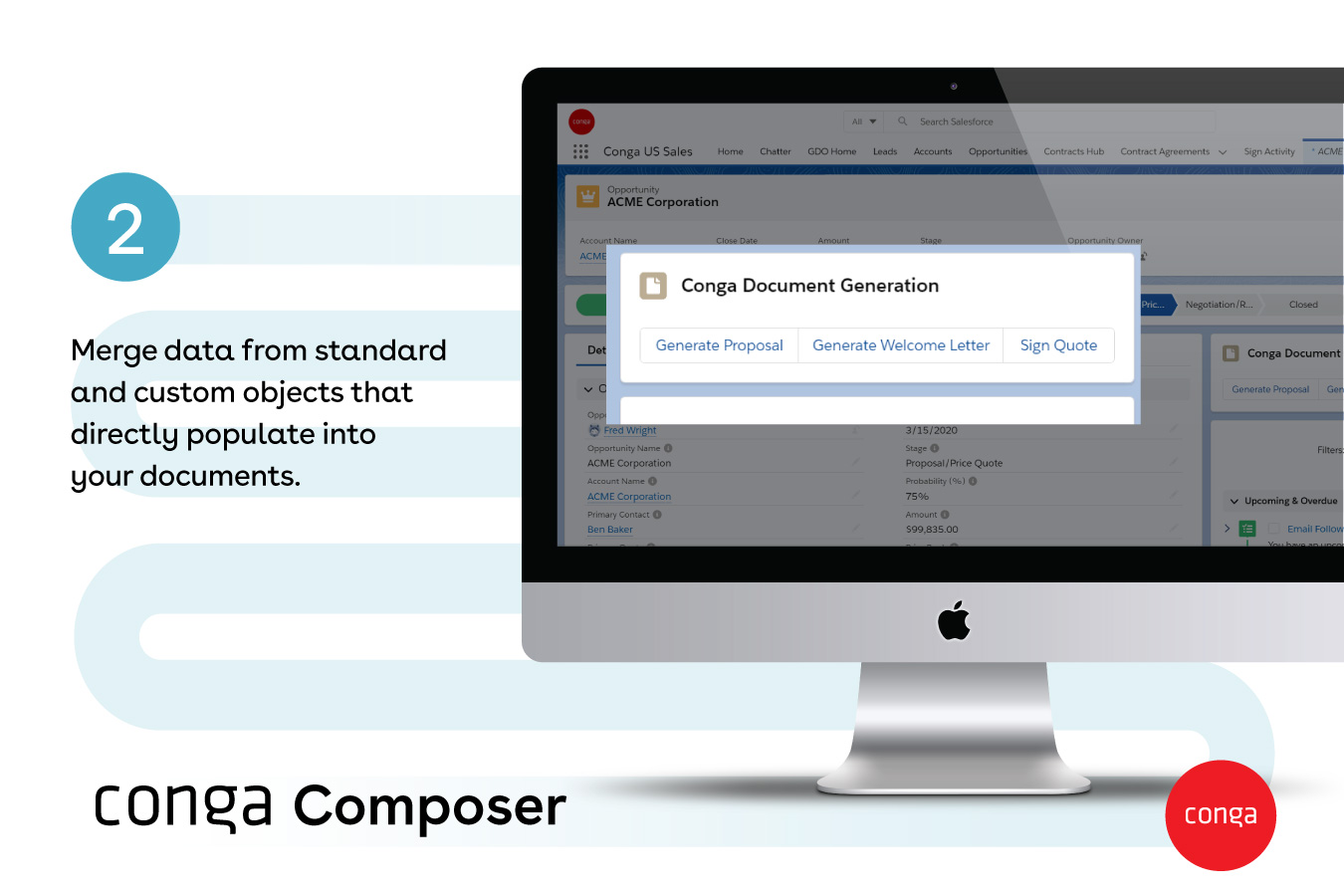
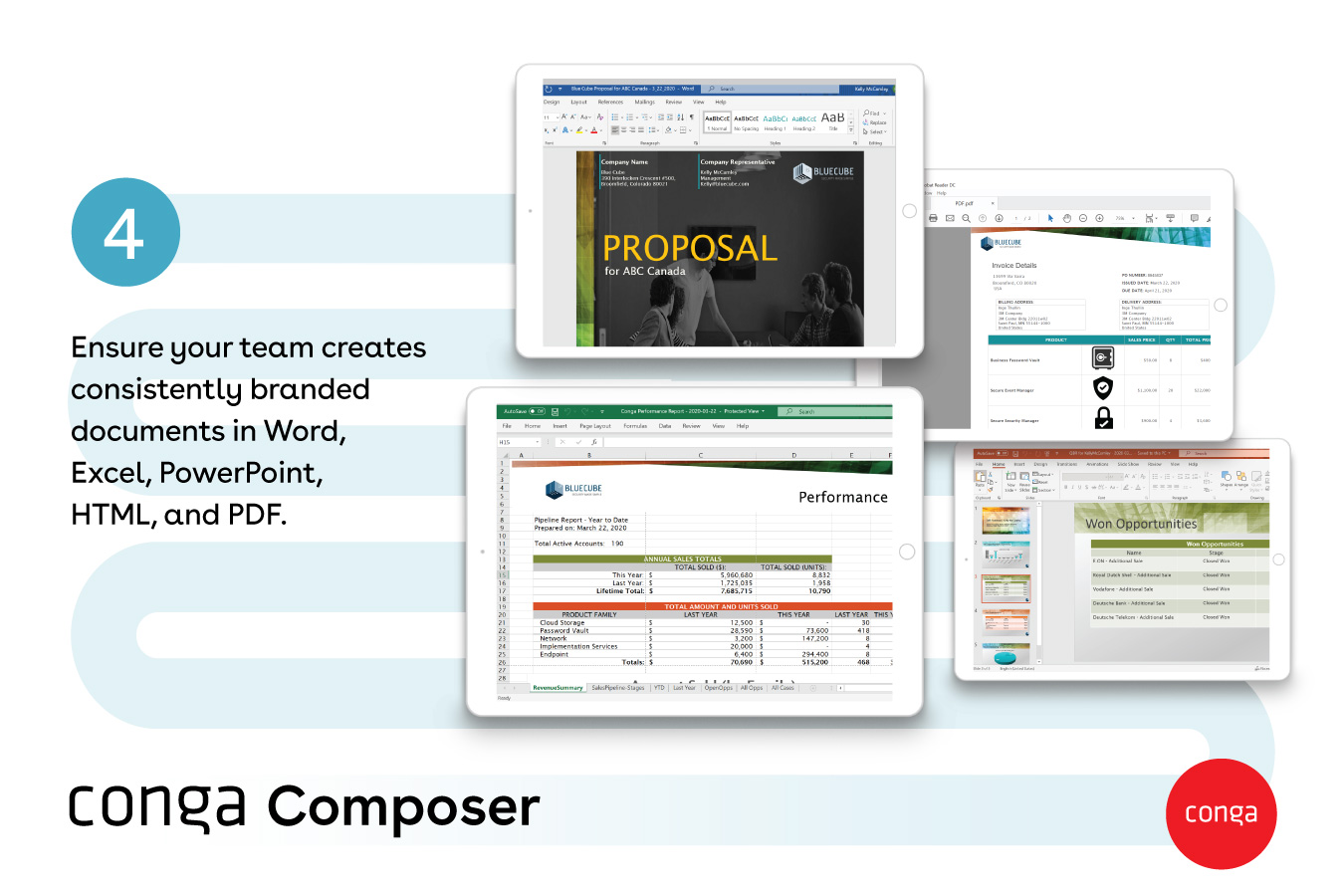
Screenshot of how documents are created automatically, directly from SalesforceScreenshot of documents generated with any data, from any object - standard or customScreenshot of Conga Document GenerationScreenshot of popular document formats available, like Word, Excel, PowerPoint, HTML, and PDFScreenshot of how large documents are sent via a link - and they provide visibility into customer document engagementScreenshot of how multiple documents can be sent with one or no clicks

FileHold Document Management Screenshots

Screenshot of Adding documents from Microsoft officeScreenshot of The Library treeScreenshot of FileHold architecture