Paypro is offered as an all-in-one HR solution that makes the day-to-day better for a company's people. Paypro support teams average 5+ years at Paypro and 10+ years in the industry creating an industry-leading service experience that has led to a 95% client retention rate and an unheard of average customer relationship approaching a decade. • Paypro aims to help organizations become a great place to work by building people-centric, life-work technology that meets every employee where…
N/A
QuickBooks Time
Score 8.3 out of 10
N/A
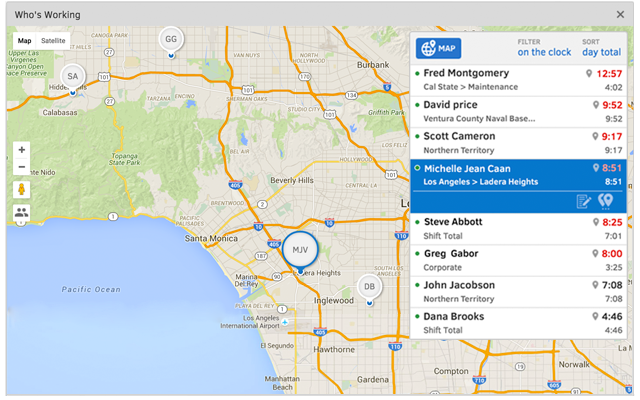
QuickBooks Time (formerly TSheets) is a cloud-based time tracking and scheduling app that allows employees to clock in and out from the job site with the devices they’ve already got in their pockets. The vendor aims to help companies replace paper timesheets with accurate, electronic time data as well as make payroll and invoicing faster and less costly. QuickBooks Time also accurately tracks time and GPS points (even without cell or internet service) then automatically syncs when back…
$0
1 user, unlimited projects
Pricing
EARLY
Paypro Workforce Management
QuickBooks Time
Editions & Modules
No answers on this topic
No answers on this topic
Free
$0
1 user, unlimited projects
Premium
$8
per user/month + $20 base fee/month (paid annually)
Elite
$10
per user/month + $40 base fee/month (paid annually)
Really focused on using within a desktop environment rather than on the road (although there is a mobile app to use as an alternate). The tangible feel of the device on the desk makes it really easy to switch between tracking activities without interfering with your ongoing work. You need to carefully consider what activities to track as there are only 8 options.
Paypro Workforce Management has custom report building that is easy to use and manipulate for data you need to pull. The onboarding system is overly complicated and not user friendly. Workflows are overly complicated and a workflow for PAFs is non-existent, causing our company to have to use paper PAF forms.
It would be very useful for certain remote jobs that require a high level of presence, as in the case of web development, or remote maintenance sessions, so that when reviewing the work data it is possible to ensure that there will be no failures. By being able to include files in the management, from the equipment tab, it is possible to fully control the hours in which each change in these files were made.
Setting up new employees is very easy and only takes a couple of minutes.
We have union and non-union employees, and we have both salaried and hourly employees. Workforce One lets us set up rules based on the union CBA, our office holiday schedule, etc., so we don't have to make many adjustments to timesheets when we have situations that deviate from the norm. The rules kick in and handle the situation for us.
Support (their help desk team is incredibly helpful and always quick to respond).
Ease of access and use (the app is user-friendly an intuitive, and the desktop version is equally as approachable).
Manager functionality (it's useful to be able to clock employees in and out at multiple events on the same day by sorting them into different groups by manager/event).
Report Writing: Canned reports are antiquated like a dinosaur. Users should be able to design their own reports like all other systems. Click and it's there. Currently, it's not at all what it can be.
Very rigid with contract: meaning when a rule change and/or policy has changed the company is charged in order to make the change.
Integration within the system. There are times when you change the information in the system then it randomly changes another section.
The desktop version of the TSheets schedule does not have a search feature. This makes it challenging to find things you are looking for without extra work
The app can be a bit buggy. Though it is a great app, there are many reasons that the app will stop syncing and can cause problems with staff scheduling
We are very happy with the product, our experiences using the product, and the continued support that we have received from the Paypro staff. We fully intend to keep our relationship with Paypro on solid ground. We are not considering replacing this product.
TSheets tech support people, like Shawn Sommer, from Tsheets. She has been instrumental, after terminating the person in charge of TSheets I was left with a learning curve too high to climb but after 10 mins of her instructions I was able to make payroll in no time. She cleared all errors that nobody had fixed before. TSheets is not a vendor for me, TSheets is my partner in business. Thank you TSheets.
The system is very thorough, has an efficient layout, and is very user-friendly. It can handle massive amounts of data and spit it out in manageable and useful chunks. We obtain tons of workable data from the various reports that the system can provide us. When it comes to payroll and HR, it can handle everything that you need.
Our employees find TSheets easy to use and spend minimal time at reporting hours using it. As an administrator and user of the TSheets "data and information" I am extremely positive on the functionality and reporting that it has provided me. From its ease of set-up to training to reporting, TSheets has made us so much more efficient from an administration standpoint
I am always able to get an answer to my questions as soon as I ask. If there is an associate that can not answer my question - they will make sure that someone else helps me. The company is very responsive.
I have never failed to have an issue resolved within minutes of contacting Support. Jen D recently assisted my with an export issue and I was back on track in less the 10 minutes. She was knowledgable and thought about the current and future contexts of the issue and assured there would be no recurrence next payroll.
The Paypro team was organized, professional, kept you on the budgeted timeline, followed up, was patient, experienced and truly cared. You would never think there were understaffed!
I have tried pc based software equivalents including Toggl but managing it on the pc workstation makes it just another software item. I selected Timeular because it is a tangible item on my desk. This "breaks" the connection with the PC and means I am far less likely to track my activity throughout the day.
We have used in-house systems, ADP Total Source, and Valiant Services. This system, in my opinion, is more user-friendly and faster than others. We have more control on our end to process with flexibility that other systems just did not offer.
Besides Intuit Payroll (Sage), the only program I've used is WorkBrain through Menards, and it's more as a scheduling guideline for management, employees don't use it to punch in or out or record hours. However, WorkBrain does show scheduling and it matches with a punch clock to record those hours. Every other place I've used has used either punch clocks or handwritten time cards. I think the TSheets is modern, user-friendly, convenient, accessible, and cost-effective for the owners. It also streamlines payroll for the Accountant instead of manually entering all hours for multiple employees by hand into a software program like Sage.
Workforce save time in processing . The company can manage the payroll , process by one employee. The company used to have two employees to split the whole company dept; now one employee can manage the whole process.