ECI Software Solutions offers e-automate, an ERP for office technology companies to automate business workflows and increase contract profitability.
N/A
OpenText Magellan
Score9 out of 10
N/A
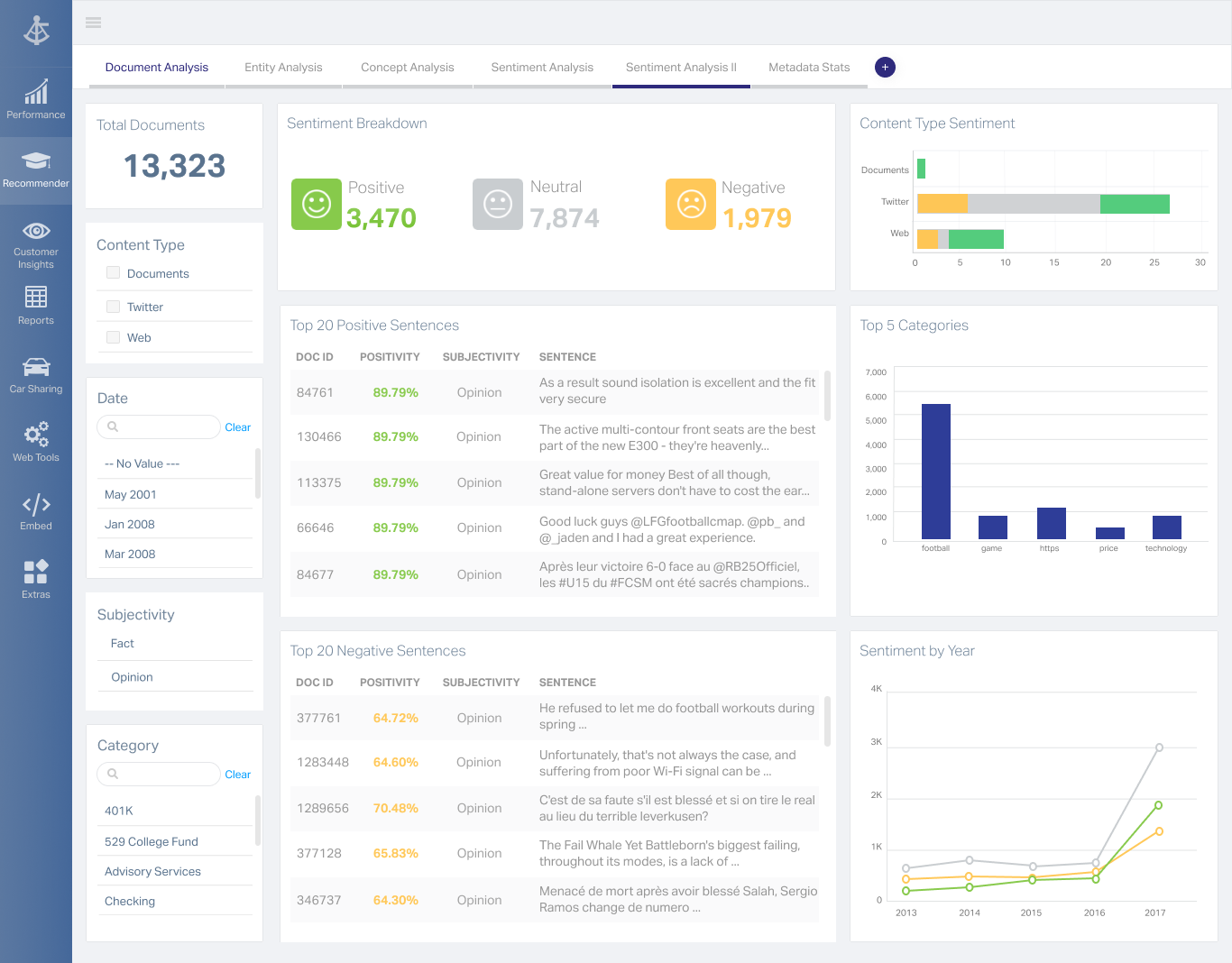
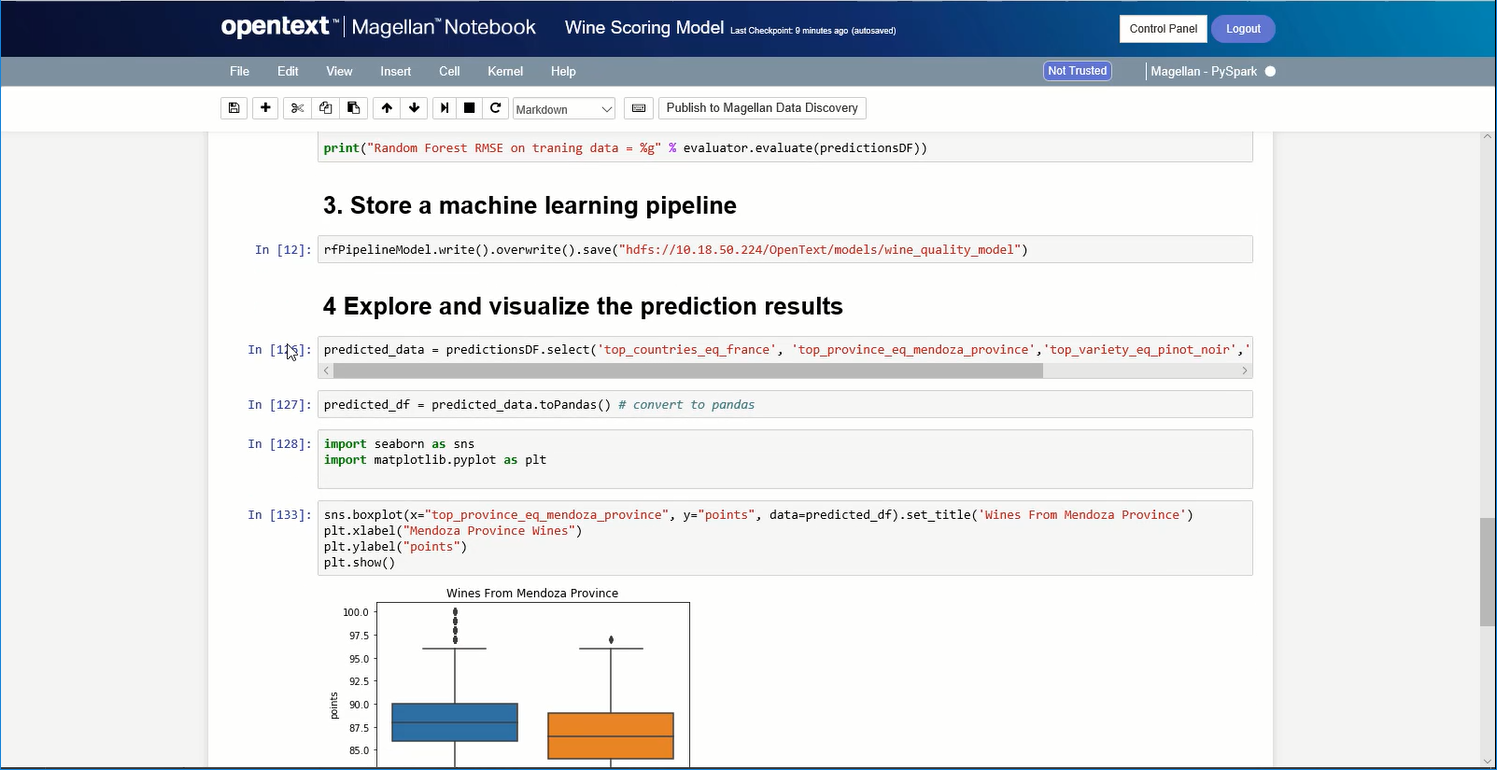
OpenText Magellan Analytics Suite leverages a comprehensive set of data analytics software to identify patterns, relationships and trends through data visualizations and interactive dashboards.
If you need a system to place and track sales quotes, sales orders, purchase orders, and service calls then E-Automate is perfect. However, if you want to be able to easily bulk upload customers and contracts or if you want to be able to quickly and easily track contract profitability, customer costs, etc, then you'll likely want/need a secondary or different system to do so.
A de minimis incentive was given to thank the reviewer for their time. The incentive was not used to bias or drive a particular response, nor was the incentive contingent on a positive endorsement. More Info
If you do not have a large budget and are a large organization, I would steer clear of Actuate. If you are looking to do very complex washboarding, I would not use them. Your developers have to be very skilled to work with this. Plan to bring in consultants if necessary to help your process. Adhoc reporting is weak. If your pricing is user based and you expand, this could be very expensive.
Sending Invoices out to customers via email or printing.
Keep track of ordering and inventory.
Sales Tax reporting.
Monitoring customer payment activity/setting up and removing credit holds.
Calculating payments to process each cycle.
Excellent aging reports.
I like the fact that when I am looking at one item, such as an invoice, I have the capability to switch to the customer menu rather than having to exit out of invoices and then enter into customers.
I love the flexibility of the search menus - being able to sort on several factors at once.
A de minimis incentive was given to thank the reviewer for their time. The incentive was not used to bias or drive a particular response, nor was the incentive contingent on a positive endorsement. More Info
A de minimis incentive was given to thank the reviewer for their time. The incentive was not used to bias or drive a particular response, nor was the incentive contingent on a positive endorsement. More Info
Make sales invoices not require serial numbers, or be more flexible with it.
Make contract invoices have some sort of flexibility in terms of editing. Our end users complain that QuickBooks made it very easy to edit invoices, and in e-automate, for them, it is practically impossible. (I do personally understand why it has to be as it is myself, I'm just forwarding their observation.)
Make the API actually useful. I spent days looking at the functions and the functions available are not really useful.
A de minimis incentive was given to thank the reviewer for their time. The incentive was not used to bias or drive a particular response, nor was the incentive contingent on a positive endorsement. TR verified that a representative sample of customers was invited. More Info
A de minimis incentive was given to thank the reviewer for their time. The incentive was not used to bias or drive a particular response, nor was the incentive contingent on a positive endorsement. More Info
Its really the only option for the industry that does enough of what we need for it to function . I'm not sure if there were better options out there if we would have to renew our subscription. With the addition of AI, hopefully something will be able to become more useful.
A de minimis incentive was given to thank the reviewer for their time. The incentive was not used to bias or drive a particular response, nor was the incentive contingent on a positive endorsement. TR verified that a representative sample of customers was invited. More Info
I am no longer working for the company that was using Actuate but I believe they would continue to use it because the stitching costs would be to high. It would require a complete rewrite of the reports and the never version of Actuate (BIRT) even required an almost complete report rewrite
A de minimis incentive was given to thank the reviewer for their time. The incentive was not used to bias or drive a particular response, nor was the incentive contingent on a positive endorsement. More Info
The user interface may be slightly outdated, but it is very intuitive and easy to navigate. Once you have learned one module within the system it is very easy to apply that knowledge to any other module. It makes using the system much easier, and it makes training another person on the system quick and efficient.
A de minimis incentive was given to thank the reviewer for their time. The incentive was not used to bias or drive a particular response, nor was the incentive contingent on a positive endorsement. TR verified that a representative sample of customers was invited. More Info
It is quite intuitive to use. It is fit specifically for doing sentiment, emotion, and intention analysis as well as text classification and text summarization. I would have given 10 if it is fit for the purpose of doing image processing and analysis as well. There is a huge market to analyze video and image data.
A de minimis incentive was given to thank the reviewer for their time. The incentive was not used to bias or drive a particular response, nor was the incentive contingent on a positive endorsement. More Info
A de minimis incentive was given to thank the reviewer for their time. The incentive was not used to bias or drive a particular response, nor was the incentive contingent on a positive endorsement. TR verified that a representative sample of customers was invited. More Info
Reports are the struggle the most with the information being extracted in a way that you need to copy and paste it into a new document so some of the information is not covered
A de minimis incentive was given to thank the reviewer for their time. The incentive was not used to bias or drive a particular response, nor was the incentive contingent on a positive endorsement. TR verified that a representative sample of customers was invited. More Info
Sometimes when you need answers quickly, a voice on the phone is far better than having to wait for email support or a callback. I have found this to have delays and feel ECI e-automate should invest more in its support infrastructure.
A de minimis incentive was given to thank the reviewer for their time. The incentive was not used to bias or drive a particular response, nor was the incentive contingent on a positive endorsement. More Info
A de minimis incentive was given to thank the reviewer for their time. The incentive was not used to bias or drive a particular response, nor was the incentive contingent on a positive endorsement. TR verified that a representative sample of customers was invited. More Info
E-automate is much better at understanding the needs of the office equipment industry and provide the necessary tools. SAP Business One has limited features specific to the office equipment industry and includes things that are not useful. E-automate is also priced much better and provides the best value for your investment.
A de minimis incentive was given to thank the reviewer for their time. The incentive was not used to bias or drive a particular response, nor was the incentive contingent on a positive endorsement. TR verified that a representative sample of customers was invited. More Info
It is vastly superior to these in many ways, for complex reporting it is a much more sophisticated solution. Visualizations are very good. Javascript extensibility is very powerful, others don't support this or as well. Pentaho and MS are both OLAP oriented. Pentaho is moving more toward big data, which was not our primary focus. Others are stuck in the Crystal Reports Band metaphor.
A de minimis incentive was given to thank the reviewer for their time. The incentive was not used to bias or drive a particular response, nor was the incentive contingent on a positive endorsement. TR verified that a representative sample of customers was invited. More Info
A de minimis incentive was given to thank the reviewer for their time. The incentive was not used to bias or drive a particular response, nor was the incentive contingent on a positive endorsement. TR verified that a representative sample of customers was invited. More Info
A de minimis incentive was given to thank the reviewer for their time. The incentive was not used to bias or drive a particular response, nor was the incentive contingent on a positive endorsement. TR verified that a representative sample of customers was invited. More Info
The e-automate will stop working if we stop paying each year. We chose not to go to the cloud and buy the software. QuickBooks and other software are a one-time fee.
E-automate has very few outside vendors for add-on modules.
A de minimis incentive was given to thank the reviewer for their time. The incentive was not used to bias or drive a particular response, nor was the incentive contingent on a positive endorsement. TR verified that a representative sample of customers was invited. More Info
Actuate can handle 50 to 60 sub reports inside a report very well.
Dynamically creating the datasource, chart, graph, reports are the main advantages. We can do any level of drilling, and can create a performance matrix dashboard efficiently.