Chose Emburse Certify
All expenses were done on Excel worksheets before we got Certify.

| Product | Rating | Most Used By | Product Summary | Starting Price |
|---|---|---|---|---|
 Emburse Certify | N/A | Certify is travel and expense management software developed by the company of the same name in Maine, which merged with Chrome River in 2019 to form Emburse. | N/A | |
 FreshBooks | Small Businesses (1-50 employees) | FreshBooks is an accounting service for small businesses. The solution enables users to send and manage invoices, track billable time and collect online payments. The vendor’s value proposition this that their solution provides a straightforward service that simplifies the billing process. | $21 per month |
| Emburse Certify | FreshBooks | |||||||||||||||
|---|---|---|---|---|---|---|---|---|---|---|---|---|---|---|---|---|
| Editions & Modules | No answers on this topic |
| ||||||||||||||
| Offerings |
| |||||||||||||||
| Entry-level Setup Fee | $8 Expense report | No setup fee | ||||||||||||||
| Additional Details | Certify AP has volume based pricing based on processed invoices | 10% discount for annual pricing. | ||||||||||||||
| More Pricing Information | ||||||||||||||||
| Emburse Certify | FreshBooks | |
|---|---|---|
| Considered Both Products |  Emburse Certify  Enrique Abello Vice President, Human Resources & Administration Chose Emburse Certify The cost to implement [Emburse] Certify was lower than the primary competition (Concur), but the integration with our existing card programs simply did not work the way we expected it to and the way it was sold to us. Any money saved by going with Certify over Concur was lost … Chose Emburse Certify I've used Concur in the past, but Certify is much lower-cost and a much better service. It has more flexibility and is easier to use.  Adam Neveu Sales Manager, U.S. Chose Emburse Certify The price is better and the support is better from what I have been told. I looked into them and never heard back from them when I sent in my info and Certify got in contact in mins to discuss my needs.  Michael Palecek IT Manager Chose Emburse Certify I think most of the functionality between the two products is similar and very competitive. I do not use the booking or research facilities of either product but I believe they are similar and have the same functionality. Overall I liked the interface a little bit better on …  Sheila Garcia Chief Communications Officer Chose Emburse Certify We chose Certify for ease of understanding, resources for training staff, multiple departments, and price.  Tristan Dobbs Vice President of Shared Services Chose Emburse Certify I've only briefly looked at Concur as an expense platform and it came close to what Certify offers. The interfaces are similar, the functionality is basically the same, and a lot of companies use both systems. I think that it comes down often to price between the platforms. …  Debbie Cochran Staff Accountant Chose Emburse Certify We have not used other products. This system was highly recommended by our colleagues.  Jennifer McBride, CMA Finance Director Chose Emburse Certify We compared Certify with the Wells Fargo platform. Certify is more user-friendly. |  FreshBooks  Brad Schneider President and Owner Chose FreshBooks There is no fluff and feature overload with FreshBooks. I can get to what I need quickly and easily. I don't have to deal with unnecessary features and fields the system considers essential. The payment features are streamlined and have lots of flexibility when receiving …  Christine Ball Owner Chose FreshBooks FreshBooks interface is better than QuickBooks. Xero's interface is more basic than both, but seems to work fine.  Antonio Piraino Managing Partner Chose FreshBooks FreshBooks people were friendly and helpful up-front. Because of the inability to receive payments correctly, I will be moving to Stripe.  Armand Ruci Teacher Chose FreshBooks FreshBooks is a relative novice compared to the giant Quickbooks application that has been around for years and it is established as the go-to app for account management and invoicing. I would say that in a few years, FreshBooks can become a threat to QuickBooks but it will …  Peter Ellison Director Of Training And Development Chose FreshBooks Freshbooks was willing to work with us on all needs and compliance issues specific to our processes.  Mike Calabro Photographer: Commercial, Advertising and Editorial Chose FreshBooks N/A  Lou Gallo Owner Chose FreshBooks I looked at QuickBooks but they only had desktop products and I was interested in a hosted solution. Freshbooks has always been ahead of their competition in this area of mobile, on the go use cases where a modern platform can be used to stay up to date and accessible from …  Gary Shouldis Founder & CEO Chose FreshBooks We considered using Xero for our invoicing due to the more advanced accounting features but chose FreshBooks because it offered recurring payments. Xero did not offer this critical feature at the time of purchase. And since invoicing was our main priority, FreshBooks did a …  Dana Darla President/Owner, Lead Accounting Professional Chose FreshBooks It was not my choice to select FreshBooks, but my client finds it easier to do billing with FreshBooks over QuickBooks.  evans mutinda security in networks engineer Chose FreshBooks Freshbooks offers its finances in a secure and easy manner. they are also simple yet they can efficiently manage expenses, invoices, reports, and time tracking.  Ryan Freeman President Chose FreshBooks FreshBooks is an invoicing software that wants to do accounting. Xero is an accounting software that wants to do billing. Both are pretty solid at their core functionality, and weak on the other. However, it's a shorter step for Xero to add interest and recurring CC billing, so …  Yemsi Pino Planificador Territorial II Chose FreshBooks The software we selected is because the learning curve is very kind. Once we draw the way we manage our business, we understand we have to make some changes in order to adjust to the new software. This software allows us to reflect every aspect of the business, costs and …  Amara Omoregie President Chose FreshBooks I really liked Wave Apps for a bit. It had some limitations, but I really like how easy it was to use and intuitive. Great pricing too. So I would recommend that over Freshbooks at this point for someone who is just getting started. Quickbooks is great for accounting. Super …  Asia Matos CEO & Founder Chose FreshBooks Don't get me wrong — I like Xero for accounting purposes. But Xero's invoicing isn't great. There's too many features I depend on that FreshBooks has that Xero just does not. I need to be able to take deposits, send automatic reminders, and create an extremely user-friendly …  Brandon Loyche Owner/Artist Chose FreshBooks FreshBooks is hands down the best software for collecting invoices, payments, tracking time and managing expenses we have ever used. I am an avid user and fan and have been and will continue to be. They are keen on the updates, on listening to customers feedback and making …  Kristina Kadykeeva A Member of PR Department, Social Media Platform Responsible Chose FreshBooks I love that I can truly give an estimate on the spot and afterward transform it into a receipt. I can begin working with my customer instantly. It is similarly wonderful that I can do it anywhere and it incorporates with Stripe, which collects numerous monetary forms so we can … |
| Emburse Certify | FreshBooks | ||||||||||||||||||||||||||||||
|---|---|---|---|---|---|---|---|---|---|---|---|---|---|---|---|---|---|---|---|---|---|---|---|---|---|---|---|---|---|---|---|
| Expense Management |
| ||||||||||||||||||||||||||||||
| Payment Management |
| ||||||||||||||||||||||||||||||
| Customization |
| ||||||||||||||||||||||||||||||
| Security |
| ||||||||||||||||||||||||||||||
| Reporting & Analytics |
| ||||||||||||||||||||||||||||||
| General Ledger and Configurable Accounting |
| ||||||||||||||||||||||||||||||
| Order Management |
|
| Emburse Certify | FreshBooks | |
|---|---|---|
| Small Businesses |  Dext Score 9.6 out of 10 |  QuickBooks Self-Employed (discontinued) Score 5.1 out of 10 |
| Medium-sized Companies |  BILL Spend & Expense Score 8.9 out of 10 |  Zoho Books Score 9.0 out of 10 |
| Enterprises |  Emburse Chrome River Score 7.8 out of 10 |  Oracle Fusion Cloud Enterprise Performance Management Score 7.4 out of 10 |
| All Alternatives | View all alternatives | View all alternatives |
| Emburse Certify | FreshBooks | |
|---|---|---|
| Likelihood to Recommend | 8.3 (0 ratings) | 7.9 (0 ratings) |
| Likelihood to Renew | - (0 ratings) | 7.6 (0 ratings) |
| Usability | 9.0 (0 ratings) | 9.6 (0 ratings) |
| Availability | - (0 ratings) | 10.0 (0 ratings) |
| Performance | - (0 ratings) | 8.0 (0 ratings) |
| Support Rating | 4.9 (0 ratings) | 6.0 (0 ratings) |
| Implementation Rating | - (0 ratings) | 10.0 (0 ratings) |
| Emburse Certify | FreshBooks | |
|---|---|---|
| Likelihood to Recommend |
Enrique Abello Vice President, Human Resources & Administration |
 Sandra Ikegwuonu Marketing Representative |
| Pros |
|
 Kathleen Allardyce President |
| Cons |
|
 Deryk Wenaus Owner |
| Likelihood to Renew | No answers on this topic |
|
| Usability |
|
|
| Reliability and Availability | No answers on this topic |
 Matt Franko Owner |
| Support Rating |
|
Armand Ruci Teacher |
| Implementation Rating | No answers on this topic |
Kathleen Allardyce President |
| Alternatives Considered |
|
Brad Schneider President and Owner |
| Return on Investment |
Tristan Dobbs Vice President of Shared Services |
 Raylene Wall Owner |
| ScreenShots | Emburse Certify Screenshots     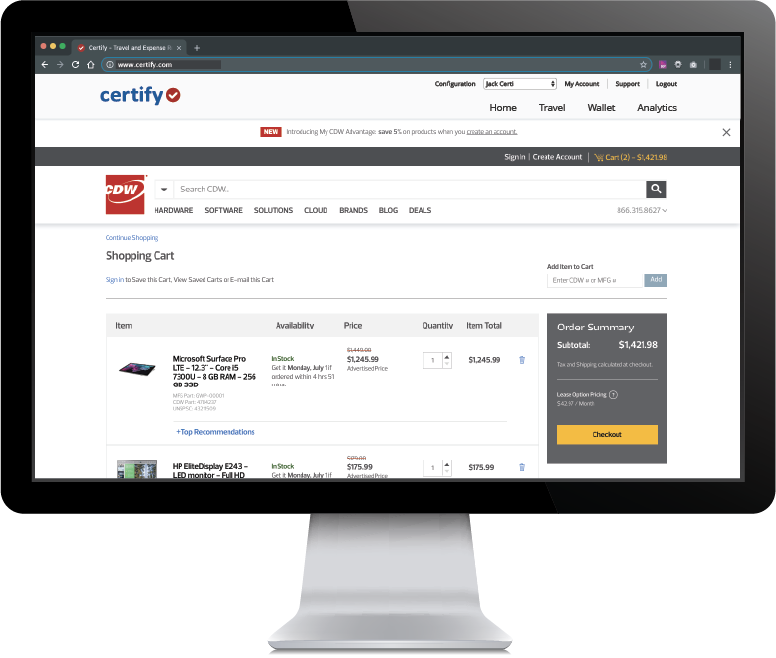 | FreshBooks Screenshots 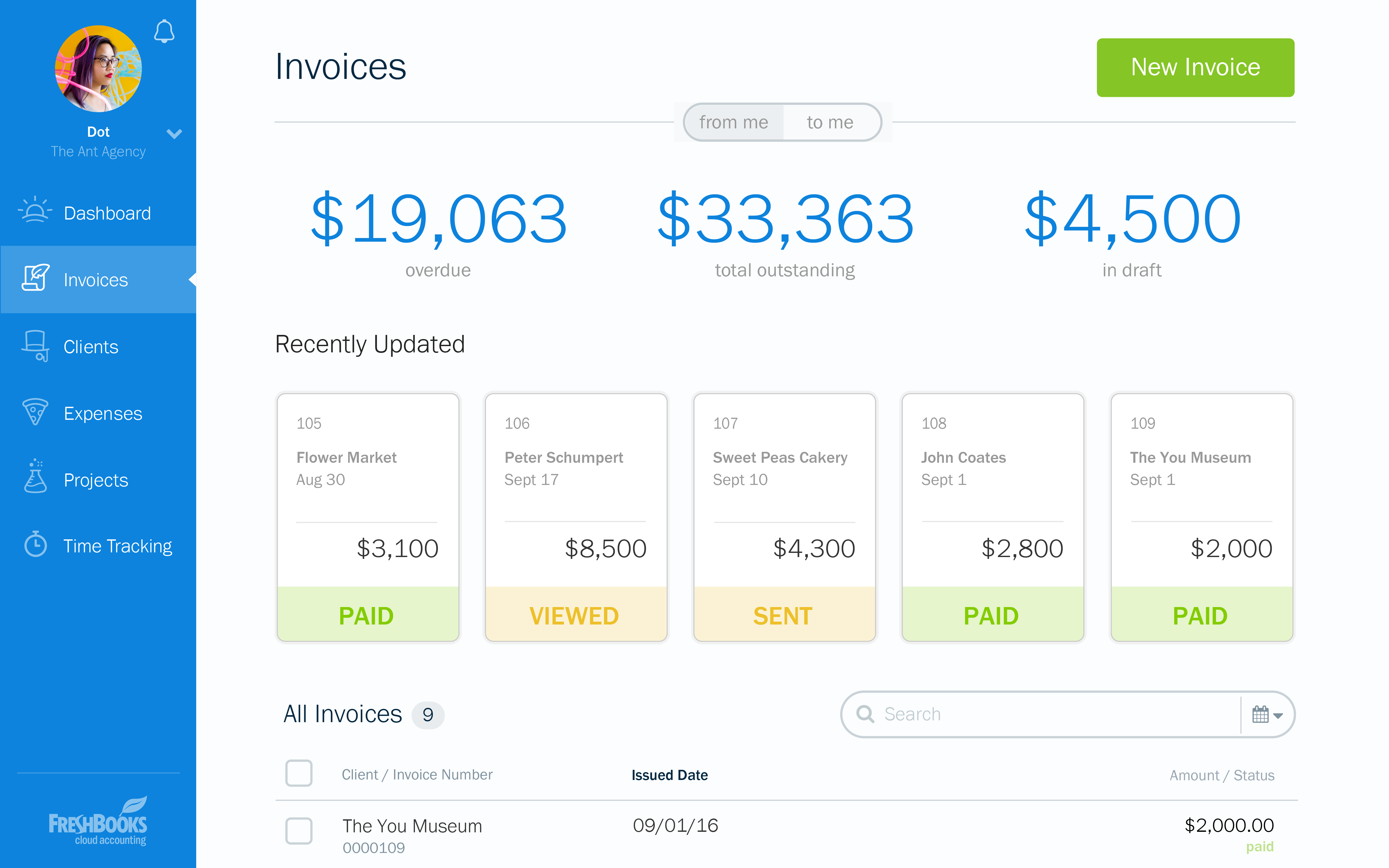   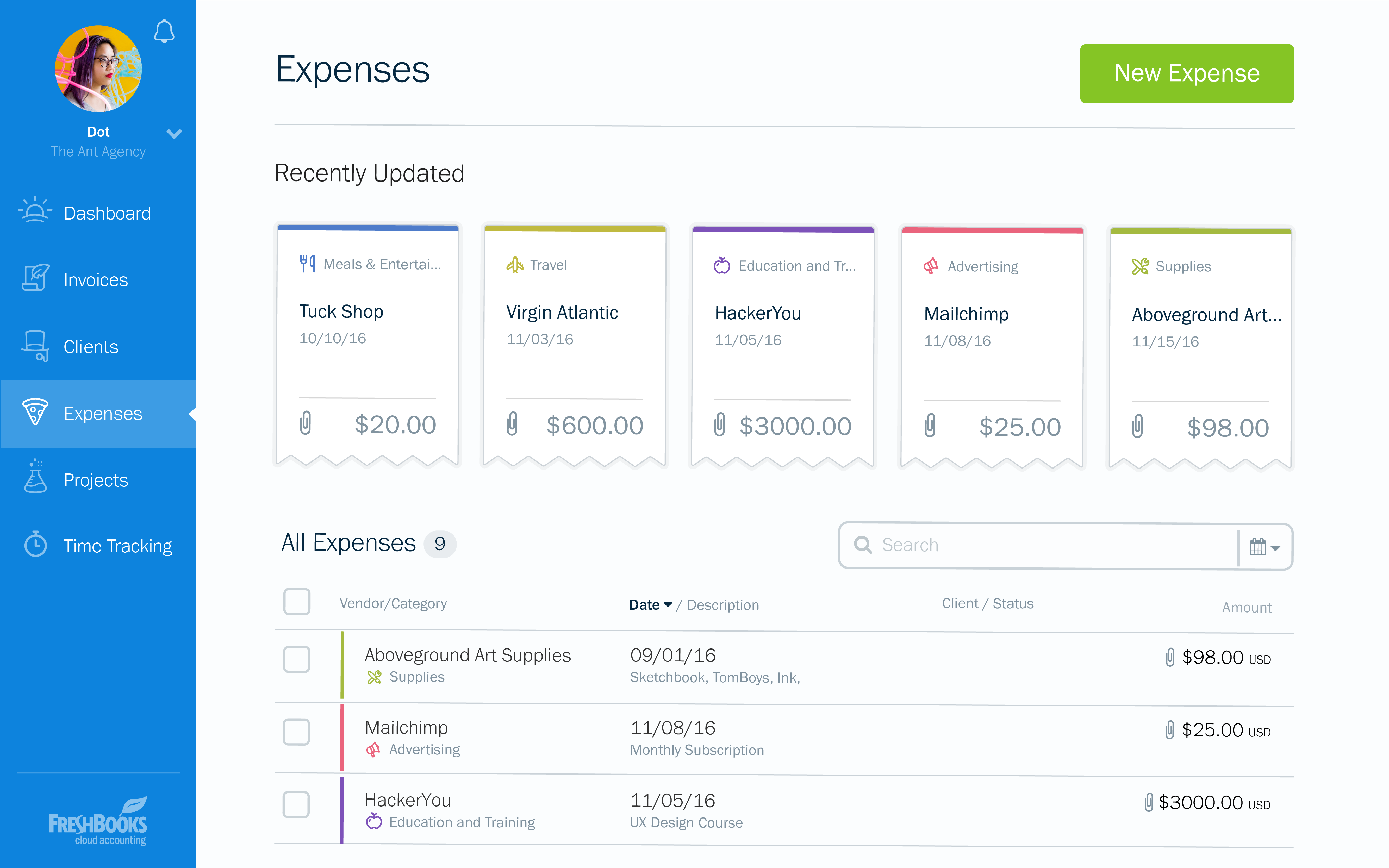  |
