Viennese company Apilayer offers eversign, an electronic signature application featuring document security and storage with audit trail, templates, contact management, and integrations with other popular applications (e.g. Dropbox, Google Docs, etc.).
$9.99
per month
airSlate SignNow
Score 8.5 out of 10
N/A
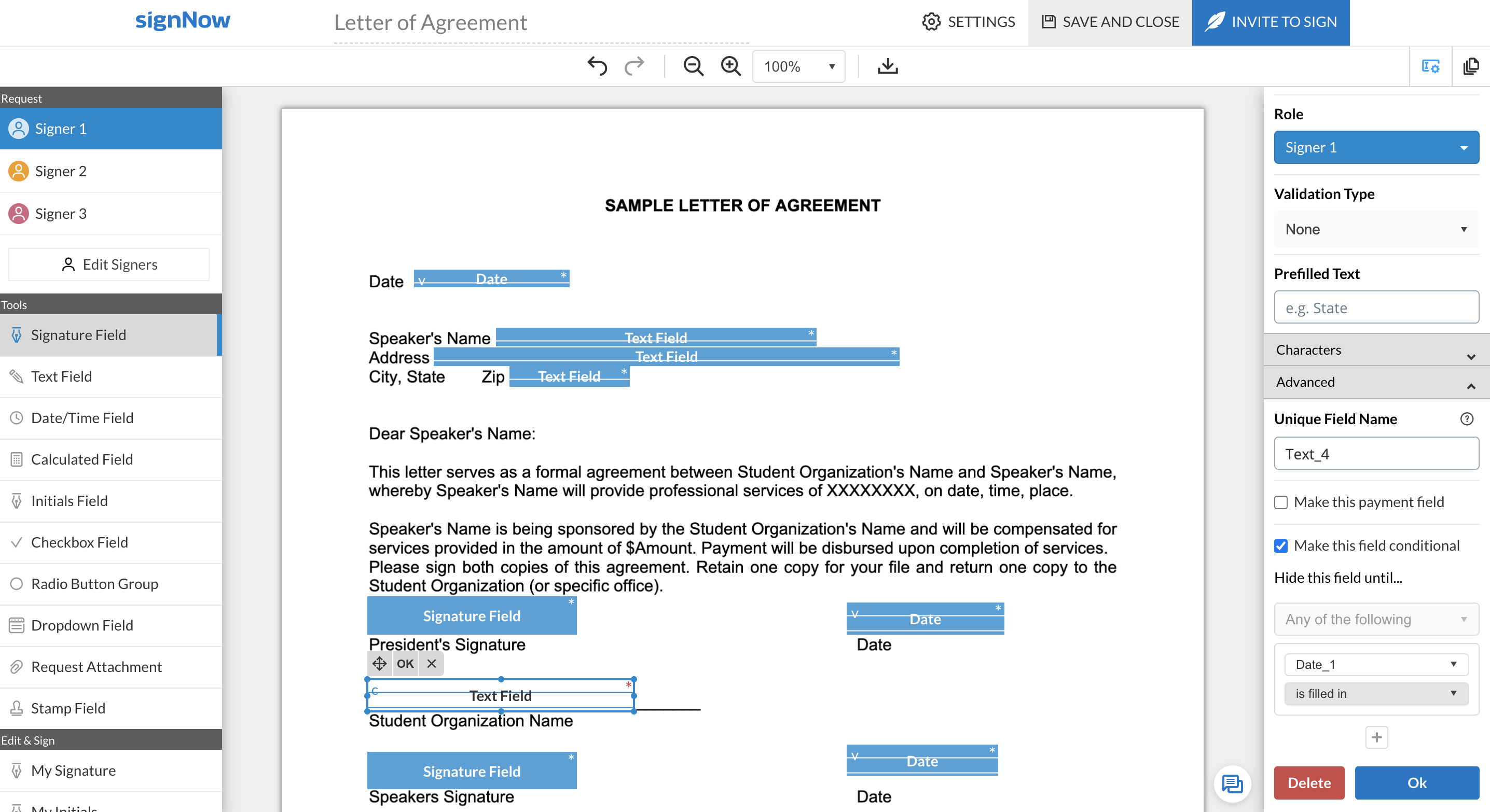
signNow is an eSignature solution with mobile apps for iOS and Android. signNow can be integrated into popular platforms and offers SaaS, public cloud, and private cloud deployment options with the same underlying API. This enables customers to leverage the power and usability of the signNow eSignature platform, while meeting their particular security and compliance requirements.
$1.50
one-time fee per signature invite
SignRequest, now part of Box
Score 9.5 out of 10
Small Businesses (1-50 employees)
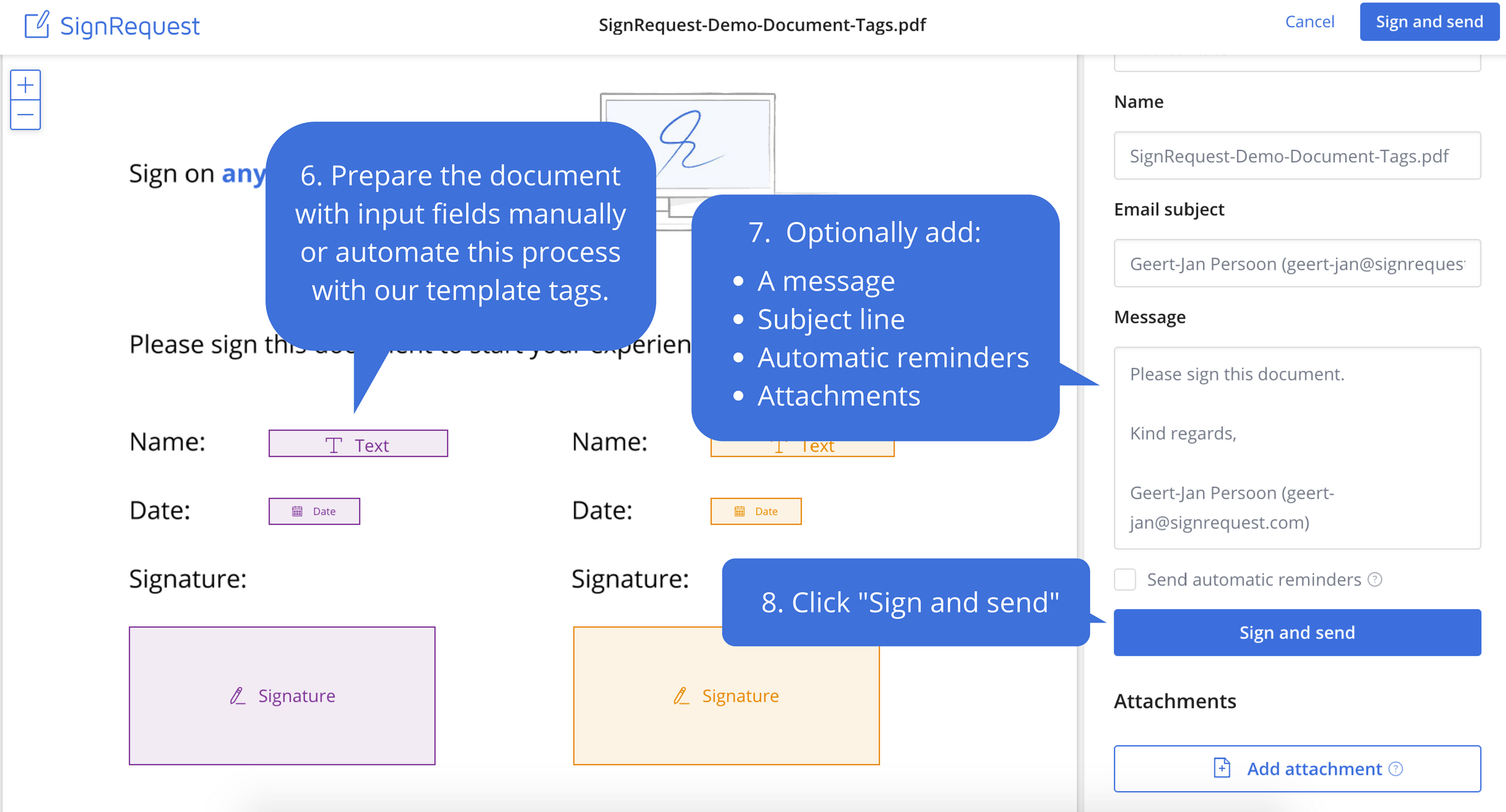
SignRequest was an e-signature platform acquired by Box in 2021. The eSignature tool is the basis for Box Sign, a feature now included in Box's core offering.
$0
per user
Pricing
eversign
airSlate SignNow
SignRequest, now part of Box
Editions & Modules
Basic
$9.99
per month
Professional
$39.99
per month
Professional Plus
$79.99
per month
Free
Free
Enterprise
Contact sales team
Site License
$1.50
one-time fee per signature invite
Business
$20
per month
Business Premium
$30
per month
Enterprise
$50
per month
Start
$0.00
per user
Professional
$8.00
per user
SME
minimal $16.00
$4.00 per user
Enterprise
Custom
per user
API
Custom
per installation
Offerings
Pricing Offerings
eversign
airSlate SignNow
SignRequest, now part of Box
Free Trial
No
Yes
Yes
Free/Freemium Version
Yes
No
Yes
Premium Consulting/Integration Services
No
Yes
Yes
Entry-level Setup Fee
No setup fee
-$8 per user/month
No setup fee
Additional Details
—
All subscriptions include unlimited number of users. Up to a 60% discount available for annual pricing.
For text message verification and bank payment verification additional fees apply
More Pricing Information
Community Pulse
eversign
airSlate SignNow
SignRequest, now part of Box
Considered Multiple Products
eversign
Verified User
Employee
Chose eversign
In terms of functionality and ease of use, DocuSign is the best option. However, it is also thousands of dollars more expensive for the same volume of documents per month than EverSign or SignRequest. Out of the more affordable options, EverSign has more functionality and …
SignNow's closest competitor is eversign. While they both do the same thing, SignNow has more features and allows you to draw documents from more locations (i.e. Dropbox and Google Drive) than anyone else. Their customer service is the best as well.
I think SignRequest offers more and more powerful customization options thank competitors. I wasn't a fan of the user interface and usability when trying to customize documents on competitors' products, but SignRequest was easy. I also like SignRequest's template functionality …
EverSign is well-suited for smaller organizations needing to sign any volume of documents, but is unable to afford more expensive options, like DocuSign. The functionality and options are impressive for how cost-effective it is compared to better-known alternatives. If you are sending many larger documents, EverSign may not be the best option. It can be difficult to review the documents in EverSign itself, so it's better suited to signing a larger document already reviewed off the platform. Organizations that can afford to pay the higher price for a more efficient option may want to do so.
SignNow is particularly useful for simple documents, forms and contracts where there the fields are pretty standards- names, signature block, title. It would be helpful to have features that allow substitution of certain fill in the blanks such that allow you to use the same template but first have a dialog to integrate language for a person, corporation, partnership or LLP. I'm a lawyer and having the ability to assemble variation of this nature into one template would be helpful. Also (and it may do this) the ability to change the actual form/document within the a template would be useful.
It works great for us; we deal with contractors in different parts of the world and it has been perfect for securing e-signatures from them and having a signed contract that both parties have access to. I'm not sure where it would be less appropriate—perhaps when there are significant legal risks or something of that nature, but with the types of transactions we've been dealing with, it's been perfect.
Ease of use. Unlike Docusign, when you create text fields on your doc, it allows you to enter the text into the box directly, whereas I have to click on the field and enter the text on the right hand side panel in Docusign.
Speed. The documents load pretty quickly.
Notification. It informs you every time a signer has signed the doc.
e-Signatures- Businesses are all working online today. Paper contracts are becoming more and more obsolete, so you need a solution that provides online contracts.
Price- SignRequest has one of the more attractive price points for businesses.
Usability- Our team was able to figure out how to use SignRequest without too much hassle, although some competitors have more intuitive products.
When using shared templates, the option to rename the document is at the bottom of the signatures page. I would like that to be visible sooner as some of my team misses it and sends documents to clients with the templated name instead of the correct name because they forgot to scroll down far enough to see it.
CC'ed contacts used to show suggestions as you typed the email if you've sent that person a document before, but that functionality no longer shows on our account. I'd like to see that brought back.
It would be nice if we could add folders to our documents page so that we could sort sent and signed documents into individual client folders. The search feature works fine, but folders would help clean up the view for my team.
The features are too limited. The biggest issue though is the flexibility for editing existing forms without having to create a whole new form. The other issues are its payment partner options, lack of automation, and logic flow. We plan to quit this software and use other software in its place.
In terms of core functionality - adding options for signatures, text, dates, check boxes, etc., as well as customising the body of the request, the title of the request, follow-ups / reminders for signature, etc., SignNow is great. It's really easy to navigate and use in this regard. SignNow loses points when it comes to the end-user who needs to sign. There's an option for them to either use the app (which is most prominent in the page that shows when they open the request) or to sign using their browser (which is much smaller). I had my assistant create this step by step guide for our clients, so they can complete the request the way we need them to:https://docs.google.com/presentation/d/1FopYjlykHMFjIAQjgaNLtNIvSCQND_kb86-U9bA5M2A/edit?usp=sharing As far as I'm aware, you can't make it mandatory for them to draw their signature, and there's no option to remove the prompt for them to download the app when signing on their mobile device. I really wish these were options, but they don't take away from the fact it does what it is intended to do, and it does it well.
SignNow is always available when I need it. It seems that most updates occur outside of business hours so I have full functionality when I need it most between the hours of 8am-6pm EST. There has only been I time when I experience application errors when I need to use the system but it did not last long and the issue was resolved within a few hours.
781 / 5,000Translation resultsTranslation resultMy experience with airSlate SignNow support has been super ok so far. I only had to contact them once because a document got stuck when I was signing it, so I sent them an email and they responded the next day. They solved the problem, but I found it a bit slow... They could have more direct support, like live chat or even WhatsApp. I believe that if there was a subscription plan for dedicated support it would also be very interesting. For example, a large company with several signature routines, including important signatures that block important workflow processes and sometimes with high added value, these companies, due to the risks, do not want to stop a process because of a signature, so they would not mind investing a little more in dedicated support. Minha experiência com o suporte do airSlate SignNow foi super ok até agora. Só precisei entrar em contato uma vez porque um documento travou na hora de assinar, aí mandei um e-mail e eles responderam no dia seguinte. Resolveram o problema, mas achei meio demorado... podia ter um suporte mais direto, tipo chat ao vivo ou até WhatsApp, acredito que se houvesse um plano de assinatura para suporte dedicado também seria bem interessante, por exemplo uma empresa grande com varias rotinas de assinaturas, entre elas temos assinaturas importantes que travem procesos de Workflow importantes e as vezes de alto valor agregrado, essas empresas devido as riscos não querem parar um processo por conta de um assinatura, por isso não ligariam de investir um pouco mais em suporte dedicado.
Easy to understand supporting documents with a great search feature to easily find the information I need for legal purposes, API connections, how to connect Gmail or G Suite, along with the ability to send a message to them. They don't seem to have an online chat feature or a call option, but that's why it's so inexpensive. Since it's already easy to use, it takes less time to find out information.
It was nice to be shown the basics of the system and be able to see or understand the specific functions our company would need to use, such as the template creation, document grouping and document group templates. Being taught on how to use these functions, made learning them much easier.
Make sure you know exactly what you need before implementation and be sure to ask how to use the most important functions of the system that you will be using.
DocuSign is another alternative. However, it is much more expensive. For a small business we tried to avid working with companies that are more expensive. DocuSign is more well known too, and perhaps has more features. However we can find other alternatives to these features. Like sorting and uploading these documents manually. However for a larger company, this would be something to take into account.
I chose airSlate SignNow over DocuSign primarily due to the superior ease of use and a more intuitive user interface (UI). airSlate SignNow's UI stood out with its simplicity and well-thought-out design, making the entire process of signing and managing documents much more straightforward.The drag-and-drop functionality and the ability to customize signature fields in airSlate SignNow were additional factors that tipped the scale in its favor. These features not only streamlined the signing process but also allowed for a more personalized and efficient document management experience.
Adobe Acrobat left me frustrated and annoyed. I was wasting hours each week trying to upload contracts and agreements and customize them for each client. It never sent right and ended up being more frustrating for us and our clients in the end. So I tested some other tools before coming across SignRequest in a Google search. I started with their free plan which offered so much for a small business owner. As our business grew, we upgraded and haven't looked back. From day one I've never had an issue with this tool and recommend it to anyone looking for an online easy to use software to manage signing documents and contracts