Read&Write is a literacy support tool that helps individuals of all abilities read, write, and express themselves with confidence. For education and the workplace, its assistive features include text-to-speech, word prediction, and research tools for users with diverse learning needs.
N/A
Unique Learning System
Score8.5 out of 10
N/A
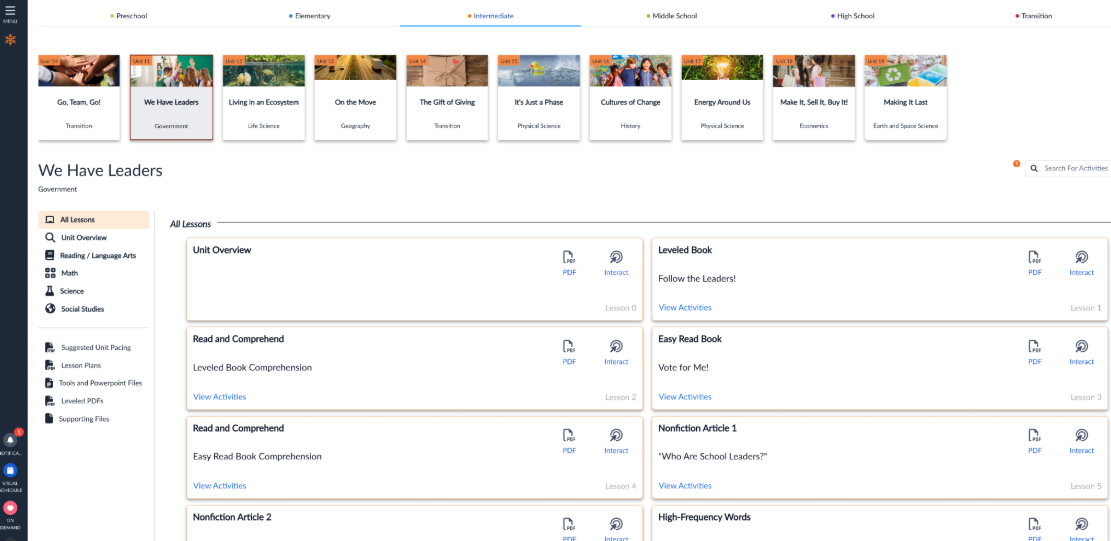
Unique Learning System (ULS) is a special education solution that supports students with disabilities from Pre-K through transition. It provides differentiated, standards-aligned lessons in ELA, math, science, social studies, and life skills with built-in assessments, progress tracking, and automated differentiation.
We chose Read&Write because it brings together so many helpful reading and writing tools in one place, and it works really well with the platforms we use, like Google and Chromebooks. We prefer it over Snap&Read and Co:Writer because it’s more user-friendly and easier for staff …
A de minimis incentive was given to thank the reviewer for their time. The incentive was not used to bias or drive a particular response, nor was the incentive contingent on a positive endorsement. More Info
A de minimis incentive was given to thank the reviewer for their time. The incentive was not used to bias or drive a particular response, nor was the incentive contingent on a positive endorsement. More Info
Teacher at SAUSD (E-Learning, 1001-5000 employees)
Chose Unique Learning System
ReadWorks offers specialized resources tailored for diverse learners, particularly those with special needs. For example, News-2-You focuses on current events with accessible content, while Boardmaker provides customizable visual supports and communication tools.
A de minimis incentive was given to thank the reviewer for their time. The incentive was not used to bias or drive a particular response, nor was the incentive contingent on a positive endorsement. More Info
Read&Write is especially well-suited to supporting students with reading accommodations during independent work, content-area instruction, and written-response tasks. In my 5th-grade classroom, one of the most effective scenarios is during science and social studies lessons, where students are expected to read complex informational texts independently. There can also be occasional challenges when websites, PDFs, or testing platforms are not fully compatible with all Read&Write features.
A de minimis incentive was given to thank the reviewer for their time. The incentive was not used to bias or drive a particular response, nor was the incentive contingent on a positive endorsement. More Info
I have actually recommended it to another teacher in a different district for her autism program since she could level and pace it easily and also easily collect IEP data without stressing out her students with extra work. Unique Learning System is also a good program for our autism program because it is consistent with all core subjects, making is very routine based.
A de minimis incentive was given to thank the reviewer for their time. The incentive was not used to bias or drive a particular response, nor was the incentive contingent on a positive endorsement. More Info
A de minimis incentive was given to thank the reviewer for their time. The incentive was not used to bias or drive a particular response, nor was the incentive contingent on a positive endorsement. More Info
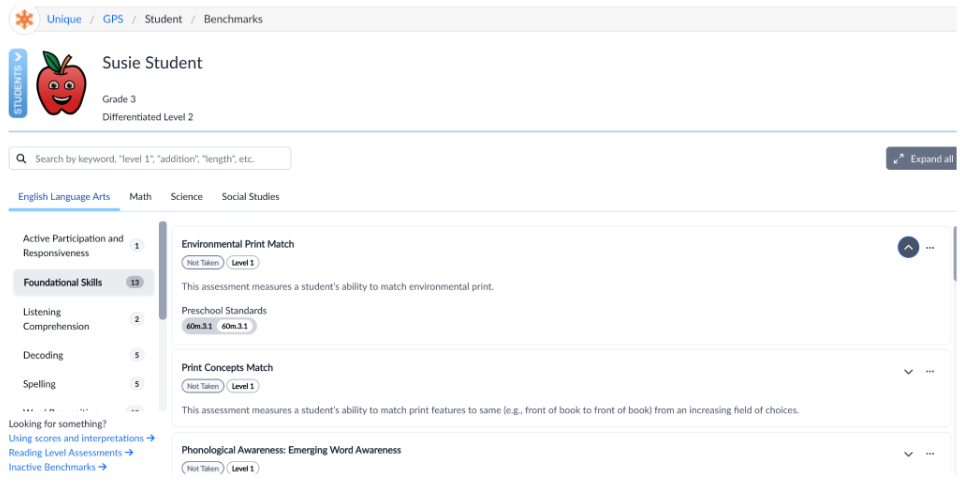
Data tracking and progress reports - Unique Learning System's Polaris feature is a user-friendly, simple way to track and monitor progress towards learners IEP goals. When creating a roadmap that follows a learner's IEP, you input data such as learning profiles and benchmark assessments and rubrics that then produce goal suggestions. You can craft your own goal, use a suggested goal, or choose a goal from the goal library. It gives you a great idea of what goals to target based on learner needs and progress. Entering data is super easy, just a date and a data point, and a graph generates for you. From there, it will show the data trend and flag it for you when it's at risk. It is also easy to add an intervention. Quarterly, I use the progress report feature to generate a report that provides me with the graphs that I use to put into IEP writer.
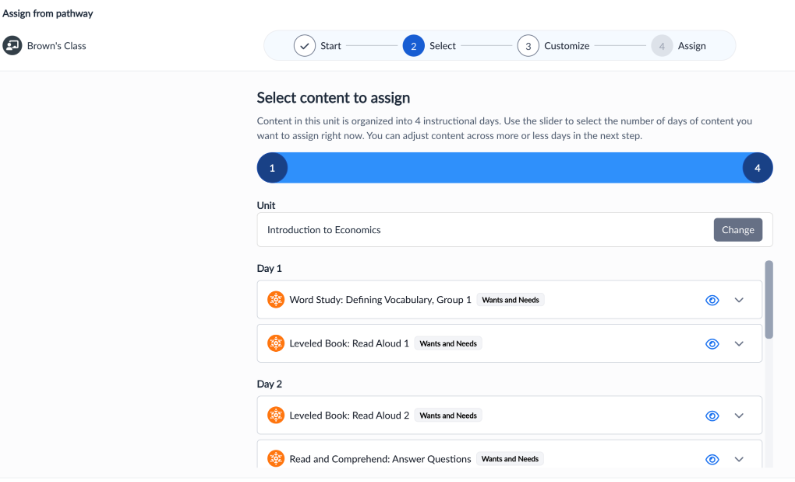
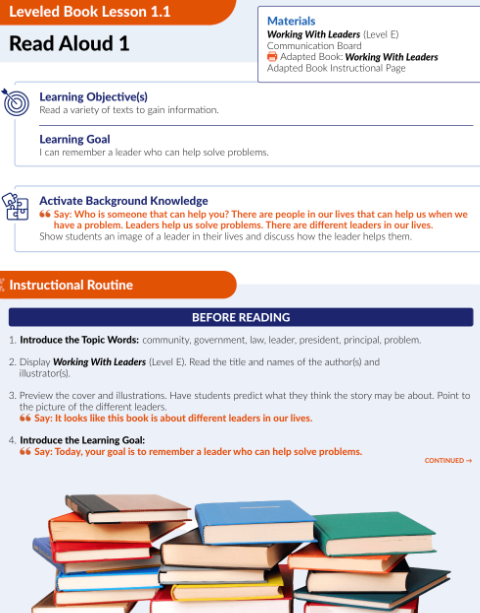
Curriculum pacing - My school utilizes Unique Learning System for our daily instruction. Unique Learning System provides pacing guides with what to teach and when. Everything is standards aligned and all of the lesson plans have ways that you can differentiate already built into the plans as well as an easy to use, structured/routine based set up that makes daily lessons predictable for learners to increase engagement.
N2Y - My learners love News To You! This provides children with access to informational text. We use it as a "fun Friday" read every week. We read the article in class, watch videos, answer questions, and typically do an activity to go along with it. The kids look forward to it every week, and also enjoy the Joey's Locker games that go along with the articles. They have a new feature to be able to assign activities that go along with the article which is really nice because I assign them as supplemental activities to go along with what we are learning about in class!
A de minimis incentive was given to thank the reviewer for their time. The incentive was not used to bias or drive a particular response, nor was the incentive contingent on a positive endorsement. More Info
I would like to use the practice reading aloud tool more, but the kids that I work with have a hard time understanding the concept. I think that, while there are a lot of tools available, sometimes they are hard for younger students to understand.
The hover to read function is nice as well, but my students struggle with the fact that if you move the mouse once it starts reading it will start all over in a new area. It's not as smooth as I would like it to be.
A de minimis incentive was given to thank the reviewer for their time. The incentive was not used to bias or drive a particular response, nor was the incentive contingent on a positive endorsement. More Info
Unique Learning System's materials in the science and social studies areas aren't "fluffy" as other areas, but they are continuously adding materials
The layout of the website isn't the most user friendly, but most teachers are able to navigate easily after an initial training
The administrator side of things isn't super straightforward, reports can be confusing to find/run, but the one on one meetings always provide clarity.
A de minimis incentive was given to thank the reviewer for their time. The incentive was not used to bias or drive a particular response, nor was the incentive contingent on a positive endorsement. TR verified that a representative sample of customers was invited. More Info
I'm just really impressed with the software and the access it gives to learners who are used to coming up against barriers in education. It's a quick-fix for a learner - something they can access usefully and productively with very little training. I also love that learners can access Read&Write on their devices at home - that really is a game changer.
A de minimis incentive was given to thank the reviewer for their time. The incentive was not used to bias or drive a particular response, nor was the incentive contingent on a positive endorsement. More Info
I appreciate all the various resources that Unique Learning System has to offer. However, due to my limited interaction with other resources similar to Unique Learning System I do not know enough to compare it against other programs. I also am not a person in charge of renewing Unique Learning System for my organization.
A de minimis incentive was given to thank the reviewer for their time. The incentive was not used to bias or drive a particular response, nor was the incentive contingent on a positive endorsement. More Info
I am giving this an 9. Not a perfect score because working on PDFs is better but not yet as easy as I need for it to be. Working with many students who have executive function challenges, I need a smooth simplistic access method. We are not quite there yet for writing on PDFs. Overall the toolbar on Read&Write is super easy to access and I love that the suite includes several tools on the toolbar providing a solution to many accessibility challenges.
A de minimis incentive was given to thank the reviewer for their time. The incentive was not used to bias or drive a particular response, nor was the incentive contingent on a positive endorsement. More Info
There is a lot of content in Unique Learning System. It can sometimes be time consuming to navigate through everything. I appreciate the depth and breadth of the resources, but it can also be tough to use when I need a worksheet or packet for my students. The use of Unique Learning System on the computer is great, but my students seem to learn best when they have a pen and paper in front of them.
A de minimis incentive was given to thank the reviewer for their time. The incentive was not used to bias or drive a particular response, nor was the incentive contingent on a positive endorsement. More Info
A de minimis incentive was given to thank the reviewer for their time. The incentive was not used to bias or drive a particular response, nor was the incentive contingent on a positive endorsement. More Info
A de minimis incentive was given to thank the reviewer for their time. The incentive was not used to bias or drive a particular response, nor was the incentive contingent on a positive endorsement. More Info
A de minimis incentive was given to thank the reviewer for their time. The incentive was not used to bias or drive a particular response, nor was the incentive contingent on a positive endorsement. More Info
A de minimis incentive was given to thank the reviewer for their time. The incentive was not used to bias or drive a particular response, nor was the incentive contingent on a positive endorsement. More Info
The support team at Texthelp is excellent. They're all super helpful and open to feedback and new ideas. Still, more importantly, they are ultimately fully committed to aligning with us and ensuring they help us provide the best education possible. Furthermore, they're open to new features and always communicate this incredibly well.
A de minimis incentive was given to thank the reviewer for their time. The incentive was not used to bias or drive a particular response, nor was the incentive contingent on a positive endorsement. More Info
A de minimis incentive was given to thank the reviewer for their time. The incentive was not used to bias or drive a particular response, nor was the incentive contingent on a positive endorsement. More Info
A de minimis incentive was given to thank the reviewer for their time. The incentive was not used to bias or drive a particular response, nor was the incentive contingent on a positive endorsement. More Info
A de minimis incentive was given to thank the reviewer for their time. The incentive was not used to bias or drive a particular response, nor was the incentive contingent on a positive endorsement. More Info
It took a solid 2 weeks for R&W to work on our students chromebooks even after reaching out to tech support. The toolbar was greyed out and not accessible to students. Took a long time before tech support helped us solve this problem.
A de minimis incentive was given to thank the reviewer for their time. The incentive was not used to bias or drive a particular response, nor was the incentive contingent on a positive endorsement. More Info
A de minimis incentive was given to thank the reviewer for their time. The incentive was not used to bias or drive a particular response, nor was the incentive contingent on a positive endorsement. More Info
We are still learning how to use Equatio. I am not a mathematician and therefore I am finding understanding it a bit more difficult. Once I understand how to use it I will be able to cascade it down. My hope is that it will be as useful as Read & Write
A de minimis incentive was given to thank the reviewer for their time. The incentive was not used to bias or drive a particular response, nor was the incentive contingent on a positive endorsement. More Info
We viewed Encore by TeachTown. The product seemed to be a notch above Unique Learning System and included workbooks and other books but was very expensive. The downfalls of Encore was that it did not include the Profile Assessments like Unique Learning System and also the monthly checkpoints which are very valuable.
A de minimis incentive was given to thank the reviewer for their time. The incentive was not used to bias or drive a particular response, nor was the incentive contingent on a positive endorsement. More Info
A de minimis incentive was given to thank the reviewer for their time. The incentive was not used to bias or drive a particular response, nor was the incentive contingent on a positive endorsement. More Info
A de minimis incentive was given to thank the reviewer for their time. The incentive was not used to bias or drive a particular response, nor was the incentive contingent on a positive endorsement. More Info
A de minimis incentive was given to thank the reviewer for their time. The incentive was not used to bias or drive a particular response, nor was the incentive contingent on a positive endorsement. More Info
A de minimis incentive was given to thank the reviewer for their time. The incentive was not used to bias or drive a particular response, nor was the incentive contingent on a positive endorsement. More Info
Ease of planning is #1. I am able to plan an entire lesson or a week's worth of lessons during my 30-minute planning time.
Data that is collected for IEPs is so valuable and reports are parent-friendly.
Students are able to work on the alternative path toward a diploma because this curriculm is covering all of the standards they need to see in order to earn their diploma.