Overview
ProductRatingMost Used ByProduct SummaryStarting Price
FogBugz
Score 7.0 out of 10
N/A
A software project management system used to plan, track and release great software with this lightweight and customizable system that integrates into any project management workflow. FogBugz is designed for software development teams and includes all the project management tools developers need straight out of the box. Users can: Track projects from start to finish - With tasks and subtasks for each case with required details and track them to ensure…
$62
per month
monday.com
Score 8.3 out of 10
Mid-Size Companies (51-1,000 employees)
monday.com Work OS is an open platform designed so that anyone can create the tools they need to run all aspects of their work. It includes ready-made templates or the ability to customize any work solution ranging from sales pipelines to marketing campaigns, CRMs, and project tracking.
$36
per month (3 seats)
WorkOtter PPM
Score 9.1 out of 10
Mid-Size Companies (51-1,000 employees)
WorkOtter is presented by the vendor as a simple, flexible, and scalable project portfolio management (PPM) solution for IT, Engineering, and Professional Service PMOs. The software manages the lifecycle of work from ideas through project planning, control, lessons learned, and close. Projects can then be rolled up to Programs (multi project efforts) or Portfolios (Roadmaps with What If Scenarios). All features were designed to support Project Teams with simplicity and usability in mind.…
$10
per user per month
Pricing
FogBugzmonday.comWorkOtter PPM
Editions & Modules
3 Years
$62
per month
2 years
$64
per month
1 Year
$68
per month
Monthly
$75
per month
Basic
$12
per month per user
Standard
$14
per month per user
Pro
$24
per month per user
Enterprise
Contact Sales
Contact us
Time/Status
$10
per user per month
Team
$20
per user, per month
Manager
$35
per user, per month
Offerings
Pricing Offerings
FogBugzmonday.comWorkOtter PPM
Free Trial
YesYesYes
Free/Freemium Version
NoYesNo
Premium Consulting/Integration Services
NoYesYes
Entry-level Setup FeeNo setup feeNo setup feeNo setup fee
Additional DetailsYearly plan: Save 18% Monthly plan also availableTime/Status Tier is BEST FOR: Contractors, Consultants, Limited Team Members FUNCTIONALITY AVAILABLE:Timesheets, Adjust Estimate To Complete, Create Notes for PM and Team Members Team Tier is BEST FOR: Customers, Suppliers, Contractors, Consultants, Team Members FUNCTIONALITY INCLUDES TIME/STATUS PLUS: My Home Dashboards, Support Log Updates, Issue Updates, Changes, Timesheet & Expenses, Risks, Action Items Limited, Reporting, E-Mail Updates, Chat & Collaboration Manager Tier is BEST FOR: Project Managers, Program Managers, Executives, PMO Department Managers, Administrators FUNCTIONALITY INCLUDES TEAM PLUS: Project Management, Microsoft Project -Way Sync, Dashboard Reporting, Program Management, Resource Management, Portfolio Management, Workflow Management, Estimating and Templates
More Pricing Information
Community Pulse
FogBugzmonday.comWorkOtter PPM
Features
FogBugzmonday.comWorkOtter PPM
Project Management
Comparison of Project Management features of Product A and Product B
FogBugz
-
Ratings
monday.com
8.3
2257 Ratings
7% above category average
WorkOtter PPM
9.9
2 Ratings
25% above category average
Task Management00 Ratings9.22243 Ratings10.01 Ratings
Resource Management00 Ratings8.31916 Ratings10.02 Ratings
Gantt Charts00 Ratings8.21313 Ratings10.02 Ratings
Scheduling00 Ratings8.41871 Ratings10.02 Ratings
Workflow Automation00 Ratings8.61949 Ratings10.01 Ratings
Team Collaboration00 Ratings9.22197 Ratings9.01 Ratings
Support for Agile Methodology00 Ratings8.21167 Ratings10.01 Ratings
Support for Waterfall Methodology00 Ratings7.01 Ratings00 Ratings
Document Management00 Ratings7.91814 Ratings00 Ratings
Email integration00 Ratings7.81616 Ratings00 Ratings
Mobile Access00 Ratings8.11793 Ratings00 Ratings
Timesheet Tracking00 Ratings7.61052 Ratings10.01 Ratings
Change request and Case Management00 Ratings9.21165 Ratings10.01 Ratings
Budget and Expense Management00 Ratings8.01042 Ratings00 Ratings
Professional Services Automation
Comparison of Professional Services Automation features of Product A and Product B
FogBugz
-
Ratings
monday.com
8.1
1021 Ratings
4% above category average
WorkOtter PPM
-
Ratings
Quotes/estimates00 Ratings8.1683 Ratings00 Ratings
Project & financial reporting00 Ratings8.2905 Ratings00 Ratings
Integration with accounting software00 Ratings8.1509 Ratings00 Ratings
Best Alternatives
FogBugzmonday.comWorkOtter PPM
Small Businesses
GitLab
GitLab
Score 8.7 out of 10
Stackby
Stackby
Score 8.9 out of 10
Stackby
Stackby
Score 8.9 out of 10
Medium-sized Companies
GitLab
GitLab
Score 8.7 out of 10
InEight
InEight
Score 8.4 out of 10
InEight
InEight
Score 8.4 out of 10
Enterprises
GitLab
GitLab
Score 8.7 out of 10
InEight
InEight
Score 8.4 out of 10
InEight
InEight
Score 8.4 out of 10
All AlternativesView all alternativesView all alternativesView all alternatives
User Ratings
FogBugzmonday.comWorkOtter PPM
Likelihood to Recommend
7.0
(4 ratings)
8.6
(2256 ratings)
10.0
(2 ratings)
Likelihood to Renew
-
(0 ratings)
9.1
(32 ratings)
-
(0 ratings)
Usability
-
(0 ratings)
8.4
(2185 ratings)
-
(0 ratings)
Availability
-
(0 ratings)
8.2
(8 ratings)
-
(0 ratings)
Performance
-
(0 ratings)
8.6
(8 ratings)
-
(0 ratings)
Support Rating
-
(0 ratings)
8.1
(1903 ratings)
-
(0 ratings)
In-Person Training
-
(0 ratings)
9.1
(1 ratings)
-
(0 ratings)
Online Training
-
(0 ratings)
9.1
(4 ratings)
-
(0 ratings)
Implementation Rating
-
(0 ratings)
9.1
(7 ratings)
-
(0 ratings)
Configurability
-
(0 ratings)
8.2
(6 ratings)
-
(0 ratings)
Ease of integration
-
(0 ratings)
9.0
(6 ratings)
-
(0 ratings)
Product Scalability
-
(0 ratings)
6.9
(8 ratings)
-
(0 ratings)
Vendor post-sale
-
(0 ratings)
9.0
(6 ratings)
-
(0 ratings)
Vendor pre-sale
-
(0 ratings)
9.0
(6 ratings)
-
(0 ratings)
User Testimonials
FogBugzmonday.comWorkOtter PPM
Likelihood to Recommend
IgniteTech
FogBugz has been a very useful tool to our organization, and much preferred over other options we reviewed, mainly JIRA. There are still some improvements needed, but with the fairly recent acquisition by DevFactory, we have a great deal of hope for what is in store given DevFactory's focus and transparency. It seems like both DevFactory and FogBugz customers are eager for substantial improvements on the front-end, but there is/was a great deal of backend housecleaning that definitely needed to take place first.
Read full review
monday.com
The platform is very well suited for our nonprofit programs that serve low-income clients who need diapers, wipes, and period products. It has helped us run our programs, capturing information and allowing us to view the data for reporting purposes. The ability to filter data is very helpful by allowing us to categorize information to get a better picture of the progress of our programs.
Read full review
WorkOtter
I know it works well for IT but not sure how it would work for construction. I think construction has a different set of needs.
Read full review
Pros
IgniteTech
  • Tasks, Subtasks, and notes. All three of these areas were critical for our team. Tasks in Fogbugz were a bit easier to see than in more bug based software like Trello or JIRA
  • The entire screen is used to view a task or case. Clicking on a task or case will open up and take up the entire screen, aside from the sidebar nav columns. I like to see details and I think Fogbugz does this very well, using up as much digital real estate as possible.
  • Flowcharting in Fogbugz with Creately is nice - instead of getting an exterior flowchart software like Lucidchart, Creately works right in Fogbugz.
Read full review
monday.com
  • I like summary of subitems, especially with subitasks as subitems and add item tracking for each subtask it can show total tracked in parent item. Similar with other columns, like numbers, status, date.
  • Dashboard features, Many kinds of dashboard view available, we can utilize on the basis of requirements.
  • monday.com workform is very powerful, easily share form link when submitted it will create line item in board with provided data.
  • monday.com automation is very helpful in order to automate steps with specific rules and easy setup.
  • monday.com also provides integrations in order to automate processes if need to integrate multiple app together. or need to transfer data between multiple apps.
Read full review
WorkOtter
  • Users find it easy to use which is important if you have a large number of users who don't have time for a lot of training or when new hires come on-board.
  • WorkOtter has a lot of advanced features that we don't use but when we do need one, it is nice to know the feature is waiting for us. We have used several of these features for special projects.
  • It does a good job with resource management.
Read full review
Cons
IgniteTech
  • The simplicity of a single admin type user is not great because anyone who can create a job or client in the system, can also add and delete users. Content and User administrative rights should be separated.
  • There are ways to change the terminology/lexicon within the tool, but we are not able to get it to work even after reaching out to tech support. So we are forced to use the system terminology that doesn't match up to our company making training a bit difficult.
  • There is a subscribe function that you can opt into, there should be a way to add subscribers as you create a new task.
Read full review
monday.com
  • The desktop app for Mac seems to have a few issues with visual glitches appearing on screen, it only seems to go away when I close the tool and reopen it
  • Subtasks don't show on the individual users to-do list, only main level tasks
Read full review
WorkOtter
  • Nothing significant. Maybe could be faster at times but I'm not sure if that is our own internet connection.
Read full review
Likelihood to Renew
IgniteTech
No answers on this topic
monday.com
Teams involved in content creation, such as marketing or editorial teams, could use monday.com to manage the entire content lifecycle. Boards might track content ideas, assignments, drafts, reviews, approvals, and publication schedules, helping teams collaborate and keep content production on track.
Read full review
WorkOtter
No answers on this topic
Usability
IgniteTech
No answers on this topic
monday.com
I give monday.com a 10/10 because I almost never encounter any lag or connectivity issues despite all of the many templates, boards, and automations we have. As a matter of fact, I feel like the last issue I encountered was over a year ago... and I'm in monday.com every single work day. Not only is monday trustworthy, it is easy to find what I'm looking for... making the overall usability extremely hard to beat.
Read full review
WorkOtter
No answers on this topic
Reliability and Availability
IgniteTech
No answers on this topic
monday.com
There have only been 2 instances in the past year where monday.com was down.
Read full review
WorkOtter
No answers on this topic
Performance
IgniteTech
No answers on this topic
monday.com
Everything performs fairly well. Every now and then there are user errors where an employee will not click "ok" on a note they've created and simply exit out (I do wish that something was in place to prevent this, such as a pop "are you finished?")
Read full review
WorkOtter
No answers on this topic
Support Rating
IgniteTech
No answers on this topic
monday.com
monday.com only really care about accounts that have 20 seats or more. While this is great for monday.com, it pushes smaller organisations to evaluate alternatives. We rate monday.com highly in our organisation because key staff have already got good experience with the application and we know we will get to 20+ seats one day. But, till then the billing model and lack of permanent enterprise features is a dread.
Read full review
WorkOtter
No answers on this topic
Online Training
IgniteTech
No answers on this topic
monday.com
To have someone walk you thru the features and capabilities of Monday.com is priceless. Someone also coming along later in the contract to see if you are maximizing the program to suit your company needs is beyond helpful. The staff that have provided this training are fun, creative and very patient.
Read full review
WorkOtter
No answers on this topic
Implementation Rating
IgniteTech
No answers on this topic
monday.com
We signed up for the accounts. Created the accounts. Ran the trial version and tested it live while we were running multiple projects and found that it was fitting our needs perfectly. When the trial ended and we were asked to purchase the full version, we did. We have found other ways to use it and it's a breeze.
Read full review
WorkOtter
No answers on this topic
Alternatives Considered
IgniteTech
I like JIRA a lot better than Fogbugz for many reasons. If I had a choice, I'd use JIRA every time
Read full review
monday.com
monday.com is simpler and easier to grasp, apply and navigate than ClickUp, but the ClickUp free version has so much more functionality available than the monday.com free / low-cost options (sorry, but it's true!). Google Tasks is really simple and I shouldn't really compare them - it's just really nice to be able to see my tasks right next to my Google Calendar or Gmail (widget) - the "all on one" view on the screen is really nice ease of access, but the power of monday.com outweighs the nice-to-have of an all-in-one screen layout - it feels clumsy to bring in all my Calendar items from Google to monday.com, so an integration app to the Google screen where you can see monday.com tasks would be amazing.
Read full review
WorkOtter
No answers on this topic
Scalability
IgniteTech
No answers on this topic
monday.com
For it to work across multiple departments and sites, I would like to see improvements made with integrations and automation. For this question, I am acknowledging not only the addition of internal triggers/automation, but also an expansion on external ones.
Read full review
WorkOtter
No answers on this topic
Return on Investment
IgniteTech
  • Saves time by quickly allowing Developers to make the necessary notes without getting bogged down in bloated UIs
  • Has allowed us to look back easily and see the exact code changes made for the exact Case to aid in decisions for current changes, increasing the certainty of the decided path, without regression
Read full review
monday.com
  • >25% of our org is using monday.com to build Boards & projects. Only 5% used our prior Work Management System.
  • 100% of project communication is kept within monday.com. Which means we don't have to search Slack, Email, or other places to find a message.
  • 100% of our project files are kept or linked with monday.com. So, we don't have to find missing files in other locations.
  • monday.com integrates with Salesforce, so we don't have to manually duplicate data
  • 3rd-Party solutions are linking to our monday.com data and producing reports as humans read reports.
Read full review
WorkOtter
  • I think it has really helped us make sure we are using resources effectively but I think it is hard to prove. Although we don't have hard ROI numbers, I believe the general feeling is that you really need a good PPM tool or will waste a lot of time and money.
  • It helps with communication since we have a standard process.
Read full review
ScreenShots

monday.com Screenshots

Screenshot of Work OSScreenshot of Ready-Made TemplatesScreenshot of MobileScreenshot of Visual BoardsScreenshot of Real-time NotificationsScreenshot of Automations

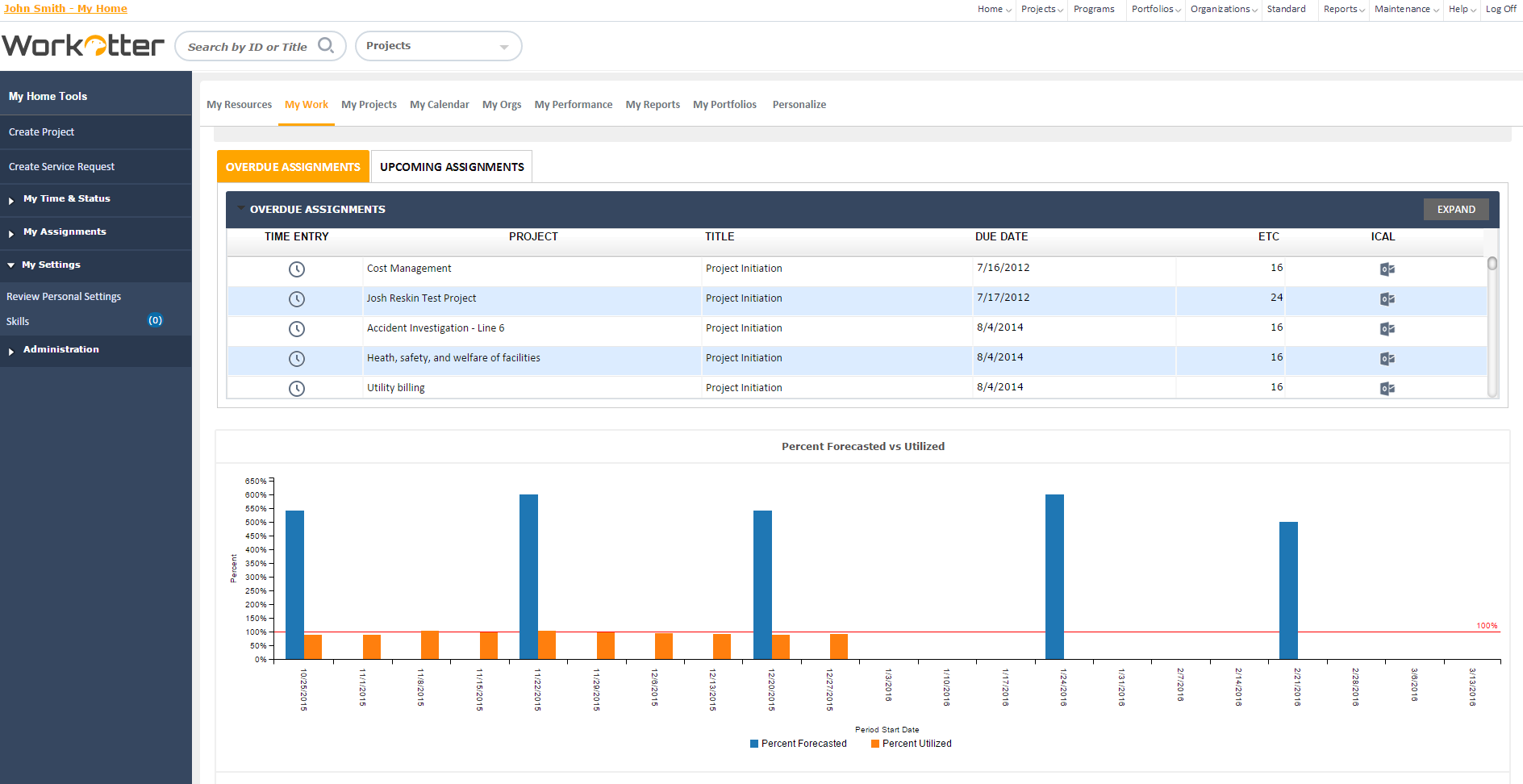
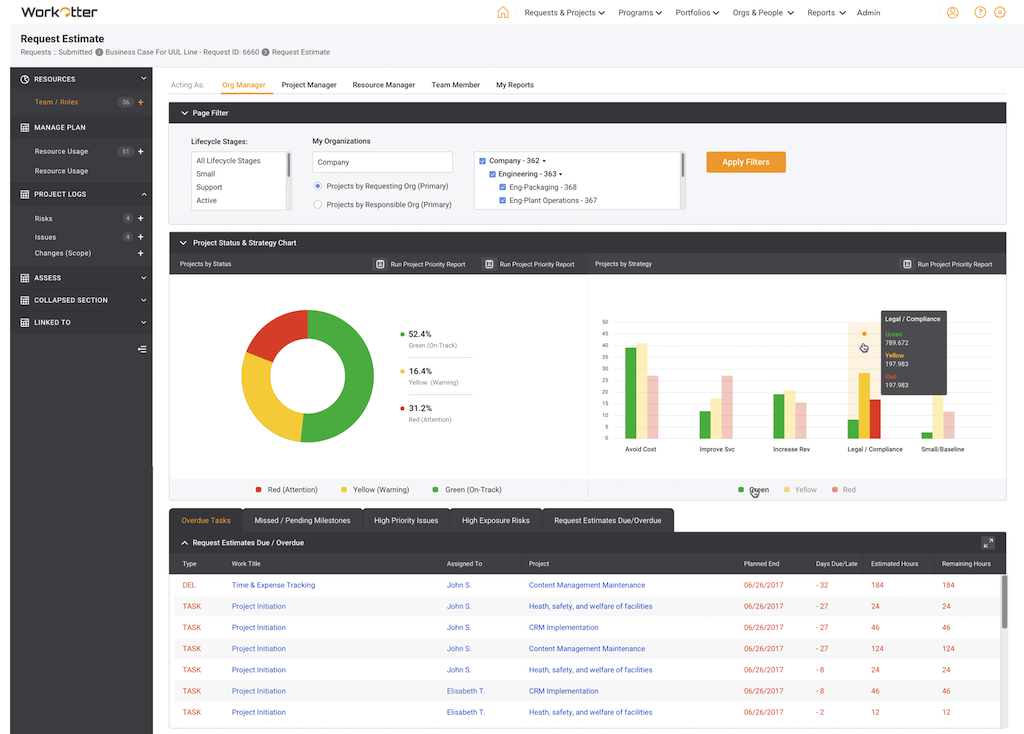
WorkOtter PPM Screenshots

Screenshot of Dashboard viewScreenshot of WorkOtter MyWork viewScreenshot of Dashboard OverviewScreenshot of Resource Usage for People, Tasks, Time, BudgetScreenshot of Over/Under resource allocation viewScreenshot of Project Management Workflow - Customizable