Google Drive is a cloud file storage, synchronization, and collaboration platform and service, that features Google Docs, Sheets, and Slides for document editing and presentation.
$6
per month
pCloud
Score 6.9 out of 10
N/A
pCloud is a cloud- based digital asset management platform that provides access to all digital content including images,video, audio, documents, and more, anytime, anywhere, on any device. Users can keep important files safe and centralized in one place, and share with team members, clients, etc. across the globe with controlled access and permissions to the digital library. The vendor says that the product has a user-friendly interface that clearly shows where everything is located and…
$29.97
per month 3 users
Revver
Score 9.0 out of 10
Small Businesses (1-50 employees)
Revver (formerly eFileCabinet) aims to help businesses reduce their dependency on paper and efficiently complete their document work. Revver does this by helping customers store and organize documents, quickly find information and files, collaborate on document work, automate business processes, and be secure and compliant. The vendor’s clients are typically companies that have frequent customer interaction, require high levels of documentation, and have offices in which compliance and…
N/A
Pricing
Google Drive
pCloud
Revver
Editions & Modules
Basic
$6.00
per month
Business
$12.00
per month
Enterprise
Contact Vendor for Quote
per month
pCloud Business
$9.99
per month per user (1 TB storage per user, 3+ users)
Business Pro
$19.98
per month per user (2 TB storage per user, 3+ users)
No answers on this topic
Offerings
Pricing Offerings
Google Drive
pCloud
Revver
Free Trial
Yes
No
No
Free/Freemium Version
Yes
Yes
No
Premium Consulting/Integration Services
No
No
Yes
Entry-level Setup Fee
No setup fee
Optional
Required
Additional Details
Discounts are available for students, educators, and non profit organizations.
I really like to use all of them together in order to achieve different goals in my job, hobbies, and other personal activities like sharing trip photos, backing up videos, and important job data. My main cloud services tool for work is OneDrive, but when something comes up I …
pCloud
Verified User
Consultant
Chose pCloud
pCloud has a wonderful UI that is very simple for anyone to use as compared to another device. It also has crypto technology which makes it highly secure and efficient. Other platform doesn't have that level of security in them. It also has great features to use like pCloud …
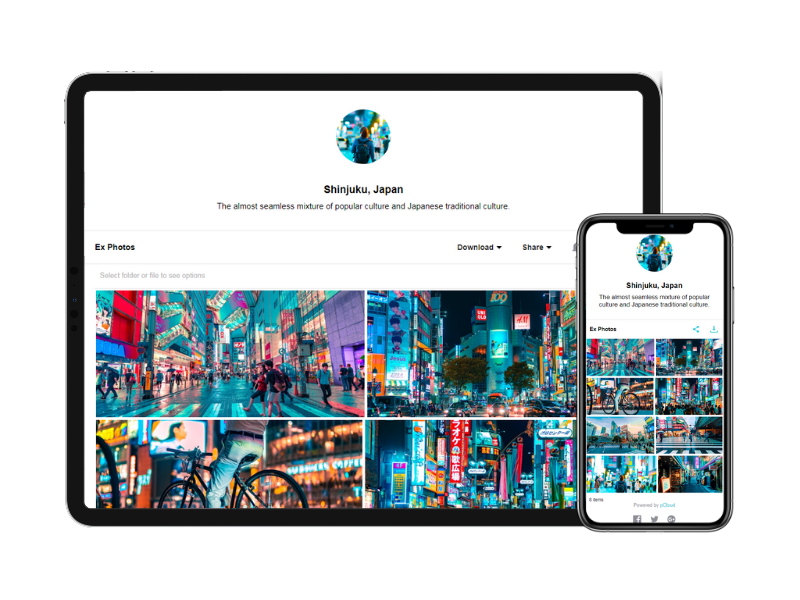
pCloud has a virtual drive which Google Drive does not offer. Sharing links using a custom page is much more professional than Google Drive. I feel pCloud is more value for money than paying for the upgraded Google Drive plan. If pCloud has its own built-in app …
The reason why we love pCloud over similar tools is because of its neat and clean interface. We also love options for file encryption through pCloud Crypto, which is unavailable on Google Drive, Dropbox, or OneDrive. Also, the upload speed on pCloud is fantastic and it is a lot …
Verified User
Director
Chose pCloud
pCloud offers much of the same for online storage but with super deals and valuable upgrades.
When compared to other devices, pCloud offers a superb user interface that is incredibly simple for anyone to navigate. It also incorporates cryptographic technology, which makes it extremely safe and efficient. Other platforms do not have the same level of protection as ours, …
pCloud's pricing is cheaper than alternatives. pCloud is modern and easy to understand.pCloud has mobile sync which is an amazing feature for me. Even it allows me to upload from a direct download link! pCloud has every feature that an average user required as a cloud backup or …
pCloud is miles away from the competition. We chose it because of their flexible pricing and great support. Plus the feature set is really tough to beat.
It is possible to share files and folders with up to 200 email addresses, as well as with persons outside the company.Use the drop-down arrow to select who may see, comment on, or change the file or folder before sending out an invitation.I am very much impressed with this feature
I need to store and share a lot of files. These include videos and other documents. Before using pCloud, I constantly had to clean up and delete files from my hard drive to free up space for new files. Sharing files and also using files on my website is now easier with pCloud's public folder.
eFilecabinet is the best bang for the buck Digital Document Storage Solution that will replace your Physical File Cabinets in your office and lead you down the paperless digital path. With this price point comes some hiccups and speed bumps that you need to be aware of (broken software due to updates from time to time, missing features, confusing interface due to multiple ways to access your data, etc), but once you find work arounds to these items, you will see how powerful efilecabinet is.
Any user with access can store a file using different platforms like Android, IOS, Windows, or Ubuntu (Desktop version)
You can share files with any number of different users with different access rights or you can even keep it public by providing the access link and assign different rights for public access
You can open Excel/Word files using google software Sheets/Docs in the browser environment without having to install software like Microsoft Office etc on your Windows OS
pCloud helps us to store data very well and it is accessible from anywhere. It makes it easy for anyone to use it and secure the data. It is easy to upload data and access it while having a meeting with our client.
pCloud easily stores files from another platform as well like Google Drive or Dropbox. It easily exchanges information like images, videos, and documents. This feature is amazing as it gives access to files from other storage.
It had one feature known as pCloud Crypto which gives high-end security to the data when stored. It is highly secure and encrypted. It uses blockchain technology which requires a key to use called Crypto Pass to unlock your data. Really like it.
eSignature integration has been a game changer four our organization. The simplification of obtaining client signature on necessary documents through this system has virtually eliminated our need for physically mailing documents to clients.
With our documents hosted by eFileCabinet, our team has increased capability to work from home/while on the road without needing to take along physically paperwork.
The search function that allows for on-page searching has been extremely useful when we're looking for older documents that we can't quite recall the title of.
Having a little bit more control and clarity over what is shared and how it is shared would be a useful improvement.
Could be more robust and flexible as far as assigning restrictions.
Google Sheets could be enhanced because Excel really is not there yet as a product with equal capabilities as there are still quite a few limitations to the functionality.
It's perfect for me. It keeps things saved and is easy to remove items if needed. Also, I very much enjoy the formatting options. Along with the integrations it has for SSO. Overall, this is the most user friendly system I have ever come across.
We do not have any issues with eFile Cabinet. It has become just part of our daily life - finish files and projects and save all the documentation here. Need to research? Find it in eFile. I personally cannot imagine my job without it.
It's easy enough to use for computer users of all ages and skill levels. I am an advanced user, and I think the hardest part might be showing someone how to download and set up the app on their device if they weren't too familiar with computers, but overall it is very easy to understand.
It is very easy to use, fast loading and the product team keeps adding updates. Like now I can listen to all my audiobooks from a playlist in pCloud. I am ask for files or send files easier than ever before. I also have access to all my files whereever I am.
eFileCabinet gets the job done and is fairly easy to use once you find a few workarounds and understand how the software works. Using the browser interface next to the desktop sidekick app is needed when it should all be included in a single app. Users always wonder "why do I have to open both the browser and the sidekick interfaces to do a simple task". Basically one does what the other doesn't do and Sidekick is needing to be open regardless for the printer/scanner upload functions, but is limited on what you can do compared to the browser interface. The mac Sidekick is still in beta and makes me wonder how much longer it will be supported or updated...
The documents load fairly quickly and also update in real time, especially given the fact that multiple people can be using it at once. The "Offline" feature works great to allow the user to make edits and access the document without access to the internet, and then sync changes later once they're back.
The software loads very quickly, their servers are great. The software can be a tad buggy or quirky at times but it gets the job done which is why it's an 8 out of 10 rating. Their desktop printer and scanner software could use an update so that windows updates don't break it from time to time too.
It takes a few days for customer support to get back to you. Although, I have not had to use support too often. Once you get an email back, they are very thorough and work hard to fix the problem quickly. It is a really great resource and a great way to get the help you need if you're stuck. A phone call also works quickly but you have to call during specific times.
It makes workflow so much easier, including the ability to save in the cloud makes it accessible from anywhere. I save very little on our server now which means this also makes filing more secure. I literally save and research via the platform several times a day.
The effective google workspace using training that my organization received and was conducted by me (as a team lead of the ICT team) was mind-blowing and as a result, our staff is performing well in terms of using the application for their daily jobs than before. Now, in my institution, all teachers and all the administrative personnel are very much interested in cloud storage facilities, in previous my institution was afraid of losing all important documents in the cloud storage. But, after having received the training they are now realized that if anyone has only one google account then he or she can use 15GB of cloud storage freely and they are now happy because now it is not necessary for anyone to carry the traditional pen drive.
It's an extremely easy software to implement, once you sign up for a google account you automatically have access to google drive with a set amount of storage space. The business or Google Suite accounts have more storage space than a regular free account, but setting up and accessing google drive is very easy in both cases
In short, Google Drive is better for independent users who store a normal amount of stuff. OneDrive makes more sense for businesses and teams that are doing heavy-duty storage or large-scale syncing. Realistically, though, most users will fall somewhere in between the two, where either platform would meet their needs.
The reason why we love pCloud over similar tools is because of its neat and clean interface. We also love options for file encryption through pCloud Crypto, which is unavailable on Google Drive, Dropbox, or OneDrive. Also, the upload speed on pCloud is fantastic and it is a lot better than Dropbox or Google Drive
We find eFileCabinet to be more secure than the alternative products we were using at the time, around 5 years ago. The system is far more robust and better suited the large number of files we needed to store, plus the amount of security and restrictions we needed to be able to provide for our clients
pCloud had worked very well for us. It had given the best service and features to us whenever we needed our data. It was there safe and secure.
The Synchronization issue is there with pCloud Data Storage. It needs to be updated by the developers if possible.
pCloud has helped us with the improvement of our business requirements, as it makes our work easier and fast enough to deliver the project details on time to clients.
Pay only for the number of users you need. I needed 2, so I pay for 2. Other DMS programs come with up to 5 users and charge accordingly. This gives me the flexibility to grow my business at my rate - not someone else's.