Google Drive is a cloud file storage, synchronization, and collaboration platform and service, that features Google Docs, Sheets, and Slides for document editing and presentation.
$6
per month
WalkMe
Score8 out of 10
N/A
WalkMe is a Digital Adoption Platform (DAP) that promises to transform the user experience in "today’s overwhelming digital world." Using artificial intelligence, analytics, engagement, guidance and automation, WalkMe offers a transparent overlay that assists users to complete tasks easily within any enterprise software, mobile application or website. Founded in 2011, WalkMe software is used by more than 1,500 enterprises globally, including over 30 percent of Fortune 500 companies.…
N/A
Pricing
Google Drive
WalkMe
Editions & Modules
Basic
$6.00
per month
Business
$12.00
per month
Enterprise
Contact Vendor for Quote
per month
No answers on this topic
Offerings
Pricing Offerings
Google Drive
WalkMe
Free Trial
Yes
No
Free/Freemium Version
Yes
Yes
Premium Consulting/Integration Services
No
No
Entry-level Setup Fee
No setup fee
No setup fee
Additional Details
Discounts are available for students, educators, and non profit organizations.
A de minimis incentive was given to thank the reviewer for their time. The incentive was not used to bias or drive a particular response, nor was the incentive contingent on a positive endorsement. More Info
It is possible to share files and folders with up to 200 email addresses, as well as with persons outside the company.Use the drop-down arrow to select who may see, comment on, or change the file or folder before sending out an invitation.I am very much impressed with this feature
New system implementation - if you're switching or upgrading systems, you can ease users through the transition by providing in-system contextual guidance, extra tips, and automating clicks they don't need to worry about.
Data integrity - if you have users making mistakes in the system, you can add validation with WalkMe without the need for developer time and reduce those errors and upstream problems, and related costs
Reducing support tickets - if you have support tickets coming through about how to do tasks in a system, you can reduce the time and cost of your support staff answering these tickets by addressing the queries with WalkMe content
Change management - ease users through change with guidance and provide in-system surveys
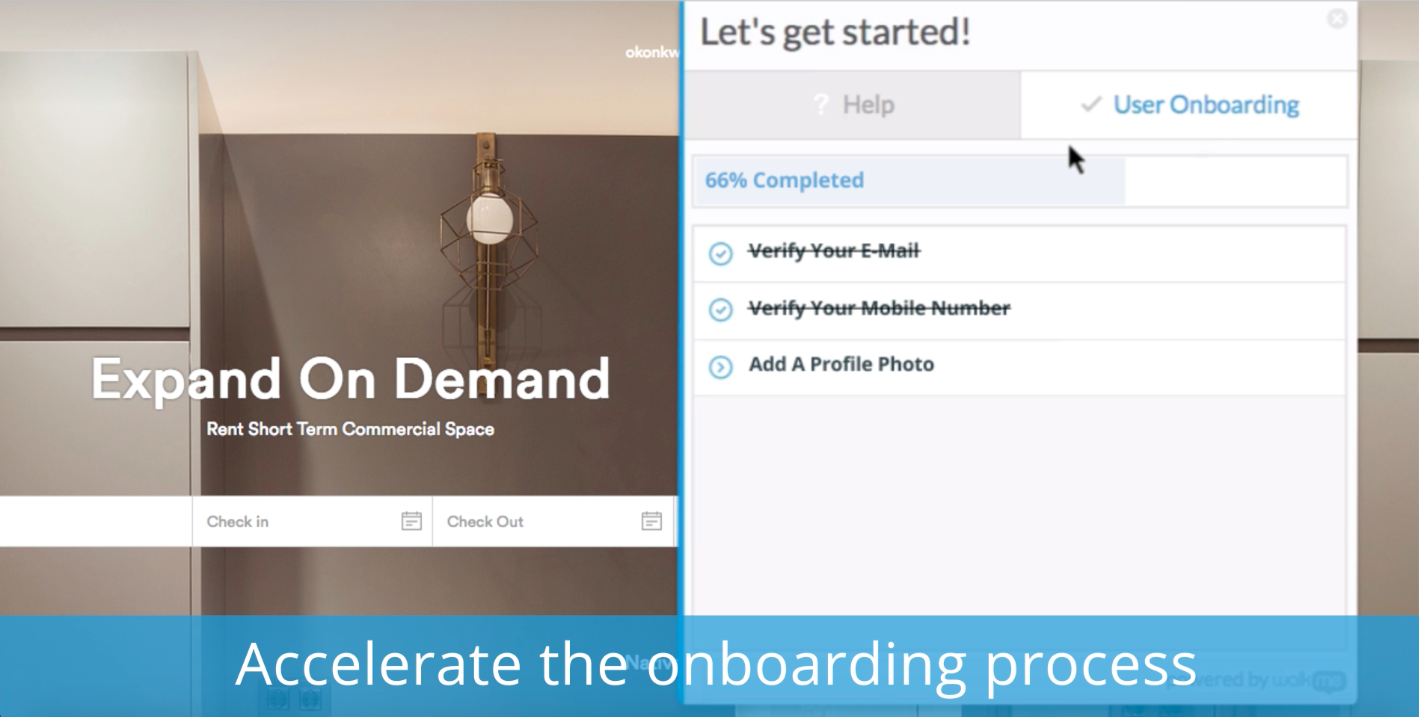
Onboarding - bring new users quickly up to speed with onboarding tasks
Automation - automate your regular processes and cut system time, freeing users up for more important tasks
Process/system analysis - use the analytics to track where users are dropping off in processes and making errors and address these with WalkMe content
User experience - make your system more user friendly
A de minimis incentive was given to thank the reviewer for their time. The incentive was not used to bias or drive a particular response, nor was the incentive contingent on a positive endorsement. More Info
Any user with access can store a file using different platforms like Android, IOS, Windows, or Ubuntu (Desktop version)
You can share files with any number of different users with different access rights or you can even keep it public by providing the access link and assign different rights for public access
You can open Excel/Word files using google software Sheets/Docs in the browser environment without having to install software like Microsoft Office etc on your Windows OS
A de minimis incentive was given to thank the reviewer for their time. The incentive was not used to bias or drive a particular response, nor was the incentive contingent on a positive endorsement. More Info
Ease of use and getting up-to-speed in a few days only. WalkMe can be used by new users easily and quickly, yet provides a many advance features for power users to keep exploring and creating innovative solutions--there are always some things that you have not used earlier
Great analytics on our platform, usage and adoption by users, and surveys
Very friendly community of users who help each other all the time and structured upskilling programs, weekly tips keep the learning going
Having a little bit more control and clarity over what is shared and how it is shared would be a useful improvement.
Could be more robust and flexible as far as assigning restrictions.
Google Sheets could be enhanced because Excel really is not there yet as a product with equal capabilities as there are still quite a few limitations to the functionality.
A de minimis incentive was given to thank the reviewer for their time. The incentive was not used to bias or drive a particular response, nor was the incentive contingent on a positive endorsement. More Info
Firefox plugin: The only time I use Firefox is when building a walk-thru. I would like to be able to use Chrome to build the walk-thrus.
Logic: Walk-thrus, Launchers, Shoutouts and walk-thru steps use different logic. I can't always fire something based on a click or URL when sometimes I would like to.
Design: You can use CSS to customize the look of your walk-thrus, but there isn't a way to remove the sidebar color of the walk-thrus.
A de minimis incentive was given to thank the reviewer for their time. The incentive was not used to bias or drive a particular response, nor was the incentive contingent on a positive endorsement. More Info
It's perfect for me. It keeps things saved and is easy to remove items if needed. Also, I very much enjoy the formatting options. Along with the integrations it has for SSO. Overall, this is the most user friendly system I have ever come across.
It's easy enough to use for computer users of all ages and skill levels. I am an advanced user, and I think the hardest part might be showing someone how to download and set up the app on their device if they weren't too familiar with computers, but overall it is very easy to understand.
A de minimis incentive was given to thank the reviewer for their time. The incentive was not used to bias or drive a particular response, nor was the incentive contingent on a positive endorsement. More Info
WalkMe has done a great job of making their tool easy to use. However because it is a Firefox plugin it causes me to need another browser and sacrifice the left 2 - 3 inches of my display, when working on a laptop this makes it a bit painful. Also when publishing you can organize your list of walk-thrus, the window size is small and limited to the constraints of the WalkMe tool.
A de minimis incentive was given to thank the reviewer for their time. The incentive was not used to bias or drive a particular response, nor was the incentive contingent on a positive endorsement. More Info
A de minimis incentive was given to thank the reviewer for their time. The incentive was not used to bias or drive a particular response, nor was the incentive contingent on a positive endorsement. More Info
The documents load fairly quickly and also update in real time, especially given the fact that multiple people can be using it at once. The "Offline" feature works great to allow the user to make edits and access the document without access to the internet, and then sync changes later once they're back.
A de minimis incentive was given to thank the reviewer for their time. The incentive was not used to bias or drive a particular response, nor was the incentive contingent on a positive endorsement. More Info
It takes a few days for customer support to get back to you. Although, I have not had to use support too often. Once you get an email back, they are very thorough and work hard to fix the problem quickly. It is a really great resource and a great way to get the help you need if you're stuck. A phone call also works quickly but you have to call during specific times.
The WalkMe Support Team was phenomenal. My support rep made a genuine effort to ensure my success with using the WalkMe Software. She was kind, patient, and very knowledgeable on the software. If there was a question she did not know the answer too, she would find the answer and get back to me as soon as possible
A de minimis incentive was given to thank the reviewer for their time. The incentive was not used to bias or drive a particular response, nor was the incentive contingent on a positive endorsement. More Info
The effective google workspace using training that my organization received and was conducted by me (as a team lead of the ICT team) was mind-blowing and as a result, our staff is performing well in terms of using the application for their daily jobs than before. Now, in my institution, all teachers and all the administrative personnel are very much interested in cloud storage facilities, in previous my institution was afraid of losing all important documents in the cloud storage. But, after having received the training they are now realized that if anyone has only one google account then he or she can use 15GB of cloud storage freely and they are now happy because now it is not necessary for anyone to carry the traditional pen drive.
A de minimis incentive was given to thank the reviewer for their time. The incentive was not used to bias or drive a particular response, nor was the incentive contingent on a positive endorsement. More Info
It's an extremely easy software to implement, once you sign up for a google account you automatically have access to google drive with a set amount of storage space. The business or Google Suite accounts have more storage space than a regular free account, but setting up and accessing google drive is very easy in both cases
In short, Google Drive is better for independent users who store a normal amount of stuff. OneDrive makes more sense for businesses and teams that are doing heavy-duty storage or large-scale syncing. Realistically, though, most users will fall somewhere in between the two, where either platform would meet their needs.
My understanding is that WalkMe was selected based on its capability to support our requirements for our enterprise software. We wanted a product that allows us to provide help at the point of need, provide as little or as much help to guide the user to successfully use the product, and a product that is scalable and can support our growing capabilities.
A de minimis incentive was given to thank the reviewer for their time. The incentive was not used to bias or drive a particular response, nor was the incentive contingent on a positive endorsement. More Info
With a promise to help onboard, we found that as people interacted with the walk throughs they didn't get any significant value. Self-service wasn't improved, in fact, we got more complaints from the walk throughs than help from them.
NPS surveys were a nightmare to try and integrate with our CRM so we could action the results. Lost time and energy without much support from the WalkMe team
No improvement to our Product Adoption, so all cost and time and energy spent on implementation was a loss.